# Kiwiplan - Install Web Launcher
This requires Java to be installed first
- First program that must be installed in Kiwiplan\_Web\_Launcher\_Setup.
- This file is usually in the Linux server in the MES folder for the current revision or on the RDS server if it was copied
- Verify Kiwiplan Launcher version works with current revision, if not need to uninstall and reinstall different Kiwiplan Launcher. (Should verify with Kiwiplan)
- Open local drive > Kiwiplan > Kiwiplan Revisions.
- Choose the appropriate revision folder (May need to confer with Kiwiplan to know which one to choose)
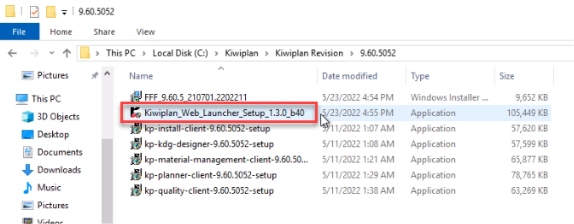
- Run “Kiwiplan\_Web\_Launcher\_Setup” as Admin
- Click “Yes” for Do you want to allow this app from an unknown publisher to make changes to your device.
- This is a silent launcher and takes a few second to install.
- Verify by going into Kiwiplan folder and seeing c:\\kiwiplan