# Kiwiplan

# Kiwiplan - VUE with systemd

# Introduction

This document it to setup auto restart of the VUE services after a server restart.

## Create The Following Files

### kiwiplan@.service

```shell
sudo vi /etc/systemd/system/kiwiplan@.service
```

Place the following in the file

```shell
[Unit]
Description=Kiwiplan services for %I
After=network-online.target mariadb.target

[Service]
Type=simple
User=remuser
Group=kiwiplan
ExecStart=/KIWI/services/servers.sh start %i
ExecStop=/KIWI/services/servers.sh stop %i
RemainAfterExit=true
PrivateTmp=false
LimitNOFILE=32768
LimitNPROC=32768
Environment=TERM=vt100

[Install]
WantedBy=multi-user.target
```

Reload the changes

```shell
sudo systemctl daemon-reload
```

### servers.sh

```shell
vi /KIWI/services/servers.sh
```

Place the following in the file

```shell
#!/bin/bash
if [ $# -gt 1 ]; then
  export TERM=vt100
  export LOG=/tmp/kiwiplan.$2.log
  echo $(date +'%Y-%m-%d %H:%M:%S') - $1 >> $LOG
  case "$1" in
    start)
       /KIWI/services/sites/$2/current/bin/startservers.sh >> $LOG 2>&1
       ;;
     stop)
       /KIWI/services/sites/$2/current/bin/stopservers.sh >> $LOG 2>&1
       ;;
     *)
       exit 1
       ;;
  esac
  exit 0
else
  echo "No Site passed"
  exit 1
fi
```

Make the file executable

```shell
chmod +x /opt/kiwi/services/servers.sh
```

### Run Configurations

For the VUE site named 'vue' use the following:

To have it start on boot run :

```shell
systemctl enable kiwiplan@vue.service 
```

To stop it from starting at boot time :

```shell
systemctl disable kiwiplan@vue.service
```

To start :

```shell
systemctl start kiwiplan@vue.service
```

 To stop :

```shell
systemctl stop kiwiplan@vue.service
```

 To view status :

```shell
systemctl -l status kiwiplan@vue.service
```

# Kiwiplan - Business Rules Book

### Business Rules

The business rule engine is custom main but it uses part of the following logic:

[ Ternary Conditional Operand/Operator](https://en.wikipedia.org/wiki/Ternary_conditional_operator " Ternary Conditional Operand/Operator")

### Kiwiplan Document Generator

The KDG software back end is built using the following engine:

[Stimulsoft](https://www.stimulsoft.com/en "Stimulsoft")

### Unit Load (StimulSoft/KDG)

Reconstructing the SSCC barcode\_key of the unit (barcode\_key) is not imported into ESP with the unit. Will use this when creating auto interplant units in Plant ULT, so that the producing plants barcode can be scanned when unit arrives in .

```vb.net
"[$s1]:=""0019419839""
[$s2]:=format([uniqueid],""000000000"")
[$barcode]:=[$s1]&[$s2]
[$d12]:=val(substring([$s2],2,1))
[$d13]:=val(substring([$s2],3,1))*3
[$d14]:=val(substring([$s2],4,1))
[$d15]:=val(substring([$s2],5,1))*3
[$d16]:=val(substring([$s2],6,1))
[$d17]:=val(substring([$s2],7,1))*3
[$d18]:=val(substring([$s2],8,1))
[$d19]:=val(substring([$s2],9,1))*3
[$chkdigit]:=[$d12] + [$d13]+ [$d14]+ [$d15] + [$d16]+[$d17]+ [$d18] + [$d19] +78
[$d20]:=(roundup([$chkdigit]/10)*10)-[$chkdigit]
[Userfieldul2]:=[$barcode]&[$d20]"
```

# Kiwiplan - KDW Data Warehouse

## Introduction

The document assumes that you have the server build with a Kiwiplan environment.

These are things that need to be done on after the installation of KDW.

These instructions may not follow the same folder setup our was installed using the “KDW” site name.

### Environment

Add these to the environment to make it easier to navigate to the folders

```shell
export KIWIBASE=/KIWI
export KIWI=${KIWI:-/KIWI/site_$PLANTID}
export KBIN=${KBIN:-${KIWIBASE}/services/etl/kdw/current/kiwiplan/bin}
export KLOG=${KLOG:-${KIWIBASE}/services/etl/kdw/current/kiwiplan/log}
export KCONF=${KCONF:-${KIWIBASE}/services/etl/kdw/current/kiwiplan/conf}
```

Logout and log back in to get the variables and be able to use them

### Admin Console prep

You need to add the dashboard to the the pam authentication

```shell
cd $KCONF
sudo cp kdw-adminconsole_eample /etc/pam.d/kdw-adminconsole
```

### Database Readiness

Run this to make sure there are no table lock.

```mssql
USE master;
GO
ALTER DATABASE [kdw_master_datawarehouse]
SET SINGLE_USER
WITH ROLLBACK IMMEDIATE;
GO
ALTER DATABASE [kdw_master_datawarehouse] SET READ_COMMITTED_SNAPSHOT ON;
GO
ALTER DATABASE [kdw_master_datawarehouse] 
SET MULTI_USER;
GOUSE master;
GO
ALTER DATABASE [kdw_working_datawarehouse]
SET SINGLE_USER
WITH ROLLBACK IMMEDIATE;
GO
ALTER DATABASE [kdw_working_datawarehouse] SET READ_COMMITTED_SNAPSHOT ON;
GO
ALTER DATABASE [kdw_working_datawarehouse] 
SET MULTI_USER;
GO
```

### MySQL Connector

[https://dev.mysql.com/downloads/connector/j/](https://dev.mysql.com/downloads/connector/j/)

For 9.80.x revision you must use 5.41 as version 8.x.x do not work.

Extract the file and then copy the .jar to the DIST folder.

```shell
[/KIWI/services/etl/kdw/current/kiwiplan/dist]$
mysql-connector-java-5.1.44-bin.jar
```

### Setting Console

```shell
cd /opt/kiwi/services/etl/kdw/current/kiwiplan/conf
cp kdw-adminconsole_example /etc/pam.d/kdw-adminconsole
chmod 777 /etc/pam.d/kdw-adminconsole
```

### Extra Executors

To setup extra executors to reduce the time of execution for each system.

You will need to copy the executor properties files to another by adding a numeric value to the name

```shell
[/KIWI/services/etl/kdw/current/kiwiplan/conf]$ 
cp application_executor.properties application_executor1.properties
```

The new file needs to be edited and this value changed

```shell
## KDW executer name
kdw.executor-name=Main_Executor
```

To the following value

```shell
kdw.executor-name=Main_Executor1
```

### Revision 9.8.x

Make sure you un the following.

```shell
[/KIWI/services/etl/kdw/current/kiwiplan/bin]$
dwdate_initialization.sh
```

### Restart Script

You can create a restart.sh script with the following

```shell
[/KIWI/services/etl/kdw/current/kiwiplan/bin]$ 
vi restart.sh
```

Then add this in the file

```shell
:
./stopExecutors.sh
./stopSchedulers.sh
./startSchedulers.sh
sleep 15
./startExecutors.sh
```

Make the file executable for the system

```shell
[/KIWI/services/etl/kdw/current/kiwiplan/bin]$
chmod 777 restart.sh
```

# Kiwiplan - Upgrade Shortcut Switches

These are placed on the shortcut of the upgrade.exe.

## Upgrade Options Only (depreciated 7.80)

### Evaluator:

Option: 1 Will show you the available revisions to upgrade from for the revision you are trying to upgrade to if it fails, it returns database versions though, not msi versions.

### (Depricated) Espdatapurge:

This is now on a service setup.

Purge data in ESP before upgrading, it uses different datetime fields depending on the record, and depends on the statuses of some objects to determine if the transactional record is purged

**NOTE**: If a docket is older than your purge time, if it is in printed status, it will not purge

[![image.png](https://docs.sflservicesllc.com/uploads/images/gallery/2024-09/scaled-1680-/C7Fimage.png)](https://docs.sflservicesllc.com/uploads/images/gallery/2024-09/C7Fimage.png)

<div data-layout="center" data-node-type="mediaSingle" data-width="602" data-width-type="pixel" id="bkmrk--1"></div>## Upgrade Options Only

### Applyscriptfolder:

This is to point the upgrade to look at another script folder but will bypass version checking so you can break things. C:\\Kiwiplan\\EspServ\\Upgrade.exe applyscriptfolder

[![image.png](https://docs.sflservicesllc.com/uploads/images/gallery/2024-09/scaled-1680-/FP1image.png)](https://docs.sflservicesllc.com/uploads/images/gallery/2024-09/FP1image.png)

<div data-layout="center" data-node-type="mediaSingle" data-width="616" data-width-type="pixel" id="bkmrk--3"></div>### Importactivedirectory:

This is to import and sync the Active Directory after the upgrade completes. C:\\Kiwiplan\\EspServ\\Upgrade.exe importactivedirectory

[![image.png](https://docs.sflservicesllc.com/uploads/images/gallery/2024-09/scaled-1680-/IkDimage.png)](https://docs.sflservicesllc.com/uploads/images/gallery/2024-09/IkDimage.png)

<div data-layout="center" data-node-type="mediaSingle" data-width="612" data-width-type="pixel" id="bkmrk--5"></div>C:\\Kiwiplan\\EspServ\\Upgrade.exe espdatapurge

C:\\Kiwiplan\\EspServ\\Upgrade.exe evaluator:1

# Kiwiplan - Bag of Tricks for ESP and MAP/MES

## Agents

# Agents

## ESP Agent Retry Errors Setup

Agent can be set up to retry errors so that the system reprocesses failed requests.

### InfClient/Section/Agent General

**Name Scope Value**

Restart Error Text whole Automation error

Maximum Automatic Retry Count For Failed Requests whole 3

### InfClient/Section/Agent Errors To Retry

**Name Scope Value**

Agent exited without completing request whole Agent exited

Cannot find matching dockets whole Cannot find matching dockets

changed by another user whole changed by another user

Clipboard whole Clipboard

Deadlock whole deadlock

Execution canceled whole Execution canceled

Operation Cancelled whole Operation canceled

PalletMovement whole PalletMovement

Updated by another user whole Updated by another user

## Application Shortcut Line Options

The **1** equals true and the 0 equals false. You can also use **True** or **False** those will also turn these options on or off.

All of these options have the semicolon to separate the option with the True or False

Ex: <u>PrintToFile</u>**<u>:</u>**<u>1</u> or <u>PrintToFile</u>**<u>:</u>**<u>True</u>

## KiwiXplor &amp; Agent Options

### DBServer:

This is the hostname of the SQL server.

### DBName:

This is the DataBase name to use on the SQL server.

### DBPassword:

This is to specify a SQL DataBase password to log into SQL server.

### DBLogin:

This is to specify a NT/Network SQL DataBase Login to log into SQL server.

### NTLogin:

Replaces the Domain user name to the one specified.

### Plant:

Is the plant code (from MAP) in GEN/PL

### SQLLog:

This enables logging of calls to the SQL DataBase

### Width:

Is the width of the ESP window that opens by default

### Height:

Is the length of the ESP window that opens by default

### Object Log:

Logs object usage in ESP, an interval defined in seconds

### HostDebugLevel:

Is the Tcp connection between ESP and the Unix system (aka KIDS) debugging level 0 - 5 (5 = most detailed)

## KiwiXplor Options Only

### HostName:

This is to change the Linux server

### HostDataSet:

This is to access the MAP DataSet that is specified in the KIDSENV file. For more info on this parameter look at the “First Time Installation Guide”.

### HostUser:

This is to specify the Unix server login name to log into the MAP DataSet.

### HostPassword:

This is to specify the Unix server login password to log into the MAP DataSet.

### DBTimeOut:

Is a setting for the amount of time in seconds before the database should give up waiting for a reply from the SQL DataBase.

## Agent Options Only (depreciated after 7.80)

### AgentNumber:

This is used when more than one Agent has been setup in ESP to handle different types of requests

### PrintToFile:

This is used if printing documents to a file instead of physically printing (good for testing).

### ShowWord:

This is used if Word is to display the populating of templates as Word documents are printing

## Freeze a ESP dataset in time

Freezes your dataset in time. To use this you will have to create a file in the ESPServ folder and call it “**profile.ini**” and then add the following within the file

```ini
[SheetPlant]
StartDateTime=10/30/2014 16:25:25
TimeZone=Eastern Standard Time
LocaleID=1033

[CHH]
StartDateTime=02/10/03 14:45:00
TimeZone=New Zealand Standard Time
LocaleID=5129
```

Using this option on the properties command line you have to use it like this

```
profilesection:CHH
```

Reference [https://kall.kiwiplan.co.nz/kall/kiwiplan/issueViewer.do?action=viewIssue&amp;searchId=7&amp;issueId=72725](https://kall.kiwiplan.co.nz/kall/kiwiplan/issueViewer.do?action=viewIssue&searchId=7&issueId=72725)

## Example of KiwiXplor Options

### KiwiXplor Target Line

 Example of a target:

```
“K:\Kiwiplan\Kiwiplan\KiwiXplor.exe” HOSTUSER:john HOSTPASSWORD:doe HOSTNAME:192.168.242.129 HOSTDATASET:Cinncinati DBSERVER:172.16.6.16 DBNAME:espbox
```

 Note: Make sure that there is a space between each of the options e.g.: HOSTUSER:john(space)

## Example of Agent Options

### Agent Target Line

 Example of a target:

```
K:\Kiwiplan\Kiwiplan\EspAgent.exe AgentNumber:3
```

## Tricks &amp; Shortcuts

### Main Keys

<u>F4</u> is a shortcut key used to display a combo field box (drop down box).

Simply click into the field and hit **F4**.

<u>F5</u> is a shortcut key used to bring up another window from within the current one you are in.

Simply click into the field (even if it is grayed out) and hit **F5**

E.g.: If you are in the Product Design window you can click on the company field, press F5, and another window will open, displaying the company.

<u>F8</u> is a shortcut key used to bring up special instructions in any Comment or Special Instruction field. These special instructions are stored in the Macro section of the relevant application.

Simply click into the field and hit **F8**

## Alternative Manual Invoice/Credit Parameter

Several of the external Word docs in ESP are designed to allow for multiple templates of the same document. For example, it’s possible to have many different invoices. The standard invoice template is used unless a different template file is specified on the Documentation tab on the Company form for a particular company. This is the same for order confirmations, price lists, dockets etc.

The manual invoice and credit are not set up this way. You cannot attach a different manual invoice template or manual credit template to a customer. However, there are two parameters that allow for the use of alternative template files for manual invoices and credits:

```
EspClient/Invoicing/ Alternative Manual Invoice Template Formula
EspClient/Invoicing/ Alternative Manual Credit Template Formula 
```

These parameters specify the template to be used for the manual invoice and manual credit using a business rule in the Value field.

### **Example:**

If the parameter has the value:

```vb.net
iif([company.region]="Export", "ExportInvoice", iif([productcode]="Tool", "ServiceInvoice", "ManualInvoice"))
```

Then:

- If the region for the company is set to *Export*, then the *ExportInvoice* template is used.
- If the region is not set to *Export* and the Product code is *Tool* then the *ServiceInvoice* template is used.
- In all other cases, the *ManualInvoice* template is used.

# Kiwiplan - Supplying Product Designs

This section describes how to set up one product design to be supplied by another. This scenario is needed when goods are produced for stock, but must be erected/finished at a future unknown date. This means we need a means of tracking stock of the unfinished product and finished product.

 ESP and MAP provide a solution for this using two stock PD’s. The first one (unfinished) is converted and booked into store. When the last conversion process is required, a topup of the second (finished) PD is placed. The feedback of this topup order will automatically decrease the stock of the first PD.

## Parameters, Store and Machine Setup

### Machine Setup

For this to work there are two machines that must be set up correctly. There must be a Supply From Stock machine. This machine should have the Supply operation 17, and be set to auto-feedback, triggered by feedback of the next step.

[![image.png](https://docs.sflservicesllc.com/uploads/images/gallery/2024-09/scaled-1680-/Q4Himage.png)](https://docs.sflservicesllc.com/uploads/images/gallery/2024-09/Q4Himage.png)

The second machine is the conversion machine that finishes the product. This machine should have standard feedback, the operations that are required to finish the product, and be attached to the store and location where the unfinished product will be stored.

[![image.png](https://docs.sflservicesllc.com/uploads/images/gallery/2024-09/scaled-1680-/JX9image.png)](https://docs.sflservicesllc.com/uploads/images/gallery/2024-09/JX9image.png)

[![image.png](https://docs.sflservicesllc.com/uploads/images/gallery/2024-09/scaled-1680-/tInimage.png)](https://docs.sflservicesllc.com/uploads/images/gallery/2024-09/tInimage.png)

<div data-layout="center" data-node-type="mediaSingle" data-width="617" data-width-type="pixel" id="bkmrk--3"><div data-alt="image-20240113-012355.png" data-collection="contentId-18612339" data-context-id="18612339" data-file-mime-type="image/png" data-file-name="image-20240113-012355.png" data-file-size="139491" data-height="251" data-id="0f45b1e6-118c-467c-af5f-c8fde3b77e3e" data-node-type="media" data-type="file" data-width="415" title="Attachment">  
</div></div>### Store Setup

The store location where the unfinished product is stored must have ‘Units from WIP label to be Available/Stock’ set to Y.

[![image.png](https://docs.sflservicesllc.com/uploads/images/gallery/2024-09/scaled-1680-/nDSimage.png)](https://docs.sflservicesllc.com/uploads/images/gallery/2024-09/nDSimage.png)

<div data-layout="center" data-node-type="mediaSingle" data-width="617" data-width-type="pixel" id="bkmrk--5"></div>### <u>Parameters</u>

Two parameters need to be set in MAP:

- PCS FB 57 “Auto Board Xfers for Hort Jobs” = Y
- GEN PL 33 “FGS Supply Machine for Hort.” = machine number for Supply From Stock machine

# Product Design Setup

### Unfinished Product Design

This PD must have a stock line for the store that was specified on the finishing machine described previously in this section.

The machine route should be set up as normal, without the finishing step.

### Finished Product Design

The finished PD must also have a stock line.

The machine route should be the Supply from Stock machine, the finishing machine and the strapper, so the operations on the PD need to be Supply board, whatever finishing operations are required, and strapping.

The machine route should have the unfinished PD number specified in the ‘supplying design number’ field.

[![image.png](https://docs.sflservicesllc.com/uploads/images/gallery/2024-09/scaled-1680-/ioQimage.png)](https://docs.sflservicesllc.com/uploads/images/gallery/2024-09/ioQimage.png)

<div data-layout="center" data-node-type="mediaSingle" data-width="621" data-width-type="pixel" id="bkmrk--7"></div>### Business Rule for Special Instruction 

There is currently nothing on the order for the finished PD to indicate that it is being supplied by another PD. However this can be easily remedied by writing a business rule to the Order business class that adds the supplying PD number to the special instructions.

### Expression:

\[Specialinstructions\]:=\[Specialinstructions\] &amp; iif(\[Ordertype\]&lt;&gt;"calloff" AND isobjectvalid(\[Route.SupplyingProductDesign\])=true AND findcount("to supply this order",\[specialinstructions\])=0," !!!!! Please use PD" &amp; \[Route.SupplyingProductDesign.Designnumber\] &amp; " to supply this order !!!!!","")

This rule appends a message to the existing special instructions, but only if the following conditions are true:

- the order is not a calloff

- the route attached to the order has a supplying PD number

- the message isn’t already in the special instructions

The message that is added to the special instructions:

!!!!! Please use PD\*\*\*\* to supply this order !!!!!

where \*\*\*\* is the supplying PD number from the machine route.

### Ordering, Feedback and Delivery 

Here is the sequence of events for this scenario:

- topup is placed for the unfinished PD to increase the stock. It is converted and booked into store

- topup is placed for the finished PD

- the finishing step is fed back

- this automatically feeds back the Supply from Stock step, drops the unfinished stock levels and increases the finished stock levels

- calloff order is placed for delivery of finished product

# Kiwiplan - Multi-Plant Harmonization

What fields and areas that need to be standardize in ESP and MAP.

This section was put together from the aspect if we were going forward either with one MAP database or Multi-MAP databases scenario.

### All plants in one ESP database

Here is a list of fields/lookups that need to be standardized in the ESP database

1. Destination Codes

1. Styles for Descriptions and print outs

1. Stacking Patterns shared with MAP parameters

### All countries/states/provinces in a separate MAP Database

Here is a list of fields/lookups that need to be standardized all across the MAP databases

1. Colors

1. Pallet Types

1. Top Board Codes

1. Closure Codes

1. Strapping Codes

1. Stacking Patterns shared with ESP

1. Tab Types

1. Score Types

1. Ink Types

10\) Tools Types

11\) Tool Names when the tool is shared

12\) Machine Operations

13\) Unit Descriptions

14\) Basic Board Codes

15\) Downtime Codes

16\) Waste Codes

17\) Machine numbers

18\) BRD-ST, Material Status

19\) CORR-FL, Corrugator flutes

20\) CSC-BS, Board structure

21\) CSC-CC, Coating codes

22\) CSC-OS, Order status codes and desc

23\) CSC-PC, Paper class

24\) GEN-FB, Default waste codes

25\) GEN-LT, Label types

26\) GEN-QC, Down time categories

27\) GEN-UM, Units of measure

28\) GEN-WC, Waste code classes

29\) PCS-QE, PCS - machine groups

30\) PCS-QO, PCS - order status

31\) PCS-QR, PCS - run rate units

32\) Label Formats

33\) Board Code

### Board Codes

The image below shows how we would setup board codes to be used in MAP. The ESP sales board code would only be seen in ESP for costing and sale purposes. The plant board code would only be seen on the production side and used to produce the item. Depending on the local plant’s available papers the combination would change at every plant. The producing plant’s combination would be setup in the CSC system to have an upgrade downgrade path to the top board code from sale board code.

NOTE: There is currently a limit to 16 upgrade and downgrade paths.

[![image.png](https://docs.sflservicesllc.com/uploads/images/gallery/2024-09/scaled-1680-/sdoimage.png)](https://docs.sflservicesllc.com/uploads/images/gallery/2024-09/sdoimage.png)

# Kiwiplan - ULT Interface to Warehouse and Carriers

This is an interface that can be used to import loaded trucks at a remote location and also be able to ship them in ULT.

## Reference

[https://kall.kiwiplan.co.nz/kall/kiwiplan/issueViewer.do?id=5447259](https://kall.kiwiplan.co.nz/kall/kiwiplan/issueViewer.do?id=5447259)

## Programs

### imptruck

This program imports the jobs and units that would be on the remote load

### shptruck

This program ships the truck in ULT.

**NOTE**: You can also unship and undesptch via the interface to undo loads.

Example of an interface running in Canada

[![image.png](https://docs.sflservicesllc.com/uploads/images/gallery/2024-09/scaled-1680-/STRimage.png)](https://docs.sflservicesllc.com/uploads/images/gallery/2024-09/STRimage.png)

[![image.png](https://docs.sflservicesllc.com/uploads/images/gallery/2024-09/scaled-1680-/1QGimage.png)](https://docs.sflservicesllc.com/uploads/images/gallery/2024-09/1QGimage.png)

[![image.png](https://docs.sflservicesllc.com/uploads/images/gallery/2024-09/scaled-1680-/0Kfimage.png)](https://docs.sflservicesllc.com/uploads/images/gallery/2024-09/0Kfimage.png)

[![image.png](https://docs.sflservicesllc.com/uploads/images/gallery/2024-09/scaled-1680-/xYhimage.png)](https://docs.sflservicesllc.com/uploads/images/gallery/2024-09/xYhimage.png)

[![image.png](https://docs.sflservicesllc.com/uploads/images/gallery/2024-09/scaled-1680-/wk8image.png)](https://docs.sflservicesllc.com/uploads/images/gallery/2024-09/wk8image.png)

<div data-layout="center" data-node-type="mediaSingle" data-width="736" data-width-type="pixel" id="bkmrk--5"><div data-alt="image-20240113-013252.png" data-collection="contentId-18677896" data-context-id="18677896" data-file-mime-type="image/png" data-file-name="image-20240113-013252.png" data-file-size="354302" data-height="327" data-id="26083c3f-1ee9-4a1a-ab80-09ab581dd66c" data-node-type="media" data-type="file" data-width="432" title="Attachment">  
</div></div><div data-layout="center" data-node-type="mediaSingle" data-width="732" data-width-type="pixel" id="bkmrk--6"><div data-alt="image-20240113-013307.png" data-collection="contentId-18677896" data-context-id="18677896" data-file-mime-type="image/png" data-file-name="image-20240113-013307.png" data-file-size="281862" data-height="291" data-id="a4f7cfac-b72f-4338-a09b-1ad0a048e803" data-node-type="media" data-type="file" data-width="432" title="Attachment">  
</div></div><div data-layout="center" data-node-type="mediaSingle" data-width="732" data-width-type="pixel" id="bkmrk--7"><div data-alt="image-20240113-013319.png" data-collection="contentId-18677896" data-context-id="18677896" data-file-mime-type="image/png" data-file-name="image-20240113-013319.png" data-file-size="166894" data-height="279" data-id="adf3cbd6-816d-42c6-b32b-e82cf926840d" data-node-type="media" data-type="file" data-width="432" title="Attachment">  
</div></div><div data-layout="center" data-node-type="mediaSingle" data-width="732" data-width-type="pixel" id="bkmrk--8"><div data-alt="image-20240113-013331.png" data-collection="contentId-18677896" data-context-id="18677896" data-file-mime-type="image/png" data-file-name="image-20240113-013331.png" data-file-size="128616" data-height="300" data-id="b9ff8ba1-989e-4c9a-9c26-149d441e9337" data-node-type="media" data-type="file" data-width="432" title="Attachment">  
</div></div><div data-layout="center" data-node-type="mediaSingle" data-width="732" data-width-type="pixel" id="bkmrk--9"><div data-alt="image-20240113-013342.png" data-collection="contentId-18677896" data-context-id="18677896" data-file-mime-type="image/png" data-file-name="image-20240113-013342.png" data-file-size="333098" data-height="324" data-id="3f15e2c4-17b0-4b85-a19b-16e0bbb4ca0b" data-node-type="media" data-type="file" data-width="432" title="Attachment">  
</div></div>

# Kiwiplan - ESP Stock Transfer

This is to be able to print out a stock transfer docket.

## ULT Setup

Set the following MAP parameters to enable export of transfer data:

GEN/EE/Layout Version for ULTDLD (ULT Export) to *2*

```
pcsmenu:AP                   MAINTAIN PARAMETERS                    13/Sun 13:48
================================================================================

System  Description                    V/M
 GEN    General for many systems
Prefix  Description                    View_Mnt Default_key Many_records_allowed
  EE    Electronic Data Export             M                         Y
Number  Parameter                      Value
 1      Data Type                      ULTDLD
 2      Description                    Docket Export
 3      Directory Name                 /app01/kiwi/site_0068/work/ultdld/
 4      Last File Number Used          3
 5      Script name for File Export    EspRenameDkt
 6      Fixed record length 0=variable 0
 7      File Name (optional)           
 8      Layout Version                 2  

```

INV/DL/Allow File Export (Y/N) to *Y*

```
kwutils:C                    MAINTAIN PARAMETERS                    13/Sun 13:50
================================================================================

System  Description                    V/M
 INV    Inventory Management/Tracking
Prefix  Description                    View_Mnt Default_key Many_records_allowed
  DL    Despatch Load Parameters           M      PARAMS             N
Number  Parameter                      Value
 1      Key                            PARAMS
6	     Allow File Export (Y/N)        Y

```

INV/DL/Include in export transfer to *Y*

```
kwutils:C                    MAINTAIN PARAMETERS                    13/Sun 13:51
================================================================================

System  Description                    V/M
 INV    Inventory Management/Tracking
Prefix  Description                    View_Mnt Default_key Many_records_allowed
  DL    Despatch Load Parameters           M      PARAMS             N
Number  Parameter                      Value
35      Include in export transfer     Y

```

INV/DL/When set Load to "Shipped" Generate GLBOL export to *Y*

```
kwutils:C                    MAINTAIN PARAMETERS                    13/Sun 13:51
================================================================================

System  Description                    V/M
 INV    Inventory Management/Tracking
Prefix  Description                    View_Mnt Default_key Many_records_allowed
  DL    Despatch Load Parameters           M      PARAMS             N
Number  Parameter                      Value
33      When set Load to "Shipped"
34	      Generate DLBOL export        Y

```

## ESP Setup

Ensure your FGS/Stores parameters in ESP are set correctly, in particular FGS/Stores/Store x - FGS stk store xfer machine number for each store you are transferring to and from.

[![image.png](https://docs.sflservicesllc.com/uploads/images/gallery/2024-09/scaled-1680-/vSpimage.png)](https://docs.sflservicesllc.com/uploads/images/gallery/2024-09/vSpimage.png)

<div data-layout="center" data-node-type="mediaSingle" data-width="622" data-width-type="pixel" id="bkmrk--1"></div>Verify you store locations and added highlighted (FGS Stk Store, In Machine &amp; Out Machine)

```
invmenu:C                       Select Store                        13/Sun 14:18
================================================================================
                                                             Total Stores =   14
Idx Store Description               1_L Plant Items Off Address Line 1
  5    80 WINSTON-SALEM MAIN FG STO   N     1       0   8080 N. Point Blvd
  6    81 Westpoint Warehouse         N     1       0   3946 Westpoint Blvd
  7   124 Reynolds Packaging          N     1       0   2249 Virginia Ave
  8   125 Richmond Corrugated         N     1       0   5301 Corrugated Rd
  9   126 Carolina Container          N     1       0   5701 Quality Way
 10   127 South Atlantic              N     1       0   3932 Westpoint Blvd
 11   128 Phoenix Packaging           N     1       0   125 E. 9th St.
 12   129 Driscoll Group              N     1       0   1084 W. 4th St.
 13   130 RKT Latta                   N     1       0   4461 Hwy 301 S
 14   143 Freeman Container           N     1       0   121 Freeman Park Drive

```

You must add the FROM and TO store number of the stores that will be used in the transfers in the despatchmode lookup table.

<div data-layout="center" data-node-type="mediaSingle" data-width="614" data-width-type="pixel" id="bkmrk--2"><div data-alt="image-20240113-014146.png" data-collection="contentId-18546871" data-context-id="18546871" data-file-mime-type="image/png" data-file-name="image-20240113-014146.png" data-file-size="141377" data-height="169" data-id="f77b3dc8-ff9f-47a2-95cc-02e6bec5f832" data-node-type="media" data-type="file" data-width="432" title="Attachment">  
</div></div>Once the store numbers are in the despatchmode lookup table then you must go to the relative address. To do this SEARCHàAddressàStore Number and enter the store number for the FROM and also on the TO and set the drop down for the despatchmode.

FROM

[![image.png](https://docs.sflservicesllc.com/uploads/images/gallery/2024-09/scaled-1680-/k4kimage.png)](https://docs.sflservicesllc.com/uploads/images/gallery/2024-09/k4kimage.png)

<div data-layout="center" data-node-type="mediaSingle" data-width="614" data-width-type="pixel" id="bkmrk--4"></div>TO

<div data-layout="center" data-node-type="mediaSingle" data-width="614" data-width-type="pixel" id="bkmrk--5"></div>[![image.png](https://docs.sflservicesllc.com/uploads/images/gallery/2024-09/scaled-1680-/me6image.png)](https://docs.sflservicesllc.com/uploads/images/gallery/2024-09/me6image.png)

# Linux Server - Install RedHat 9.4

## <span style="font-family: 'Verdana',sans-serif;">Summary</span>

Instructions on the install and configuration of a Linux server for Kiwiplan.


### <span style="font-family: 'Verdana',sans-serif;">Details</span>

#### <span style="font-family: 'Verdana',sans-serif;">Prerequisites</span>

VMware, KVM, Hyper-V machine to host the installation

You will need to use the following command when you vi your files as you cut and paste:

Once in vi you have to hit the colon and then type “set paste”

```shell
:set paste
```

This will not mess with the paste you put in.

### <span style="font-family: 'Verdana',sans-serif;">Instructions</span><span style="font-family: 'Verdana',sans-serif;"> </span>

### <span style="font-family: 'Verdana',sans-serif;">Preparing the OS</span>

This is to install the OS on a VmWare

### VMWare Setup using GUI

Boot ISO

<span style="mso-no-proof: yes;">![](https://docs.sflservicesllc.com/uploads/images/gallery/2024-09/embedded-image-ltdtgeuy.png)  
</span>

Select “Install RedHat Linux”

<span style="mso-no-proof: yes;">![](https://docs.sflservicesllc.com/uploads/images/gallery/2024-09/embedded-image-ojdwsbzd.png)  
</span>

Select Language

![](https://docs.sflservicesllc.com/uploads/images/gallery/2024-09/embedded-image-bv14qs1z.png)

Then Select “Network &amp; Hostname” from install menu.

![](https://docs.sflservicesllc.com/uploads/images/gallery/2024-09/embedded-image-wktqyqv5.png)

Set hostname and hit apply

Click Configure and set the IP

Click on IPv6 Settings and disable it

![](https://docs.sflservicesllc.com/uploads/images/gallery/2024-09/embedded-image-2bgknu9x.png)

![](https://docs.sflservicesllc.com/uploads/images/gallery/2024-09/embedded-image-nlyq4g2s.png)

![](https://docs.sflservicesllc.com/uploads/images/gallery/2024-09/embedded-image-kk33rltw.png)

Select “Installation Destination”

Make sure you select custom to configure the drives and click done

![](https://docs.sflservicesllc.com/uploads/images/gallery/2024-09/embedded-image-g2dru1qf.png)

Click on the blue link to auto configure them

![](https://docs.sflservicesllc.com/uploads/images/gallery/2024-09/embedded-image-uczupyoe.png)

Make sure the /home drive is highlighted and click the “-“ minus sign to remove that drive

![](https://docs.sflservicesllc.com/uploads/images/gallery/2024-09/embedded-image-typbmqb8.png)

Add the pink value of the space available after the delete of the home folder.

Enter “350 GiB” (total of drive space you created for the VM), this will recalculate the size of the drive and then hit “Done”.

![](https://docs.sflservicesllc.com/uploads/images/gallery/2024-09/embedded-image-no2h8bta.png)

Hit “Accept Changes”

Click on the “Root Password” and click “Allow root SSH login with password” and then click “Done”

![](https://docs.sflservicesllc.com/uploads/images/gallery/2024-09/embedded-image-vfrd0ol9.png)

Click “Connect to Redhat”

Enter you Account details unless you are building a **VM template**, if not then select the purpose of the server then click on “Register”

![](https://docs.sflservicesllc.com/uploads/images/gallery/2024-09/embedded-image-rbn4lter.png)

Click on “Done”

![](https://docs.sflservicesllc.com/uploads/images/gallery/2024-09/embedded-image-ou5o3zxp.png)

![](https://docs.sflservicesllc.com/uploads/images/gallery/2024-09/embedded-image-jxjdokvd.png)

Click “Software Selection” and select “Minimal Install”

![](https://docs.sflservicesllc.com/uploads/images/gallery/2024-09/embedded-image-gg58z1ai.png)

Click “Begin Installation”

![](https://docs.sflservicesllc.com/uploads/images/gallery/2024-09/embedded-image-xnrqxiaj.png)

When finished click on “Reboot System”


### Network Text GUI

Login with root

NOTE: Run # nmtui **Only if you did not do the GUI version**

![](https://docs.sflservicesllc.com/uploads/images/gallery/2024-09/embedded-image-i82xhbvl.png)

Select Edit connection

![](https://docs.sflservicesllc.com/uploads/images/gallery/2024-09/embedded-image-tfcolava.png)

Select interface and hit enter

![](https://docs.sflservicesllc.com/uploads/images/gallery/2024-09/embedded-image-rcsmwabt.png)

Use arrows to navigate

IPV4 change to manual and select show, fill in the information

IPV6 Change to disabled, press OK

Highlight Automatically connect and press the space bar

press OK

Start setup Instructions for RedHat Linux


### Connect to the Server

Use a SSH connection to the server the remaining of the commands in order to cut and pates them in instead of using the VM interface.

## <span style="font-family: 'Verdana',sans-serif;">Commands to run</span>

This will show all command that need to be ran to update within the OS to start the configuration.

All the command are within each box

#### Update the System

After install update system packages for the needed configuration.

```shell
dnf upgrade -y
```

<span lang="ES-MX" style="mso-ansi-language: ES-MX;">Disable SeLinux</span>

```shell
setenforce 0
sed -i 's/^SELINUX=.*/SELINUX=disabled/g' /etc/selinux/config
```

<span lang="ES-MX" style="mso-ansi-language: ES-MX;"> </span>Disable firewall

```shell
systemctl disable firewalld.service
```

Epel Release

```shell
subscription-manager repos --enable codeready-builder-for-rhel-9-$(arch)-rpms
dnf install https://dl.fedoraproject.org/pub/epel/epel-release-latest-9.noarch.rpm -y
```

After Epel installation rerun the upgrade to update if any are needed

```shell
dnf upgrade -y
```


## Install core software

### Install Packages

#### Add the needed packages

Install required system packages

```shell
dnf install bind-utils bzip2 cups cifs-utils enscript ftp gdb ghostscript java-1.8.0-openjdk-headless java-11-openjdk-headless krb5-workstation ksh lftp lrzsz lsof libnsl lzop mlocate mutt ncompress net-tools net-snmp net-snmp-utils net-tools nfs-utils nmap nvme-cli openldap-clients openssh-clients psmisc realmd rsync samba-client strace sysstat tcpdump telnet telnet-server tmux unix2dos vim vim-enhanced vsftpd wget xfsdump vsftpd htop mc rsyslog rsyslog-doc postfix dbus-daemon s-nail dovecot cyrus-sasl cyrus-sasl-lib cyrus-sasl-plain tree figlet toilet coreutils -y
```

If you are running on a virtual machine run the following

Install VM Tools

```shell
dnf install open-vm-tools -y
```

Swap Settings

<div class="" data-bfc="" data-copy-service-computed-style="font-family: "Google Sans", Roboto, Arial, sans-serif; font-size: 16px; font-weight: 400; margin: 0px; text-decoration: none; border-bottom: 0px rgb(230, 232, 240);" data-hveid="CAIIAAgBCAsQAQ" data-ved="2ahUKEwjrxriKhYaWAxWGAoYAHfsLIr8Qi4wTegoIAggACAEICxAB" id="bkmrk-sysctl%3A-the-administ"><span class="iNqyIf" data-complete="true" data-copy-service-computed-style="font-family: "Google Sans", Roboto, Arial, sans-serif; font-size: 16px; font-weight: 400; margin: 0px; text-decoration: none; border-bottom: 0px rgb(230, 232, 240);" data-sfc-cp="" data-sfc-root="ep">**`sysctl`**: The administrative utility used to modify Linux kernel parameters at runtime.</span></div><div class="" data-bfc="" data-copy-service-computed-style="font-family: "Google Sans", Roboto, Arial, sans-serif; font-size: 16px; font-weight: 400; margin: 0px; text-decoration: none; border-bottom: 0px rgb(230, 232, 240);" data-hveid="CAIIAAgBCAsQAw" data-ved="2ahUKEwjrxriKhYaWAxWGAoYAHfsLIr8Qi4wTegoIAggACAEICxAD" id="bkmrk-vm.swappiness%3A-the-s"><span class="iNqyIf" data-complete="true" data-copy-service-computed-style="font-family: "Google Sans", Roboto, Arial, sans-serif; font-size: 16px; font-weight: 400; margin: 0px; text-decoration: none; border-bottom: 0px rgb(230, 232, 240);" data-sfc-cp="" data-sfc-root="ep">**`vm.swappiness`**: The specific virtual memory parameter that controls the balance between swapping application memory (anonymous pages) and clearing disk caches (file-backed pages).</span></div><div class="" data-bfc="" data-copy-service-computed-style="font-family: "Google Sans", Roboto, Arial, sans-serif; font-size: 16px; font-weight: 400; margin: 0px; text-decoration: none; border-bottom: 0px rgb(230, 232, 240);" data-hveid="CAIIAAgBCAsQBQ" data-ved="2ahUKEwjrxriKhYaWAxWGAoYAHfsLIr8Qi4wTegoIAggACAEICxAF" id="bkmrk-%3D10%3A-the-assigned-va"><span class="iNqyIf" data-complete="true" data-copy-service-computed-style="font-family: "Google Sans", Roboto, Arial, sans-serif; font-size: 16px; font-weight: 400; margin: 0px; text-decoration: none; border-bottom: 0px rgb(230, 232, 240);" data-sfc-cp="" data-sfc-root="ep">**`=10`**: The assigned value on a scale from `0` to `100`</span></div><div class="" data-bfc="" data-copy-service-computed-style="font-family: "Google Sans", Roboto, Arial, sans-serif; font-size: 16px; font-weight: 400; margin: 0px; text-decoration: none; border-bottom: 0px rgb(230, 232, 240);" data-hveid="CAIIAAgBCAsQBQ" data-ved="2ahUKEwjrxriKhYaWAxWGAoYAHfsLIr8Qi4wTegoIAggACAEICxAF" id="bkmrk--20"></div><div class="" data-bfc="" data-copy-service-computed-style="font-family: "Google Sans", Roboto, Arial, sans-serif; font-size: 16px; font-weight: 400; margin: 0px; text-decoration: none; border-bottom: 0px rgb(230, 232, 240);" data-hveid="CAIIAAgBCAsQBQ" data-ved="2ahUKEwjrxriKhYaWAxWGAoYAHfsLIr8Qi4wTegoIAggACAEICxAF" id="bkmrk-at-60-%28default%29%3A-the"><div class="" data-bfc="" data-copy-service-computed-style="font-family: "Google Sans", Roboto, Arial, sans-serif; font-size: 16px; font-weight: 400; margin: 0px; text-decoration: none; border-bottom: 0px rgb(230, 232, 240);" data-hveid="CAIIAAgBCBAQAQ" data-ved="2ahUKEwjrxriKhYaWAxWGAoYAHfsLIr8Qi4wTegoIAggACAEIEBAB"><span class="iNqyIf" data-complete="true" data-copy-service-computed-style="font-family: "Google Sans", Roboto, Arial, sans-serif; font-size: 16px; font-weight: 400; margin: 0px; text-decoration: none; border-bottom: 0px rgb(230, 232, 240);" data-sfc-cp="" data-sfc-root="ep">**At 60 (Default)**: The kernel readily balances RAM usage by moving inactive background processes into swap space to keep plenty of free memory for disk caching.</span></div><div class="" data-bfc="" data-copy-service-computed-style="font-family: "Google Sans", Roboto, Arial, sans-serif; font-size: 16px; font-weight: 400; margin: 0px; text-decoration: none; border-bottom: 0px rgb(230, 232, 240);" data-hveid="CAIIAAgBCBAQAw" data-ved="2ahUKEwjrxriKhYaWAxWGAoYAHfsLIr8Qi4wTegoIAggACAEIEBAD"><span class="iNqyIf" data-complete="true" data-copy-service-computed-style="font-family: "Google Sans", Roboto, Arial, sans-serif; font-size: 16px; font-weight: 400; margin: 0px; text-decoration: none; border-bottom: 0px rgb(230, 232, 240);" data-sfc-cp="" data-sfc-root="ep">**At 10 (Low Swappiness)**: You are telling the kernel: *"Avoid using disk swap unless physical RAM is nearly full or absolutely necessary."*</span></div></div><div class="" data-bfc="" data-copy-service-computed-style="font-family: "Google Sans", Roboto, Arial, sans-serif; font-size: 16px; font-weight: 400; margin: 0px; text-decoration: none; border-bottom: 0px rgb(230, 232, 240);" data-hveid="CAIIAAgBCAsQBQ" data-ved="2ahUKEwjrxriKhYaWAxWGAoYAHfsLIr8Qi4wTegoIAggACAEICxAF" id="bkmrk--21"></div>```shell
sysctl vm.swappiness=10
```

Install vim color for scripting

```shell
dnf install git -y
git clone https://github.com/flazz/vim-colorschemes ~/.vim/
cp ~/.vim/colors/desert.vim /etc/vimrc.local
```


### Configure Installed Packages

#### Configure the packages

Enable Telnet run the following to enable and start the packages

```shell
systemctl enable telnet.socket
systemctl restart telnet.socket
```

<p class="callout warning">**ONLY CHANGE FOR OLDER SSH ALGORYTHM IF NEEDED FOR LEGACY DEVICES**</p>

[Legacy ssh connections](https://docs.sflservicesllc.com/books/linux/page/linux-server-install-redhat-9-ssh-configuration "Legacy ssh connections")

<p class="callout info">**CONTINUE HERE IF SSH LEGACY IS NOT NEEDED**</p>

Enable Time Synchronization run the the following and add your domain time server

```shell
vi /etc/chrony.conf
```

Add your server below the following and make sure you change the domain name from **sflservicesllc.com**

```shell
# These servers were defined in the installation:
#server _gateway iburst
server domain.sflserviesllc.com iburst prefer
```

Enable Time Synchronization

```shell
systemctl enable --now chronyd
```

Note: Time-zone changes are made with the<span class="st"> command</span>

```shell
timedatectl
```

<span style="mso-bidi-font-family: 'Courier New';">Make the following changes within the file</span>

```shell
sudo sed -i 's/^anonymous_enable=.*/anonymous_enable=NO/' /etc/vsftpd/vsftpd.conf
sudo sed -i 's/^local_umask=.*/local_umask=002/' /etc/vsftpd/vsftpd.conf
sudo sed -i 's/^#ascii_upload_enable=.*/ascii_upload_enable=YES/' /etc/vsftpd/vsftpd.conf
sudo sed -i 's/^#ascii_download_enable=.*/ascii_download_enable=YES/' /etc/vsftpd/vsftpd.conf
```

Start and Enable FTP for transfer in and out for us or other vendors

```shell
systemctl enable --now vsftpd.service
```

<p class="callout warning">**ONLY CHANGE THE FOLLOWING IF YOU HAVE REMOTE LOGGING**</p>

Remote Logging

Then add the following at the end of the file but make sure you update the IP address and replace the XXX's

```shell
sudo tee -a /etc/rsyslog.conf > /dev/null << 'EOF'

# Forwarding Rules
*.* @192.168.XXX.XXX:514   # use @ for UDP Protocol
*.* @@192.168.XXX.XXX:514   # use @@ for TCP Protocol
auth.* @192.168.XXX.XXX:514 # only for authentication based records
EOF
```

<p class="callout info">**CONTINUE HERE IF NOT REMOTE LOGGING**</p>

Enable Rsyslog to enable logging locally and remotely

```shell
systemctl enable --now rsyslog
```

Emailing backup the original file

```shell
cp /etc/postfix/main.cf /etc/postfix/main.cf.bak
```

<span lang="FR-CA" style="mso-bidi-font-family: 'Courier New'; mso-ansi-language: FR-CA;">Update the following with a remote or local email server and make sure you change the domain name from **sflservicesllc.com**</span>

```shell
# Set host, domain, and relayhost
sudo postconf -e "myhostname = sflservicesllc.com"
sudo postconf -e "mydomain = sflservicesllc.com"
sudo postconf -e "relayhost = mail.sflservicesllc.com"

# Check for syntax/configuration errors
sudo postfix check

# Reload Postfix to apply the configuration changes live
sudo postfix reload

# Check the specific parameters
postconf myhostname mydomain relayhost
```

Optional: Update the following for no email server and make sure you change the domain name from **sflservicesllc.com** and only allow certain networks

```bash
# Set mynetworks
sudo postconf -e "mynetworks = 127.0.0.0/8, 168.100.189.0/28"

# Verify the updated parameter
postconf mynetworks

# Check syntax and reload Postfix
sudo postfix check
sudo postfix reload
```

Enable Postfix

```shell
systemctl enable --now postfix
```

Test your config this way

```shell
echo "Install of Linux Rocks $HOSTNAME" | sendmail steve.ling@sflservicesllc.com
```

<span lang="FR-CA" style="mso-ansi-language: FR-CA;">Locale add-ons to make sure that ANSI applications display correctly so e</span><span lang="FR-CA" style="mso-bidi-font-family: 'Courier New'; mso-ansi-language: FR-CA;">dit the following and replace all of the values with the following</span>

<span lang="FR-CA" style="mso-bidi-font-family: 'Courier New'; mso-ansi-language: FR-CA;">Edit the following:</span>

```shell
sudo cat > /etc/locale.conf << EOF
LANG="en_US"
SUPPORTED="en_GB:en_GB-.UTF-8:en_US:en_US.UTF-8:de_DE:de_DE.UTF-8"
SYSFONT="latarcyrheb-sun16"
EOF
```

<p class="callout info">**ONCE ADDED THE ABOVE CONFIGURATION THEN EXIT AND LOG BACK IN**</p>

### Bash colors and Prompt

Bash for root for color edit the following:

Dependent on

```bash
dnf install figlet toilet -y
```

Creating Aliases

```bash
sudo cat > /etc/profile.d/custom-aliases.sh << EOF
# Common interactive aliases for all users

alias rm='rm -i'
alias cp='cp -i'
alias mv='mv -i'
alias vi='vim'
alias tailf='tail -f'
EOF
```

Server Warning

```bash
sudo tee /etc/profile.d/custom-prod-warning.sh > /dev/null << 'EOF'
# /etc/profile.d/custom-prod-warning.sh
# Production warning banner – only for real interactive logins

# 1. Exit immediately if this is not an interactive shell
[[ $- != *i* ]] && return

# 2. Exit if we don't have a real terminal
[[ -t 0 && -t 1 ]] || return

# 3. Exit if SSH is running a forced command (rsync, scp, ansible, etc.)
#    OpenSSH sets SSH_ORIGINAL_COMMAND in these cases
[[ -n "${SSH_ORIGINAL_COMMAND:-}" ]] && return

# --- Safe to show the banner from here ---

RED='\033[1;31m'
YELLOW='\033[1;33m'
NC='\033[0m'

echo
if command -v figlet >/dev/null 2>&1; then
    figlet -f big "PRODUCTION" | while IFS= read -r line; do
        printf '%b%s%b\n' "$RED" "$line" "$NC"
    done
    figlet -f big "SERVER" | while IFS= read -r line; do
        printf '%b%s%b\n' "$RED" "$line" "$NC"
    done
else
    echo -e "${RED}***** PRODUCTION SERVER!! *****${NC}"
fi

echo
echo -e "${YELLOW} *** EXTREME CAUTION REQUIRED ***${NC}"
echo -e "${RED}This is a LIVE PRODUCTION system.${NC}"
echo -e "${RED}Unauthorized access is strictly prohibited.${NC}"
echo -e "${RED}All activity is logged and monitored.${NC}"
echo -e "${YELLOW}Think twice before running commands!${NC}"
echo
EOF
```

Creating Colorful Prompts

```bash
sudo tee /etc/profile.d/custom-prompt-and-colors.sh > /dev/null << 'EOF'
# Custom LS_COLORS and improved multi-line colored prompt

# Vibrant LS_COLORS (directories bold blue on gray, etc.)
LS_COLORS='rs=0:di=01;44:ln=01;36:mh=00:pi=40;33:so=01;35:do=01;35:bd=40;33;01:cd=40;33;01:or=40;31;01:su=37;41:sg=30;43:ca=30;41:tw=30;42:ow=34;42:st=37;44:ex=01;32:*.tar=01;31:*.tgz=01;31:*.arj=01;31:*.taz=01;31:*.lzh=01;31:*.lzma=01;31:*.tlz=01;31:*.txz=01;31:*.zip=01;31:*.z=01;31:*.Z=01;31:*.dz=01;31:*.gz=01;31:*.lz=01;31:*.xz=01;31:*.bz2=01;31:*.bz=01;31:*.tbz=01;31:*.tbz2=01;31:*.tz=01;31:*.deb=01;31:*.rpm=01;31:*.jar=01;31:*.rar=01;31:*.ace=01;31:*.zoo=01;31:*.cpio=01;31:*.7z=01;31:*.rz=01;31:*.jpg=01;35:*.jpeg=01;35:*.gif=01;35:*.bmp=01;35:*.pbm=01;35:*.pgm=01;35:*.ppm=01;35:*.tga=01;35:*.xbm=01;35:*.xpm=01;35:*.tif=01;35:*.tiff=01;35:*.png=01;35:*.svg=01;35:*.svgz=01;35:*.mng=01;35:*.pcx=01;35:*.mov=01;35:*.mpg=01;35:*.mpeg=01;35:*.m2v=01;35:*.mkv=01;35:*.ogm=01;35:*.mp4=01;35:*.m4v=01;35:*.mp4v=01;35:*.vob=01;35:*.qt=01;35:*.nuv=01;35:*.wmv=01;35:*.asf=01;35:*.rm=01;35:*.rmvb=01;35:*.flc=01;35:*.avi=01;35:*.fli=01;35:*.flv=01;35:*.gl=01;35:*.dl=01;35:*.xcf=01;35:*.xwd=01;35:*.yuv=01;35:*.cgm=01;35:*.emf=01;35:*.axv=01;35:*.anx=01;35:*.ogv=01;35:*.ogx=01;35:*.aac=00;36:*.au=00;36:*.flac=00;36:*.mid=00;36:*.midi=00;36:*.mka=00;36:*.mp3=00;36:*.mpc=00;36:*.ogg=00;36:*.ra=00;36:*.wav=00;36:*.axa=00;36:*.oga=00;36:*.spx=00;36:*.xspf=00;36:'
export LS_COLORS

# Only set up the fancy colored prompt in real interactive terminals
if [[ $- == *i* ]] && [[ -t 0 && -t 1 ]] && [[ -z "${SSH_ORIGINAL_COMMAND:-}" ]]; then

    # Color and style variables
    RESET=$(tput sgr0)
    BOLD=$(tput bold)
    BG_GRAY=$(tput setab 8)
    FG_RED=$(tput setaf 1)
    FG_MAGENTA=$(tput setaf 5)
    FG_GREEN=$(tput setaf 2)
    FG_CYAN=$(tput setaf 6)

    # Multi-line prompt – all non-printing sequences wrapped in \[ \]
    PS1="\n"
    PS1+="\[${BOLD}${BG_GRAY}${FG_RED}\]\u"
    PS1+="\[${FG_MAGENTA}\]@"
    PS1+="\[${FG_RED}\]\`hostname\`"
    PS1+="\[${FG_GREEN}\] : \`uname\` : "
    PS1+="\[${FG_CYAN}\]\d \t : \${PLANTID:+\$PLANTID }"
    PS1+="\[${RESET}\]\n"
    PS1+="\[${FG_CYAN}\][\w]"
    PS1+="\[${RESET}${BOLD}\] \$ \[${RESET}\]"

    export PS1
fi
EOF
```


### <span class="st">Database Install and Configuration</span>

### Configure MariaDB

<p class="callout info">**OPTIONAL ADD THE MARIADB REPO TO GET THE LATES REVISION**</p>

<p class="callout danger">**MARIADB REPORTED A PROBLEM WITH 10.5, YOU SHOULD CONSIDER UPGRADING TO 10.11**</p>

Install the new Repo for MariaDB

```bash
curl -sLS https://downloads.mariadb.com/MariaDB/mariadb_repo_setup | sudo bash
```

This is the location of

```bash
vi /etc/yum.repos.d/mariadb.repo
```

You have to change the yellow below to get the desired version

<p class="callout warning">10.11 Revision</p>

<table border="1" id="bkmrk-%5Bmariadb-main%5Dname-%3D" style="border-collapse: collapse; width: 100%;"><colgroup><col style="width: 99.881%;"></col></colgroup><tbody><tr><td>\[mariadb-main\]  
name = MariaDB Server  
baseurl = https://dlm.mariadb.com/repo/mariadb-server/<span style="color: rgb(241, 196, 15);">10.11</span>/yum/rhel/9/x86\_64  
gpgkey = file:///etc/pki/rpm-gpg/MariaDB-Server-GPG-KEY  
gpgcheck = 1  
enabled = 1  
module\_hotfixes = 1

  
\[mariadb-maxscale\]  
\# To use the latest stable release of MaxScale, use "latest" as the version  
\# To use the latest beta (or stable if no current beta) release of MaxScale, use "beta" as the version  
name = MariaDB MaxScale  
baseurl = https://dlm.mariadb.com/repo/maxscale/latest/yum/rhel/9/x86\_64  
gpgkey = file:///etc/pki/rpm-gpg/MariaDB-MaxScale-GPG-KEY  
gpgcheck = 1  
enabled = 1

</td></tr></tbody></table>

You will have to remove the current one installed if it exists and then install the new one

```bash
dnf remove mariadb-server -y
dnf install mariadb-server -y
```

Run the following to edit the MariaDB service file

```bash
# Edit the file
sudo tee /etc/systemd/system/mariadb.service.d/override.conf > /dev/null << 'EOF'
[Service]
LimitNOFILE=32768
EOF

# 1. Tell systemd to scan for unit updates
sudo systemctl daemon-reload

# 2. Restart MariaDB to apply the new open file limits
sudo systemctl restart mariadb

# 3. Verify the applied LimitNOFILE setting for the running process
sudo systemctl show mariadb -p LimitNOFILE
```

Run the following to add the client socket to the **\[client\]** section

```shell
sudo awk '
  /^\[client\]/ { print; print "socket=/var/lib/mysql/mysql.sock"; added=1; next }
  { print }
  END { if (!added) print "\n[client]\nsocket=/var/lib/mysql/mysql.sock" }
' /etc/my.cnf.d/client.cnf | sudo tee /etc/my.cnf.d/client.cnf.tmp > /dev/null \
&& sudo mv /etc/my.cnf.d/client.cnf.tmp /etc/my.cnf.d/client.cnf
```

Verify the following

```bash
cat /etc/my.cnf.d/client.cnf
```

Run the following

```bash
vi /etc/my.cnf.d/server.cnf
```

Add the following below the **\[mysqld\]** section and you will have to use the **:set paste** command or it will not paste correctly

<p class="callout warning">BELOW IS FOR SERVER 8CPU AND 64GIG MEMORY</p>

```shell
#Custom
performance_schema = ON
tmpdir = /run/mariadb
thread_cache_size = 4
table_open_cache = 16384
table_definition_cache = 8384
sql_mode = ERROR_FOR_DIVISION_BY_ZERO,NO_AUTO_CREATE_USER,NO_ENGINE_SUBSTITUTION

query_cache_type = 0
query_cache_size = 0
query_cache_limit = 128M
query_cache_strip_comments = 1

tmp_table_size = 512M
max_heap_table_size = 512M

max_connections = 750
max_allowed_packet = 24M
sort_buffer_size = 24M
join_buffer_size = 48M

innodb_buffer_pool_size = 48G           # 65-75% of RAM for InnoDB cache --> Keeping some for VUE
innodb_buffer_pool_instances = 6        # One instance per CPU core --> Keeping some for VUE 2 out of 8
innodb_flush_method = O_DIRECT          # Reduce I/O overhead
innodb_flush_log_at_trx_commit = 2      # Balance performance and durability
innodb_log_buffer_size = 16M            # Buffer for transaction logs
innodb_thread_concurrency = 0           # Let MySQL manage threads (0 = unlimited)
innodb_io_capacity = 2000               # Adjust based on storage IOPS
innodb_io_capacity_max = 4000           # Max IOPS for bursts
innodb_use_native_aio = 1
innodb_flush_log_at_trx_commit = 2      # Balance performance and durability --> Changed from 0
innodb_file_per_table
innodb_log_file_size = 2G               # Larger logs for better write performance --> Changed from 512

#Optional configuration for transaction logging Change for mysql or mariadb
#log_bin = /var/log/mariadb/mariadb.log
#expire_logs_days = 2
```

Reload the changes

```shell
systemctl daemon-reload
```

Enable and start MySQL/MariaDB on boot

```shell
systemctl enable --now mariadb.service
```

Run the following

```shell
mysql
```

Then execute the following statements also make sure to<span style="mso-spacerun: yes;"> </span>(**<u>change passwords as needed XXXXXX but NOT the users names</u>**)

```shell
DROP USER 'kiwisql'@'%';
FLUSH PRIVILEGES;
CREATE USER 'kiwisql'@'%' IDENTIFIED BY 'XXXXXX';
GRANT all ON *.* TO 'kiwisql'@'%' WITH GRANT OPTION;

DROP USER 'kiwisql'@'localhost';
FLUSH PRIVILEGES;
CREATE USER 'kiwisql'@'localhost' IDENTIFIED BY 'XXXXXX';
GRANT all ON *.* TO 'kiwisql'@'localhost' WITH GRANT OPTION;

DROP USER 'kiwilive'@'localhost';
FLUSH PRIVILEGES;
CREATE USER 'kiwilive'@'localhost' IDENTIFIED BY 'XXXXXX';
GRANT all ON *.* TO 'kiwilive'@'localhost';

DROP USER 'remuser'@'%';
FLUSH PRIVILEGES;
CREATE USER 'remuser'@'%' IDENTIFIED BY 'XXXXXX';
GRANT all ON *.* TO 'remuser'@'%' WITH GRANT OPTION;

DROP USER 'remuser'@'localhost';
FLUSH PRIVILEGES;
CREATE USER 'remuser'@'localhost' IDENTIFIED BY 'XXXXXX';
GRANT all ON *.* TO 'remuser'@'localhost' WITH GRANT OPTION;

DROP USER 'reports'@'%';
FLUSH PRIVILEGES;
CREATE USER 'reports'@'%' IDENTIFIED BY 'readonly';
GRANT SHOW DATABASES, SELECT, EXECUTE, PROCESS, SHOW VIEW  ON *.* TO 'reports'@'%';
FLUSH PRIVILEGES;
quit
```


### Build skeleton for the Kiwiplan Environment

### Command to Run

Setup the user environment

Remember to change the **remuser** &amp; **esp** password

ESP username password is the global password store in ESP to let it connect and is *<span style="text-decoration: underline;">unfortunately </span>*visible to an admin user but please make sure to (**<u>change passwords as needed XXXXXX but NOT the users names</u>**)

```
groupadd kiwiplan
mkdir /opt/kiwi
ln -s /opt/kiwi/ /KIWI
mkdir /opt/kiwi/{home,rev}
mkdir /opt/kiwi/rev/{map,mes}
useradd -g kiwiplan -G wheel -d /KIWI/home/remuser/ remuser
echo XXXXXXXXXX | passwd --stdin remuser
useradd -g kiwiplan -d /KIWI/home/esp/ esp
echo XXXXXXXXXX | passwd --stdin esp
chown -R remuser:kiwiplan /opt/kiwi
mkdir /etc/kiwiplan
chown remuser:kiwiplan /etc/kiwiplan
```


### <span class="st"><span lang="FR-CA" style="mso-ansi-language: FR-CA; mso-bidi-font-weight: bold;">Systemd Socket Implementation For KIDD</span></span>

### <span lang="FR-CA" style="mso-ansi-language: FR-CA;">Configure kidd.stocket</span>

Remember your **:set paste** command

Create a socket file and the following

```shell
vi /lib/systemd/system/kidd.socket
```

Then add the following

```shell
[Unit]
Description=KIDD
[Socket]
ListenStream=2326
Accept=yes

[Install]
WantedBy=sockets.target
```

Create a service file by editing the following

```shell
vi /lib/systemd/system/kidd@.service
```

Then add the following

```shell
[Unit]
Description=Kidd Server
[Service]
ExecStart=/KIWI/rev/current/progs/kidd -a -p -F 1
User=root
Group=root
StandardInput=socket
StandardOutput=socket

# Resource configuration
LimitNOFILE=8192
LimitNPROC=4096

# MaxConnections=nnn - The maximum number of connections to simultaneously run services instances for
#  when Accept=true is set. nnn should be sized accordingly for the implementation.
MaxConnections=200

# The maximum number of connections for a service per source IP address. 
# This is very similar to the MaxConnections= directive above. Disabled by default.
MaxConnectionsPerSource=80
```

Start the service and enable on reboot

```shell
systemctl start kidd.socket
systemctl enable kidd.socket
```

This will only work once you have the Kiwiplan environment configured/installed

### <span class="st"><span style="mso-bidi-font-weight: bold;">VUE Installation Configurations</span></span>

### <span class="st"><span style="mso-bidi-font-weight: bold;">Adjust system limits for VUE products</span></span>

<span class="st">Edit the following</span>

```shell
sudo tee -a /etc/security/limits.d/20-nproc.conf > /dev/null << 'EOF'

# Soft process limit for kiwiplan group
@kiwiplan soft nproc 32768
EOF
```

<span class="st">Verify the edit </span>

```shell
cat /etc/security/limits.d/20-nproc.conf
```

<span class="st">Edit the following </span>

```shell
sudo tee -a /etc/security/limits.conf > /dev/null << 'EOF'

# Open file limits for kiwiplan group
@kiwiplan - nofile 32768
EOF
```

<span class="st">Verify the edit</span>

```bash
cat /etc/security/limits.conf
```


### Installing MsSQL Tool

#### Configure MsSQL tools

Install the repo for the MsSQL service/connection

```shell
curl https://packages.microsoft.com/config/rhel/9/prod.repo > /etc/yum.repos.d/msprod.repo
```

This will only work once you have the Kiwiplan environment configured/installed

Install the packages make sure you answer/type **YES** to all

```shell
dnf remove mssql-tools unixODBC-utf16-devel
dnf install mssql-tools unixODBC-devel -y
```

## STOP HERE FOR YOUR TEMPLATE BUILD


## RESTART FROM HERE AFTER TEMPLATE BUILD

#### Linux RedHat Registration

Re-Register the server with RedHat if you entered initial credentials to add the server

You need to run the **nmtui** command to bring up the menu from above in this documentation and then simply change the IP and also the hostname

Run the following and this will change the subscription details

```shell
subscription-manager register --force
subscription-manager attach --auto
```

### <span class="st"><span style="mso-bidi-font-weight: bold;">Activate Directory Setup</span></span>

#### <span class="st">Using SSSD</span>

Install the following packages

```shell
yum install sssd sssd-tools realmd samba-common-tools oddjob oddjob-mkhomedir adcli samba -y
```

Run this just in-case your domain is still using RC4

```shell
update-crypto-policies --set DEFAULT:AD-SUPPORT
```

#### Configure KRB5

<span style="mso-fareast-font-family: 'Times New Roman'; mso-bidi-font-family: Calibri; mso-bidi-theme-font: minor-latin;">Edit the following file and make sure the following is added/changed</span>

```shell
vi /etc/krb5.conf
```

Add or changed the following below make sure yo change the <span style="color: rgb(241, 196, 15);">ONLING.COM</span> to your domain name

<table border="1" id="bkmrk-%23-to-opt-out-of-the-" style="border-collapse: collapse; width: 100%;"><colgroup><col style="width: 99.881%;"></col></colgroup><tbody><tr><td>\# To opt out of the system crypto-policies configuration of krb5, remove the  
\# symlink at /etc/krb5.conf.d/crypto-policies which will not be recreated.  
includedir /etc/krb5.conf.d/

\[logging\]  
 default = FILE:/var/log/krb5libs.log  
 kdc = FILE:/var/log/krb5kdc.log  
 admin\_server = FILE:/var/log/kadmind.log

\[libdefaults\]  
 dns\_lookup\_realm = <span data-darkreader-inline-color="" style="color: rgb(241, 196, 15);">true</span>  
 ticket\_lifetime = 24h  
 renew\_lifetime = 7d  
 forwardable = true  
 rdns = <span data-darkreader-inline-color="" style="color: rgb(241, 196, 15);">true</span>  
 pkinit\_anchors = FILE:/etc/pki/tls/certs/ca-bundle.crt  
 spake\_preauth\_groups = edwards25519

<span data-darkreader-inline-color="" style="font-family: Consolas;"><span style="mso-spacerun: yes;"> </span>dns\_canonicalize\_hostname = fallback</span>

<span data-darkreader-inline-color="" style="font-family: Consolas; color: rgb(241, 196, 15);"><span style="mso-spacerun: yes;"> </span></span><span data-darkreader-inline-color="" style="font-family: Consolas;">qualify\_shortname = ""</span>

 default\_realm = <span data-darkreader-inline-color="" style="color: rgb(241, 196, 15);">ONLING.COM</span>  
 default\_ccache\_name = KEYRING:persistent:%{uid}  
 <span data-darkreader-inline-color="" style="color: rgb(241, 196, 15);">udp\_preference\_limit = 0</span>

\[realms\]  
 <span style="color: rgb(241, 196, 15);">ONLING.COM </span>= {  
 kdc = <span style="font-family: Consolas; mso-fareast-font-family: 'Times New Roman';"><span data-darkreader-inline-color="" style="color: rgb(241, 196, 15);">domain\_controller.</span></span><span data-darkreader-inline-color="" style="color: rgb(241, 196, 15);">.onling.com</span>  
 admin\_server = <span style="font-family: Consolas; mso-fareast-font-family: 'Times New Roman';"><span data-darkreader-inline-color="" style="color: rgb(241, 196, 15);">domain\_controller.</span></span><span data-darkreader-inline-color="" style="color: rgb(241, 196, 15);">.onling.com</span>  
 }

\[domain\_realm\]  
<span data-darkreader-inline-color="" style="color: rgb(241, 196, 15);"> .onling.com = ONLING.COM</span>  
<span data-darkreader-inline-color="" style="color: rgb(241, 196, 15);"> onling.com = ONLING.COM</span>

</td></tr></tbody></table>

#### Join the server to the domain

<span style="mso-fareast-font-family: 'Times New Roman'; mso-bidi-font-family: Calibri; mso-bidi-theme-font: minor-latin;">Configurating the SSSD (in <span data-darkreader-inline-color="" style="color: rgb(241, 196, 15);">yellow </span>update to site specific) (in <span data-darkreader-inline-color="" style="color: rgb(45, 194, 107);">green </span>needs to be capitalized)</span>

<span style="mso-fareast-font-family: 'Times New Roman'; mso-bidi-font-family: Calibri; mso-bidi-theme-font: minor-latin;">You must have the access to add to the AD server or the server has to be add first before you run the following command.</span>

<p class="callout warning"><span style="mso-fareast-font-family: 'Times New Roman'; mso-bidi-font-family: Calibri; mso-bidi-theme-font: minor-latin;">For the join you may need to specify the -OU's for the specific location</span></p>

<table border="1" id="bkmrk-realm-discover-onlin" style="border-collapse: collapse; width: 100%;"><colgroup><col style="width: 99.881%;"></col></colgroup><tbody><tr><td><span lang="FR-CA" style="font-family: Consolas; mso-fareast-font-family: 'Times New Roman'; mso-ansi-language: FR-CA;">\# realm discover <span data-darkreader-inline-color="" style="color: rgb(241, 196, 15);">onling.com</span></span>

<span style="font-family: Consolas; mso-fareast-font-family: 'Times New Roman';">\# realm join -U [<span data-darkreader-inline-color="" style="color: rgb(241, 196, 15);">administrator</span>@<span data-darkreader-inline-color="" style="color: rgb(45, 194, 107);">ONLING.COM</span>](mailto:administrator@ONLING.COM) --verbose <span data-darkreader-inline-color="" style="color: rgb(241, 196, 15);">domain\_controller.onling.com</span></span>

<span style="font-family: Consolas; mso-fareast-font-family: 'Times New Roman'; mso-bidi-font-family: Calibri; mso-bidi-theme-font: minor-latin;">\# authselect select sssd with-mkhomedir </span>

<span style="font-size: 11.0pt; line-height: 107%; font-family: Consolas; mso-fareast-font-family: 'Times New Roman'; mso-bidi-font-family: Calibri; mso-bidi-theme-font: minor-latin; mso-ansi-language: EN-US; mso-fareast-language: EN-US; mso-bidi-language: AR-SA;">\# authselect apply-changes</span></td></tr></tbody></table>

Copy from below and make changes

```shell
realm discover onling.com
realm join -U administrator@ONLING.COM --verbose domain_controller.onling.com
authselect select sssd with-mkhomedir
authselect apply-changes
```


#### <span style="mso-fareast-font-family: 'Times New Roman';">Update SSSD config</span>

Once joined then you can change or add the following parameters

```shell
vi /etc/sssd/sssd.conf
```

<table border="1" id="bkmrk-%C2%A0-%5Bsssd%5D-domains-%3D-o" style="border-collapse: collapse; width: 100%; height: 439.125px;"><colgroup><col style="width: 99.881%;"></col></colgroup><tbody><tr style="height: 439.125px;"><td style="height: 439.125px;"><span style="font-family: Consolas; mso-fareast-font-family: 'Times New Roman'; mso-bidi-font-family: Calibri; mso-bidi-theme-font: minor-latin;"> </span>

<span style="font-family: Consolas; mso-fareast-font-family: 'Times New Roman'; mso-bidi-font-family: Calibri; mso-bidi-theme-font: minor-latin;">\[sssd\]</span>

<span style="font-family: Consolas; mso-fareast-font-family: 'Times New Roman'; mso-bidi-font-family: Calibri; mso-bidi-theme-font: minor-latin;">domains = onling.com</span>

<span style="font-family: Consolas; mso-fareast-font-family: 'Times New Roman'; mso-bidi-font-family: Calibri; mso-bidi-theme-font: minor-latin;">config\_file\_version = 2</span>

<span style="font-family: Consolas; mso-fareast-font-family: 'Times New Roman'; mso-bidi-font-family: Calibri; mso-bidi-theme-font: minor-latin;">services = nss, pam</span>

<span style="font-family: Consolas; mso-fareast-font-family: 'Times New Roman'; mso-bidi-font-family: Calibri; mso-bidi-theme-font: minor-latin;"> </span>

<span style="font-family: Consolas; mso-fareast-font-family: 'Times New Roman'; mso-bidi-font-family: Calibri; mso-bidi-theme-font: minor-latin;">\[domain/onling.com\]</span>

<span style="font-family: Consolas; mso-fareast-font-family: 'Times New Roman'; mso-bidi-font-family: Calibri; mso-bidi-theme-font: minor-latin;">default\_shell = /bin/bash</span>

<span style="font-family: Consolas; mso-fareast-font-family: 'Times New Roman'; mso-bidi-font-family: Calibri; mso-bidi-theme-font: minor-latin;">ad\_server = sfl-dom-001.onling.com</span>

<span style="font-family: Consolas; mso-fareast-font-family: 'Times New Roman'; mso-bidi-font-family: Calibri; mso-bidi-theme-font: minor-latin;">krb5\_store\_password\_if\_offline = True</span>

<span style="font-family: Consolas; mso-fareast-font-family: 'Times New Roman'; mso-bidi-font-family: Calibri; mso-bidi-theme-font: minor-latin;">cache\_credentials = True</span>

<span style="font-family: Consolas; mso-fareast-font-family: 'Times New Roman'; mso-bidi-font-family: Calibri; mso-bidi-theme-font: minor-latin;">krb5\_realm = ONLING.COM</span>

<span style="font-family: Consolas; mso-fareast-font-family: 'Times New Roman'; mso-bidi-font-family: Calibri; mso-bidi-theme-font: minor-latin;">realmd\_tags = manages-system joined-with-adcli</span>

<span style="font-family: Consolas; mso-fareast-font-family: 'Times New Roman'; mso-bidi-font-family: Calibri; mso-bidi-theme-font: minor-latin;">id\_provider = ad</span>

<span style="font-family: Consolas; mso-fareast-font-family: 'Times New Roman'; mso-bidi-font-family: Calibri; mso-bidi-theme-font: minor-latin;">fallback\_homedir = <span data-darkreader-inline-color="" style="color: rgb(241, 196, 15);">/home/%d/%u</span></span>

<span style="font-family: Consolas; mso-fareast-font-family: 'Times New Roman'; mso-bidi-font-family: Calibri; mso-bidi-theme-font: minor-latin;">ad\_domain = onling.com</span>

<span style="font-family: Consolas; mso-fareast-font-family: 'Times New Roman'; mso-bidi-font-family: Calibri; mso-bidi-theme-font: minor-latin;">use\_fully\_qualified\_names = <span data-darkreader-inline-color="" style="color: rgb(241, 196, 15);">false</span></span>

<span style="font-family: Consolas; mso-fareast-font-family: 'Times New Roman'; mso-bidi-font-family: Calibri; mso-bidi-theme-font: minor-latin;">ldap\_id\_mapping = True</span>

<span style="font-family: Consolas; mso-fareast-font-family: 'Times New Roman'; mso-bidi-font-family: Calibri; mso-bidi-theme-font: minor-latin;">access\_provider = ad<span data-darkreader-inline-bgcolor="" data-darkreader-inline-bgimage="" style="background: yellow; mso-highlight: yellow;"> </span></span>

<span data-darkreader-inline-color="" style="color: rgb(241, 196, 15);">override\_gid = 1000</span>  
<span data-darkreader-inline-color="" style="color: rgb(241, 196, 15);">ad\_gpo\_ignore\_unreadable = true</span>  
<span data-darkreader-inline-color="" style="color: rgb(241, 196, 15);">ad\_gpo\_access\_control = disabled</span>  
<span data-darkreader-inline-color="" style="color: rgb(241, 196, 15);">timeout = 300</span>

</td></tr></tbody></table>

Restarting SSSD

```shell
systemctl stop sssd; sss_cache -E; systemctl start sssd
```

### Stop Here

### Optional SSSD configurations

#### <span style="mso-fareast-font-family: 'Times New Roman';">Defaults to no Shell Access, allows short usernames</span>

<span style="mso-fareast-font-family: 'Times New Roman'; mso-bidi-font-family: Calibri; mso-bidi-theme-font: minor-latin;">Optional (Group allow)</span><span style="mso-fareast-font-family: 'Times New Roman'; mso-bidi-font-family: Calibri; mso-bidi-theme-font: minor-latin;"> additional parameters and changes</span>

<table border="1" cellpadding="0" cellspacing="0" class="MsoTableGrid" data-darkreader-inline-border-bottom="" data-darkreader-inline-border-left="" data-darkreader-inline-border-right="" data-darkreader-inline-border-top="" id="bkmrk-simple_allow_groups-" style="border-collapse: collapse; border: none; mso-border-alt: solid windowtext .5pt; mso-yfti-tbllook: 1184; mso-padding-alt: 0in 5.4pt 0in 5.4pt;"><tbody><tr style="mso-yfti-irow: 0; mso-yfti-firstrow: yes; mso-yfti-lastrow: yes;"><td data-darkreader-inline-border-bottom="" data-darkreader-inline-border-left="" data-darkreader-inline-border-right="" data-darkreader-inline-border-top="" style="width: 561.1pt; border: solid windowtext 1.0pt; mso-border-alt: solid windowtext .5pt; padding: 0in 5.4pt 0in 5.4pt;" valign="top" width="748"><span style="mso-fareast-font-family: 'Times New Roman'; mso-bidi-font-family: Calibri; mso-bidi-theme-font: minor-latin;">simple\_allow\_groups = sssd-users </span>

<span style="mso-fareast-font-family: 'Times New Roman'; mso-bidi-font-family: Calibri; mso-bidi-theme-font: minor-latin;">OR</span>

<span style="mso-fareast-font-family: 'Times New Roman'; mso-bidi-font-family: Calibri; mso-bidi-theme-font: minor-latin;">simple\_allow\_groups = <span style="mso-spacerun: yes;"> </span>gg-C3193???-KiwiTS\_access</span>

</td></tr></tbody></table>

#### Add users to SSSD

Optional grant shell access and force primary group to kiwiplan, change john.doe to the username

```shell
sss_override user-add john.doe -g $(getent group kiwiplan | cut -d: -f3) -s /bin/bash -h /KIWI/home/john.doe
```

# Linux Server - Install RedHat 8.6

## <span style="font-family: 'Verdana',sans-serif;">Summary</span>

Instructions on the install and configuration of a Linux server for Kiwiplan.


### <span style="font-family: 'Verdana',sans-serif;">Details</span>

#### <span style="font-family: 'Verdana',sans-serif;">Prerequisites</span>

VMware, KVM, Hyper-V machine to host the installation

You will need to use the following command when you vi your files as you cut and paste:

Once in vi you have to hit the colon and then type “set paste”

```shell
:set paste
```

This will not mess with the paste you put in.

### <span style="font-family: 'Verdana',sans-serif;">Instructions</span><span style="font-family: 'Verdana',sans-serif;"> </span>

### <span style="font-family: 'Verdana',sans-serif;">Preparing the OS</span>

This is to install the OS on a VmWare

### VMWare Setup using GUI

Boot ISO

<span style="mso-no-proof: yes;">![](https://docs.sflservicesllc.com/uploads/images/gallery/2025-07/embedded-image-dmaqhdeo.png)</span>

Select “Install RedHat Linux”

<span style="mso-no-proof: yes;">![](https://docs.sflservicesllc.com/uploads/images/gallery/2025-07/embedded-image-qxy64dzk.png)</span>

Select Language

![](https://docs.sflservicesllc.com/uploads/images/gallery/2025-07/embedded-image-gbllzzmr.png)

Then Select “Network &amp; Hostname” from install menu.

![](https://docs.sflservicesllc.com/uploads/images/gallery/2025-07/embedded-image-qsburpv0.png)

Set hostname and hit apply

Click Configure and set the IP

Click on IPv6 Settings and disable it

![](https://docs.sflservicesllc.com/uploads/images/gallery/2025-07/embedded-image-yi3u8eus.png)

![](https://docs.sflservicesllc.com/uploads/images/gallery/2025-07/embedded-image-m5walgqq.png)

![](https://docs.sflservicesllc.com/uploads/images/gallery/2025-07/embedded-image-s0l9nlni.png)

Register Redhat

[![image.png](https://docs.sflservicesllc.com/uploads/images/gallery/2025-07/scaled-1680-/image.png)](https://docs.sflservicesllc.com/uploads/images/gallery/2025-07/image.png)

![](https://docs.sflservicesllc.com/uploads/images/gallery/2025-07/embedded-image-6sap7jbc.png)

Software Selection

Select Minimal install with nothing else checked

![](https://docs.sflservicesllc.com/uploads/images/gallery/2025-07/embedded-image-bvepqzy1.png)

Select “Installation Destination

![](https://docs.sflservicesllc.com/uploads/images/gallery/2025-07/embedded-image-suafhsrl.png)

Make sure you select custom to configure the drives and click done

Click on the Hyper Link

![](https://docs.sflservicesllc.com/uploads/images/gallery/2025-07/embedded-image-razhloc8.png)

Click on the /home folder and then the minus sign

![](https://docs.sflservicesllc.com/uploads/images/gallery/2025-07/embedded-image-ptiehpx2.png)

Enter the total original in the Desired Capacity

![](https://docs.sflservicesllc.com/uploads/images/gallery/2025-07/embedded-image-8d32htea.png)

Click on any of the drives and the screen will recalculate the space to the “/” folder which is what we need.

![](https://docs.sflservicesllc.com/uploads/images/gallery/2025-07/embedded-image-lczqu2ur.png)

Accept Changes

![](https://docs.sflservicesllc.com/uploads/images/gallery/2025-07/embedded-image-8nxcwifh.png)

Root Password

![](https://docs.sflservicesllc.com/uploads/images/gallery/2025-07/embedded-image-mp7jhepm.png)

Set “root” Password<span style="mso-spacerun: yes;"> </span>

Click “Begin Installation”

When finished click on “Reboot System”


### Connect to the Server

Use a SSH connection to the server the remaining of the commands in order to cut and pates them in instead of using the VM interface.

### <span style="font-family: 'Verdana',sans-serif;">Commands to run</span>

This will show all command that need to be ran to update within the OS to start the configuration.

All the command are within each box

#### Update the System

After install update system packages for the needed configuration.

```shell
dnf upgrade -y
```

<span lang="ES-MX" style="mso-ansi-language: ES-MX;">Disable SeLinux</span>

```shell
setenforce 0
sed -i 's/^SELINUX=.*/SELINUX=disabled/g' /etc/selinux/config
```

Optional: Manually adjust the file which is located here if you wish to edit manually

```shell
vi /etc/sysconfig/selinux
```

<span lang="ES-MX" style="mso-ansi-language: ES-MX;"> </span>Disable firewall

```shell
systemctl disable firewalld.service
```

Epel Release

```bash
subscription-manager repos --enable codeready-builder-for-rhel-8-$(arch)-rpms
dnf install https://dl.fedoraproject.org/pub/epel/epel-release-latest-8.noarch.rpm
```

After Epel installation rerun the upgrade to update if any are needed

```shell
dnf upgrade -y
```


## Install core software

### Install Packages

#### Add the needed packages

Install required system packages

```shell
dnf install bind-utils bzip2 cups cifs-utils enscript ftp gdb ghostscript java-1.8.0-openjdk-headless java-11-openjdk-headless krb5-workstation ksh lftp lrzsz lsof libnsl lzop mariadb-server mlocate mutt ncompress net-tools net-snmp net-snmp-utils net-tools nfs-utils nmap nvme-cli openldap-clients openssh-clients psmisc realmd rsync samba-client strace sysstat tcpdump telnet telnet-server tmux unix2dos vim vim-enhanced vsftpd wget xfsdump vsftpd htop mc rsyslog rsyslog-doc postfix dbus-daemon s-nail dovecot cyrus-sasl cyrus-sasl-lib cyrus-sasl-plain tree figlet toilet coreutils -y
```

If you are running on a virtual machine run the following

```shell
dnf install open-vm-tools -y
sysctl vm.swappiness=10
```

Install vim color for scripting

```shell
dnf install git -y
git clone https://github.com/flazz/vim-colorschemes ~/.vim/
cp ~/.vim/colors/desert.vim /etc/vimrc.local
```


### Configure Installed Packages

#### Configure the packages

Enable Telnet run the following to enable and start the packages

```shell
systemctl enable telnet.socket
systemctl restart telnet.socket
```

Enable Time Synchronization run the the following and add your domain time server

```shell
vi /etc/chrony.conf
```

Add your server below the following and make sure you change the domain name from **sflservicesllc.com**

```shell
# These servers were defined in the installation:
#server _gateway iburst
server domain.sflserviesllc.com iburst
```

Enable Time Synchronization

```shell
systemctl enable --now chronyd
```

Note: Time-zone changes are made with the<span class="st"> command</span>

```shell
timedatectl
```

<span style="mso-bidi-font-weight: bold;">Enable FTP run the following </span>

```shell
vi /etc/vsftpd/vsftpd.conf
```

<span style="mso-bidi-font-family: 'Courier New';">Make the following changes within the file</span>

```shell
anonymous_enable=NO
local_umask=002
ascii_upload_enable=YES
ascii_download_enable=YES
```

Start and Enable FTP for transfer in and out for us or other vendors

```shell
systemctl enable --now vsftpd.service
```

If you have a remote logging server setup then edit the following command

```shell
vi /etc/rsyslog.conf
```

Then add the following at the end of the file but make sure you update the IP address and replace the XXX's

```shell
*.* @192.168.XXX.XXX:514   # use @ for UDP Protocal
*.* @@192.168.XXX.XXX:514   # use @@ for TCP Protocal
```

Enable Rsyslog to enable logging locally and remotely

```shell
systemctl enable --now rsyslog
```

Configure Postfix for Email run the following

```shell
vi /etc/postfix/main.cf
```

<span lang="FR-CA" style="mso-bidi-font-family: 'Courier New'; mso-ansi-language: FR-CA;">Update the following with your email server</span>

```shell
relayhost = [ENTER IP or SMTP SERVER] or [sflservicesllc-com.mail.protection.outlook.com]:25
```

<span lang="FR-CA" style="mso-bidi-font-family: 'Courier New'; mso-ansi-language: FR-CA;">Optional if you want to hardcode a domain name run the following</span>

```shell
vi /etc/postfix/main.cf
```

<span lang="FR-CA" style="mso-bidi-font-family: 'Courier New'; mso-ansi-language: FR-CA;">Update the following with a remote or local email server and make sure you change the domain name from **sflservicesllc.com**</span>

```shell
myhostname = sflservicesllc.com

mydomain = sflservicesllc.com

mydestination =

relayhost = [ENTER IP or SMTP SERVER] or [sflservicesllc-com.mail.protection.outlook.com]:25
```

 <span lang="FR-CA" style="mso-bidi-font-family: 'Courier New'; mso-ansi-language: FR-CA;">Optional f you do not have a email remote/local server</span>

```shell
vi /etc/postfix/main.cf
```

Update the following for no email server and make sure you change the domain name from **sflservicesllc.com**

```
myhostname = sflservicesllc.com

mydomain = sflservicesllc.com

mail_spool_directory = /var/mail

mynetworks = 127.0.0.0/8, 168.100.189.0/28
```

Enable Postfix

```shell
systemctl enable --now postfix
```

Test your config this way

```shell
echo "Install of Linux Rocks $HOSTNAME" | sendmail steve.ling@sflservicesllc.com
```

<span lang="FR-CA" style="mso-ansi-language: FR-CA;">Locale add-ons to make sure that ANSI applications display correctly so e</span><span lang="FR-CA" style="mso-bidi-font-family: 'Courier New'; mso-ansi-language: FR-CA;">dit the following and replace all of the values with the following</span>

<span lang="FR-CA" style="mso-bidi-font-family: 'Courier New'; mso-ansi-language: FR-CA;">Edit the following:</span>

```shell
vi /etc/locale.conf
```

Change the following:

```shell
sudo cat > /etc/locale.conf << EOF
LANG="en_US"
SUPPORTED="en_GB:en_GB-.UTF-8:en_US:en_US.UTF-8:de_DE:de_DE.UTF-8"
SYSFONT="latarcyrheb-sun16"
EOF
```

<p class="callout info">Once added the locals exit and telnet back into the server to take the update</p>

### Bash colors and Prompt

Bash for root for color edit the following

Dependent on

```bash
dnf install figlet toilet -y
```

Creating Aliases

```bash
sudo cat > /etc/profile.d/custom-aliases.sh << EOF
# Common interactive aliases for all users

alias rm='rm -i'
alias cp='cp -i'
alias mv='mv -i'
alias vi='vim'
alias tailf='tail -f'
EOF
```

Server Warning

```bash
sudo tee /etc/profile.d/custom-prod-warning.sh > /dev/null << 'EOF'
# Colorful PRODUCTION warning banner for interactive logins

if [[ -n "$PS1" && -t 0 && -t 1 ]]; then  # Interactive terminal with stdin/stdout
    RED='\033[1;31m'   # Bold red
    YELLOW='\033[1;33m' # Bold yellow
    NC='\033[0m'       # No color

    echo
    if command -v figlet >/dev/null 2>&1; then
        figlet -f big "PRODUCTION" | while IFS= read -r line; do
            printf '%b%s%b\n' "$RED" "$line" "$NC"
        done
        figlet -f big "SERVER" | while IFS= read -r line; do
            printf '%b%s%b\n' "$RED" "$line" "$NC"
        done
    else
        echo -e "${RED}***** PRODUCTION SERVER!! *****${NC}"
    fi

    echo
    echo -e "${YELLOW} *** EXTREME CAUTION REQUIRED ***${NC}"
    echo -e "${RED}This is a LIVE PRODUCTION system.${NC}"
    echo -e "${RED}Unauthorized access is strictly prohibited.${NC}"
    echo -e "${RED}All activity is logged and monitored.${NC}"
    echo -e "${YELLOW}Think twice before running commands!${NC}"
    echo

    # Pause briefly to ensure user sees the warning
    read -t 5 -p "Press Enter to continue (auto-continue in 5 seconds)... " || true
    echo
fi
EOF
```

Creating Colorful Prompts

```bash
sudo tee /etc/profile.d/custom-prompt-and-colors.sh > /dev/null << 'EOF'
# Custom LS_COLORS and improved multi-line colored prompt

# Vibrant LS_COLORS (directories bold blue on gray, etc.)
LS_COLORS='rs=0:di=01;44:ln=01;36:mh=00:pi=40;33:so=01;35:do=01;35:bd=40;33;01:cd=40;33;01:or=40;31;01:su=37;41:sg=30;43:ca=30;41:tw=30;42:ow=34;42:st=37;44:ex=01;32:*.tar=01;31:*.tgz=01;31:*.arj=01;31:*.taz=01;31:*.lzh=01;31:*.lzma=01;31:*.tlz=01;31:*.txz=01;31:*.zip=01;31:*.z=01;31:*.Z=01;31:*.dz=01;31:*.gz=01;31:*.lz=01;31:*.xz=01;31:*.bz2=01;31:*.bz=01;31:*.tbz=01;31:*.tbz2=01;31:*.tz=01;31:*.deb=01;31:*.rpm=01;31:*.jar=01;31:*.rar=01;31:*.ace=01;31:*.zoo=01;31:*.cpio=01;31:*.7z=01;31:*.rz=01;31:*.jpg=01;35:*.jpeg=01;35:*.gif=01;35:*.bmp=01;35:*.pbm=01;35:*.pgm=01;35:*.ppm=01;35:*.tga=01;35:*.xbm=01;35:*.xpm=01;35:*.tif=01;35:*.tiff=01;35:*.png=01;35:*.svg=01;35:*.svgz=01;35:*.mng=01;35:*.pcx=01;35:*.mov=01;35:*.mpg=01;35:*.mpeg=01;35:*.m2v=01;35:*.mkv=01;35:*.ogm=01;35:*.mp4=01;35:*.m4v=01;35:*.mp4v=01;35:*.vob=01;35:*.qt=01;35:*.nuv=01;35:*.wmv=01;35:*.asf=01;35:*.rm=01;35:*.rmvb=01;35:*.flc=01;35:*.avi=01;35:*.fli=01;35:*.flv=01;35:*.gl=01;35:*.dl=01;35:*.xcf=01;35:*.xwd=01;35:*.yuv=01;35:*.cgm=01;35:*.emf=01;35:*.axv=01;35:*.anx=01;35:*.ogv=01;35:*.ogx=01;35:*.aac=00;36:*.au=00;36:*.flac=00;36:*.mid=00;36:*.midi=00;36:*.mka=00;36:*.mp3=00;36:*.mpc=00;36:*.ogg=00;36:*.ra=00;36:*.wav=00;36:*.axa=00;36:*.oga=00;36:*.spx=00;36:*.xspf=00;36:'
export LS_COLORS

# Color and style variables (cached tput calls for speed)
RESET=$(tput sgr0)
BOLD=$(tput bold)
BG_GRAY=$(tput setab 8)
FG_RED=$(tput setaf 1)
FG_MAGENTA=$(tput setaf 5)
FG_GREEN=$(tput setaf 2)
FG_CYAN=$(tput setaf 6)

# Multi-line prompt
PS1="\n${BOLD}${BG_GRAY}${FG_RED}\\u${FG_MAGENTA}@${FG_RED}\`hostname\`${FG_GREEN} : \`uname\` : ${FG_CYAN}\\d \\t : \${PLANTID:+\$PLANTID }\n${FG_CYAN}[\\w]${RESET}${BOLD} \\\$ ${RESET}"
export PS1
EOF
```


### <span class="st">Database Install and Configuration</span>

### Configure MariaDB

<p class="callout info">Optional: To add the MariadB repo to get the latest revision other then the one that is included in the RedHat</p>

<p class="callout danger">MySQL/MariaDB reported a problem with 10.5, you should consider upgrading to 10.6</p>

Install the new Repo for MariaDB

```bash
curl -sS https://downloads.mariadb.com/MariaDB/mariadb_repo_setup | sudo bash
```

This is the location of

```bash
vi /etc/yum.repos.d/MariaDB.repo
```

You have to change the yellow below to get the desired version

<table border="1" id="bkmrk-%5Bmariadb%5Dname-%3D-mari" style="border-collapse: collapse; width: 100%;"><colgroup><col style="width: 99.881%;"></col></colgroup><tbody><tr><td>\[mariadb\]  
name = MariaDB  
baseurl = https://rpm.mariadb.org/<span style="color: rgb(241, 196, 15);">10.6</span>/rhel/$releasever/$basearch  
gpgkey= https://rpm.mariadb.org/RPM-GPG-KEY-MariaDB  
gpgcheck=1</td></tr></tbody></table>

<p class="callout info">Done with Optional</p>

Run the following

```shell
systemctl edit mariadb.service
```

Then add the following to the file in between these lines or if blank just add and save

```shell
### Editing /etc/systemd/system/mariadb.service.d/override.conf
### Anything between here and the comment below will become the new contents of the file

[Service]
LimitNOFILE=32768

### Lines below this comment will be discarded
```

Run the following

```shell
vi /etc/my.cnf.d/client.cnf
```

Add the following below the **\[client\]** section

```shell
socket=/var/lib/mysql/mysql.sock
```

Run the following

```shell
vi /etc/my.cnf.d/mariadb-server.cnf
```

Add the following below the **\[mysqld\]** section and you will have to use the **:set paste** command or it will not paste correctly

```shell
#Custom
performance_schema = ON
tmpdir = /run/mariadb
thread_cache_size = 4
table_open_cache = 16384
table_definition_cache = 8384
sql_mode = ERROR_FOR_DIVISION_BY_ZERO,NO_AUTO_CREATE_USER,NO_ENGINE_SUBSTITUTION

query_cache_type = 0
query_cache_size = 0
query_cache_limit = 128M
query_cache_strip_comments = 1

tmp_table_size = 512M
max_heap_table_size = 512M

max_connections = 512
max_allowed_packet = 24M
sort_buffer_size = 24M
join_buffer_size = 48M

innodb_buffer_pool_size = 4G
innodb_buffer_pool_instances = 4
innodb_use_native_aio = 1
innodb_flush_log_at_trx_commit = 0
innodb_file_per_table
innodb_log_file_size = 512M

#Optional configuration for transaction loggin
log_bin = /var/log/mariadb/mariadb.log
expire_logs_days = 2
```

Reload the changes

```shell
systemctl daemon-reload
```

Enable and start MySQL/MariaDB on boot

```shell
systemctl enable --now mariadb.service
```

Run the following

```shell
mysql
```

Then execute the following statements also make sure to<span style="mso-spacerun: yes;"> </span>(**<u>change passwords as needed XXXXXXXXXX but NOT the users names</u>**)

```shell
CREATE USER 'kiwisql'@'%' IDENTIFIED BY 'XXXXXXXXXX';
GRANT all ON *.* TO 'kiwisql'@'%' WITH GRANT OPTION;
CREATE USER 'kiwisql'@'localhost' IDENTIFIED BY 'XXXXXXXXXX';
GRANT all ON *.* TO 'kiwisql'@'localhost' WITH GRANT OPTION;
CREATE USER 'kiwilive'@'localhost' IDENTIFIED BY 'XXXXXXXXXX';
GRANT all ON *.* TO 'kiwilive'@'localhost';
CREATE USER 'remuser'@'localhost' IDENTIFIED BY 'XXXXXXXXXX';
GRANT all ON *.* TO 'remuser'@'localhost' WITH GRANT OPTION;
CREATE USER 'reports'@'%' IDENTIFIED BY 'XXXXXXXXXX';
GRANT SHOW DATABASES, SELECT, EXECUTE, PROCESS, SHOW VIEW  ON *.* TO 'reports'@'%';
FLUSH PRIVILEGES;
Quit
```


### Build skeleton for the Kiwiplan Environment

### Command to Run

Setup the user environment

Remember to change the **remuser** &amp; **esp** password

ESP username password is the global password store in ESP to let it connect and is *<span style="text-decoration: underline;">unfortunately </span>*visible to an admin user but please make sure to (**<u>change passwords as needed XXXXXXXXXX but NOT the users names</u>**)

```
groupadd kiwiplan
mkdir /opt/kiwi
ln -s /opt/kiwi/ /KIWI
mkdir /opt/kiwi/{home,rev}
mkdir /opt/kiwi/rev/{map,mes}
useradd -g kiwiplan -G wheel -d /KIWI/home/remuser/ remuser
echo XXXXXXXXXX | passwd --stdin remuser
useradd -g kiwiplan -d /KIWI/home/esp/ esp
echo XXXXXXXXXX | passwd --stdin esp
chown -R remuser:kiwiplan /opt/kiwi
mkdir /etc/kiwiplan
chown remuser:kiwiplan /etc/kiwiplan
```


### <span lang="FR-CA" style="mso-ansi-language: FR-CA;">Configure kidds</span>

Remember your **:set paste** command

<span class="st"><span lang="FR-CA" style="mso-ansi-language: FR-CA;">Edit</span></span><span class="st"><span lang="FR-CA" style="font-family: Consolas; mso-ansi-language: FR-CA;"> xinetd.conf</span></span><span class="st"><span lang="FR-CA" style="mso-ansi-language: FR-CA;">:</span></span>

```bash
vi /etc/xinetd.conf
```

Add the following ad the end of the # Define access restriction defaults section

```bash
instances       = 200
per_source      = 80
```

Should look like this:

<table border="1" id="bkmrk-%23%23-this-is-the-maste" style="border-collapse: collapse; width: 100%;"><colgroup><col style="width: 99.881%;"></col></colgroup><tbody><tr><td>\#  
\# This is the master xinetd configuration file. Settings in the  
\# default section will be inherited by all service configurations  
\# unless explicitly overridden in the service configuration. See  
\# xinetd.conf in the man pages for a more detailed explanation of  
\# these attributes.

defaults  
{  
\# The next two items are intended to be a quick access place to  
\# temporarily enable or disable services.  
\#  
\# enabled =  
\# disabled =

\# Define general logging characteristics.  
 log\_type = SYSLOG daemon info  
 log\_on\_failure = HOST  
 log\_on\_success = PID HOST DURATION EXIT

\# Define access restriction defaults  
\#  
\# no\_access =  
\# only\_from =  
\# max\_load = 0  
 cps = 50 10  
<span style="color: rgb(241, 196, 15);"> instances = 200</span>  
<span style="color: rgb(241, 196, 15);"> per\_source = 80</span>

\# Address and networking defaults  
\#  
\# bind =  
\# mdns = yes  
 v6only = no

\# setup environmental attributes  
\#  
\# passenv =  
 groups = yes  
 umask = 002

\# Generally, banners are not used. This sets up their global defaults  
\#  
\# banner =  
\# banner\_fail =  
\# banner\_success =  
}

includedir /etc/xinetd.d

</td></tr></tbody></table>

Append to end of the services:

```bash
kidd            2326/tcp                # Kiwiplan Interface Daemon
```

Run the following to add the kidds service:

```bash
sudo tee /etc/xinetd.d/kidd <<EOF
# default: on
# description: The kidd server serves kidd sessions; it uses \
# unencrypted username/password pairs for authentication.
service kidd
{
        disable = no
        flags           = REUSE
        socket_type     = stream
        wait            = no
        user            = root
        server          = /KIWI/rev/current/progs/kidd
        server_args     = -a -p -F 1
        log_on_failure  += USERID
        env             = HOME=/tmp
}
EOF
```

Start the service:

```shell
systemctl start kidd.socket
systemctl enable kidd.socket
```

<p class="callout info">The above will only work once you have the Kiwiplan environment configured/installed</p>

### <span class="st"><span style="mso-bidi-font-weight: bold;">VUE Installation Configurations</span></span>

### <span class="st"><span style="mso-bidi-font-weight: bold;">Adjust system limits for VUE products</span></span>

<span class="st">Edit the following</span>

```shell
vi /etc/security/limits.d/20-nproc.conf
```

<span class="st">Add the following </span>

```shell
@kiwiplan  soft     nproc     32768
```

<span class="st">Edit the following </span>

```shell
vi /etc/security/limits.conf
```

<span class="st">Then add the following before the **\#End of file**</span>

```shell
@kiwiplan     -     nofile     32768
```


### Installing MsSQL Tool

#### Configure MsSQL tools

Install the repo for the MsSQL service/connection

```shell
curl https://packages.microsoft.com/config/rhel/8/prod.repo > /etc/yum.repos.d/msprod.repo
```

This will only work once you have the Kiwiplan environment configured/installed

Install the packages make sure you answer/type **YES** to all

```shell
dnf remove mssql-tools unixODBC-utf16-devel
dnf install mssql-tools unixODBC-devel -y
```

## STOP HERE FOR YOUR TEMPLATE BUILD


## RESTART FROM HERE AFTER TEMPLATE BUILD

#### Linux RedHat Registration

Re-Register the server with RedHat if you entered initial credentials to add the server

You need to run the **nmtui** command to bring up the menu from above in this documentation and then simply change the IP and also the hostname

Run the following and this will change the subscription details

```shell
subscription-manager register --force
subscription-manager attach --auto
```

### <span class="st"><span style="mso-bidi-font-weight: bold;">Activate Directory Setup</span></span>

#### <span class="st">Using SSSD</span>

Install the following packages

```shell
yum install sssd sssd-tools realmd samba-common-tools oddjob oddjob-mkhomedir adcli samba -y
```

Run this just in-case your domain is still using RC4

```shell
update-crypto-policies --set DEFAULT:AD-SUPPORT
```

#### Configure KRB5

<span style="mso-fareast-font-family: 'Times New Roman'; mso-bidi-font-family: Calibri; mso-bidi-theme-font: minor-latin;">Edit the following file and make sure the following is added/changed</span>

```shell
vi /etc/krb5.conf
```

Add or changed the following below

<table border="1" id="bkmrk-%23-to-opt-out-of-the-" style="border-collapse: collapse; width: 100%;"><colgroup><col style="width: 99.881%;"></col></colgroup><tbody><tr><td>\# To opt out of the system crypto-policies configuration of krb5, remove the  
\# symlink at /etc/krb5.conf.d/crypto-policies which will not be recreated.  
includedir /etc/krb5.conf.d/

\[logging\]  
 default = FILE:/var/log/krb5libs.log  
 kdc = FILE:/var/log/krb5kdc.log  
 admin\_server = FILE:/var/log/kadmind.log

\[libdefaults\]  
 dns\_lookup\_realm = <span style="color: rgb(241, 196, 15);">true</span>  
 ticket\_lifetime = 24h  
 renew\_lifetime = 7d  
 forwardable = true  
 rdns = <span style="color: rgb(241, 196, 15);">true</span>  
 pkinit\_anchors = FILE:/etc/pki/tls/certs/ca-bundle.crt  
 spake\_preauth\_groups = edwards25519

<span style="font-family: Consolas; color: rgb(241, 196, 15);"><span style="mso-spacerun: yes;"> </span>dns\_canonicalize\_hostname = fallback</span>

<span style="font-family: Consolas; color: rgb(241, 196, 15);"><span style="mso-spacerun: yes;"> </span>qualify\_shortname = ""</span>

 default\_realm = <span style="color: rgb(241, 196, 15);">ONLING.COM</span>  
 default\_ccache\_name = KEYRING:persistent:%{uid}  
 <span style="color: rgb(241, 196, 15);">udp\_preference\_limit = 0</span>

\[realms\]  
 ONLING.COM = {  
 kdc = <span style="font-family: Consolas; mso-fareast-font-family: 'Times New Roman';"><span style="color: rgb(241, 196, 15);">domain\_controller.</span></span><span style="color: rgb(241, 196, 15);">.onling.com</span>  
 admin\_server = <span style="font-family: Consolas; mso-fareast-font-family: 'Times New Roman';"><span style="color: rgb(241, 196, 15);">domain\_controller.</span></span><span style="color: rgb(241, 196, 15);">.onling.com</span>  
 }

\[domain\_realm\]  
<span style="color: rgb(241, 196, 15);"> .onling.com = ONLING.COM</span>  
<span style="color: rgb(241, 196, 15);"> onling.com = ONLING.COM</span>

</td></tr></tbody></table>

#### Join the server to the domain

<span style="mso-fareast-font-family: 'Times New Roman'; mso-bidi-font-family: Calibri; mso-bidi-theme-font: minor-latin;">Configurating the SSSD (in <span style="color: rgb(241, 196, 15);">yellow </span>update to site specific) (in <span style="color: rgb(45, 194, 107);">green </span>needs to be capitalized)</span>

<span style="mso-fareast-font-family: 'Times New Roman'; mso-bidi-font-family: Calibri; mso-bidi-theme-font: minor-latin;">You must have the access to add to the AD server or the server has to be add first before you run the following command.</span>

<p class="callout warning"><span style="mso-fareast-font-family: 'Times New Roman'; mso-bidi-font-family: Calibri; mso-bidi-theme-font: minor-latin;">For the join you may need to specify the -OU's for the specific location</span></p>

<table border="1" id="bkmrk-realm-discover-onlin" style="border-collapse: collapse; width: 100%;"><colgroup><col style="width: 99.881%;"></col></colgroup><tbody><tr><td><span lang="FR-CA" style="font-family: Consolas; mso-fareast-font-family: 'Times New Roman'; mso-ansi-language: FR-CA;">\# realm discover <span style="color: rgb(241, 196, 15);">onling.com</span></span>

<span style="font-family: Consolas; mso-fareast-font-family: 'Times New Roman';">\# realm join -U [<span style="color: rgb(241, 196, 15);">administrator</span>@<span style="color: rgb(45, 194, 107);">ONLING.COM</span>](mailto:administrator@ONLING.COM) --verbose <span style="color: rgb(241, 196, 15);">domain\_controller.onling.com</span></span>

<span style="font-family: Consolas; mso-fareast-font-family: 'Times New Roman'; mso-bidi-font-family: Calibri; mso-bidi-theme-font: minor-latin;">\# authselect select sssd with-mkhomedir </span>

<span style="font-size: 11.0pt; line-height: 107%; font-family: Consolas; mso-fareast-font-family: 'Times New Roman'; mso-bidi-font-family: Calibri; mso-bidi-theme-font: minor-latin; mso-ansi-language: EN-US; mso-fareast-language: EN-US; mso-bidi-language: AR-SA;">\# authselect apply-changes</span></td></tr></tbody></table>

Copy from below and make changes

```shell
realm discover onling.com
realm join -U administrator@ONLING.COM --verbose domain_controller.onling.com
authselect select sssd with-mkhomedir
authselect apply-changes
```


#### <span style="mso-fareast-font-family: 'Times New Roman';">Update SSSD config</span>

Once joined then you can change or add the following parameters

```shell
vi /etc/sssd/sssd.conf
```

<table border="1" id="bkmrk-%C2%A0-%5Bsssd%5D-domains-%3D-o" style="border-collapse: collapse; width: 100%; height: 439.125px;"><colgroup><col style="width: 99.881%;"></col></colgroup><tbody><tr style="height: 439.125px;"><td style="height: 439.125px;"><span style="font-family: Consolas; mso-fareast-font-family: 'Times New Roman'; mso-bidi-font-family: Calibri; mso-bidi-theme-font: minor-latin;"> </span>

<span style="font-family: Consolas; mso-fareast-font-family: 'Times New Roman'; mso-bidi-font-family: Calibri; mso-bidi-theme-font: minor-latin;">\[sssd\]</span>

<span style="font-family: Consolas; mso-fareast-font-family: 'Times New Roman'; mso-bidi-font-family: Calibri; mso-bidi-theme-font: minor-latin;">domains = onling.com</span>

<span style="font-family: Consolas; mso-fareast-font-family: 'Times New Roman'; mso-bidi-font-family: Calibri; mso-bidi-theme-font: minor-latin;">config\_file\_version = 2</span>

<span style="font-family: Consolas; mso-fareast-font-family: 'Times New Roman'; mso-bidi-font-family: Calibri; mso-bidi-theme-font: minor-latin;">services = nss, pam</span>

<span style="font-family: Consolas; mso-fareast-font-family: 'Times New Roman'; mso-bidi-font-family: Calibri; mso-bidi-theme-font: minor-latin;"> </span>

<span style="font-family: Consolas; mso-fareast-font-family: 'Times New Roman'; mso-bidi-font-family: Calibri; mso-bidi-theme-font: minor-latin;">\[domain/onling.com\]</span>

<span style="font-family: Consolas; mso-fareast-font-family: 'Times New Roman'; mso-bidi-font-family: Calibri; mso-bidi-theme-font: minor-latin;">default\_shell = /bin/bash</span>

<span style="font-family: Consolas; mso-fareast-font-family: 'Times New Roman'; mso-bidi-font-family: Calibri; mso-bidi-theme-font: minor-latin;">ad\_server = sfl-dom-001.onling.com</span>

<span style="font-family: Consolas; mso-fareast-font-family: 'Times New Roman'; mso-bidi-font-family: Calibri; mso-bidi-theme-font: minor-latin;">krb5\_store\_password\_if\_offline = True</span>

<span style="font-family: Consolas; mso-fareast-font-family: 'Times New Roman'; mso-bidi-font-family: Calibri; mso-bidi-theme-font: minor-latin;">cache\_credentials = True</span>

<span style="font-family: Consolas; mso-fareast-font-family: 'Times New Roman'; mso-bidi-font-family: Calibri; mso-bidi-theme-font: minor-latin;">krb5\_realm = ONLING.COM</span>

<span style="font-family: Consolas; mso-fareast-font-family: 'Times New Roman'; mso-bidi-font-family: Calibri; mso-bidi-theme-font: minor-latin;">realmd\_tags = manages-system joined-with-adcli</span>

<span style="font-family: Consolas; mso-fareast-font-family: 'Times New Roman'; mso-bidi-font-family: Calibri; mso-bidi-theme-font: minor-latin;">id\_provider = ad</span>

<span style="font-family: Consolas; mso-fareast-font-family: 'Times New Roman'; mso-bidi-font-family: Calibri; mso-bidi-theme-font: minor-latin;">fallback\_homedir = <span style="color: rgb(241, 196, 15);">/home/%d/%u</span></span>

<span style="font-family: Consolas; mso-fareast-font-family: 'Times New Roman'; mso-bidi-font-family: Calibri; mso-bidi-theme-font: minor-latin;">ad\_domain = onling.com</span>

<span style="font-family: Consolas; mso-fareast-font-family: 'Times New Roman'; mso-bidi-font-family: Calibri; mso-bidi-theme-font: minor-latin;">use\_fully\_qualified\_names = <span style="color: rgb(241, 196, 15);">false</span></span>

<span style="font-family: Consolas; mso-fareast-font-family: 'Times New Roman'; mso-bidi-font-family: Calibri; mso-bidi-theme-font: minor-latin;">ldap\_id\_mapping = True</span>

<span style="font-family: Consolas; mso-fareast-font-family: 'Times New Roman'; mso-bidi-font-family: Calibri; mso-bidi-theme-font: minor-latin;">access\_provider = ad<span style="background: yellow; mso-highlight: yellow;"> </span></span>

<span style="color: rgb(241, 196, 15);">override\_gid = 1000</span>  
<span style="color: rgb(241, 196, 15);">ad\_gpo\_ignore\_unreadable = true</span>  
<span style="color: rgb(241, 196, 15);">ad\_gpo\_access\_control = disabled</span>  
<span style="color: rgb(241, 196, 15);">timeout = 300</span>

</td></tr></tbody></table>

Restarting SSSD

```shell
systemctl stop sssd; sss_cache -E; systemctl start sssd
```

### Optional SSSD configurations

#### <span style="mso-fareast-font-family: 'Times New Roman';">Defaults to no Shell Access, allows short usernames</span>

<span style="mso-fareast-font-family: 'Times New Roman'; mso-bidi-font-family: Calibri; mso-bidi-theme-font: minor-latin;">Optional (Group allow)</span><span style="mso-fareast-font-family: 'Times New Roman'; mso-bidi-font-family: Calibri; mso-bidi-theme-font: minor-latin;"> additional parameters and changes</span>

<table border="1" cellpadding="0" cellspacing="0" class="MsoTableGrid" id="bkmrk-simple_allow_groups-" style="border-collapse: collapse; border: none; mso-border-alt: solid windowtext .5pt; mso-yfti-tbllook: 1184; mso-padding-alt: 0in 5.4pt 0in 5.4pt;"><tbody><tr style="mso-yfti-irow: 0; mso-yfti-firstrow: yes; mso-yfti-lastrow: yes;"><td style="width: 561.1pt; border: solid windowtext 1.0pt; mso-border-alt: solid windowtext .5pt; padding: 0in 5.4pt 0in 5.4pt;" valign="top" width="748"><span style="mso-fareast-font-family: 'Times New Roman'; mso-bidi-font-family: Calibri; mso-bidi-theme-font: minor-latin;">simple\_allow\_groups = sssd-users </span>

<span style="mso-fareast-font-family: 'Times New Roman'; mso-bidi-font-family: Calibri; mso-bidi-theme-font: minor-latin;">OR</span>

<span style="mso-fareast-font-family: 'Times New Roman'; mso-bidi-font-family: Calibri; mso-bidi-theme-font: minor-latin;">simple\_allow\_groups = <span style="mso-spacerun: yes;"> </span>gg-C3193???-KiwiTS\_access</span>

</td></tr></tbody></table>

#### Add users to SSSD

Optional grant shell access and force primary group to kiwiplan, change john.doe to the username

```shell
sss_override user-add john.doe -g $(getent group kiwiplan | cut -d: -f3) -s /bin/bash -h /KIWI/home/john.doe
```

# Linux Server - Install Rocky 9.4

## <span style="font-family: 'Verdana',sans-serif;">Summary</span>

Instructions on the install and configuration of a Linux server for Kiwiplan.


### <span style="font-family: 'Verdana',sans-serif;">Details</span>

#### <span style="font-family: 'Verdana',sans-serif;">Prerequisites</span>

VMware, KVM, Hyper-V machine to host the installation

You will need to use the following command when you vi your files as you cut and paste:

Once in vi you have to hit the colon and then type “set paste”

```shell
:set paste
```

This will not mess with the paste you put in.

### <span style="font-family: 'Verdana',sans-serif;">Instructions</span><span style="font-family: 'Verdana',sans-serif;"> </span>

### <span style="font-family: 'Verdana',sans-serif;">Preparing the OS</span>

This is to install the OS on a VmWare

### VMWare Setup using GUI

Boot ISO

<span style="mso-no-proof: yes;">![](https://docs.sflservicesllc.com/uploads/images/gallery/2025-08/embedded-image-ythjdsh2.png)</span>

Select “Install RedHat Linux”

<span style="mso-no-proof: yes;">![](https://docs.sflservicesllc.com/uploads/images/gallery/2025-08/embedded-image-ixk5gkhn.png)</span>

Select Language

[![image.png](https://docs.sflservicesllc.com/uploads/images/gallery/2025-08/scaled-1680-/image.png)](https://docs.sflservicesllc.com/uploads/images/gallery/2025-08/image.png)

Then Select “Network &amp; Hostname” from install menu.

![](https://docs.sflservicesllc.com/uploads/images/gallery/2025-08/embedded-image-7pfgwncd.png)

Set hostname and hit apply

Click Configure and set the IP

Click on IPv6 Settings and disable it

![](https://docs.sflservicesllc.com/uploads/images/gallery/2024-09/embedded-image-2bgknu9x.png)

![](https://docs.sflservicesllc.com/uploads/images/gallery/2025-08/embedded-image-gkx0prlk.png)

![](https://docs.sflservicesllc.com/uploads/images/gallery/2025-08/embedded-image-4bzv2hwo.png)

Select “Installation Destination”

![](https://docs.sflservicesllc.com/uploads/images/gallery/2025-08/embedded-image-6mwxchjm.png)

Make sure you select custom to configure the drives and click done

![](https://docs.sflservicesllc.com/uploads/images/gallery/2025-08/embedded-image-h6wvmp85.png)

Click on the blue link to auto configure them

![](https://docs.sflservicesllc.com/uploads/images/gallery/2025-08/embedded-image-hctttiyw.png)

Make sure the /home drive is highlighted and click the “-“ minus sign to remove that drive

![](https://docs.sflservicesllc.com/uploads/images/gallery/2025-08/embedded-image-jdxs1qd4.png)

Add the pink value of the space available after the delete of the home folder.

Enter “350 GiB” (total of drive space you created for the VM), this will recalculate the size of the drive and then hit “Done”.

![](https://docs.sflservicesllc.com/uploads/images/gallery/2024-09/embedded-image-no2h8bta.png)

Hit “Accept Changes”

Click on the “Root Password” and click “Allow root SSH login with password” and then click “Done”

![](https://docs.sflservicesllc.com/uploads/images/gallery/2025-08/embedded-image-t3amylb8.png)

Click “Software Selection” and select “Minimal Install”

[![b0f5e82c-e0e8-4040-b9d0-1b2d7f8860a7.png](https://docs.sflservicesllc.com/uploads/images/gallery/2025-08/scaled-1680-/b0f5e82c-e0e8-4040-b9d0-1b2d7f8860a7.png)](https://docs.sflservicesllc.com/uploads/images/gallery/2025-08/b0f5e82c-e0e8-4040-b9d0-1b2d7f8860a7.png)

![](https://docs.sflservicesllc.com/uploads/images/gallery/2025-08/embedded-image-z45mrlhm.png)

Click “Begin Installation”

![](https://docs.sflservicesllc.com/uploads/images/gallery/2025-08/embedded-image-qdniizgl.png)

When finished click on “Reboot System”


### Network Text GUI

Login with root

NOTE: Run # nmtui **Only if you did not do the GUI version**

![](https://docs.sflservicesllc.com/uploads/images/gallery/2024-09/embedded-image-i82xhbvl.png)

Select Edit connection

![](https://docs.sflservicesllc.com/uploads/images/gallery/2024-09/embedded-image-tfcolava.png)

Select interface and hit enter

![](https://docs.sflservicesllc.com/uploads/images/gallery/2024-09/embedded-image-rcsmwabt.png)

Use arrows to navigate

IPV4 change to manual and select show, fill in the information

IPV6 Change to disabled, press OK

Start setup Instructions for RedHat Linux


### Connect to the Server

Use a SSH connection to the server the remaining of the commands in order to cut and pates them in instead of using the VM interface.

### <span style="font-family: 'Verdana',sans-serif;">Commands to run</span>

This will show all command that need to be ran to update within the OS to start the configuration.

All the command are within each box

#### Update the System

After install update system packages for the needed configuration.

```shell
dnf upgrade -y
```

<span lang="ES-MX" style="mso-ansi-language: ES-MX;">Disable SeLinux</span>

```shell
setenforce 0
sed -i 's/^SELINUX=.*/SELINUX=disabled/g' /etc/selinux/config
```

File is located here if you wish to edit manually

```shell
vi /etc/sysconfig/selinux
```

<span lang="ES-MX" style="mso-ansi-language: ES-MX;"> </span>Disable firewall

```shell
systemctl disable firewalld.service
```

Epel Release

```bash
dnf install epel-release -y
```

After Epel installation rerun the upgrade to update if any are needed

```shell
dnf upgrade -y
```


## Install core software

### Install Packages

#### Add the needed packages

Install required system packages

```shell
dnf install bind-utils bzip2 cups cifs-utils enscript ftp gdb ghostscript java-1.8.0-openjdk-headless java-11-openjdk-headless krb5-workstation ksh lftp lrzsz lsof libnsl lzop mariadb-server mlocate mutt ncompress net-tools net-snmp net-snmp-utils net-tools nfs-utils nmap nvme-cli openldap-clients openssh-clients psmisc realmd rsync samba-client strace sysstat tcpdump telnet telnet-server tmux unix2dos vim vim-enhanced vsftpd wget xfsdump vsftpd htop mc rsyslog rsyslog-doc postfix dbus-daemon s-nail dovecot cyrus-sasl cyrus-sasl-lib cyrus-sasl-plain tree figlet toilet coreutils -y
```

If you are running on a virtual machine run the following

```shell
dnf install open-vm-tools -y
sysctl vm.swappiness=10
```

Install vim color for scripting

```shell
dnf install git -y
git clone https://github.com/flazz/vim-colorschemes ~/.vim/
cp ~/.vim/colors/desert.vim /etc/vimrc.local
```


### Configure Installed Packages

#### Configure the packages

Enable Telnet run the following to enable and start the packages

```shell
systemctl enable restart telnet.socket
systemctl enable telnet.socket
```

Enable Time Synchronization run the the following and add your domain time server

```shell
vi /etc/chrony.conf
```

Add your server below the following and make sure you change the domain name from **sflservicesllc.com**

```shell
# These servers were defined in the installation:
#server _gateway iburst
server domain.sflserviesllc.com iburst
```

Enable Time Synchronization

```shell
systemctl enable --now chronyd
```

Note: Time-zone changes are made with the<span class="st"> command</span>

```shell
timedatectl
```

<span style="mso-bidi-font-weight: bold;">Enable FTP run the following </span>

```shell
vi /etc/vsftpd/vsftpd.conf
```

<span style="mso-bidi-font-family: 'Courier New';">Make the following changes within the file</span>

```shell
sudo sed -i 's/^anonymous_enable=.*/anonymous_enable=NO/' /etc/vsftpd/vsftpd.conf
sudo sed -i 's/^local_umask=.*/local_umask=002/' /etc/vsftpd/vsftpd.conf
sudo sed -i 's/^#ascii_upload_enable=.*/ascii_upload_enable=YES/' /etc/vsftpd/vsftpd.conf
sudo sed -i 's/^#ascii_download_enable=.*/ascii_download_enable=YES/' /etc/vsftpd/vsftpd.conf
```

Start and Enable FTP for transfer in and out for us or other vendors

```shell
systemctl enable --now vsftpd.service
```

If you have a remote logging server setup then edit the following command

```shell
vi /etc/rsyslog.conf
```

Then add the following at the end of the file but make sure you update the IP address and replace the XXX's

```shell
*.* @192.168.XXX.XXX:514   # use @ for UDP Protocal
*.* @@192.168.XXX.XXX:514   # use @@ for TCP Protocal
```

Enable Rsyslog to enable logging locally and remotely

```shell
systemctl enable --now rsyslog
```

Configure Postfix for Email run the following

```shell
vi /etc/postfix/main.cf
```

<span lang="FR-CA" style="mso-bidi-font-family: 'Courier New'; mso-ansi-language: FR-CA;">Update the following with your email server</span>

```shell
relayhost = [ENTER IP or SMTP SERVER] or [sflservicesllc-com.mail.protection.outlook.com]:25
```

<span lang="FR-CA" style="mso-bidi-font-family: 'Courier New'; mso-ansi-language: FR-CA;">Optional if you want to hardcode a domain name run the following</span>

```shell
vi /etc/postfix/main.cf
```

<span lang="FR-CA" style="mso-bidi-font-family: 'Courier New'; mso-ansi-language: FR-CA;">Update the following with a remote or local email server and make sure you change the domain name from **sflservicesllc.com**</span>

```shell
myhostname = sflservicesllc.com

mydomain = sflservicesllc.com

mydestination =

relayhost = [ENTER IP or SMTP SERVER] or [sflservicesllc-com.mail.protection.outlook.com]:25
```

 <span lang="FR-CA" style="mso-bidi-font-family: 'Courier New'; mso-ansi-language: FR-CA;">Optional f you do not have a email remote/local server</span>

```shell
vi /etc/postfix/main.cf
```

Update the following for no email server and make sure you change the domain name from **sflservicesllc.com**

```
myhostname = sflservicesllc.com

mydomain = sflservicesllc.com

mail_spool_directory = /var/mail

mynetworks = 127.0.0.0/8, 168.100.189.0/28
```

Enable Postfix

```shell
systemctl enable --now postfix
```

Test your config this way

```shell
echo "Install of Linux Rocks $HOSTNAME" | sendmail steve.ling@sflservicesllc.com
```

<span lang="FR-CA" style="mso-ansi-language: FR-CA;">Locale add-ons to make sure that ANSI applications display correctly so e</span><span lang="FR-CA" style="mso-bidi-font-family: 'Courier New'; mso-ansi-language: FR-CA;">dit the following and replace all of the values with the following</span>

<span lang="FR-CA" style="mso-bidi-font-family: 'Courier New'; mso-ansi-language: FR-CA;">Edit the following:</span>

```shell
vi /etc/locale.conf
```

Change the following:

```shell
LANG="en_US"
SUPPORTED="en_GB:en_GB-.UTF-8:en_US:en_US.UTF-8:de_DE:de_DE.UTF-8"
SYSFONT="latarcyrheb-sun16"
```

<p class="callout info">Once added the locals exit and telnet back into the server to take the update</p>

### Bash colors and Prompt

Bash for root for color edit the following

Dependent on

```bash
dnf install figlet toilet -y
```

Creating Aliases

```bash
sudo cat > /etc/profile.d/custom-aliases.sh << EOF
# Common interactive aliases for all users

alias rm='rm -i'
alias cp='cp -i'
alias mv='mv -i'
alias vi='vim'
alias tailf='tail -f'
EOF
```

Server Warning

```bash
sudo tee /etc/profile.d/custom-prod-warning.sh > /dev/null << 'EOF'
# Colorful PRODUCTION warning banner for interactive logins

if [[ -n "$PS1" && -t 0 && -t 1 ]]; then  # Interactive terminal with stdin/stdout
    RED='\033[1;31m'   # Bold red
    YELLOW='\033[1;33m' # Bold yellow
    NC='\033[0m'       # No color

    echo
    if command -v figlet >/dev/null 2>&1; then
        figlet -f big "PRODUCTION" | while IFS= read -r line; do
            printf '%b%s%b\n' "$RED" "$line" "$NC"
        done
        figlet -f big "SERVER" | while IFS= read -r line; do
            printf '%b%s%b\n' "$RED" "$line" "$NC"
        done
    else
        echo -e "${RED}***** PRODUCTION SERVER!! *****${NC}"
    fi

    echo
    echo -e "${YELLOW} *** EXTREME CAUTION REQUIRED ***${NC}"
    echo -e "${RED}This is a LIVE PRODUCTION system.${NC}"
    echo -e "${RED}Unauthorized access is strictly prohibited.${NC}"
    echo -e "${RED}All activity is logged and monitored.${NC}"
    echo -e "${YELLOW}Think twice before running commands!${NC}"
    echo

    # Pause briefly to ensure user sees the warning
    read -t 5 -p "Press Enter to continue (auto-continue in 5 seconds)... " || true
    echo
fi
EOF
```

Creating Colorful Prompts

```bash
sudo tee /etc/profile.d/custom-prompt-and-colors.sh > /dev/null << 'EOF'
# Custom LS_COLORS and improved multi-line colored prompt

# Vibrant LS_COLORS (directories bold blue on gray, etc.)
LS_COLORS='rs=0:di=01;44:ln=01;36:mh=00:pi=40;33:so=01;35:do=01;35:bd=40;33;01:cd=40;33;01:or=40;31;01:su=37;41:sg=30;43:ca=30;41:tw=30;42:ow=34;42:st=37;44:ex=01;32:*.tar=01;31:*.tgz=01;31:*.arj=01;31:*.taz=01;31:*.lzh=01;31:*.lzma=01;31:*.tlz=01;31:*.txz=01;31:*.zip=01;31:*.z=01;31:*.Z=01;31:*.dz=01;31:*.gz=01;31:*.lz=01;31:*.xz=01;31:*.bz2=01;31:*.bz=01;31:*.tbz=01;31:*.tbz2=01;31:*.tz=01;31:*.deb=01;31:*.rpm=01;31:*.jar=01;31:*.rar=01;31:*.ace=01;31:*.zoo=01;31:*.cpio=01;31:*.7z=01;31:*.rz=01;31:*.jpg=01;35:*.jpeg=01;35:*.gif=01;35:*.bmp=01;35:*.pbm=01;35:*.pgm=01;35:*.ppm=01;35:*.tga=01;35:*.xbm=01;35:*.xpm=01;35:*.tif=01;35:*.tiff=01;35:*.png=01;35:*.svg=01;35:*.svgz=01;35:*.mng=01;35:*.pcx=01;35:*.mov=01;35:*.mpg=01;35:*.mpeg=01;35:*.m2v=01;35:*.mkv=01;35:*.ogm=01;35:*.mp4=01;35:*.m4v=01;35:*.mp4v=01;35:*.vob=01;35:*.qt=01;35:*.nuv=01;35:*.wmv=01;35:*.asf=01;35:*.rm=01;35:*.rmvb=01;35:*.flc=01;35:*.avi=01;35:*.fli=01;35:*.flv=01;35:*.gl=01;35:*.dl=01;35:*.xcf=01;35:*.xwd=01;35:*.yuv=01;35:*.cgm=01;35:*.emf=01;35:*.axv=01;35:*.anx=01;35:*.ogv=01;35:*.ogx=01;35:*.aac=00;36:*.au=00;36:*.flac=00;36:*.mid=00;36:*.midi=00;36:*.mka=00;36:*.mp3=00;36:*.mpc=00;36:*.ogg=00;36:*.ra=00;36:*.wav=00;36:*.axa=00;36:*.oga=00;36:*.spx=00;36:*.xspf=00;36:'
export LS_COLORS

# Color and style variables (cached tput calls for speed)
RESET=$(tput sgr0)
BOLD=$(tput bold)
BG_GRAY=$(tput setab 8)
FG_RED=$(tput setaf 1)
FG_MAGENTA=$(tput setaf 5)
FG_GREEN=$(tput setaf 2)
FG_CYAN=$(tput setaf 6)

# Multi-line prompt
PS1="\n${BOLD}${BG_GRAY}${FG_RED}\\u${FG_MAGENTA}@${FG_RED}\`hostname\`${FG_GREEN} : \`uname\` : ${FG_CYAN}\\d \\t : \${PLANTID:+\$PLANTID }\n${FG_CYAN}[\\w]${RESET}${BOLD} \\\$ ${RESET}"
export PS1
EOF
```


### <span class="st">Database Install and Configuration</span>

### Configure MariaDB

<p class="callout info">Optional: To add the MariadB repo to get the latest revision other then the one that is included in the RedHat</p>

Install the new Repo for MariaDB

```bash
curl -sS https://downloads.mariadb.com/MariaDB/mariadb_repo_setup | sudo bash
```

This is the location of

```bash
vi /etc/yum.repos.d/MariaDB.repo
```

You have to change the yellow below to get the desired version

<table border="1" id="bkmrk-%5Bmariadb%5Dname-%3D-mari" style="border-collapse: collapse; width: 100%;"><colgroup><col style="width: 99.881%;"></col></colgroup><tbody><tr><td>\[mariadb\]  
name = MariaDB  
baseurl = https://rpm.mariadb.org/<span style="color: rgb(241, 196, 15);">10.6</span>/rhel/$releasever/$basearch  
gpgkey= https://rpm.mariadb.org/RPM-GPG-KEY-MariaDB  
gpgcheck=1</td></tr></tbody></table>

<p class="callout info">Done with Optional</p>

Run the following

```shell
systemctl edit mariadb.service
```

Then add the following to the file in between these lines

```shell
### Editing /etc/systemd/system/mariadb.service.d/override.conf
### Anything between here and the comment below will become the new contents of the file

[Service]
LimitNOFILE=32768

### Lines below this comment will be discarded
```

Run the following

```shell
vi /etc/my.cnf.d/client.cnf
```

Add the following below the **\[client\]** section

```shell
socket=/var/lib/mysql/mysql.sock
```

Run the following

```shell
vi /etc/my.cnf.d/mariadb-server.cnf
```

<p class="callout info">If you used the optional above use the following link</p>

```bash
vi /etc/my.cnf.d/server.cnf
```

<p class="callout info">Done with Optional</p>

Add the following below the **\[mysqld\]** section and you will have to use the **:set paste** command or it will not paste correctly

```shell
#Custom
performance_schema = ON
tmpdir = /run/mariadb
thread_cache_size = 4
table_open_cache = 16384
table_definition_cache = 8384
sql_mode = ERROR_FOR_DIVISION_BY_ZERO,NO_AUTO_CREATE_USER,NO_ENGINE_SUBSTITUTION

query_cache_type = 0
query_cache_size = 0
query_cache_limit = 128M
query_cache_strip_comments = 1

tmp_table_size = 512M
max_heap_table_size = 512M

max_connections = 512
max_allowed_packet = 24M
sort_buffer_size = 24M
join_buffer_size = 48M

innodb_buffer_pool_size = 4G
innodb_buffer_pool_instances = 4
innodb_use_native_aio = 1
innodb_flush_log_at_trx_commit = 0
innodb_file_per_table
innodb_log_file_size = 512M

#Optional configuration for transaction loggin
log_bin = /var/log/mariadb/mariadb.log
expire_logs_days = 2
```

Reload the changes

```shell
systemctl daemon-reload
```

Enable and start MySQL/MariaDB on boot

```shell
systemctl enable --now mariadb.service
echo > /etc/logrotate.d/mariadb
```

Run the following

```shell
mysql
```

Then execute the following statements also make sure to<span style="mso-spacerun: yes;"> </span>(**<u>change passwords as needed XXXXXXXXXX but NOT the users names</u>**)

```shell
CREATE USER 'kiwisql'@'%' IDENTIFIED BY '800486kiwi';
GRANT all ON *.* TO 'kiwisql'@'%' WITH GRANT OPTION;
CREATE USER 'kiwisql'@'localhost' IDENTIFIED BY '800486kiwi';
GRANT all ON *.* TO 'kiwisql'@'localhost' WITH GRANT OPTION;
CREATE USER 'kiwilive'@'localhost' IDENTIFIED BY '5541500kiwi';
GRANT all ON *.* TO 'kiwilive'@'localhost';
CREATE USER 'remuser'@'localhost' IDENTIFIED BY '5541500kiwi';
GRANT all ON *.* TO 'remuser'@'localhost' WITH GRANT OPTION;
CREATE USER 'reports'@'%' IDENTIFIED BY 'readonly';
GRANT SHOW DATABASES, SELECT, EXECUTE, PROCESS, SHOW VIEW  ON *.* TO 'reports'@'%';
FLUSH PRIVILEGES;
Quit
```


### Build skeleton for the Kiwiplan Environment

### Command to Run

Setup the user environment

Remember to change the **remuser** &amp; **esp** password

ESP username password is the global password store in ESP to let it connect and is *<span style="text-decoration: underline;">unfortunately </span>*visible to an admin user but please make sure to (**<u>change passwords as needed XXXXXXXXXX but NOT the users names</u>**)

```
groupadd kiwiplan
mkdir /opt/kiwi
ln -s /opt/kiwi/ /KIWI
mkdir /opt/kiwi/{home,rev}
mkdir /opt/kiwi/rev/{map,mes}
useradd -g kiwiplan -G wheel -d /KIWI/home/remuser/ remuser
echo NewDssP@$$RemRhel193 | passwd --stdin remuser
useradd -g kiwiplan -d /KIWI/home/esp/ esp
echo esp2map | passwd --stdin esp
chown -R remuser:kiwiplan /opt/kiwi
mkdir /etc/kiwiplan
chown remuser:kiwiplan /etc/kiwiplan
```


### <span class="st"><span lang="FR-CA" style="mso-ansi-language: FR-CA; mso-bidi-font-weight: bold;">Systemd Socket Implementation For KIDD</span></span>

### <span lang="FR-CA" style="mso-ansi-language: FR-CA;">Configure kidd.stocket</span>

Remember your **:set paste** command

Create a socket file and the following

```shell
vi /lib/systemd/system/kidd.socket
```

Then add the following

```shell
[Unit]
Description=KIDD
[Socket]
ListenStream=2326
Accept=yes

[Install]
WantedBy=sockets.target
```

Create a service file by editing the following

```shell
vi /lib/systemd/system/kidd@.service
```

Then add the following

```shell
[Unit]
Description=Kidd Server
[Service]
ExecStart=/KIWI/rev/current/progs/kidd -a -p -F 1
User=root
Group=root
StandardInput=socket
StandardOutput=socket

# Resource configuration
LimitNOFILE=8192
LimitNPROC=4096

# MaxConnections=nnn - The maximum number of connections to simultaneously run services instances for
#  when Accept=true is set. nnn should be sized accordingly for the implementation.
MaxConnections=200

# The maximum number of connections for a service per source IP address. 
# This is very similar to the MaxConnections= directive above. Disabled by default.
MaxConnectionsPerSource=80
```

Start the service and enable on reboot

```shell
systemctl start kidd.socket
systemctl enable kidd.socket
```

This will only work once you have the Kiwiplan environment configured/installed

### <span class="st"><span style="mso-bidi-font-weight: bold;">VUE Installation Configurations</span></span>

### <span class="st"><span style="mso-bidi-font-weight: bold;">Adjust system limits for VUE products</span></span>

<span class="st">Edit the following</span>

```shell
vi /etc/security/limits.d/20-nproc.conf
```

<span class="st">Add the following </span>

```shell
@kiwiplan soft nproc 32768
```

<span class="st">Edit the following </span>

```shell
vi /etc/security/limits.conf
```

<span class="st">Then add the following before the **\#End of file**</span>

```shell
@kiwiplan - nofile 32768
```


### Installing MsSQL Tool

#### Configure MsSQL tools

Install the repo for the MsSQL service/connection

```shell
curl https://packages.microsoft.com/config/rhel/9/prod.repo > /etc/yum.repos.d/msprod.repo
```

This will only work once you have the Kiwiplan environment configured/installed

Install the packages make sure you answer/type **YES** to all

```shell
dnf remove mssql-tools unixODBC-utf16-devel
dnf install mssql-tools unixODBC-devel -y
```

### <span class="st"><span style="mso-bidi-font-weight: bold;">Activate Directory Setup</span></span>

#### <span class="st">Using SSSD</span>

Install the following packages

```shell
yum install sssd sssd-tools realmd samba-common-tools oddjob oddjob-mkhomedir adcli samba -y
```

Run this just in-case your domain is still using RC4

```shell
update-crypto-policies --set DEFAULT:AD-SUPPORT
```

#### Configure KRB5

<span style="mso-fareast-font-family: 'Times New Roman'; mso-bidi-font-family: Calibri; mso-bidi-theme-font: minor-latin;">Edit the following file and make sure the following is added/changed</span>

```shell
vi /etc/krb5.conf
```

Add or changed the following below

<table border="1" id="bkmrk-%23-to-opt-out-of-the-" style="border-collapse: collapse; width: 100%;"><colgroup><col style="width: 99.881%;"></col></colgroup><tbody><tr><td>\# To opt out of the system crypto-policies configuration of krb5, remove the  
\# symlink at /etc/krb5.conf.d/crypto-policies which will not be recreated.  
includedir /etc/krb5.conf.d/

\[logging\]  
 default = FILE:/var/log/krb5libs.log  
 kdc = FILE:/var/log/krb5kdc.log  
 admin\_server = FILE:/var/log/kadmind.log

\[libdefaults\]  
 dns\_lookup\_realm = <span data-darkreader-inline-color="" style="color: rgb(241, 196, 15);">true</span>  
 ticket\_lifetime = 24h  
 renew\_lifetime = 7d  
 forwardable = true  
 rdns = <span data-darkreader-inline-color="" style="color: rgb(241, 196, 15);">true</span>  
 pkinit\_anchors = FILE:/etc/pki/tls/certs/ca-bundle.crt  
 spake\_preauth\_groups = edwards25519

<span data-darkreader-inline-color="" style="color: rgb(241, 196, 15);"> dns\_canonicalize\_hostname = fallback</span>

<span data-darkreader-inline-color="" style="color: rgb(241, 196, 15);"> qualify\_shortname = ""</span>

 default\_realm =<span style="color: rgb(241, 196, 15);"> <span data-darkreader-inline-color="">ONLING.COM</span></span>  
 default\_ccache\_name = KEYRING:persistent:%{uid}  
 <span data-darkreader-inline-color="" style="color: rgb(241, 196, 15);">udp\_preference\_limit = 0</span>

\[realms\]  
 <span style="color: rgb(241, 196, 15);">ONLING.COM</span> = {  
 kdc = <span style="color: rgb(241, 196, 15);"><span data-darkreader-inline-color="">domain\_controller.</span><span data-darkreader-inline-color="">onling.com</span></span>  
 admin\_server = <span style="color: rgb(241, 196, 15);"><span data-darkreader-inline-color="">domain\_controller.</span><span data-darkreader-inline-color="">onling.com</span></span>  
 }

\[domain\_realm\]  
<span data-darkreader-inline-color="" style="color: rgb(241, 196, 15);"> .onling.com = ONLING.COM</span>  
<span data-darkreader-inline-color="" style="color: rgb(241, 196, 15);"> onling.com = ONLING.COM</span>

</td></tr></tbody></table>

#### Join the server to the domain

<span style="mso-fareast-font-family: 'Times New Roman'; mso-bidi-font-family: Calibri; mso-bidi-theme-font: minor-latin;">Configurating the SSSD (in <span style="color: rgb(241, 196, 15);">yellow </span>update to site specific) (in <span style="color: rgb(45, 194, 107);">green </span>needs to be capitalized)</span>

<span style="mso-fareast-font-family: 'Times New Roman'; mso-bidi-font-family: Calibri; mso-bidi-theme-font: minor-latin;">You must have the access to add to the AD server or the server has to be add first before you run the following command.</span>

<p class="callout warning"><span style="mso-fareast-font-family: 'Times New Roman'; mso-bidi-font-family: Calibri; mso-bidi-theme-font: minor-latin;">For the join you may need to specify the -OU's for the specific location</span></p>

<table border="1" id="bkmrk-realm-discover-onlin" style="border-collapse: collapse; width: 100%;"><colgroup><col style="width: 99.881%;"></col></colgroup><tbody><tr><td><span lang="FR-CA">\# realm discover <span data-darkreader-inline-color="" style="color: rgb(241, 196, 15);">onling.com</span></span>

\# realm join -U [<span data-darkreader-inline-color="" style="color: rgb(241, 196, 15);">administrator</span><span style="color: rgb(45, 194, 107);">@</span><span data-darkreader-inline-color="" style="color: rgb(45, 194, 107);">ONLING.COM</span>](mailto:administrator@ONLING.COM)<span style="color: rgb(45, 194, 107);"> </span>--verbose <span data-darkreader-inline-color="" style="color: rgb(241, 196, 15);">domain\_controller.onling.com</span>

\# authselect select sssd with-mkhomedir

\# authselect apply-changes</td></tr></tbody></table>

Copy from below and make changes

```shell
realm discover onling.com
realm join -U administrator@ONLING.COM --verbose domain_controller.onling.com
authselect select sssd with-mkhomedir
authselect apply-changes
```


#### <span style="mso-fareast-font-family: 'Times New Roman';">Update SSSD config</span>

Once joined then you can change or add the following parameters

```shell
vi /etc/sssd/sssd.conf
```

<table border="1" id="bkmrk-%C2%A0-%5Bsssd%5D-domains-%3D-o" style="border-collapse: collapse; width: 100%;"><colgroup><col style="width: 99.881%;"></col></colgroup><tbody><tr><td>\[sssd\]

domains = onling.com

config\_file\_version = 2

services = nss, pam

\[domain/onling.com\]

default\_shell = /bin/bash

ad\_server = sfl-dom-001.onling.com

krb5\_store\_password\_if\_offline = True

cache\_credentials = True

krb5\_realm = ONLING.COM

realmd\_tags = manages-system joined-with-adcli

id\_provider = ad

fallback\_homedir = <span data-darkreader-inline-color="" style="color: rgb(241, 196, 15);">/home/%d/%u</span>

ad\_domain = onling.com

use\_fully\_qualified\_names = <span data-darkreader-inline-color="" style="color: rgb(241, 196, 15);">false</span>

ldap\_id\_mapping = True

access\_provider = ad

<span data-darkreader-inline-color="" style="color: rgb(241, 196, 15);">override\_gid = 1000</span>  
<span data-darkreader-inline-color="" style="color: rgb(241, 196, 15);">ad\_gpo\_ignore\_unreadable = true</span>  
<span data-darkreader-inline-color="" style="color: rgb(241, 196, 15);">ad\_gpo\_access\_control = disabled</span>  
<span data-darkreader-inline-color="" style="color: rgb(241, 196, 15);">timeout = 300</span>

</td></tr></tbody></table>

Restarting SSSD

```shell
systemctl stop sssd; sss_cache -E; systemctl start sssd
```

### Optional SSSD configurations

#### <span style="mso-fareast-font-family: 'Times New Roman';">Defaults to no Shell Access, allows short usernames</span>

<span style="mso-fareast-font-family: 'Times New Roman'; mso-bidi-font-family: Calibri; mso-bidi-theme-font: minor-latin;">Optional (Group allow)</span><span style="mso-fareast-font-family: 'Times New Roman'; mso-bidi-font-family: Calibri; mso-bidi-theme-font: minor-latin;"> additional parameters and changes</span>

<table border="1" cellpadding="0" cellspacing="0" class="MsoTableGrid" id="bkmrk-simple_allow_groups-" style="border-collapse: collapse; border: none; mso-border-alt: solid windowtext .5pt; mso-yfti-tbllook: 1184; mso-padding-alt: 0in 5.4pt 0in 5.4pt;"><tbody><tr style="mso-yfti-irow: 0; mso-yfti-firstrow: yes; mso-yfti-lastrow: yes;"><td style="width: 561.1pt; border: solid windowtext 1.0pt; mso-border-alt: solid windowtext .5pt; padding: 0in 5.4pt 0in 5.4pt;" valign="top" width="748"><span style="mso-fareast-font-family: 'Times New Roman'; mso-bidi-font-family: Calibri; mso-bidi-theme-font: minor-latin;">simple\_allow\_groups = sssd-users </span>

<span style="mso-fareast-font-family: 'Times New Roman'; mso-bidi-font-family: Calibri; mso-bidi-theme-font: minor-latin;">OR</span>

<span style="mso-fareast-font-family: 'Times New Roman'; mso-bidi-font-family: Calibri; mso-bidi-theme-font: minor-latin;">simple\_allow\_groups = <span style="mso-spacerun: yes;"> </span>gg-C3193???-KiwiTS\_access</span>

</td></tr></tbody></table>

#### Add users to SSSD

Optional grant shell access and force primary group to kiwiplan, change john.doe to the username

```shell
sss_override user-add john.doe -g $(getent group kiwiplan | cut -d: -f3) -s /bin/bash -h /KIWI/home/john.doe
```

# Kiwiplan - Classic Purge Parameter Defaults

This is to give your plant(s) default set values for these parameters.

Legend:

- PARAMS - Default for all
- CSC - Corrugator Scheduling Center
- RSS - Roll Stock System
- ULT - Unit Load Tracking
- WIP - ULT Work In Progress

PARAMS is the default setting for **all** modals if it is the only one that exists

<table border="1" id="bkmrk-system-%C2%A0description-" style="border-collapse: collapse; width: 100%;"><colgroup><col style="width: 99.881%;"></col></colgroup><tbody><tr><td>System Description View\_or\_Maintain  
 GEN General for many systems Maintain

Prefix Description View\_or\_Maintain Default\_key Many\_records\_allowed  
 PP Purge Control Parameters Maintain PARAMS Y

 Description Contents  
\----------- --------  
 Key <span style="color: rgb(241, 196, 15);">PARAMS</span>  
 Produce filefull before purge Y

 Purge orders daily (Y/N) Y  
 Purge orders weekly (0-7) 0=No 7  
 Number of days orders to keep 800  
 Repair file if errors found Y

 Purge details daily (Y/N) Y  
 Purge details weekly (0-7)0=No 7  
 Number of days details to keep 800  
 Repair file if errors found Y

 Purge history daily (Y/N) Y  
 Purge history weekly (0-7)0=No 7  
 Number of days history to keep 800  
 Repair file if errors found Y

 Purge specifications daily Y/N Y  
 Purge specs weekly (0-7) 0=No 7  
 No.days specifications to keep 800  
 Repair file if errors found Y

</td></tr></tbody></table>

CSC Parameters

<table border="1" id="bkmrk-system-%C2%A0description--1" style="border-collapse: collapse; width: 100%;"><colgroup><col style="width: 99.881%;"></col></colgroup><tbody><tr><td>System Description View\_or\_Maintain  
 GEN General for many systems Maintain

Prefix Description View\_or\_Maintain Default\_key Many\_records\_allowed  
 PP Purge Control Parameters Maintain PARAMS Y

 Description Contents  
\----------- --------  
 Key <span style="color: rgb(241, 196, 15);">CSC</span>  
 Produce filefull before purge Y

 Purge orders daily (Y/N) Y  
 Purge orders weekly (0-7) 0=No 0  
 Number of days orders to keep 800  
 Repair file if errors found Y

 Purge details daily (Y/N) Y  
 Purge details weekly (0-7)0=No 0  
 Number of days details to keep 800  
 Repair file if errors found Y

 Purge history daily (Y/N) Y  
 Purge history weekly (0-7)0=No 0  
 Number of days history to keep 800  
 Repair file if errors found Y

 Purge specifications daily Y/N Y  
 Purge specs weekly (0-7) 0=No 0  
 No.days specifications to keep 800  
 Repair file if errors found Y

</td></tr></tbody></table>

RSS Parameters

<table border="1" id="bkmrk-system-%C2%A0description--2" style="border-collapse: collapse; width: 100%;"><colgroup><col style="width: 99.881%;"></col></colgroup><tbody><tr><td>System Description View\_or\_Maintain  
 GEN General for many systems Maintain

Prefix Description View\_or\_Maintain Default\_key Many\_records\_allowed  
 PP Purge Control Parameters Maintain PARAMS Y

 Description Contents  
\----------- --------  
 Key <span style="color: rgb(241, 196, 15);">RSS</span>  
 Produce filefull before purge Y

 Purge orders daily (Y/N) Y  
 Purge orders weekly (0-7) 0=No 0  
 Number of days orders to keep 400  
 Repair file if errors found Y

 Purge details daily (Y/N) Y  
 Purge details weekly (0-7)0=No 0  
 Number of days details to keep 400  
 Repair file if errors found Y

 Purge history daily (Y/N) Y  
 Purge history weekly (0-7)0=No 0  
 Number of days history to keep 400  
 Repair file if errors found Y

 Purge specifications daily Y/N Y  
 Purge specs weekly (0-7) 0=No 0  
 No.days specifications to keep 400  
 Repair file if errors found Y

</td></tr></tbody></table>

ULT Parameters

<table border="1" id="bkmrk-system-%C2%A0description--3" style="border-collapse: collapse; width: 100%;"><colgroup><col style="width: 99.881%;"></col></colgroup><tbody><tr><td>System Description View\_or\_Maintain  
 GEN General for many systems Maintain

Prefix Description View\_or\_Maintain Default\_key Many\_records\_allowed  
 PP Purge Control Parameters Maintain PARAMS Y

 Description Contents  
\----------- --------  
 Key <span style="color: rgb(241, 196, 15);">ULT</span>  
 Produce filefull before purge Y

 Purge orders daily (Y/N) Y  
 Purge orders weekly (0-7) 0=No 0  
 Number of days orders to keep 400  
 Repair file if errors found Y

 Purge details daily (Y/N) Y  
 Purge details weekly (0-7)0=No 0  
 Number of days details to keep 200  
 Repair file if errors found Y

 Purge history daily (Y/N) Y  
 Purge history weekly (0-7)0=No 0  
 Number of days history to keep 400  
 Repair file if errors found Y

 Purge specifications daily Y/N Y  
 Purge specs weekly (0-7) 0=No 0  
 No.days specifications to keep 800  
 Repair file if errors found Y

</td></tr></tbody></table>

WIP ULT Parameters

<table border="1" id="bkmrk-system-%C2%A0description--4" style="border-collapse: collapse; width: 100%;"><colgroup><col style="width: 99.881%;"></col></colgroup><tbody><tr><td>System Description View\_or\_Maintain  
 GEN General for many systems Maintain

Prefix Description View\_or\_Maintain Default\_key Many\_records\_allowed  
 PP Purge Control Parameters Maintain PARAMS Y

 Description Contents  
\----------- --------  
 Key <span style="color: rgb(241, 196, 15);">WIP</span>  
 Produce filefull before purge N

 Purge orders daily (Y/N) N  
 Purge orders weekly (0-7) 0=No 0  
 Number of days orders to keep 60  
 Repair file if errors found Y

 Purge details daily (Y/N) N  
 Purge details weekly (0-7)0=No 0  
 Number of days details to keep 60  
 Repair file if errors found Y

 Purge history daily (Y/N) Y  
 Purge history weekly (0-7)0=No 0  
 Number of days history to keep 120  
 Repair file if errors found Y

 Purge specifications daily Y/N  
 Purge specs weekly (0-7) 0=No 0  
 No.days specifications to keep 100  
 Repair file if errors found Y

</td></tr></tbody></table>

# Kiwiplan - Costing

SFL Services LLC can help you revamp or configure your cot model

Contact us to get timing and cost

Contents

[<span style="mso-no-proof: yes;">Enterprise Cost Model</span><span style="color: windowtext; display: none; mso-hide: screen; mso-no-proof: yes; text-decoration: none; text-underline: none;"><span style="mso-tab-count: 1 dotted;"> </span></span><span style="color: windowtext; display: none; mso-hide: screen; mso-no-proof: yes; text-decoration: none; text-underline: none;">4</span>](#_Toc156169119)

[<span style="mso-no-proof: yes;">0010 Paper/Board</span><span style="color: windowtext; display: none; mso-hide: screen; mso-no-proof: yes; text-decoration: none; text-underline: none;"><span style="mso-tab-count: 1 dotted;">. </span></span><span style="color: windowtext; display: none; mso-hide: screen; mso-no-proof: yes; text-decoration: none; text-underline: none;">4</span>](#_Toc156169120)

[<span style="mso-no-proof: yes;">SFLS-Board</span><span style="color: windowtext; display: none; mso-hide: screen; mso-no-proof: yes; text-decoration: none; text-underline: none;"><span style="mso-tab-count: 1 dotted;">. </span></span><span style="color: windowtext; display: none; mso-hide: screen; mso-no-proof: yes; text-decoration: none; text-underline: none;">4</span>](#_Toc156169121)

[<span style="mso-no-proof: yes;">0010 Paper/Board</span><span style="color: windowtext; display: none; mso-hide: screen; mso-no-proof: yes; text-decoration: none; text-underline: none;"><span style="mso-tab-count: 1 dotted;">. </span></span><span style="color: windowtext; display: none; mso-hide: screen; mso-no-proof: yes; text-decoration: none; text-underline: none;">6</span>](#_Toc156169122)

[<span style="mso-no-proof: yes;">SFLS-Board SP</span><span style="color: windowtext; display: none; mso-hide: screen; mso-no-proof: yes; text-decoration: none; text-underline: none;"><span style="mso-tab-count: 1 dotted;">. </span></span><span style="color: windowtext; display: none; mso-hide: screen; mso-no-proof: yes; text-decoration: none; text-underline: none;">6</span>](#_Toc156169123)

[<span style="mso-no-proof: yes;">0010 Paper/Board</span><span style="color: windowtext; display: none; mso-hide: screen; mso-no-proof: yes; text-decoration: none; text-underline: none;"><span style="mso-tab-count: 1 dotted;">. </span></span><span style="color: windowtext; display: none; mso-hide: screen; mso-no-proof: yes; text-decoration: none; text-underline: none;">7</span>](#_Toc156169124)

[<span style="mso-no-proof: yes;">SFLS-Litho/Top Sheet</span><span style="color: windowtext; display: none; mso-hide: screen; mso-no-proof: yes; text-decoration: none; text-underline: none;"><span style="mso-tab-count: 1 dotted;"> </span></span><span style="color: windowtext; display: none; mso-hide: screen; mso-no-proof: yes; text-decoration: none; text-underline: none;">7</span>](#_Toc156169125)

[<span style="mso-no-proof: yes;">0020 Board Waste on the Corrugator</span><span style="color: windowtext; display: none; mso-hide: screen; mso-no-proof: yes; text-decoration: none; text-underline: none;"><span style="mso-tab-count: 1 dotted;"> </span></span><span style="color: windowtext; display: none; mso-hide: screen; mso-no-proof: yes; text-decoration: none; text-underline: none;">7</span>](#_Toc156169126)

[<span style="mso-no-proof: yes;">SFLS-Paper Waste Corr</span><span style="color: windowtext; display: none; mso-hide: screen; mso-no-proof: yes; text-decoration: none; text-underline: none;"><span style="mso-tab-count: 1 dotted;"> </span></span><span style="color: windowtext; display: none; mso-hide: screen; mso-no-proof: yes; text-decoration: none; text-underline: none;">7</span>](#_Toc156169127)

[<span style="mso-no-proof: yes;">0021 Trim on the Corrugator</span><span style="color: windowtext; display: none; mso-hide: screen; mso-no-proof: yes; text-decoration: none; text-underline: none;"><span style="mso-tab-count: 1 dotted;"> </span></span><span style="color: windowtext; display: none; mso-hide: screen; mso-no-proof: yes; text-decoration: none; text-underline: none;">8</span>](#_Toc156169128)

[<span style="mso-no-proof: yes;">SFLS-Trim Waste Corr</span><span style="color: windowtext; display: none; mso-hide: screen; mso-no-proof: yes; text-decoration: none; text-underline: none;"><span style="mso-tab-count: 1 dotted;"> </span></span><span style="color: windowtext; display: none; mso-hide: screen; mso-no-proof: yes; text-decoration: none; text-underline: none;">8</span>](#_Toc156169129)

[<span style="mso-no-proof: yes;">0022 Board Waste on Converting</span><span style="color: windowtext; display: none; mso-hide: screen; mso-no-proof: yes; text-decoration: none; text-underline: none;"><span style="mso-tab-count: 1 dotted;">. </span></span><span style="color: windowtext; display: none; mso-hide: screen; mso-no-proof: yes; text-decoration: none; text-underline: none;">9</span>](#_Toc156169130)

[<span style="mso-no-proof: yes;">SFLS-Paper Waste Conv</span><span style="color: windowtext; display: none; mso-hide: screen; mso-no-proof: yes; text-decoration: none; text-underline: none;"><span style="mso-tab-count: 1 dotted;">. </span></span><span style="color: windowtext; display: none; mso-hide: screen; mso-no-proof: yes; text-decoration: none; text-underline: none;">9</span>](#_Toc156169131)

[<span style="mso-no-proof: yes;">0023 Trim Waste on Converting</span><span style="color: windowtext; display: none; mso-hide: screen; mso-no-proof: yes; text-decoration: none; text-underline: none;"><span style="mso-tab-count: 1 dotted;">. </span></span><span style="color: windowtext; display: none; mso-hide: screen; mso-no-proof: yes; text-decoration: none; text-underline: none;">9</span>](#_Toc156169132)

[<span style="mso-no-proof: yes;">SFLS-Trim Waste Conv</span><span style="color: windowtext; display: none; mso-hide: screen; mso-no-proof: yes; text-decoration: none; text-underline: none;"><span style="mso-tab-count: 1 dotted;">. </span></span><span style="color: windowtext; display: none; mso-hide: screen; mso-no-proof: yes; text-decoration: none; text-underline: none;">9</span>](#_Toc156169133)

[<span style="mso-no-proof: yes;">0024 Board Setup Waste</span><span style="color: windowtext; display: none; mso-hide: screen; mso-no-proof: yes; text-decoration: none; text-underline: none;"><span style="mso-tab-count: 1 dotted;">. </span></span><span style="color: windowtext; display: none; mso-hide: screen; mso-no-proof: yes; text-decoration: none; text-underline: none;">9</span>](#_Toc156169134)

[<span style="mso-no-proof: yes;">SFLS-Setup Waste Conv</span><span style="color: windowtext; display: none; mso-hide: screen; mso-no-proof: yes; text-decoration: none; text-underline: none;"><span style="mso-tab-count: 1 dotted;">. </span></span><span style="color: windowtext; display: none; mso-hide: screen; mso-no-proof: yes; text-decoration: none; text-underline: none;">9</span>](#_Toc156169135)

[<span style="mso-no-proof: yes;">0050 Starch Costs on the Corrugator</span><span style="color: windowtext; display: none; mso-hide: screen; mso-no-proof: yes; text-decoration: none; text-underline: none;"><span style="mso-tab-count: 1 dotted;"> </span></span><span style="color: windowtext; display: none; mso-hide: screen; mso-no-proof: yes; text-decoration: none; text-underline: none;">9</span>](#_Toc156169136)

[<span style="mso-no-proof: yes;">SFLS-Starch</span><span style="color: windowtext; display: none; mso-hide: screen; mso-no-proof: yes; text-decoration: none; text-underline: none;"><span style="mso-tab-count: 1 dotted;">. </span></span><span style="color: windowtext; display: none; mso-hide: screen; mso-no-proof: yes; text-decoration: none; text-underline: none;">9</span>](#_Toc156169137)

[<span style="mso-no-proof: yes;">0055 Ink Costs</span><span style="color: windowtext; display: none; mso-hide: screen; mso-no-proof: yes; text-decoration: none; text-underline: none;"><span style="mso-tab-count: 1 dotted;">. </span></span><span style="color: windowtext; display: none; mso-hide: screen; mso-no-proof: yes; text-decoration: none; text-underline: none;">10</span>](#_Toc156169138)

[<span style="mso-no-proof: yes;">SFLS-Standard Ink</span><span style="color: windowtext; display: none; mso-hide: screen; mso-no-proof: yes; text-decoration: none; text-underline: none;"><span style="mso-tab-count: 1 dotted;">. </span></span><span style="color: windowtext; display: none; mso-hide: screen; mso-no-proof: yes; text-decoration: none; text-underline: none;">10</span>](#_Toc156169139)

[<span style="mso-no-proof: yes;">SFLS-Custom Ink</span><span style="color: windowtext; display: none; mso-hide: screen; mso-no-proof: yes; text-decoration: none; text-underline: none;"><span style="mso-tab-count: 1 dotted;">. </span></span><span style="color: windowtext; display: none; mso-hide: screen; mso-no-proof: yes; text-decoration: none; text-underline: none;">11</span>](#_Toc156169140)

[<span style="mso-no-proof: yes;">0059 Pallet Costs</span><span style="color: windowtext; display: none; mso-hide: screen; mso-no-proof: yes; text-decoration: none; text-underline: none;"><span style="mso-tab-count: 1 dotted;">. </span></span><span style="color: windowtext; display: none; mso-hide: screen; mso-no-proof: yes; text-decoration: none; text-underline: none;">12</span>](#_Toc156169141)

[<span style="mso-no-proof: yes;">SFLS-Pallets</span><span style="color: windowtext; display: none; mso-hide: screen; mso-no-proof: yes; text-decoration: none; text-underline: none;"><span style="mso-tab-count: 1 dotted;">. </span></span><span style="color: windowtext; display: none; mso-hide: screen; mso-no-proof: yes; text-decoration: none; text-underline: none;">12</span>](#_Toc156169142)

[<span style="mso-no-proof: yes;">0060 Transport Boxes</span><span style="color: windowtext; display: none; mso-hide: screen; mso-no-proof: yes; text-decoration: none; text-underline: none;"><span style="mso-tab-count: 1 dotted;">. </span></span><span style="color: windowtext; display: none; mso-hide: screen; mso-no-proof: yes; text-decoration: none; text-underline: none;">13</span>](#_Toc156169143)

[<span style="mso-no-proof: yes;">SFLS-Shippers</span><span style="color: windowtext; display: none; mso-hide: screen; mso-no-proof: yes; text-decoration: none; text-underline: none;"><span style="mso-tab-count: 1 dotted;">. </span></span><span style="color: windowtext; display: none; mso-hide: screen; mso-no-proof: yes; text-decoration: none; text-underline: none;">13</span>](#_Toc156169144)

[<span style="mso-no-proof: yes;">0063 Coating</span><span style="color: windowtext; display: none; mso-hide: screen; mso-no-proof: yes; text-decoration: none; text-underline: none;"><span style="mso-tab-count: 1 dotted;">. </span></span><span style="color: windowtext; display: none; mso-hide: screen; mso-no-proof: yes; text-decoration: none; text-underline: none;">14</span>](#_Toc156169145)

[<span style="mso-no-proof: yes;">SFLS-Coating</span><span style="color: windowtext; display: none; mso-hide: screen; mso-no-proof: yes; text-decoration: none; text-underline: none;"><span style="mso-tab-count: 1 dotted;">. </span></span><span style="color: windowtext; display: none; mso-hide: screen; mso-no-proof: yes; text-decoration: none; text-underline: none;">14</span>](#_Toc156169146)

[<span style="mso-no-proof: yes;">0080 Purchased Finished Goods</span><span style="color: windowtext; display: none; mso-hide: screen; mso-no-proof: yes; text-decoration: none; text-underline: none;"><span style="mso-tab-count: 1 dotted;">. </span></span><span style="color: windowtext; display: none; mso-hide: screen; mso-no-proof: yes; text-decoration: none; text-underline: none;">14</span>](#_Toc156169147)

[<span style="mso-no-proof: yes;">SFLS-Purchased Finished Goods</span><span style="color: windowtext; display: none; mso-hide: screen; mso-no-proof: yes; text-decoration: none; text-underline: none;"><span style="mso-tab-count: 1 dotted;">. </span></span><span style="color: windowtext; display: none; mso-hide: screen; mso-no-proof: yes; text-decoration: none; text-underline: none;">14</span>](#_Toc156169148)

[<span style="mso-no-proof: yes;">0081 Purchased Finished Goods</span><span style="color: windowtext; display: none; mso-hide: screen; mso-no-proof: yes; text-decoration: none; text-underline: none;"><span style="mso-tab-count: 1 dotted;">. </span></span><span style="color: windowtext; display: none; mso-hide: screen; mso-no-proof: yes; text-decoration: none; text-underline: none;">15</span>](#_Toc156169149)

[<span style="mso-no-proof: yes;">SLFS-3<sup>rd</sup> Pary Costs PPC</span><span style="color: windowtext; display: none; mso-hide: screen; mso-no-proof: yes; text-decoration: none; text-underline: none;"><span style="mso-tab-count: 1 dotted;">. </span></span><span style="color: windowtext; display: none; mso-hide: screen; mso-no-proof: yes; text-decoration: none; text-underline: none;">15</span>](#_Toc156169150)

[<span style="mso-no-proof: yes;">0081 Purchased Goods for Converting</span><span style="color: windowtext; display: none; mso-hide: screen; mso-no-proof: yes; text-decoration: none; text-underline: none;"><span style="mso-tab-count: 1 dotted;">. </span></span><span style="color: windowtext; display: none; mso-hide: screen; mso-no-proof: yes; text-decoration: none; text-underline: none;">15</span>](#_Toc156169151)

[<span style="mso-no-proof: yes;">SFLS-Purch Gds for Converting</span><span style="color: windowtext; display: none; mso-hide: screen; mso-no-proof: yes; text-decoration: none; text-underline: none;"><span style="mso-tab-count: 1 dotted;">. </span></span><span style="color: windowtext; display: none; mso-hide: screen; mso-no-proof: yes; text-decoration: none; text-underline: none;">15</span>](#_Toc156169152)

[<span style="mso-no-proof: yes;">0111 Set up Costs on Converting - (Fixed Cost)</span><span style="color: windowtext; display: none; mso-hide: screen; mso-no-proof: yes; text-decoration: none; text-underline: none;"><span style="mso-tab-count: 1 dotted;"> </span></span><span style="color: windowtext; display: none; mso-hide: screen; mso-no-proof: yes; text-decoration: none; text-underline: none;">15</span>](#_Toc156169153)

[<span style="mso-no-proof: yes;">SFLS-Fix Set up Costs Conv</span><span style="color: windowtext; display: none; mso-hide: screen; mso-no-proof: yes; text-decoration: none; text-underline: none;"><span style="mso-tab-count: 1 dotted;">. </span></span><span style="color: windowtext; display: none; mso-hide: screen; mso-no-proof: yes; text-decoration: none; text-underline: none;">15</span>](#_Toc156169154)

[<span style="mso-no-proof: yes;">0111 Set up Costs on Converting - (Variable Cost)</span><span style="color: windowtext; display: none; mso-hide: screen; mso-no-proof: yes; text-decoration: none; text-underline: none;"><span style="mso-tab-count: 1 dotted;"> </span></span><span style="color: windowtext; display: none; mso-hide: screen; mso-no-proof: yes; text-decoration: none; text-underline: none;">15</span>](#_Toc156169155)

[<span style="mso-no-proof: yes;">SFLS-Var Set up Costs Conv</span><span style="color: windowtext; display: none; mso-hide: screen; mso-no-proof: yes; text-decoration: none; text-underline: none;"><span style="mso-tab-count: 1 dotted;">. </span></span><span style="color: windowtext; display: none; mso-hide: screen; mso-no-proof: yes; text-decoration: none; text-underline: none;">15</span>](#_Toc156169156)

[<span style="mso-no-proof: yes;">0140 Running Costs on Corrugator - (Fixed Cost)</span><span style="color: windowtext; display: none; mso-hide: screen; mso-no-proof: yes; text-decoration: none; text-underline: none;"><span style="mso-tab-count: 1 dotted;"> </span></span><span style="color: windowtext; display: none; mso-hide: screen; mso-no-proof: yes; text-decoration: none; text-underline: none;">16</span>](#_Toc156169157)

[<span style="mso-no-proof: yes;">SFLS-Fix Running Costs Corr</span><span style="color: windowtext; display: none; mso-hide: screen; mso-no-proof: yes; text-decoration: none; text-underline: none;"><span style="mso-tab-count: 1 dotted;"> </span></span><span style="color: windowtext; display: none; mso-hide: screen; mso-no-proof: yes; text-decoration: none; text-underline: none;">16</span>](#_Toc156169158)

[<span style="mso-no-proof: yes;">0140 Running Costs on Corrugator – (Variable Cost)</span><span style="color: windowtext; display: none; mso-hide: screen; mso-no-proof: yes; text-decoration: none; text-underline: none;"><span style="mso-tab-count: 1 dotted;"> </span></span><span style="color: windowtext; display: none; mso-hide: screen; mso-no-proof: yes; text-decoration: none; text-underline: none;">16</span>](#_Toc156169159)

[<span style="mso-no-proof: yes;">SFLS-Var Run Costs on Corr</span><span style="color: windowtext; display: none; mso-hide: screen; mso-no-proof: yes; text-decoration: none; text-underline: none;"><span style="mso-tab-count: 1 dotted;"> </span></span><span style="color: windowtext; display: none; mso-hide: screen; mso-no-proof: yes; text-decoration: none; text-underline: none;">16</span>](#_Toc156169160)

[<span style="mso-no-proof: yes;">0160 Running Costs on Converting - (Fixed Cost)</span><span style="color: windowtext; display: none; mso-hide: screen; mso-no-proof: yes; text-decoration: none; text-underline: none;"><span style="mso-tab-count: 1 dotted;"> </span></span><span style="color: windowtext; display: none; mso-hide: screen; mso-no-proof: yes; text-decoration: none; text-underline: none;">16</span>](#_Toc156169161)

[<span style="mso-no-proof: yes;">SFLS-Fix Run up Costs Conv</span><span style="color: windowtext; display: none; mso-hide: screen; mso-no-proof: yes; text-decoration: none; text-underline: none;"><span style="mso-tab-count: 1 dotted;">. </span></span><span style="color: windowtext; display: none; mso-hide: screen; mso-no-proof: yes; text-decoration: none; text-underline: none;">16</span>](#_Toc156169162)

[<span style="mso-no-proof: yes;">0160 Running Costs on Converting – (Variable Cost)</span><span style="color: windowtext; display: none; mso-hide: screen; mso-no-proof: yes; text-decoration: none; text-underline: none;"><span style="mso-tab-count: 1 dotted;"> </span></span><span style="color: windowtext; display: none; mso-hide: screen; mso-no-proof: yes; text-decoration: none; text-underline: none;">17</span>](#_Toc156169163)

[<span style="mso-no-proof: yes;">SFLS-Var Run Costs on Conv</span><span style="color: windowtext; display: none; mso-hide: screen; mso-no-proof: yes; text-decoration: none; text-underline: none;"><span style="mso-tab-count: 1 dotted;">. </span></span><span style="color: windowtext; display: none; mso-hide: screen; mso-no-proof: yes; text-decoration: none; text-underline: none;">17</span>](#_Toc156169164)

[<span style="mso-no-proof: yes;">0161 Hand Labor</span><span style="color: windowtext; display: none; mso-hide: screen; mso-no-proof: yes; text-decoration: none; text-underline: none;"><span style="mso-tab-count: 1 dotted;"> </span></span><span style="color: windowtext; display: none; mso-hide: screen; mso-no-proof: yes; text-decoration: none; text-underline: none;">17</span>](#_Toc156169165)

[<span style="mso-no-proof: yes;">SFLS-Assembly Costs</span><span style="color: windowtext; display: none; mso-hide: screen; mso-no-proof: yes; text-decoration: none; text-underline: none;"><span style="mso-tab-count: 1 dotted;">. </span></span><span style="color: windowtext; display: none; mso-hide: screen; mso-no-proof: yes; text-decoration: none; text-underline: none;">17</span>](#_Toc156169166)

[<span style="mso-no-proof: yes;">0164 Printing Tool Cost</span><span style="color: windowtext; display: none; mso-hide: screen; mso-no-proof: yes; text-decoration: none; text-underline: none;"><span style="mso-tab-count: 1 dotted;"> </span></span><span style="color: windowtext; display: none; mso-hide: screen; mso-no-proof: yes; text-decoration: none; text-underline: none;">17</span>](#_Toc156169167)

[<span style="mso-no-proof: yes;">SFLS-Printing Tool Cost</span><span style="color: windowtext; display: none; mso-hide: screen; mso-no-proof: yes; text-decoration: none; text-underline: none;"><span style="mso-tab-count: 1 dotted;"> </span></span><span style="color: windowtext; display: none; mso-hide: screen; mso-no-proof: yes; text-decoration: none; text-underline: none;">17</span>](#_Toc156169168)

[<span style="mso-no-proof: yes;">0165 Cutting Tool Cost</span><span style="color: windowtext; display: none; mso-hide: screen; mso-no-proof: yes; text-decoration: none; text-underline: none;"><span style="mso-tab-count: 1 dotted;"> </span></span><span style="color: windowtext; display: none; mso-hide: screen; mso-no-proof: yes; text-decoration: none; text-underline: none;">17</span>](#_Toc156169169)

[<span style="mso-no-proof: yes;">SFLS-Cutting Tool Cost</span><span style="color: windowtext; display: none; mso-hide: screen; mso-no-proof: yes; text-decoration: none; text-underline: none;"><span style="mso-tab-count: 1 dotted;"> </span></span><span style="color: windowtext; display: none; mso-hide: screen; mso-no-proof: yes; text-decoration: none; text-underline: none;">17</span>](#_Toc156169170)

[<span style="mso-no-proof: yes;">0167 Internal WIP Transport – (Fixed Cost)</span><span style="color: windowtext; display: none; mso-hide: screen; mso-no-proof: yes; text-decoration: none; text-underline: none;"><span style="mso-tab-count: 1 dotted;"> </span></span><span style="color: windowtext; display: none; mso-hide: screen; mso-no-proof: yes; text-decoration: none; text-underline: none;">17</span>](#_Toc156169171)

[<span style="mso-no-proof: yes;">SFLS-Fix Int WIP Trans Costs</span><span style="color: windowtext; display: none; mso-hide: screen; mso-no-proof: yes; text-decoration: none; text-underline: none;"><span style="mso-tab-count: 1 dotted;">. </span></span><span style="color: windowtext; display: none; mso-hide: screen; mso-no-proof: yes; text-decoration: none; text-underline: none;">17</span>](#_Toc156169172)

[<span style="mso-no-proof: yes;">0167 Internal WIP Transport – (Variable Cost)</span><span style="color: windowtext; display: none; mso-hide: screen; mso-no-proof: yes; text-decoration: none; text-underline: none;"><span style="mso-tab-count: 1 dotted;"> </span></span><span style="color: windowtext; display: none; mso-hide: screen; mso-no-proof: yes; text-decoration: none; text-underline: none;">18</span>](#_Toc156169173)

[<span style="mso-no-proof: yes;">SFLS-Var Int WIP Trans Costs</span><span style="color: windowtext; display: none; mso-hide: screen; mso-no-proof: yes; text-decoration: none; text-underline: none;"><span style="mso-tab-count: 1 dotted;">. </span></span><span style="color: windowtext; display: none; mso-hide: screen; mso-no-proof: yes; text-decoration: none; text-underline: none;">18</span>](#_Toc156169174)

[<span style="mso-no-proof: yes;">0185 Outside Service</span><span style="color: windowtext; display: none; mso-hide: screen; mso-no-proof: yes; text-decoration: none; text-underline: none;"><span style="mso-tab-count: 1 dotted;">. </span></span><span style="color: windowtext; display: none; mso-hide: screen; mso-no-proof: yes; text-decoration: none; text-underline: none;">18</span>](#_Toc156169175)

[<span style="mso-no-proof: yes;">SFLS-Outside Service</span><span style="color: windowtext; display: none; mso-hide: screen; mso-no-proof: yes; text-decoration: none; text-underline: none;"><span style="mso-tab-count: 1 dotted;">. </span></span><span style="color: windowtext; display: none; mso-hide: screen; mso-no-proof: yes; text-decoration: none; text-underline: none;">18</span>](#_Toc156169176)

[<span style="mso-no-proof: yes;">0201 Palletizer – (Fixed Cost)</span><span style="color: windowtext; display: none; mso-hide: screen; mso-no-proof: yes; text-decoration: none; text-underline: none;"><span style="mso-tab-count: 1 dotted;"> </span></span><span style="color: windowtext; display: none; mso-hide: screen; mso-no-proof: yes; text-decoration: none; text-underline: none;">18</span>](#_Toc156169177)

[<span style="mso-no-proof: yes;">SFLS-Fix Palletizer</span><span style="color: windowtext; display: none; mso-hide: screen; mso-no-proof: yes; text-decoration: none; text-underline: none;"><span style="mso-tab-count: 1 dotted;"> </span></span><span style="color: windowtext; display: none; mso-hide: screen; mso-no-proof: yes; text-decoration: none; text-underline: none;">18</span>](#_Toc156169178)

[<span style="mso-no-proof: yes;">0201 Palletizer – (Variable Cost)</span><span style="color: windowtext; display: none; mso-hide: screen; mso-no-proof: yes; text-decoration: none; text-underline: none;"><span style="mso-tab-count: 1 dotted;"> </span></span><span style="color: windowtext; display: none; mso-hide: screen; mso-no-proof: yes; text-decoration: none; text-underline: none;">18</span>](#_Toc156169179)

[<span style="mso-no-proof: yes;">SFLS-Var Palletizer</span><span style="color: windowtext; display: none; mso-hide: screen; mso-no-proof: yes; text-decoration: none; text-underline: none;"><span style="mso-tab-count: 1 dotted;"> </span></span><span style="color: windowtext; display: none; mso-hide: screen; mso-no-proof: yes; text-decoration: none; text-underline: none;">18</span>](#_Toc156169180)

[<span style="mso-no-proof: yes;">0202 Strapping Costs</span><span style="color: windowtext; display: none; mso-hide: screen; mso-no-proof: yes; text-decoration: none; text-underline: none;"><span style="mso-tab-count: 1 dotted;">. </span></span><span style="color: windowtext; display: none; mso-hide: screen; mso-no-proof: yes; text-decoration: none; text-underline: none;">19</span>](#_Toc156169181)

[<span style="mso-no-proof: yes;">SFLS-Strapping</span><span style="color: windowtext; display: none; mso-hide: screen; mso-no-proof: yes; text-decoration: none; text-underline: none;"><span style="mso-tab-count: 1 dotted;">. </span></span><span style="color: windowtext; display: none; mso-hide: screen; mso-no-proof: yes; text-decoration: none; text-underline: none;">19</span>](#_Toc156169182)

[<span style="mso-no-proof: yes;">0202 Stretch Wrap Costs</span><span style="color: windowtext; display: none; mso-hide: screen; mso-no-proof: yes; text-decoration: none; text-underline: none;"><span style="mso-tab-count: 1 dotted;">. </span></span><span style="color: windowtext; display: none; mso-hide: screen; mso-no-proof: yes; text-decoration: none; text-underline: none;">19</span>](#_Toc156169183)

[<span style="mso-no-proof: yes;">SFLS-Stretch wrap</span><span style="color: windowtext; display: none; mso-hide: screen; mso-no-proof: yes; text-decoration: none; text-underline: none;"><span style="mso-tab-count: 1 dotted;">. </span></span><span style="color: windowtext; display: none; mso-hide: screen; mso-no-proof: yes; text-decoration: none; text-underline: none;">19</span>](#_Toc156169184)

[<span style="mso-no-proof: yes;">0250 Financial Cost of Debtors</span><span style="color: windowtext; display: none; mso-hide: screen; mso-no-proof: yes; text-decoration: none; text-underline: none;"><span style="mso-tab-count: 1 dotted;">. </span></span><span style="color: windowtext; display: none; mso-hide: screen; mso-no-proof: yes; text-decoration: none; text-underline: none;">19</span>](#_Toc156169185)

[<span style="mso-no-proof: yes;">SFLS-Fin Wrk Cap Recovery</span><span style="color: windowtext; display: none; mso-hide: screen; mso-no-proof: yes; text-decoration: none; text-underline: none;"><span style="mso-tab-count: 1 dotted;">. </span></span><span style="color: windowtext; display: none; mso-hide: screen; mso-no-proof: yes; text-decoration: none; text-underline: none;">19</span>](#_Toc156169186)

[<span style="mso-no-proof: yes;">0230 Transport Costs</span><span style="color: windowtext; display: none; mso-hide: screen; mso-no-proof: yes; text-decoration: none; text-underline: none;"><span style="mso-tab-count: 1 dotted;">. </span></span><span style="color: windowtext; display: none; mso-hide: screen; mso-no-proof: yes; text-decoration: none; text-underline: none;">20</span>](#_Toc156169187)

[<span style="mso-no-proof: yes;">SFLS-Ded Transport Costs</span><span style="color: windowtext; display: none; mso-hide: screen; mso-no-proof: yes; text-decoration: none; text-underline: none;"><span style="mso-tab-count: 1 dotted;">. </span></span><span style="color: windowtext; display: none; mso-hide: screen; mso-no-proof: yes; text-decoration: none; text-underline: none;">20</span>](#_Toc156169188)

[<span style="mso-no-proof: yes;">0230 Costs of Storage</span><span style="color: windowtext; display: none; mso-hide: screen; mso-no-proof: yes; text-decoration: none; text-underline: none;"><span style="mso-tab-count: 1 dotted;">. </span></span><span style="color: windowtext; display: none; mso-hide: screen; mso-no-proof: yes; text-decoration: none; text-underline: none;">21</span>](#_Toc156169189)

[<span style="mso-no-proof: yes;">SFLS-Storage Costs (FG)</span><span style="color: windowtext; display: none; mso-hide: screen; mso-no-proof: yes; text-decoration: none; text-underline: none;"><span style="mso-tab-count: 1 dotted;"> </span></span><span style="color: windowtext; display: none; mso-hide: screen; mso-no-proof: yes; text-decoration: none; text-underline: none;">21</span>](#_Toc156169190)

[<span style="mso-no-proof: yes;">0231 Dedicated Transport Costs</span><span style="color: windowtext; display: none; mso-hide: screen; mso-no-proof: yes; text-decoration: none; text-underline: none;"><span style="mso-tab-count: 1 dotted;">. </span></span><span style="color: windowtext; display: none; mso-hide: screen; mso-no-proof: yes; text-decoration: none; text-underline: none;">22</span>](#_Toc156169191)

[<span style="mso-no-proof: yes;">0232 – Over The Road Transport Quoted Cost</span><span style="color: windowtext; display: none; mso-hide: screen; mso-no-proof: yes; text-decoration: none; text-underline: none;"><span style="mso-tab-count: 1 dotted;"> </span></span><span style="color: windowtext; display: none; mso-hide: screen; mso-no-proof: yes; text-decoration: none; text-underline: none;">25</span>](#_Toc156169192)

[<span style="mso-no-proof: yes;">SFLS-OTR Transport (Quoted)</span><span style="color: windowtext; display: none; mso-hide: screen; mso-no-proof: yes; text-decoration: none; text-underline: none;"><span style="mso-tab-count: 1 dotted;"> </span></span><span style="color: windowtext; display: none; mso-hide: screen; mso-no-proof: yes; text-decoration: none; text-underline: none;">25</span>](#_Toc156169193)

[<span style="mso-no-proof: yes;">0233 – Over The Road Transport Estimated Cost</span><span style="color: windowtext; display: none; mso-hide: screen; mso-no-proof: yes; text-decoration: none; text-underline: none;"><span style="mso-tab-count: 1 dotted;"> </span></span><span style="color: windowtext; display: none; mso-hide: screen; mso-no-proof: yes; text-decoration: none; text-underline: none;">27</span>](#_Toc156169194)

[<span style="mso-no-proof: yes;">SFLS-OTR Transport (Estimated)</span><span style="color: windowtext; display: none; mso-hide: screen; mso-no-proof: yes; text-decoration: none; text-underline: none;"><span style="mso-tab-count: 1 dotted;"> </span></span><span style="color: windowtext; display: none; mso-hide: screen; mso-no-proof: yes; text-decoration: none; text-underline: none;">27</span>](#_Toc156169195)

[<s><span style="mso-no-proof: yes;">0234 Additional Transport Costs (need to chage to new ESP functionality)</span></s><span style="color: windowtext; display: none; mso-hide: screen; mso-no-proof: yes; text-decoration: none; text-underline: none;"><span style="mso-tab-count: 1 dotted;"> </span></span><span style="color: windowtext; display: none; mso-hide: screen; mso-no-proof: yes; text-decoration: none; text-underline: none;">29</span>](#_Toc156169196)

[<s><span style="mso-no-proof: yes;">SFLS-Drop Trailer Costs</span></s><span style="color: windowtext; display: none; mso-hide: screen; mso-no-proof: yes; text-decoration: none; text-underline: none;"><span style="mso-tab-count: 1 dotted;">. </span></span><span style="color: windowtext; display: none; mso-hide: screen; mso-no-proof: yes; text-decoration: none; text-underline: none;">29</span>](#_Toc156169197)

[<span style="mso-no-proof: yes;">0235 Post Cost Freight</span><span style="color: windowtext; display: none; mso-hide: screen; mso-no-proof: yes; text-decoration: none; text-underline: none;"><span style="mso-tab-count: 1 dotted;"> </span></span><span style="color: windowtext; display: none; mso-hide: screen; mso-no-proof: yes; text-decoration: none; text-underline: none;">29</span>](#_Toc156169198)

[<span style="mso-no-proof: yes;">SFLS-MBOL</span><span style="color: windowtext; display: none; mso-hide: screen; mso-no-proof: yes; text-decoration: none; text-underline: none;"><span style="mso-tab-count: 1 dotted;">. </span></span><span style="color: windowtext; display: none; mso-hide: screen; mso-no-proof: yes; text-decoration: none; text-underline: none;">29</span>](#_Toc156169199)

[<span style="mso-no-proof: yes;">0237 Freight Override Cost</span><span style="color: windowtext; display: none; mso-hide: screen; mso-no-proof: yes; text-decoration: none; text-underline: none;"><span style="mso-tab-count: 1 dotted;"> </span></span><span style="color: windowtext; display: none; mso-hide: screen; mso-no-proof: yes; text-decoration: none; text-underline: none;">29</span>](#_Toc156169200)

[<span style="mso-no-proof: yes;">SFLS-Freight Override</span><span style="color: windowtext; display: none; mso-hide: screen; mso-no-proof: yes; text-decoration: none; text-underline: none;"><span style="mso-tab-count: 1 dotted;">. </span></span><span style="color: windowtext; display: none; mso-hide: screen; mso-no-proof: yes; text-decoration: none; text-underline: none;">29</span>](#_Toc156169201)

[<span style="mso-no-proof: yes;">0301 Order Costs</span><span style="color: windowtext; display: none; mso-hide: screen; mso-no-proof: yes; text-decoration: none; text-underline: none;"><span style="mso-tab-count: 1 dotted;">. </span></span><span style="color: windowtext; display: none; mso-hide: screen; mso-no-proof: yes; text-decoration: none; text-underline: none;">29</span>](#_Toc156169202)

[<span style="mso-no-proof: yes;">SFLS-Order Cost Recovery</span><span style="color: windowtext; display: none; mso-hide: screen; mso-no-proof: yes; text-decoration: none; text-underline: none;"><span style="mso-tab-count: 1 dotted;">. </span></span><span style="color: windowtext; display: none; mso-hide: screen; mso-no-proof: yes; text-decoration: none; text-underline: none;">29</span>](#_Toc156169203)

[<span style="mso-no-proof: yes;">0302 Sales Costs</span><span style="color: windowtext; display: none; mso-hide: screen; mso-no-proof: yes; text-decoration: none; text-underline: none;"><span style="mso-tab-count: 1 dotted;">. </span></span><span style="color: windowtext; display: none; mso-hide: screen; mso-no-proof: yes; text-decoration: none; text-underline: none;">29</span>](#_Toc156169204)

[<span style="mso-no-proof: yes;">SFLS-Sales Cost Recovery</span><span style="color: windowtext; display: none; mso-hide: screen; mso-no-proof: yes; text-decoration: none; text-underline: none;"><span style="mso-tab-count: 1 dotted;">. </span></span><span style="color: windowtext; display: none; mso-hide: screen; mso-no-proof: yes; text-decoration: none; text-underline: none;">29</span>](#_Toc156169205)

[<span style="mso-no-proof: yes;">0303-5 General &amp; Administration Costs <span style="mso-bidi-font-style: italic;">SFLS-Gen Admin Conv Set Up SFLS-Gen Admin Conv Costs SFLS-Gen Admin Corr Costs</span></span><span style="color: windowtext; display: none; mso-hide: screen; mso-no-proof: yes; text-decoration: none; text-underline: none;"><span style="mso-tab-count: 1 dotted;">. </span></span><span style="color: windowtext; display: none; mso-hide: screen; mso-no-proof: yes; text-decoration: none; text-underline: none;">30</span>](#_Toc156169206)

[<span style="mso-no-proof: yes;">0820 Payment Terms Recovery</span><span style="color: windowtext; display: none; mso-hide: screen; mso-no-proof: yes; text-decoration: none; text-underline: none;"><span style="mso-tab-count: 1 dotted;">. </span></span><span style="color: windowtext; display: none; mso-hide: screen; mso-no-proof: yes; text-decoration: none; text-underline: none;">30</span>](#_Toc156169207)

[<span style="mso-no-proof: yes;">SFLS-Payment Terms Recovery</span><span style="color: windowtext; display: none; mso-hide: screen; mso-no-proof: yes; text-decoration: none; text-underline: none;"><span style="mso-tab-count: 1 dotted;">. </span></span><span style="color: windowtext; display: none; mso-hide: screen; mso-no-proof: yes; text-decoration: none; text-underline: none;">30</span>](#_Toc156169208)

[<span style="mso-no-proof: yes;">0825 Financial Cost of Inventory</span><span style="color: windowtext; display: none; mso-hide: screen; mso-no-proof: yes; text-decoration: none; text-underline: none;"><span style="mso-tab-count: 1 dotted;">. </span></span><span style="color: windowtext; display: none; mso-hide: screen; mso-no-proof: yes; text-decoration: none; text-underline: none;">31</span>](#_Toc156169209)

[<span style="mso-no-proof: yes;">SFLS- Fin Cost of Inventory</span><span style="color: windowtext; display: none; mso-hide: screen; mso-no-proof: yes; text-decoration: none; text-underline: none;"><span style="mso-tab-count: 1 dotted;">. </span></span><span style="color: windowtext; display: none; mso-hide: screen; mso-no-proof: yes; text-decoration: none; text-underline: none;">31</span>](#_Toc156169210)

[<span style="mso-no-proof: yes;">0850 Rebate Recovery</span><span style="color: windowtext; display: none; mso-hide: screen; mso-no-proof: yes; text-decoration: none; text-underline: none;"><span style="mso-tab-count: 1 dotted;">. </span></span><span style="color: windowtext; display: none; mso-hide: screen; mso-no-proof: yes; text-decoration: none; text-underline: none;">32</span>](#_Toc156169211)

[<span style="mso-no-proof: yes;">SFLS-Rebate Recov - Company</span><span style="color: windowtext; display: none; mso-hide: screen; mso-no-proof: yes; text-decoration: none; text-underline: none;"><span style="mso-tab-count: 1 dotted;">. </span></span><span style="color: windowtext; display: none; mso-hide: screen; mso-no-proof: yes; text-decoration: none; text-underline: none;">32</span>](#_Toc156169212)

[<span style="mso-no-proof: yes;">0851 Rebate Recovery</span><span style="color: windowtext; display: none; mso-hide: screen; mso-no-proof: yes; text-decoration: none; text-underline: none;"><span style="mso-tab-count: 1 dotted;">. </span></span><span style="color: windowtext; display: none; mso-hide: screen; mso-no-proof: yes; text-decoration: none; text-underline: none;">32</span>](#_Toc156169213)

[<span style="mso-no-proof: yes;">SFLS-Rebate Recovery - PD</span><span style="color: windowtext; display: none; mso-hide: screen; mso-no-proof: yes; text-decoration: none; text-underline: none;"><span style="mso-tab-count: 1 dotted;">. </span></span><span style="color: windowtext; display: none; mso-hide: screen; mso-no-proof: yes; text-decoration: none; text-underline: none;">32</span>](#_Toc156169214)

[<span style="mso-no-proof: yes;">0855 Board</span><span style="color: windowtext; display: none; mso-hide: screen; mso-no-proof: yes; text-decoration: none; text-underline: none;"><span style="mso-tab-count: 1 dotted;">. </span></span><span style="color: windowtext; display: none; mso-hide: screen; mso-no-proof: yes; text-decoration: none; text-underline: none;">32</span>](#_Toc156169215)

[<span style="mso-no-proof: yes;">SFLS-Packaging Delta</span><span style="color: windowtext; display: none; mso-hide: screen; mso-no-proof: yes; text-decoration: none; text-underline: none;"><span style="mso-tab-count: 1 dotted;">. </span></span><span style="color: windowtext; display: none; mso-hide: screen; mso-no-proof: yes; text-decoration: none; text-underline: none;">32</span>](#_Toc156169216)

[<span style="mso-no-proof: yes;">Degrade Rules</span><span style="color: windowtext; display: none; mso-hide: screen; mso-no-proof: yes; text-decoration: none; text-underline: none;"><span style="mso-tab-count: 1 dotted;">. </span></span><span style="color: windowtext; display: none; mso-hide: screen; mso-no-proof: yes; text-decoration: none; text-underline: none;">33</span>](#_Toc156169217)

[<span style="mso-no-proof: yes;">Lookup Table</span><span style="color: windowtext; display: none; mso-hide: screen; mso-no-proof: yes; text-decoration: none; text-underline: none;"><span style="mso-tab-count: 1 dotted;">. </span></span><span style="color: windowtext; display: none; mso-hide: screen; mso-no-proof: yes; text-decoration: none; text-underline: none;">35</span>](#_Toc156169218)

# Kiwiplan - Farmout Routes in ESP

## **Farm-Out Routes in ESP**

### Warehoused Product Designs

## These 5 Farm Out route scenarios have at least these operations

<table border="1" id="bkmrk-below---pcs-classic-" style="border-collapse: collapse; width: 93.2143%;"><colgroup><col style="width: 67.3691%;"></col><col style="width: 32.6309%;"></col></colgroup><tbody><tr><td class="align-center">**Below - PCS Classic**</td><td class="align-center">**Below - PCS VUE**</td></tr></tbody></table>

[![image.png](https://docs.sflservicesllc.com/uploads/images/gallery/2025-01/scaled-1680-/image.png)](https://docs.sflservicesllc.com/uploads/images/gallery/2025-01/image.png)

<table border="1" id="bkmrk-above---pcs-classic-" style="border-collapse: collapse; width: 94.1667%;"><colgroup><col style="width: 66.8305%;"></col><col style="width: 33.1695%;"></col></colgroup><tbody><tr><td class="align-center">**Above - PCS Classic**</td><td class="align-center">**Above - PCS VUE**</td></tr></tbody></table>

#### How To and Explanation:

**If no route appears after saving PD**

1. Drag &amp; drop machine into route. 
    - Drop once on Green
2. Right click in Blue, Assign Operations
3. In **Misc Details (2)** Tab, ensure all operations correlate with their respective bubble.

**If a route appears after saving PD**

1. Make appropriate changes to machines to how your item is being produced. 
    - Delete &amp; Add Machines
    - Choose Machines from Machine list
2. Right click in Blue, Assign Operations
3. In **Misc Details (2)** Tab, ensure all operations correlate with their respective bubble.

# Script - Import Data Script for Internal Customer Servers

This is a script to import databases, logs and preference bundles from a backup file generated from a [datadump ](https://github.com/SFLServicesLLC/Scripts/blob/main/Linux/datadump)script.

Name:

```
importdata
```

Script Located here:

[https://github.com/SFLServicesLLC/Scripts/blob/main/Linux/importdata](https://github.com/SFLServicesLLC/Scripts)

# Kiwiplan - Box Plant Classic/Refresh To VUE Master Parameters

### Master Data Parameters for a Classic Refresh Plant

This is used to know where the parameter take affect in either VUE or Classic

<table border="0" cellpadding="0" cellspacing="0" id="bkmrk-refresh-setup-in-%C2%A0-%C2%A0" style="border-collapse: collapse; width: 697pt;" width="929"><colgroup><col style="width: 61px;" width="55"></col> <col style="width: 59px;" width="65"></col> <col style="width: 395px;" width="395"></col> <col style="width: 68px;" width="68"></col> <col style="width: 347px;" width="346"></col> </colgroup><tbody><tr style="height: 15.0pt;"><td class="xl81" colspan="5" height="20" style="height: 15.0pt; width: 697pt;" width="929">**ReFresh**</td></tr><tr style="height: 15.0pt;"><td class="xl82" colspan="2" height="20" style="height: 15.0pt;">**Setup In**</td><td class="xl65"> </td><td class="xl65"> </td><td class="xl81"> </td></tr><tr style="height: 15.0pt;"><td class="xl66" height="20" style="height: 15.0pt; border-top: none;">Classic</td><td class="xl66" style="border-top: none; border-left: none;">VUE</td><td class="xl67" style="border-left: none;">Option</td><td class="xl67" style="border-left: none;">Vue Script</td><td class="xl66" style="border-left: none;">Comments</td></tr><tr style="height: 15.0pt;"><td class="xl69" height="20" style="height: 15.0pt; border-top: none;"> </td><td class="xl69" style="border-top: none; border-left: none;">Yes</td><td class="xl68" style="border-top: none; border-left: none;">Material &gt; Material Group &gt; Board Group</td><td class="xl69" style="border-top: none; border-left: none;"> </td><td class="xl70" style="border-top: none; border-left: none;"> </td></tr><tr style="height: 15.0pt;"><td class="xl69" height="20" style="height: 15.0pt; border-top: none;"> </td><td class="xl69" style="border-top: none; border-left: none;">Yes</td><td class="xl68" style="border-top: none; border-left: none;">Configuration &gt; Organization &gt; Score Types</td><td class="xl69" style="border-top: none; border-left: none;"> </td><td class="xl70" style="border-top: none; border-left: none;">Make sure default in VUE is set but also set CORR-CP &amp; PCS-QB</td></tr><tr style="height: 15.0pt;"><td class="xl69" height="20" style="height: 15.0pt; border-top: none;">Yes</td><td class="xl69" style="border-top: none; border-left: none;">Yes</td><td class="xl68" style="border-top: none; border-left: none;">Configuration &gt; Organization &gt; Score Types &amp; PCS-QB &amp; CORR-CP</td><td class="xl69" style="border-top: none; border-left: none;"> </td><td class="xl70" style="border-top: none; border-left: none;">Make sure that classic has the default <span class="font5">converting</span><span class="font0"> score set</span></td></tr><tr style="height: 15.0pt;"><td class="xl69" height="20" style="height: 15.0pt; border-top: none;"> </td><td class="xl69" style="border-top: none; border-left: none;">Yes</td><td class="xl68" style="border-top: none; border-left: none;">Materials &gt; Flute Types</td><td class="xl69" style="border-top: none; border-left: none;"> </td><td class="xl70" style="border-top: none; border-left: none;"> </td></tr><tr style="height: 15.0pt;"><td class="xl69" height="20" style="height: 15.0pt; border-top: none;"> </td><td class="xl69" style="border-top: none; border-left: none;">Yes</td><td class="xl68" style="border-top: none; border-left: none;">Materials &gt; Material Group &gt; Board Group</td><td class="xl69" style="border-top: none; border-left: none;"> </td><td class="xl70" style="border-top: none; border-left: none;"> </td></tr><tr style="height: 15.0pt;"><td class="xl69" height="20" style="height: 15.0pt; border-top: none;"> </td><td class="xl69" style="border-top: none; border-left: none;">Yes</td><td class="xl68" style="border-top: none; border-left: none;">Materials &gt; Material Groups &gt; Paper Classes</td><td class="xl69" style="border-top: none; border-left: none;"> </td><td class="xl71" style="border-top: none; border-left: none;"> </td></tr><tr style="height: 15.0pt;"><td class="xl69" height="20" style="height: 15.0pt; border-top: none;">Yes</td><td class="xl69" style="border-top: none; border-left: none;">Yes</td><td class="xl68" style="border-top: none; border-left: none;">CSC00 &gt; P &gt; CSC &gt; UD</td><td class="xl69" style="border-top: none; border-left: none;"> </td><td class="xl70" style="border-top: none; border-left: none;"> </td></tr><tr style="height: 15.0pt;"><td class="xl69" height="20" style="height: 15.0pt; border-top: none;"> </td><td class="xl69" style="border-top: none; border-left: none;">Yes</td><td class="xl68" style="border-top: none; border-left: none;">Configuration &gt; Downtime &gt; Downtime Classes</td><td class="xl69" style="border-top: none; border-left: none;"> </td><td class="xl70" style="border-top: none; border-left: none;"> </td></tr><tr style="height: 15.0pt;"><td class="xl69" height="20" style="height: 15.0pt; border-top: none;">Yes</td><td class="xl69" style="border-top: none; border-left: none;">Yes</td><td class="xl68" style="border-top: none; border-left: none;">Materials &gt; Materials &gt; Shippers &amp; GEN-SN</td><td class="xl69" style="border-top: none; border-left: none;"> </td><td class="xl70" style="border-top: none; border-left: none;">VUE only needed for COMMS. Classic for everything else</td></tr><tr style="height: 15.0pt;"><td class="xl69" height="20" style="height: 15.0pt; border-top: none;">Yes</td><td class="xl69" style="border-top: none; border-left: none;"> </td><td class="xl68" style="border-top: none; border-left: none;">PCS00 &gt; P &gt; GEN &gt; TB</td><td class="xl69" style="border-top: none; border-left: none;"> </td><td class="xl70" style="border-top: none; border-left: none;"> </td></tr><tr style="height: 15.0pt;"><td class="xl69" height="20" style="height: 15.0pt; border-top: none;">Yes</td><td class="xl69" style="border-top: none; border-left: none;"> </td><td class="xl68" style="border-top: none; border-left: none;">PCS00 &gt; P &gt; GEN &gt; TU</td><td class="xl69" style="border-top: none; border-left: none;"> </td><td class="xl70" style="border-top: none; border-left: none;"> </td></tr><tr style="height: 15.0pt;"><td class="xl69" height="20" style="height: 15.0pt; border-top: none;">Yes</td><td class="xl69" style="border-top: none; border-left: none;">Yes</td><td class="xl68" style="border-top: none; border-left: none;">Configuration &gt; Parameters &gt; Manufacturing &gt; COMMS &amp; GEN-UM</td><td class="xl69" style="border-top: none; border-left: none;"> </td><td class="xl70" style="border-top: none; border-left: none;"> </td></tr><tr style="height: 15.0pt;"><td class="xl69" height="20" style="height: 15.0pt; border-top: none;">Yes</td><td class="xl69" style="border-top: none; border-left: none;"> </td><td class="xl68" style="border-top: none; border-left: none;">GEN-UP</td><td class="xl69" style="border-top: none; border-left: none;"> </td><td class="xl70" style="border-top: none; border-left: none;">Not used in VUE but stored on the <span class="font5">unitising </span><span class="font0">table</span></td></tr><tr style="height: 15.0pt;"><td class="xl69" height="20" style="height: 15.0pt; border-top: none;">Yes</td><td class="xl69" style="border-top: none; border-left: none;"> </td><td class="xl68" style="border-top: none; border-left: none;">PCS00 &gt; P &gt; GEN &gt; WC</td><td class="xl69" style="border-top: none; border-left: none;"> </td><td class="xl70" style="border-top: none; border-left: none;"> </td></tr><tr style="height: 15.0pt;"><td class="xl69" height="20" style="height: 15.0pt; border-top: none;">Yes</td><td class="xl69" style="border-top: none; border-left: none;"> </td><td class="xl68" style="border-top: none; border-left: none;">INV-SM</td><td class="xl69" style="border-top: none; border-left: none;"> </td><td class="xl70" style="border-top: none; border-left: none;">Not used in VUE but stored on the <span class="font5">shipmethod </span><span class="font0">and </span><span class="font5">job </span><span class="font0">table</span></td></tr><tr style="height: 15.0pt;"><td class="xl69" height="20" style="height: 15.0pt; border-top: none;">Yes</td><td class="xl69" style="border-top: none; border-left: none;"> </td><td class="xl68" style="border-top: none; border-left: none;">PCS00 &gt; P &gt; PCS &gt; CC</td><td class="xl69" style="border-top: none; border-left: none;">Yes</td><td class="xl70" style="border-top: none; border-left: none;"> </td></tr><tr style="height: 15.0pt;"><td class="xl69" height="20" style="height: 15.0pt; border-top: none;">Yes</td><td class="xl69" style="border-top: none; border-left: none;"> </td><td class="xl68" style="border-top: none; border-left: none;">PCS00 &gt; P &gt; PCS &gt; CE</td><td class="xl69" style="border-top: none; border-left: none;">Yes</td><td class="xl70" style="border-top: none; border-left: none;"> </td></tr><tr style="height: 15.0pt;"><td class="xl69" height="20" style="height: 15.0pt; border-top: none;">Yes</td><td class="xl69" style="border-top: none; border-left: none;"><span style="mso-spacerun: yes;"> </span></td><td class="xl68" style="border-top: none; border-left: none;">PCS-CN, GEN-CM, GEN-CN</td><td class="xl69" style="border-top: none; border-left: none;"> </td><td class="xl70" style="border-top: none; border-left: none;"> </td></tr><tr style="height: 15.0pt;"><td class="xl69" height="20" style="height: 15.0pt; border-top: none;"> </td><td class="xl69" style="border-top: none; border-left: none;">Yes</td><td class="xl68" style="border-top: none; border-left: none;">Configuration &gt; Parameters &gt; PCS &gt; Feedback</td><td class="xl69" style="border-top: none; border-left: none;"> </td><td class="xl70" style="border-top: none; border-left: none;"> </td></tr><tr style="height: 15.0pt;"><td class="xl69" height="20" style="height: 15.0pt; border-top: none;">Yes</td><td class="xl69" style="border-top: none; border-left: none;"> </td><td class="xl68" style="border-top: none; border-left: none;">PCS00 &gt; P &gt; PCS &gt; IC</td><td class="xl69" style="border-top: none; border-left: none;">Yes</td><td class="xl70" style="border-top: none; border-left: none;"> </td></tr><tr style="height: 15.0pt;"><td class="xl69" height="20" style="height: 15.0pt; border-top: none;">Yes</td><td class="xl69" style="border-top: none; border-left: none;"> </td><td class="xl68" style="border-top: none; border-left: none;">Configuration &gt; Tool &gt; Tool Types &amp; PCS-PD</td><td class="xl69" style="border-top: none; border-left: none;"> </td><td class="xl70" style="border-top: none; border-left: none;">VUE needs these for tooling but ESP reads classic for type</td></tr><tr style="height: 15.0pt;"><td class="xl69" height="20" style="height: 15.0pt; border-top: none;">Yes</td><td class="xl69" style="border-top: none; border-left: none;"> </td><td class="xl68" style="border-top: none; border-left: none;">PCS00 &gt; P &gt; PCS &gt; QD</td><td class="xl69" style="border-top: none; border-left: none;"> </td><td class="xl70" style="border-top: none; border-left: none;"> </td></tr><tr style="height: 15.0pt;"><td class="xl69" height="20" style="height: 15.0pt; border-top: none;">Yes</td><td class="xl69" style="border-top: none; border-left: none;"> </td><td class="xl68" style="border-top: none; border-left: none;">PCS00 &gt; P &gt; PCS &gt; QS</td><td class="xl69" style="border-top: none; border-left: none;"> </td><td class="xl70" style="border-top: none; border-left: none;"> </td></tr><tr style="height: 15.0pt;"><td class="xl69" height="20" style="height: 15.0pt; border-top: none;">Yes</td><td class="xl69" style="border-top: none; border-left: none;"> </td><td class="xl68" style="border-top: none; border-left: none;">Configuration &gt; Organization &gt; Machine Groups &amp; PCS-QE</td><td class="xl69" style="border-top: none; border-left: none;"> </td><td class="xl70" style="border-top: none; border-left: none;">Classic &amp; ESP reads the group description from classic</td></tr><tr style="height: 15.0pt;"><td class="xl69" height="20" style="height: 15.0pt; border-top: none;">Yes</td><td class="xl69" style="border-top: none; border-left: none;"> </td><td class="xl68" style="border-top: none; border-left: none;">Configuration &gt; Machine &gt; Machine Operations &amp; PCS-QK</td><td class="xl69" style="border-top: none; border-left: none;"> </td><td class="xl70" style="border-top: none; border-left: none;"> </td></tr><tr style="height: 15.0pt;"><td class="xl69" height="20" style="height: 15.0pt; border-top: none;">Yes</td><td class="xl69" style="border-top: none; border-left: none;"> </td><td class="xl68" style="border-top: none; border-left: none;">Configuration &gt; Order &gt; Hold Statuses</td><td class="xl69" style="border-top: none; border-left: none;"> </td><td class="xl70" style="border-top: none; border-left: none;"> </td></tr><tr style="height: 15.0pt;"><td class="xl69" height="20" style="height: 15.0pt; border-top: none;">Yes</td><td class="xl69" style="border-top: none; border-left: none;"> </td><td class="xl68" style="border-top: none; border-left: none;">Configuration &gt; Order &gt; Hold Statuses</td><td class="xl69" style="border-top: none; border-left: none;"> </td><td class="xl70" style="border-top: none; border-left: none;"> </td></tr><tr style="height: 15.0pt;"><td class="xl69" height="20" style="height: 15.0pt; border-top: none;">Yes</td><td class="xl69" style="border-top: none; border-left: none;"> </td><td class="xl68" style="border-top: none; border-left: none;">PCS00 &gt; P &gt; PCS &gt; QP</td><td class="xl69" style="border-top: none; border-left: none;"> </td><td class="xl71" style="border-top: none; border-left: none;"> </td></tr><tr style="height: 15.0pt;"><td class="xl73" height="20" style="height: 15.0pt; border-top: none;">Yes</td><td class="xl73" style="border-top: none; border-left: none;"> </td><td class="xl72" style="border-top: none; border-left: none;">Configuration &gt; Machine &gt; Slot WidthCodes</td><td class="xl73" style="border-top: none; border-left: none;"> </td><td class="xl74" style="border-top: none; border-left: none;"> </td></tr><tr style="height: 15.0pt;"><td class="xl84" colspan="5" height="20" style="height: 15.0pt;">Data Fields</td></tr><tr style="height: 15.0pt;"><td class="xl69" height="20" style="height: 15.0pt; border-top: none;"> </td><td class="xl75" style="border-top: none; border-left: none;">Yes</td><td class="xl68" style="border-top: none; border-left: none;">Materials &gt; Materials &gt; Papers</td><td class="xl69" style="border-top: none; border-left: none;"> </td><td class="xl71" style="border-top: none; border-left: none;"> </td></tr><tr style="height: 15.0pt;"><td class="xl69" height="20" style="height: 15.0pt; border-top: none;"> </td><td class="xl75" style="border-top: none; border-left: none;">Yes</td><td class="xl68" style="border-top: none; border-left: none;">Materials &gt; Materials &gt; Starch</td><td class="xl69" style="border-top: none; border-left: none;"> </td><td class="xl71" style="border-top: none; border-left: none;"> </td></tr><tr style="height: 15.0pt;"><td class="xl69" height="20" style="height: 15.0pt; border-top: none;"> </td><td class="xl75" style="border-top: none; border-left: none;">Yes</td><td class="xl68" style="border-top: none; border-left: none;">Materials &gt; Materials &gt; Corrugated Boards</td><td class="xl69" style="border-top: none; border-left: none;"> </td><td class="xl70" style="border-top: none; border-left: none;"> </td></tr><tr style="height: 15.0pt;"><td class="xl69" height="20" style="height: 15.0pt; border-top: none;"> </td><td class="xl75" style="border-top: none; border-left: none;">Yes</td><td class="xl68" style="border-top: none; border-left: none;">Materials &gt; Materials &gt; Corrugator Coatings</td><td class="xl69" style="border-top: none; border-left: none;"> </td><td class="xl70" style="border-top: none; border-left: none;"> </td></tr><tr style="height: 15.0pt;"><td class="xl69" height="20" style="height: 15.0pt; border-top: none;">Yes</td><td class="xl69" style="border-top: none; border-left: none;"> </td><td class="xl70" style="border-top: none; border-left: none;">PCS00 &gt; L &gt; D</td><td class="xl76" style="border-top: none; border-left: none;"> </td><td class="xl70" style="border-top: none; border-left: none;"> </td></tr><tr style="height: 15.0pt;"><td class="xl69" height="20" style="height: 15.0pt; border-top: none;"> </td><td class="xl69" style="border-top: none; border-left: none;"> </td><td class="xl68" style="border-top: none; border-left: none;">Materials &gt; Material Group &gt; Ink Groups</td><td class="xl69" style="border-top: none; border-left: none;"> </td><td class="xl70" style="border-top: none; border-left: none;"> </td></tr><tr style="height: 15.0pt;"><td class="xl73" height="20" style="height: 15.0pt; border-top: none;">Yes</td><td class="xl73" style="border-top: none; border-left: none;"> </td><td class="xl72" style="border-top: none; border-left: none;">Configuration &gt; Organization &gt; Plant &gt; Stores and invmenu</td><td class="xl73" style="border-top: none; border-left: none;"> </td><td class="xl74" style="border-top: none; border-left: none;">Only machine in and out feed locations need to be in VUE</td></tr><tr style="height: 15.0pt;"><td class="xl73" height="20" style="height: 15.0pt; border-top: none;">Yes</td><td class="xl73" style="border-top: none; border-left: none;"> </td><td class="xl72" style="border-top: none; border-left: none;">Configuration &gt; Organization &gt; Plant &gt; Stores and invmenu</td><td class="xl73" style="border-top: none; border-left: none;"> </td><td class="xl74" style="border-top: none; border-left: none;">Only machine in and out feed locations need to be in VUE</td></tr><tr style="height: 15.0pt;"><td class="xl78" height="20" style="height: 15.0pt; border-top: none;">Yes</td><td class="xl78" style="border-top: none; border-left: none;">Yes</td><td class="xl77">Configuration &gt; KDG Templates &amp; lbs00:A</td><td class="xl79"> </td><td class="xl80" style="border-top: none;">Just code needs to exist in classic, label defined in VUE</td></tr><tr style="height: 15.0pt;"><td class="xl69" height="20" style="height: 15.0pt; border-top: none;"> </td><td class="xl69" style="border-top: none; border-left: none;">Yes</td><td class="xl68" style="border-left: none;">Configuration &gt; Organization &gt; Plant &gt; Machines</td><td class="xl69" style="border-left: none;"> </td><td class="xl70" style="border-top: none; border-left: none;"> </td></tr><tr style="height: 15.0pt;"><td class="xl69" height="20" style="height: 15.0pt; border-top: none;"> </td><td class="xl69" style="border-top: none; border-left: none;"> </td><td class="xl68" style="border-top: none; border-left: none;">Calendars &gt; Shift Names</td><td class="xl69" style="border-top: none; border-left: none;"> </td><td class="xl70" style="border-top: none; border-left: none;"> </td></tr><tr style="height: 15.0pt;"><td class="xl69" height="20" style="height: 15.0pt; border-top: none;"> </td><td class="xl69" style="border-top: none; border-left: none;"> </td><td class="xl68" style="border-top: none; border-left: none;">Calendars &gt; Calendars</td><td class="xl69" style="border-top: none; border-left: none;"> </td><td class="xl70" style="border-top: none; border-left: none;"> </td></tr><tr style="height: 15.0pt;"><td class="xl73" height="20" style="height: 15.0pt; border-top: none;"> </td><td class="xl73" style="border-top: none; border-left: none;"> </td><td class="xl72" style="border-top: none; border-left: none;">PICS and ESP</td><td class="xl73" style="border-top: none; border-left: none;"> </td><td class="xl74" style="border-top: none; border-left: none;">Must enter in ESP and PICS and must match</td></tr></tbody></table>

# Kiwiplan - Sheet Plant VUE Master Parameters

### Master Data Parameters for a VUE Sheet Plant

This is used to know where the parameter take affect in either VUE or Classic

<table border="0" cellpadding="0" cellspacing="0" id="bkmrk-sheet-plants-%C2%A0-%C2%A0-set" style="border-collapse: collapse; width: 860pt;" width="1144"><colgroup><col style="mso-width-source: userset; mso-width-alt: 4278; width: 88pt;" width="117"></col> <col style="mso-width-source: userset; mso-width-alt: 6070; width: 125pt;" width="166"></col> <col style="mso-width-source: userset; mso-width-alt: 2121; width: 44pt;" width="58"></col> <col style="mso-width-source: userset; mso-width-alt: 2267; width: 47pt;" width="62"></col> <col style="mso-width-source: userset; mso-width-alt: 14445; width: 296pt;" width="395"></col> <col style="mso-width-source: userset; mso-width-alt: 12653; width: 260pt;" width="346"></col> </colgroup><tbody><tr style="height: 15.0pt;"><td class="xl79" colspan="6" height="20" style="height: 15.0pt; width: 860pt;" width="1144">Sheet Plants / Box Plant Full VUE</td></tr><tr style="height: 15.0pt;"><td class="xl79" height="20" style="height: 15.0pt;"> </td><td class="xl79"> </td><td class="xl80" colspan="2">Setup In</td><td class="xl79"> </td><td class="xl79"> </td></tr><tr style="height: 15.0pt;"><td class="xl65" height="20" style="height: 15.0pt;">Parameter</td><td class="xl65" style="border-left: none;">Description</td><td class="xl65" style="border-top: none; border-left: none;">Classic</td><td class="xl65" style="border-top: none; border-left: none;">VUE</td><td class="xl65" style="border-left: none;">Option</td><td class="xl65" style="border-left: none;">Comments</td></tr><tr style="height: 15.0pt;"><td class="xl66" height="20" style="height: 15.0pt; border-top: none;">CORR-BB</td><td class="xl67" style="border-top: none; border-left: none;">Board Codes</td><td class="xl68" style="border-top: none; border-left: none;"> </td><td class="xl68" style="border-top: none; border-left: none;">Yes</td><td class="xl66" style="border-top: none; border-left: none;">Material &gt; Material Group &gt; Board Group</td><td class="xl69" style="border-top: none; border-left: none;"> </td></tr><tr style="height: 15.0pt;"><td class="xl66" height="20" style="height: 15.0pt; border-top: none;">CORR-CT</td><td class="xl67" style="border-top: none; border-left: none;">Score Codes</td><td class="xl68" style="border-top: none; border-left: none;"> </td><td class="xl68" style="border-top: none; border-left: none;">Yes</td><td class="xl66" style="border-top: none; border-left: none;">Configuration &gt; Organization &gt; Score Types</td><td class="xl69" style="border-top: none; border-left: none;">Make sure default in VUE is set but also set CORR-CP &amp; PCS-QB</td></tr><tr style="height: 15.0pt;"><td class="xl66" height="20" style="height: 15.0pt; border-top: none;">CORR-CP &amp; PCS-QB</td><td class="xl67" style="border-top: none; border-left: none;">Default Score Code</td><td class="xl68" style="border-top: none; border-left: none;">Yes</td><td class="xl68" style="border-top: none; border-left: none;">Yes</td><td class="xl66" style="border-top: none; border-left: none;">Configuration &gt; Organization &gt; Score Types &amp; PCS-QB &amp; CORR-CP</td><td class="xl69" style="border-top: none; border-left: none;">Make sure that classic has the default <span class="font5">converting</span><span class="font0"> score set</span></td></tr><tr style="height: 15.0pt;"><td class="xl66" height="20" style="height: 15.0pt; border-top: none;">CORR-FL</td><td class="xl67" style="border-top: none; border-left: none;">Flutes</td><td class="xl68" style="border-top: none; border-left: none;"> </td><td class="xl68" style="border-top: none; border-left: none;">Yes</td><td class="xl66" style="border-top: none; border-left: none;">Materials &gt; Flute Types</td><td class="xl69" style="border-top: none; border-left: none;"> </td></tr><tr style="height: 15.0pt;"><td class="xl66" height="20" style="height: 15.0pt; border-top: none;">CSC-BS</td><td class="xl67" style="border-top: none; border-left: none;">Board Structure</td><td class="xl68" style="border-top: none; border-left: none;"> </td><td class="xl68" style="border-top: none; border-left: none;">Yes</td><td class="xl66" style="border-top: none; border-left: none;">Materials &gt; Material Group &gt; Board Group</td><td class="xl69" style="border-top: none; border-left: none;"> </td></tr><tr style="height: 15.0pt;"><td class="xl66" height="20" style="height: 15.0pt; border-top: none;">CSC-PC</td><td class="xl67" style="border-top: none; border-left: none;">Paper Classes</td><td class="xl68" style="border-top: none; border-left: none;"> </td><td class="xl68" style="border-top: none; border-left: none;"> </td><td class="xl70" style="border-top: none; border-left: none;">Not required for sheetplants</td><td class="xl70" style="border-top: none; border-left: none;"> </td></tr><tr style="height: 15.0pt;"><td class="xl66" height="20" style="height: 15.0pt; border-top: none;">CSC-UD</td><td class="xl67" style="border-top: none; border-left: none;">Unit Descriptions</td><td class="xl68" style="border-top: none; border-left: none;"> </td><td class="xl68" style="border-top: none; border-left: none;">Yes</td><td class="xl66" style="border-top: none; border-left: none;">Configuration &gt; Order &gt; Groups</td><td class="xl69" style="border-top: none; border-left: none;"> </td></tr><tr style="height: 15.0pt;"><td class="xl66" height="20" style="height: 15.0pt; border-top: none;">GEN-QC</td><td class="xl67" style="border-top: none; border-left: none;">Downtime Classes</td><td class="xl68" style="border-top: none; border-left: none;"> </td><td class="xl68" style="border-top: none; border-left: none;">Yes</td><td class="xl66" style="border-top: none; border-left: none;">Configuration &gt; Downtime &gt; Downtime Classes</td><td class="xl69" style="border-top: none; border-left: none;"> </td></tr><tr style="height: 15.0pt;"><td class="xl66" height="20" style="height: 15.0pt; border-top: none;">GEN-SN</td><td class="xl67" style="border-top: none; border-left: none;">Shipper types</td><td class="xl68" style="border-top: none; border-left: none;">Yes</td><td class="xl68" style="border-top: none; border-left: none;">Yes</td><td class="xl66" style="border-top: none; border-left: none;">Materials &gt; Materials &gt; Shippers &amp; GEN-SN</td><td class="xl69" style="border-top: none; border-left: none;">VUE only needed for COMMS. Classic for everything else</td></tr><tr style="height: 15.0pt;"><td class="xl66" height="20" style="height: 15.0pt; border-top: none;">GEN-TB</td><td class="xl67" style="border-top: none; border-left: none;">Top Boards</td><td class="xl68" style="border-top: none; border-left: none;"> </td><td class="xl68" style="border-top: none; border-left: none;">Yes</td><td class="xl66" style="border-top: none; border-left: none;">Materials &gt; Materials &gt; Top Board</td><td class="xl69" style="border-top: none; border-left: none;"> </td></tr><tr style="height: 15.0pt;"><td class="xl66" height="20" style="height: 15.0pt; border-top: none;">GEN-TU</td><td class="xl67" style="border-top: none; border-left: none;">Pallets</td><td class="xl68" style="border-top: none; border-left: none;"><span style="mso-spacerun: yes;"> </span></td><td class="xl68" style="border-top: none; border-left: none;">Yes</td><td class="xl66" style="border-top: none; border-left: none;">Materials &gt; Materials &gt; Pallets

Materials &gt; Unit Load Types &lt; -- After version 10 Box Plant

</td><td class="xl69" style="border-top: none; border-left: none;"> </td></tr><tr style="height: 15.0pt;"><td class="xl66" height="20" style="height: 15.0pt; border-top: none;">GEN-UM</td><td class="xl67" style="border-top: none; border-left: none;">Units of Measure</td><td class="xl68" style="border-top: none; border-left: none;">Yes</td><td class="xl68" style="border-top: none; border-left: none;">Yes</td><td class="xl66" style="border-top: none; border-left: none;">Configuration &gt; Parameters &gt; Manufacturing &gt; COMMS &amp; GEN-UM</td><td class="xl69" style="border-top: none; border-left: none;"> </td></tr><tr style="height: 15.0pt;"><td class="xl66" height="20" style="height: 15.0pt; border-top: none;">GEN-UP</td><td class="xl67" style="border-top: none; border-left: none;">Label/Sample Placement</td><td class="xl68" style="border-top: none; border-left: none;">Yes</td><td class="xl68" style="border-top: none; border-left: none;"> </td><td class="xl66" style="border-top: none; border-left: none;">GEN-UP</td><td class="xl69" style="border-top: none; border-left: none;">Not used in VUE but stored on the <span class="font5">unitising </span><span class="font0">table</span></td></tr><tr style="height: 15.0pt;"><td class="xl66" height="20" style="height: 15.0pt; border-top: none;">GEN-WC</td><td class="xl67" style="border-top: none; border-left: none;">Waste Classes</td><td class="xl68" style="border-top: none; border-left: none;"> </td><td class="xl68" style="border-top: none; border-left: none;">Yes</td><td class="xl66" style="border-top: none; border-left: none;">Configuration &gt; Waste - Categories</td><td class="xl69" style="border-top: none; border-left: none;"> </td></tr><tr style="height: 15.0pt;"><td class="xl66" height="20" style="height: 15.0pt; border-top: none;">INV-SM</td><td class="xl67" style="border-top: none; border-left: none;">Shipment Method</td><td class="xl68" style="border-top: none; border-left: none;">Yes</td><td class="xl68" style="border-top: none; border-left: none;"> </td><td class="xl66" style="border-top: none; border-left: none;">INV-SM</td><td class="xl69" style="border-top: none; border-left: none;">Not used in VUE but stored on the <span class="font5">shipmethod </span><span class="font0">and </span><span class="font5">job </span><span class="font0">table</span></td></tr><tr style="height: 15.0pt;"><td class="xl66" height="20" style="height: 15.0pt; border-top: none;">PCS-CC</td><td class="xl67" style="border-top: none; border-left: none;">Closure Codes</td><td class="xl68" style="border-top: none; border-left: none;"> </td><td class="xl68" style="border-top: none; border-left: none;">Yes</td><td class="xl66" style="border-top: none; border-left: none;">Configuration &gt; Machine &gt; Closure Codes</td><td class="xl69" style="border-top: none; border-left: none;"> </td></tr><tr style="height: 15.0pt;"><td class="xl66" height="20" style="height: 15.0pt; border-top: none;">PCS-CE</td><td class="xl67" style="border-top: none; border-left: none;">Flap Types</td><td class="xl68" style="border-top: none; border-left: none;"> </td><td class="xl68" style="border-top: none; border-left: none;">Yes</td><td class="xl66" style="border-top: none; border-left: none;">Configuration &gt; Machine &gt; Closure Type</td><td class="xl69" style="border-top: none; border-left: none;"> </td></tr><tr style="height: 15.0pt;"><td class="xl66" height="20" style="height: 15.0pt; border-top: none;">PCS/GEN-CM/CN</td><td class="xl67" style="border-top: none; border-left: none;">Communications</td><td class="xl68" style="border-top: none; border-left: none;">Yes</td><td class="xl68" style="border-top: none; border-left: none;"><span style="mso-spacerun: yes;"> </span></td><td class="xl66" style="border-top: none; border-left: none;">PCS-CN, GEN-CM, GEN-CN</td><td class="xl69" style="border-top: none; border-left: none;"> </td></tr><tr style="height: 15.0pt;"><td class="xl66" height="20" style="height: 15.0pt; border-top: none;">PCS-FB</td><td class="xl66" style="border-top: none; border-left: none;">Feedback</td><td class="xl68" style="border-top: none; border-left: none;"> </td><td class="xl68" style="border-top: none; border-left: none;">Yes</td><td class="xl66" style="border-top: none; border-left: none;">Configuration &gt; Parameters &gt; PCS &gt; Feedback</td><td class="xl69" style="border-top: none; border-left: none;"> </td></tr><tr style="height: 15.0pt;"><td class="xl66" height="20" style="height: 15.0pt; border-top: none;">PCS-IC<span style="mso-spacerun: yes;"> </span></td><td class="xl67" style="border-top: none; border-left: none;">Inks &amp; Coatings</td><td class="xl68" style="border-top: none; border-left: none;"> </td><td class="xl68" style="border-top: none; border-left: none;">Yes</td><td class="xl66" style="border-top: none; border-left: none;">Configuration &gt; Material Group &gt; Ink types</td><td class="xl69" style="border-top: none; border-left: none;"> </td></tr><tr style="height: 15.0pt;"><td class="xl66" height="20" style="height: 15.0pt; border-top: none;">PCS-PD</td><td class="xl67" style="border-top: none; border-left: none;">Tooling Definitions</td><td class="xl68" style="border-top: none; border-left: none;">Yes</td><td class="xl68" style="border-top: none; border-left: none;">Yes</td><td class="xl66" style="border-top: none; border-left: none;">Configuration &gt; Tool &gt; Tool Types &amp; PCS-PD</td><td class="xl69" style="border-top: none; border-left: none;">VUE needs these for tooling but ESP reads classic for type</td></tr><tr style="height: 15.0pt;"><td class="xl66" height="20" style="height: 15.0pt; border-top: none;">PCS-QD</td><td class="xl67" style="border-top: none; border-left: none;">Tooling Die Status</td><td class="xl68" style="border-top: none; border-left: none;"> </td><td class="xl68" style="border-top: none; border-left: none;">Yes</td><td class="xl66" style="border-top: none; border-left: none;">Configuration &gt; Tool &gt; Tool Statuses</td><td class="xl69" style="border-top: none; border-left: none;"> </td></tr><tr style="height: 15.0pt;"><td class="xl66" height="20" style="height: 15.0pt; border-top: none;">PCS-QS</td><td class="xl67" style="border-top: none; border-left: none;">Tooling Print Status</td><td class="xl68" style="border-top: none; border-left: none;"> </td><td class="xl68" style="border-top: none; border-left: none;">Yes</td><td class="xl66" style="border-top: none; border-left: none;">Configuration &gt; Tool &gt; Tool Statuses</td><td class="xl69" style="border-top: none; border-left: none;"> </td></tr><tr style="height: 15.0pt;"><td class="xl66" height="20" style="height: 15.0pt; border-top: none;">PCS-QE</td><td class="xl67" style="border-top: none; border-left: none;">Machine Groups</td><td class="xl68" style="border-top: none; border-left: none;">Yes</td><td class="xl68" style="border-top: none; border-left: none;">Yes</td><td class="xl66" style="border-top: none; border-left: none;">Configuration &gt; Organization &gt; Machine Groups &amp; PCS-QE</td><td class="xl69" style="border-top: none; border-left: none;">Classic &amp; ESP reads the group description from classic</td></tr><tr style="height: 15.0pt;"><td class="xl66" height="20" style="height: 15.0pt; border-top: none;">PCS-QK</td><td class="xl67" style="border-top: none; border-left: none;">Machine Operations</td><td class="xl68" style="border-top: none; border-left: none;">Yes</td><td class="xl68" style="border-top: none; border-left: none;">Yes</td><td class="xl66" style="border-top: none; border-left: none;">Configuration &gt; Machine &gt; Machine Operations &amp; PCS-QK</td><td class="xl69" style="border-top: none; border-left: none;"> </td></tr><tr style="height: 15.0pt;"><td class="xl66" height="20" style="height: 15.0pt; border-top: none;">PCS-QO</td><td class="xl67" style="border-top: none; border-left: none;">Order Status</td><td class="xl68" style="border-top: none; border-left: none;"> </td><td class="xl68" style="border-top: none; border-left: none;">Yes</td><td class="xl66" style="border-top: none; border-left: none;">Configuration &gt; Order &gt; Hold Statuses</td><td class="xl69" style="border-top: none; border-left: none;"> </td></tr><tr style="height: 15.0pt;"><td class="xl66" height="20" style="height: 15.0pt; border-top: none;">CSC-OS</td><td class="xl67" style="border-top: none; border-left: none;">Order Status</td><td class="xl68" style="border-top: none; border-left: none;"> </td><td class="xl68" style="border-top: none; border-left: none;">Yes</td><td class="xl66" style="border-top: none; border-left: none;">Configuration &gt; Order &gt; Hold Statuses</td><td class="xl69" style="border-top: none; border-left: none;"> </td></tr><tr style="height: 15.0pt;"><td class="xl66" height="20" style="height: 15.0pt; border-top: none;">PCS-QP</td><td class="xl67" style="border-top: none; border-left: none;">PCS-QP</td><td class="xl68" style="border-top: none; border-left: none;"><span style="mso-spacerun: yes;"> </span></td><td class="xl68" style="border-top: none; border-left: none;"> </td><td class="xl70" style="border-top: none; border-left: none;">Not required for sheetplants</td><td class="xl70" style="border-top: none; border-left: none;"> </td></tr><tr style="height: 15.0pt;"><td class="xl71" height="20" style="height: 15.0pt; border-top: none;">PCS-SW</td><td class="xl72" style="border-top: none; border-left: none;">Slot Widths</td><td class="xl73" style="border-top: none; border-left: none;"> </td><td class="xl73" style="border-top: none; border-left: none;">Yes</td><td class="xl71" style="border-top: none; border-left: none;">Configuration &gt; Machine &gt; Slot WidthCodes</td><td class="xl74" style="border-top: none; border-left: none;"> </td></tr><tr style="height: 15.0pt;"><td class="xl81" colspan="5" height="20" style="height: 15.0pt;">Data Fields</td><td class="xl82" style="border-top: none;"> </td></tr><tr style="height: 15.0pt;"><td class="xl66" height="20" style="height: 15.0pt; border-top: none;">Papers</td><td class="xl66" style="border-top: none; border-left: none;"> </td><td class="xl68" style="border-top: none; border-left: none;"> </td><td class="xl68" style="border-top: none; border-left: none;"> </td><td class="xl70" style="border-top: none; border-left: none;">Not required for sheetplants</td><td class="xl70" style="border-top: none; border-left: none;"> </td></tr><tr style="height: 15.0pt;"><td class="xl66" height="20" style="height: 15.0pt; border-top: none;">Starch</td><td class="xl66" style="border-top: none; border-left: none;"> </td><td class="xl68" style="border-top: none; border-left: none;"> </td><td class="xl68" style="border-top: none; border-left: none;"> </td><td class="xl70" style="border-top: none; border-left: none;">Not required for sheetplants</td><td class="xl70" style="border-top: none; border-left: none;"> </td></tr><tr style="height: 15.0pt;"><td class="xl66" height="20" style="height: 15.0pt; border-top: none;">Board Grades</td><td class="xl66" style="border-top: none; border-left: none;"> </td><td class="xl68" style="border-top: none; border-left: none;"> </td><td class="xl68" style="border-top: none; border-left: none;">Yes</td><td class="xl66" style="border-top: none; border-left: none;">Materials &gt; Materials &gt; Corrugated Boards</td><td class="xl69" style="border-top: none; border-left: none;"> </td></tr><tr style="height: 15.0pt;"><td class="xl66" height="20" style="height: 15.0pt; border-top: none;">Coatings</td><td class="xl66" style="border-top: none; border-left: none;"> </td><td class="xl68" style="border-top: none; border-left: none;"> </td><td class="xl68" style="border-top: none; border-left: none;">Yes</td><td class="xl66" style="border-top: none; border-left: none;">Materials &gt; Materials &gt; Coatings</td><td class="xl69" style="border-top: none; border-left: none;"> </td></tr><tr style="height: 15.0pt;"><td class="xl66" height="20" style="height: 15.0pt; border-top: none;">Inks</td><td class="xl66" style="border-top: none; border-left: none;"> </td><td class="xl68" style="border-top: none; border-left: none;"> </td><td class="xl68" style="border-top: none; border-left: none;">Yes</td><td class="xl66" style="border-top: none; border-left: none;">Materials &gt; Materials &gt; Inks</td><td class="xl69" style="border-top: none; border-left: none;"> </td></tr><tr style="height: 15.0pt;"><td class="xl67" height="20" style="height: 15.0pt; border-top: none;">Ink Groups</td><td class="xl67" style="border-top: none; border-left: none;"> </td><td class="xl68" style="border-top: none; border-left: none;"> </td><td class="xl68" style="border-top: none; border-left: none;">Yes</td><td class="xl66" style="border-top: none; border-left: none;">Materials &gt; Material Group &gt; Ink Groups</td><td class="xl69" style="border-top: none; border-left: none;"> </td></tr><tr style="height: 15.0pt;"><td class="xl72" height="20" style="height: 15.0pt; border-top: none;">Locations</td><td class="xl72" style="border-top: none; border-left: none;"> </td><td class="xl73" style="border-top: none; border-left: none;">Yes</td><td class="xl73" style="border-top: none; border-left: none;">Yes</td><td class="xl71" style="border-top: none; border-left: none;">Configuration &gt; Organization &gt; Plant &gt; Stores and invmenu</td><td class="xl74" style="border-top: none; border-left: none;">Only machine in and out feed locations need to be in VUE</td></tr><tr style="height: 15.0pt;"><td class="xl71" height="20" style="height: 15.0pt; border-top: none;">Stores</td><td class="xl72" style="border-top: none; border-left: none;"> </td><td class="xl73" style="border-top: none; border-left: none;">Yes</td><td class="xl73" style="border-top: none; border-left: none;">Yes</td><td class="xl71" style="border-top: none; border-left: none;">Configuration &gt; Organization &gt; Plant &gt; Stores and invmenu</td><td class="xl74" style="border-top: none; border-left: none;">Only machine in and out feed locations need to be in VUE</td></tr><tr style="height: 15.0pt;"><td class="xl75" height="20" style="height: 15.0pt; border-top: none;">Label Formats</td><td class="xl76" style="border-top: none; border-left: none;"> </td><td class="xl77" style="border-top: none; border-left: none;">Yes</td><td class="xl77" style="border-top: none; border-left: none;">Yes</td><td class="xl78">Configuration &gt; KDG Templates &amp; lbs00:A</td><td class="xl75" style="border-top: none;">Just code needs to exist in classic, label defined in VUE</td></tr><tr style="height: 15.0pt;"><td class="xl66" height="20" style="height: 15.0pt; border-top: none;">Machines</td><td class="xl67" style="border-top: none; border-left: none;"> </td><td class="xl68" style="border-top: none; border-left: none;"> </td><td class="xl68" style="border-top: none; border-left: none;">Yes</td><td class="xl66" style="border-left: none;">Configuration &gt; Organization &gt; Plant &gt; Machines</td><td class="xl69" style="border-top: none; border-left: none;"> </td></tr><tr style="height: 15.0pt;"><td class="xl66" height="20" style="height: 15.0pt; border-top: none;">Shift Names</td><td class="xl66" style="border-top: none; border-left: none;"> </td><td class="xl68" style="border-top: none; border-left: none;"> </td><td class="xl68" style="border-top: none; border-left: none;">Yes</td><td class="xl66" style="border-top: none; border-left: none;">Calendars &gt; Shift Names</td><td class="xl69" style="border-top: none; border-left: none;"> </td></tr><tr style="height: 15.0pt;"><td class="xl66" height="20" style="height: 15.0pt; border-top: none;">Calendars</td><td class="xl66" style="border-top: none; border-left: none;"> </td><td class="xl68" style="border-top: none; border-left: none;"> </td><td class="xl68" style="border-top: none; border-left: none;">Yes</td><td class="xl66" style="border-top: none; border-left: none;">Calendars &gt; Calendars</td><td class="xl69" style="border-top: none; border-left: none;"> </td></tr><tr style="height: 15.0pt;"><td class="xl71" height="20" style="height: 15.0pt; border-top: none;">Purchase Category</td><td class="xl71" style="border-top: none; border-left: none;"> </td><td class="xl73" style="border-top: none; border-left: none;"><span style="mso-spacerun: yes;"> </span></td><td class="xl73" style="border-top: none; border-left: none;">Yes</td><td class="xl71" style="border-top: none; border-left: none;">PICS and ESP</td><td class="xl74" style="border-top: none; border-left: none;">Must enter in ESP and PICS and must match</td></tr></tbody></table>

# SFL - Post-Site Audit Installation

[![logo.jpg](https://docs.sflservicesllc.com/uploads/images/gallery/2025-02/scaled-1680-/logo.jpg)](https://docs.sflservicesllc.com/uploads/images/gallery/2025-02/logo.jpg)

## Post-Site Audit Installation

This document is used to go through each department on a plant visit or for the plant to fill conduct themselves prior a visit.

Please take time to talk to each team and document their concerns as most of the time their concerns will have or are part of cascading effects from or to other departments.

### Document Instruction

You will have to download this document and fill out <span style="text-decoration: underline;">ALL</span> sections and we will re-upload it if we are taking on your project which we will add to our project planning area [HERE](https://projects.sflservicesllc.com/ "Your Project").

### Current SOPs (Standard Operating Procedures)

The big question in most cases, does the plant have either past system SOP or any current SOP's?

Depending on you answer are you look for us to help you create them for the newly installed system?

### Introduction

This section is to learn more about what was installed at the plant when the systems were introduced:

<table border="1" id="bkmrk-system-aka%27s-name-ye" style="border-collapse: collapse; width: 100%; height: 417.157px;"><colgroup><col style="width: 11.4422%;"></col><col style="width: 78.7758%;"></col><col style="width: 9.78205%;"></col></colgroup><tbody><tr style="height: 29.7969px;"><td class="align-center" style="height: 29.7969px;">System aka's</td><td style="height: 29.7969px;">Name</td><td class="align-center" style="height: 29.7969px;">Yes/No</td></tr><tr style="height: 29.7969px;"><td class="align-center" style="height: 29.7969px;">CSC</td><td style="height: 29.7969px;">Corrugator Control Scheduling</td><td class="align-center" style="height: 29.7969px;">  
</td></tr><tr style="height: 29.7969px;"><td class="align-center" style="height: 29.7969px;">SCS</td><td style="height: 29.7969px;">Supply Chain Simulator</td><td class="align-center" style="height: 29.7969px;">  
</td></tr><tr style="height: 29.7969px;"><td class="align-center" style="height: 29.7969px;">PCS</td><td style="height: 29.7969px;">Production Control System</td><td class="align-center" style="height: 29.7969px;">  
</td></tr><tr style="height: 29.7969px;"><td class="align-center" style="height: 29.7969px;">ESP</td><td style="height: 29.7969px;">Enterprise Sales Processing</td><td class="align-center" style="height: 29.7969px;">  
</td></tr><tr style="height: 29.7969px;"><td class="align-center" style="height: 29.7969px;">ULT</td><td style="height: 29.7969px;">Unit Load Tracking</td><td class="align-center" style="height: 29.7969px;">  
</td></tr><tr style="height: 29.7969px;"><td class="align-center" style="height: 29.7969px;">VUE PCS</td><td style="height: 29.7969px;">Visual GUI version of Production Control System</td><td class="align-center" style="height: 29.7969px;">  
</td></tr><tr style="height: 29.7969px;"><td class="align-center" style="height: 29.7969px;">VUE CSC</td><td style="height: 29.7969px;">Visual GUI version of Corrugator Control Scheduling</td><td class="align-center" style="height: 29.7969px;">  
</td></tr><tr style="height: 29.7969px;"><td class="align-center" style="height: 29.7969px;">VUE ULT</td><td style="height: 29.7969px;">Visual GUI version of Unit Load Tracking</td><td class="align-center" style="height: 29.7969px;">  
</td></tr><tr style="height: 29.7969px;"><td class="align-center" style="height: 29.7969px;">KDW</td><td style="height: 29.7969px;">Kiwiplan Data Warehouse</td><td style="height: 29.7969px;">  
</td></tr><tr style="height: 29.7969px;"><td class="align-center" style="height: 29.7969px;">TSS</td><td style="height: 29.7969px;">Truck Scheduling System</td><td class="align-center" style="height: 29.7969px;">  
</td></tr><tr style="height: 29.7969px;"><td class="align-center" style="height: 29.7969px;">QMS</td><td style="height: 29.7969px;">Quality Management System</td><td class="align-center" style="height: 29.7969px;">  
</td></tr><tr style="height: 29.7969px;"><td class="align-center" style="height: 29.7969px;">MMS</td><td style="height: 29.7969px;">Material Management System</td><td class="align-center" style="height: 29.7969px;">  
</td></tr><tr style="height: 29.7969px;"><td class="align-center" style="height: 29.7969px;">  
</td><td style="height: 29.7969px;">  
</td><td class="align-center" style="height: 29.7969px;">  
</td></tr></tbody></table>

#### Fact Finding Mission

#### Overview

<span style="mso-bidi-font-family: Arial; mso-ansi-language: EN-US;">The mission of the document is to make sure that the processes that are used at the plant are adaptable to the Kiwiplan system suit of the MAP/MES and ESP systems.</span><span style="mso-bidi-font-family: Arial; mso-ansi-language: EN-US;"> </span>

##### Overview Questions:

<table border="1" id="bkmrk-what-did-the-plant-u" style="border-collapse: collapse; width: 100%;"><colgroup><col style="width: 50.0596%;"></col><col style="width: 50.0596%;"></col></colgroup><tbody><tr><td>What system did the plant use before the installation </td><td>  
</td></tr><tr><td>Was there use of spreadsheet before the installation</td><td>  
</td></tr><tr><td>What was the driver to change the system for the plant</td><td>  
</td></tr><tr><td>  
</td><td>  
</td></tr></tbody></table>

##### Business Flow Charts

Do you have any workflow to provide us that are like this from your old or new processes:

Estimating

[![image.png](https://docs.sflservicesllc.com/uploads/images/gallery/2025-02/scaled-1680-/g3Vimage.png)](https://docs.sflservicesllc.com/uploads/images/gallery/2025-02/g3Vimage.png)

Ordering

[![image.png](https://docs.sflservicesllc.com/uploads/images/gallery/2025-02/scaled-1680-/Kaoimage.png)](https://docs.sflservicesllc.com/uploads/images/gallery/2025-02/Kaoimage.png)

#### Other Core Systems

This section is for any other systems that complement the Kiwiplan systems.

<table border="1" id="bkmrk-do-you-have-a-unitiz" style="border-collapse: collapse; width: 100%;"><colgroup><col style="width: 50%;"></col><col style="width: 50%;"></col></colgroup><tbody><tr><td>Do you have a unitizing system for optimizing stacking</td><td>  
</td></tr><tr><td>Do you have a CAD system for creating products</td><td>  
</td></tr><tr><td>What is your accounting software</td><td>  
</td></tr><tr><td>  
</td><td>  
</td></tr></tbody></table>


#### Specific Workflows

The section is if you have any workflows that complement the corrugated processes within your plan.

<table border="1" id="bkmrk--4" style="border-collapse: collapse; width: 100%;"><colgroup><col style="width: 50%;"></col><col style="width: 50%;"></col></colgroup><tbody><tr><td>  
</td><td>  
</td></tr><tr><td>  
</td><td>  
</td></tr></tbody></table>


#### Product Design / Estimating / Costing Processes

This section is to explain the process from the point of creating a product specification, its routing, its costing and finally its pricing.

We need a detailed process explanation or flow chart to tell us how this works at the plant.

You can have a look at our costing model that we usually configure at our customer plants/corporation:

Click [HERE](https://docs.sflservicesllc.com/books/kiwiplan/page/kiwiplan-costing "Costing Model")

##### Creating Product

What is the process used to create your product and which department is creating.

##### Setting Degrade Rules

This is crucial to have implemented degrade rules from a costing leveling perspective to the routing perspective. This allows you to consistently cost at the same level but be able to send more accurate run speeds to production to keep a good production level.

<table border="1" id="bkmrk-machine%23-detailed-de" style="border-collapse: collapse; width: 100%;"><colgroup><col style="width: 41.012%;"></col><col style="width: 59.1072%;"></col></colgroup><tbody><tr><td>Machine#</td><td>Detailed Degrade Rules Set Y/N (Y for detailed N for Standards Only)</td></tr><tr><td>  
</td><td>  
</td></tr><tr><td>  
</td><td>  
</td></tr><tr><td>  
</td><td>  
</td></tr></tbody></table>

##### Creating Routing

What is the process used to create your routing for the product and which department is creating.

##### Creating Estimating

What is the process used to create your cost estimate based on the routing and the product and which department is creating.

##### Creating Pricing

What is the process used to create your pricing based on the costing and product information and which department is creating.


#### Roll Stock

This section is to explain the process from the ordering of the rolls to receiving them into your own warehouse.

Please fill out the table below to know how your plant currently functions with your warehouses.

<table border="1" id="bkmrk-owned%2Fleased-name-co" style="border-collapse: collapse; width: 100%;"><colgroup><col style="width: 14.3027%;"></col><col style="width: 57.0845%;"></col><col style="width: 15.9786%;"></col><col style="width: 12.6341%;"></col></colgroup><tbody><tr><td class="align-center">Owned/Leased</td><td>Name</td><td>Consignment Y/N</td><td>EDI Y/N</td></tr><tr><td class="align-center">  
</td><td>  
</td><td class="align-center">  
</td></tr><tr><td class="align-center">  
</td><td>  
</td><td class="align-center">  
</td></tr><tr><td class="align-center"> </td><td> </td><td class="align-center"> </td><td class="align-center"> </td></tr></tbody></table>

#### Production

This section is to explain the process of placing the order in the ESP system and getting the BOB (Book on Blue) date with the use of loadings and degrade rules if any are set.

Please specify if you send some work out to get farm out and what that process looks like.

Please specify if you are in the horticulture segment of the industry and what that process looks like.

##### Printing Plates

This section is to explain if you create, purchase or destroy your tooling and what is its process on a daily bases.

How do you manage your Printing Plates:

<table border="1" id="bkmrk-purchasing-rotations" style="border-collapse: collapse; width: 100%;"><colgroup><col style="width: 50%;"></col><col style="width: 50%;"></col></colgroup><tbody><tr><td>Purchasing</td><td>  
</td></tr><tr><td>Rotations</td><td>  
</td></tr><tr><td>Discarding</td><td>  
</td></tr></tbody></table>

##### Die Cut Dies

This section is to explain if you create, purchase or destroy your tooling and what is its process on a daily bases.

How do you manage your Cutting Dies:

<table border="1" id="bkmrk-purchasing-rotations-1" style="border-collapse: collapse; width: 100%;"><colgroup><col style="width: 50%;"></col><col style="width: 50%;"></col></colgroup><tbody><tr><td>Purchasing</td><td>  
</td></tr><tr><td>Rotations</td><td>  
</td></tr><tr><td>Discarding</td><td>  
</td></tr></tbody></table>

##### Purchasing Materials

What are your current process on purchasing finished products or sheets from a external source?

#### Customer Service Department

This section is to explain the processes withing the customer service area of the plant. Please elaborate on the departments process on booking orders to delivery. These processes should also include what and how the team handles order requests or inquiries during the day. Please include all interactions that the team can think of between them and the plant depatments.

#### Finance Department

This section is to explain the processes within the finance area of the plant.

Does the invoicing happen the day of or the next day of the delivery?

Do you ship across boarders?

Do you have an interface build to send the transactional data to from ESP to the accounting software?

#### Logistic Department

This section is to explain the processes used in the shipping departments at the plant. Does the plant use the production schedule to plant for trucks and where they are going by a certain criteria? For example regions, zones or etc.

If you purchased the TSS system how are you using it to determine when to deliver the goods and when?

#### Quality Department

This section is to explain the process within the quality department. Please explain you past or current process on how your plant processes are dealing with current runs or past runs of products.

Did you purchase the QMS?

#### Integrations (Interfaces)

This section is to explain if you have any integrations with any core systems used at your location or locations to feed data to other host systems?

<table border="1" id="bkmrk-system-integration" style="border-collapse: collapse; width: 100%;"><colgroup><col style="width: 50%;"></col><col style="width: 50%;"></col></colgroup><tbody><tr><td>System</td><td>Integration</td></tr><tr><td>  
</td><td>  
</td></tr></tbody></table>

#### Custom Scripts or Applications

This section is to explain if you have any kind of special system scripts or application in between the systems to the Kiwiplan system and that includes any SQL agent scripts or SSIS processes?

<table border="1" id="bkmrk-system-integration-1" style="border-collapse: collapse; width: 100%;"><colgroup><col style="width: 50%;"></col><col style="width: 50%;"></col></colgroup><tbody><tr><td>System</td><td>Integration</td></tr><tr><td>  
</td><td>  
</td></tr></tbody></table>

#### Summary Notes

This section is to explain if you can think of any other system touch points that were not covered above?

#### Document Revision History

<table border="1" cellpadding="0" cellspacing="0" class="MsoNormalTable" id="bkmrk-date-version-documen" style="margin-left: 5.4pt; border-collapse: collapse; border: none; width: 833px;" width="636"><tbody><tr style="mso-yfti-irow: 0; mso-yfti-firstrow: yes; height: 13.2pt;"><td style="width: 117.272px; border: 1pt solid windowtext; padding: 0in 5.4pt; height: 13.2pt;" valign="top" width="84"><span class="Style10ptUnderline">**<span style="font-size: 10.0pt; mso-ansi-language: EN-US;">Date</span>**</span>

</td><td style="width: 103.616px; border-top: 1pt solid windowtext; border-right: 1pt solid windowtext; border-bottom: 1pt solid windowtext; border-image: initial; border-left: none; padding: 0in 5.4pt; height: 13.2pt;" valign="top" width="72"><span class="Style10ptUnderline">**<span style="font-size: 10.0pt; mso-ansi-language: EN-US;">Version</span>**</span>

</td><td style="width: 226.381px; border-top: 1pt solid windowtext; border-right: 1pt solid windowtext; border-bottom: 1pt solid windowtext; border-image: initial; border-left: none; padding: 0in 5.4pt; height: 13.2pt;" valign="top" width="180"><span class="Style10ptUnderline">**<span style="font-size: 10.0pt; mso-ansi-language: EN-US;">Document</span>**</span>

</td><td style="width: 171.819px; border-top: 1pt solid windowtext; border-right: 1pt solid windowtext; border-bottom: 1pt solid windowtext; border-image: initial; border-left: none; padding: 0in 5.4pt; height: 13.2pt;" valign="top" width="132"><span class="Style10ptUnderline">**<span style="font-size: 10.0pt; mso-ansi-language: EN-US;">Created / Modified</span>**</span>

</td><td style="width: 212.912px; border-top: 1pt solid windowtext; border-right: 1pt solid windowtext; border-bottom: 1pt solid windowtext; border-image: initial; border-left: none; padding: 0in 5.4pt; height: 13.2pt;" valign="top" width="168"><span class="Style10ptUnderline">**<span style="font-size: 10.0pt; mso-ansi-language: EN-US;">Comments</span>**</span>

</td></tr><tr style="mso-yfti-irow: 1; height: 19.15pt;"><td style="width: 117.272px; border-right: 1pt solid windowtext; border-bottom: 1pt solid windowtext; border-left: 1pt solid windowtext; border-image: initial; border-top: none; padding: 0in 5.4pt; height: 19.15pt;" valign="top" width="84"><span class="Style10pt"><span style="font-size: 10.0pt; mso-ansi-language: EN-US;">08.11.2018</span></span>

</td><td style="width: 103.616px; border-top: none; border-left: none; border-bottom: 1pt solid windowtext; border-right: 1pt solid windowtext; padding: 0in 5.4pt; height: 19.15pt;" valign="top" width="72"><span class="Style10pt"><span style="font-size: 10.0pt; mso-ansi-language: EN-US;">1.0</span></span>

</td><td style="width: 226.381px; border-top: none; border-left: none; border-bottom: 1pt solid windowtext; border-right: 1pt solid windowtext; padding: 0in 5.4pt; height: 19.15pt;" valign="top" width="180"><span class="Style10pt"><span style="font-size: 10.0pt; mso-ansi-language: EN-US;">Kiwiplan Site Audit</span></span>

</td><td style="width: 171.819px; border-top: none; border-left: none; border-bottom: 1pt solid windowtext; border-right: 1pt solid windowtext; padding: 0in 5.4pt; height: 19.15pt;" valign="top" width="132"><span class="Style10pt"><span style="font-size: 10.0pt; mso-ansi-language: EN-US;">Steve Ling</span></span>

</td><td style="width: 212.912px; border-top: none; border-left: none; border-bottom: 1pt solid windowtext; border-right: 1pt solid windowtext; padding: 0in 5.4pt; height: 19.15pt;" valign="top" width="168"><span class="Style10pt"><span style="font-size: 10.0pt; mso-ansi-language: EN-US;"> Creation</span></span>

</td></tr><tr style="mso-yfti-irow: 2; mso-yfti-lastrow: yes; height: 19.15pt;"><td style="width: 117.272px; border-right: 1pt solid windowtext; border-bottom: 1pt solid windowtext; border-left: 1pt solid windowtext; border-image: initial; border-top: none; padding: 0in 5.4pt; height: 19.15pt;" valign="top" width="84"><span class="Style10pt"><span style="font-size: 10.0pt; mso-ansi-language: EN-US;">02.07.2025</span></span>

</td><td style="width: 103.616px; border-top: none; border-left: none; border-bottom: 1pt solid windowtext; border-right: 1pt solid windowtext; padding: 0in 5.4pt; height: 19.15pt;" valign="top" width="72"><span class="Style10pt"><span style="font-size: 10.0pt; mso-ansi-language: EN-US;">1.1</span></span>

</td><td style="width: 226.381px; border-top: none; border-left: none; border-bottom: 1pt solid windowtext; border-right: 1pt solid windowtext; padding: 0in 5.4pt; height: 19.15pt;" valign="top" width="180"><span class="Style10pt"><span style="font-size: 10.0pt; mso-ansi-language: EN-US;">Added to the docs site for ease of sharing</span></span>

</td><td style="width: 171.819px; border-top: none; border-left: none; border-bottom: 1pt solid windowtext; border-right: 1pt solid windowtext; padding: 0in 5.4pt; height: 19.15pt;" valign="top" width="132"><span class="Style10pt"><span style="font-size: 10.0pt; mso-ansi-language: EN-US;">Steve Ling</span></span>

</td><td style="width: 212.912px; border-top: none; border-left: none; border-bottom: 1pt solid windowtext; border-right: 1pt solid windowtext; padding: 0in 5.4pt; height: 19.15pt;" valign="top" width="168"></td></tr></tbody></table>

# Kiwiplan - Conversion Tables for VUE (Microns)

### Conversion Table

This is a table to help you if building reports from the Kiwiplan VUE systems

<table border="1" id="bkmrk-value-into-factor-fe" style="border-collapse: collapse; width: 100%;"><colgroup><col style="width: 13.4684%;"></col><col style="width: 11.0846%;"></col><col style="width: 9.41597%;"></col><col style="width: 6.43623%;"></col><col style="width: 9.77354%;"></col><col style="width: 7.75697%;"></col><col style="width: 41.9451%;"></col></colgroup><tbody><tr><td>Value</td><td>Into</td><td>Factor</td><td>Feet</td><td>Inches</td><td>16ths</td><td>Formula</td></tr><tr><td>17729644500</td><td>Lineal Feet</td><td>3048000</td><td>5817</td><td>  
</td><td>  
</td><td>ROUND(\[value\]/3048000)</td></tr><tr><td>27178000</td><td>Roll Width</td><td>25400</td><td>  
</td><td>66.8750</td><td>1070</td><td>ROUND(\[value\]/25400)/16</td></tr></tbody></table>

# Kiwiplan - JAVA openJDK Install for Oracle Licensing Issues

### Microsoft OpenJDK

These two version are required for some of the Kiwiplan suit installations

#### Java Main

Here is the link to the main page

[https://learn.microsoft.com/en-us/java/openjdk/download](https://learn.microsoft.com/en-us/java/openjdk/download)

#### Java 8

Here is the link for the 8 version

[https://learn.microsoft.com/en-us/java/openjdk/download#openjdk-8](https://learn.microsoft.com/en-us/java/openjdk/download#openjdk-8)

#### Java 11

Here is the link for the 11 version

[https://learn.microsoft.com/en-us/java/openjdk/download#openjdk-11](https://learn.microsoft.com/en-us/java/openjdk/download#openjdk-11)

# Script - Data Dump Script for Internal Customer Servers

This script is to get a backup of all databases to either send them to a test server, just a backup or send them for support.

Name:

```
datadump
```

Script Located here:

[https://github.com/SFLServicesLLC/Scripts/blob/main/Linux/datadump](https://github.com/SFLServicesLLC/Scripts/blob/main/Linux/datadump)

# Script - Test Server .bash_profile

This script needs to be modified for the test server login

```bash
vi /etc/skel/.bash_profile
```

Add or change the following to this

```bash
PATH=$PATH:$HOME/.local/bin:$HOME/bin
export PATH
/KIWI/corp/bin/bash_profile
#Uncomment if you want the shell to exit when user exists
exit
```

Script to be added/created to the $CORPBIN of the server

Edit the following script

```bash
vi /KIWI/corp/bin/bash_profile
```

Add the following

```bash
#!/bin/bash
#Type:Utility
#########################################################
# Script:
#
# This is used for logging into a test server
# 
# Created
# Steve Ling
#########################################################
# Revision
#
# 2025-01-26 SFL Initial revision
#
#########################################################
#
# Environment:
#
umask 002
#trap 'echo "Caught Ctrl+C"; exit 0' SIGINT
export KIWIBASE=/KIWI
DBHOST=localhost
MYSQLUSER=kiwisql
MYSQLPASS=800486kiwi
#
# Variables
REVS=/KIWI/rev/map
MREVS=/KIWI/rev/mes
DATASETS=/KIWI/backups
#
# Define colors
RED='\033[1;31m'
GREEN='\033[1;32m'
YELLOW='\033[1;33m'
BLUE='\033[1;36m'
NC='\033[0m' # No Color
BOLD='\033[1m'
FLASH='\033[5m'
#
# Define log file
LOG_FILE="Log$(date +"%Y%m%d_%H%M%S").log"
#
# Logging function
log() {
  local message="$1"
  local level="$2" # Optional: INFO, WARNING, ERROR
  local color="$3"

  # Timestamp
  timestamp=$(date +"%Y-%m-%d %H:%M:%S")

  # Log message with level and timestamp
  echo -e "${color}${message}${NC}" | tee -a "$LOG_FILE"
  #echo -e "${color}${message}${NC}" >> "$LOG_FILE"
  echo "[${timestamp}] [${level}] ${message}" | logger
}
#
# Display banner
banner(){
clear
log "=========================================" "INFO" "${GREEN}${BOLD}"
log "|  Welcome to the Test/Dev Environment  |" "INFO" "${GREEN}${BOLD}"
log "|                                       |" "INFO" "${GREEN}${BOLD}"
log "| You are in the server:                |" "INFO" "${GREEN}${BOLD}"
log "  `hostname` " "INFO" "${YELLOW}${BOLD}"
log "=========================================" "INFO" "${GREEN}${BOLD}"
echo ""
}
#
checkVariables() {
if [ ! -d $REVS ];then
        log "$REVS does not exist" "ERROR" "${RED}${BOLD}${FLASH}"
        return 1
fi
#
if [ ! -d $MREVS ];then
        log "$MREVS does not exist" "ERROR" "${RED}${BOLD}${FLASH}"
        return 1
fi
#
if [ ! -d $DATASETS ];then
        log "$DATASETS does not exist" "ERROR" "${RED}${BOLD}${FLASH}"
        return 1
fi
}
#
main_menu(){
# Main Menu
  banner
  echo ""
  log "A) Add Site" "INFO" ${GREEN}${BOLD}
  log "D) Delete Site." "INFO" ${GREEN}${BOLD}
  log "R) Restore Data" "INFO" ${GREEN}${BOLD}
  log "S) Select Site" "INFO" ${GREEN}${BOLD}
  echo ""
  log "X) Exit" "INFO" ${BLUE}${BOLD}
  echo ""
  echo -en ${YELLOW}${BOLD} "Default [S] : "
  read -t 10 choice
  log choice
  case "$choice" in
    "A"|"a")
            log "Chose option A" "INFO" ${YELLOW}${BOLD}
            site_add
    ;;
    "D"|"d")
            log "Chose option D" "INFO" ${YELLOW}${BOLD}
            site_delete
    ;;
    "R"|"r")
            log "Chose option R" "INFO" ${YELLOW}${BOLD}
            data_restore
    ;;
    "S"|"s")
            log "Chose option S" "INFO" ${YELLOW}${BOLD}
            site_select
    ;;
    "X"|"x")
            log "Exiting..." "INFO" ${YELLOW}${BOLD}
            return 0
    ;;
    *)
      site_select
      return 0
    ;;
  esac

}

site_add(){
  echo -en ${GREEN}${BOLD} "Enter 4 character site name : "
  read NEW_SITE
  if [ -z "$NEW_SITE" ]
  then
    exit 1
    main_menu
  else
    REVS=$(find /KIWI/rev/map/* -maxdepth 0 -type d| sort)
    PS3="Select MAP revision for $NEW_SITE : "
    select REV in $REVS
    do
      if [ ! -d "/KIWI/rev/site_$NEW_SITE" ]; then
        ln -s $REV $KIWIBASE/rev/site_$NEW_SITE
      fi
      mkdir -p $KIWIBASE/site_$NEW_SITE
      ln -s $KIWIBASE/rev/site_$NEW_SITE/bin $KIWIBASE/site_$NEW_SITE/bin
      ln -s $KIWIBASE/rev/site_$NEW_SITE/progs $KIWIBASE/site_$NEW_SITE/progs
      ln -s $KIWIBASE/rev/site_$NEW_SITE/scp $KIWIBASE/site_$NEW_SITE/scp
      ln -s $KIWIBASE/rev/site_$NEW_SITE/sql $KIWIBASE/site_$NEW_SITE/sql
      break
    done
  install_mysql new
  gen_kidds
  mkdir -p $KIWIBASE/site_$NEW_SITE/site/bin
  mkdir -p $KIWIBASE/site_$NEW_SITE/site/dat
  if [ ! -d $KIWIBASE/services  ];then
     mkdir -p $KIWIBASE/services/
  fi
  cd $KIWIBASE
  if [ ! -d $KIWIBASE/java  ];then
     ln -s $KIWIBASE/services java
  fi
  mkdir -p $KIWIBASE/services/sites/$NEW_SITE/
  MREVS=$(find $KIWIBASE/rev/mes/* -maxdepth 0 -type d| sort)
  PS3="Select MES revision for $NEW_SITE : "
  select MREV in $MREVS
  do
    cd /$KIWIBASE/services/sites/$NEW_SITE/
    mkdir -p `basename $MREV`
    ln -s `pwd`/`basename $MREV` current 
    mkdir -p $KIWIBASE/services/sites/$NEW_SITE/current/conf
    mkdir -p $KIWIBASE/services/sites/$NEW_SITE/current/conf/roadgrids
    mkdir -p $KIWIBASE/services/sites/$NEW_SITE/current/conf/kiwiplan/roadgrids
    ln -s $KIWIBASE/services/maps/roadgrids/osm-gh $KIWIBASE/services/sites/$NEW_SITE/current/conf/roadgrids/osm-gh
    ln -s $KIWIBASE/services/maps/roadgrids/osm-gh $KIWIBASE/services/sites/$NEW_SITE/current/conf/kiwiplan/roadgrids/osm-gh
    mkdir -p $KIWIBASE/services/sites/$NEW_SITE/current/logs
    break
  done
  fi
  log "Added $NEW_SITE to the environment" "INFO" ${BLUE}${BOLD}
  log "Setting the $NEW_SITE environment" "INFO" ${YELLOW}${BOLD}
  export KIWI=${KIWI:-$KIWIBASE/site_$NEW_SITE}
  export CORPBIN=${CORPBIN:-${KIWIBASE}/corp/bin}
  export CORPDAT=${CORPDAT:-${KIWIBASE}/corp/dat}
  export SITEBIN=${SITEBIN:-${KIWI}/site/bin}
  export SITEDAT=${SITEDAT:-${KIWI}/site/dat}
  export BIN=${BIN:-${KIWI}/bin}
  export WORK=${WORK:-${KIWI}/work/${LOGNAME}}
  export DATA=${DATA:-${KIWI}/data_$NEW_SITE}
  export PROGS=${PROGS:-${KIWI}/progs}
  export SCP=${SCP:-${KIWI}/scp}
  export SQL=${SQL:-${KIWI}/sql}
  export UFD=${UFD:-${KIWI}/ufd}
  export KIWISEA=".:$WORK:$HOME:$DATA:$SITEDAT:$SITEBIN:$CORPDAT:$CORPBIN:$BIN:$PROGS:$SCP:$SQL"
  export PATH=".:$WORK:$HOME:$SITEBIN:$CORPBIN:$BIN:$PROGS:/bin:/usr/bin:/usr/sbin"
  export JAVA_HOME=/usr/lib/jvm/jre-11
  log "Now will add the MES environment for $NEW_SITE" "INFO" ${BLUE}${BOLD}
  cd $MREV
  REVBASE=`basename $MREV`
  log "This will take some time to decompress and will start the install" "INFO" ${BLUE}${BOLD}${FLASH}
  tar zxvf mes_$REVBASE.tar.gz
  ./mes-$REVBASE.sh
  log "Running the importdata script for the $NEW_SITE environment" "INFO" ${GREEN}${BOLD}
  $KIWIBASE/corp/bin/importdata
  main_menu
}

site_delete(){
  if [ ! -d $KIWIBASE/site_*  ];then
     log "Sites do not exists"
     sleep 2
     main_menu
  fi
  PS3="Choose site : "
  SITES=`ls -d $KIWIBASE/site_* | cut -b 12-`
  select SITE in $SITES
  do
    echo -n "Are you sure you want to delete /KIWI/site_$SITE (Y/[N])?"
    read choice
      case "$choice" in
      "Y"|"y")
        echo "Deleting the Classic Site Folder"
        find $KIWIBASE/site_$SITE/ -name kwsql -exec mysql -e "drop database $SITE_classic" \;;
        echo "Deleting the Kiwi Site Folder"
        rm -rf $KIWIBASE/site_$SITE
        echo "Deleting the Rev Site Folder"
        rm -f $KIWIBASE/rev/site_$SITE
        echo "Deleting the Jave Site Folder"
        rm -rf $KIWIBASE/services/sites/$SITE
        echo "Deleting the Web Folder"
        rm -rf $KIWIBASE/services/web/$SITE
      ;;
      *)
        main_menu
      ;;
      esac
    break
  done
  main_menu
}

data_restore() {
  if [ ! -d $KIWIBASE/site_*  ];then
     log "Sites do not exists"
     sleep 2
     main_menu
  fi 
  PS3="Choose site : "
  SITES=`ls -d $KIWIBASE/site_* | cut -b 12-`
  select NEW_SITE in $SITES
  do
    echo -n "Are you sure you want to overwrite data for /KIWI/site_$NEW_SITE (Y/[N])?"
    read choice
      case "$choice" in
      "Y"|"y")
        rm -rf $KIWIBASE/site_$SITE/data_$NEW_SITE/*
      
        echo "Select data source : "
        echo ""
        echo "I) ISAM"
        echo "M) MySQL"
        echo ""
        echo -n "Default [I] : "
        read choice
        case "$choice" in
        "M"|"m")
          install_mysql restore
        ;;
        *)
          install_isam restore
        ;;
       esac
       ;;
       *)
         main_menu
       ;;
      esac
    break
  done
  main_menu
}

install_isam() {
  if [ ! -f $KIWIBASE/backups/*.tar.gz ];then
     log "ISAM Backup files do not exist"
     sleep 2
     return
  fi
  DATASETS=`find $KIWIBASE/backups/*.tar.gz`
  PS3="Select data for $NEW_SITE : "
  select DATASET in $DATASETS
    do
      if [ $1 == "new" ]      
        then
        tar -zxvf $DATASET -C $KIWIBASE/site_$NEW_SITE/
        mv -vf `find $KIWIBASE/site_$NEW_SITE/* -type d -maxdepth 0` $KIWIBASE/site_$NEW_SITE/data_$NEW_SITE
      fi
      if [ $1 == "restore" ]
        then
        find $KIWIBASE/site_$NEW_SITE/ -name kwsql -exec rm {} \;;
        tar -zxvf $DATASET -C $KIWIBASE/site_$NEW_SITE/
        SCR_DIR=`basename \`tar -ztf $DATASET | head -n 1\``
        mv -vf $KIWIBASE/site_$NEW_SITE/$SCR_DIR $KIWIBASE/site_$NEW_SITE/data_$NEW_SITE
      fi
      break
    done  
}

install_mysql() {
if [ -f $KIWIBASE/backups/*.sql.gz ];then
   DATASETS=`find $KIWIBASE/backups/*.sql.gz`
   PS3="Select data for $NEW_SITE : "
   select DATASET in $DATASETS
   do 
      if [ $1 == "restore" ];then
          log "Checking to ensure the database is not in use" "INFO" ${YELLOW}${BOLD}
          sleep 2
          mysqladmin processlist | grep -v _master | egrep -q $DATASET
          if [ $? -eq 1 ] ; then
            mysql -e "drop database `$NEW_SITE_classic`"
          logo "Dropping old databases""INFO" ${YELLOW}${BOLD}
          sleep 2
          else
            echo "Destination database is in use. Please try again later."
            read error
          fi
      else
        mkdir -p $KIWIBASE/site_$NEW_SITE/data_$NEW_SITE
      fi  
      logo "Creating new database." "INFO" ${YELLOW}${BOLD}
      sleep 2
      mysql -e "create database $NEW_SITE_classic"
      log "Restoring database now." "INFO" ${YELLOW}${BOLD}
      sleep 2
      zcat $DATASET | grep -v "CREATE DATABASE" | mysql $NEW_SITE_classic
      mysql -e "grant all on $NEW_SITE.* to 'kiwisql'@'localhost' identified by '800486kiwi'"
     break
   done
else
   log "SQL Backup files do not exist" "INFO" ${YELLOW}${BOLD}
fi
   if [ ! -d $KIWIBASE/site_$NEW_SITE/data_$NEW_SITE ]; then
        echo "Creating the site Data Folder"
        mkdir -p $KIWIBASE/site_$NEW_SITE/data_$NEW_SITE
   fi
   touch $KIWIBASE/site_$NEW_SITE/data_$NEW_SITE/kwsql
   echo "DATA="${NEW_SITE}"_classic" > $KIWIBASE/site_$NEW_SITE/data_$NEW_SITE/kwsql
   echo "HOST=localhost" >> $KIWIBASE/site_$NEW_SITE/data_$NEW_SITE/kwsql
   echo "INTERFACE=sql" >> $KIWIBASE/site_$NEW_SITE/data_$NEW_SITE/kwsql
   echo "USER=kiwisql" >> $KIWIBASE/site_$NEW_SITE/data_$NEW_SITE/kwsql
   echo "PASSWORD=800486kiwi" >> $KIWIBASE/site_$NEW_SITE/data_$NEW_SITE/kwsql 
#   echo "PASSWORDX=2o5tP2P8uX4WMp4xsjVnK8DGX5uYrwBz" >> /KIWI/site_$NEW_SITE/data_$NEW_SITE/kwsql   
   echo "LOG=error" >> $KIWIBASE/site_$NEW_SITE/data_$NEW_SITE/kwsql
   echo "LOGPID=1" >> $KIWIBASE/site_$NEW_SITE/data_$NEW_SITE/kwsql
}

gen_kidds() {
  rm -f $KIWIBASE/site_$NEW_SITE/KIDSENV
  touch $KIWIBASE/site_$NEW_SITE/KIDSENV
  echo "SHELL=/bin/sh" >> $KIWIBASE/site_$NEW_SITE/KIDSENV
  echo "TERM=vt100" >> $KIWIBASE/site_$NEW_SITE/KIDSENV
  echo "KIDSDEBUG=4" >> $KIWIBASE/site_$NEW_SITE/KIDSENV
  echo "KIDSLOGLEVEL=4" >> $KIWIBASE/site_$NEW_SITE/KIDSENV
  echo "KIWISITE=$NEW_SITE" >> $KIWIBASE/site_$NEW_SITE/KIDSENV
  echo "" >> $KIWIBASE/site_$NEW_SITE/KIDSENV
  echo "KIWI=/KIWI/site_$NEW_SITE" >> $KIWIBASE/site_$NEW_SITE/KIDSENV
  echo "DATA=\$KIWI/data_$NEW_SITE" >> $KIWIBASE/site_$NEW_SITE/KIDSENV
  echo "WORK=\$KIWI/work/$LOGNAME" >> $KIWIBASE/site_$NEW_SITE/KIDSENV
  echo "BIN=\$KIWI/bin/" >> $KIWIBASE/site_$NEW_SITE/KIDSENV
  echo "PROGS=\$KIWI/progs/" >> $KIWIBASE/site_$NEW_SITE/KIDSENV
  echo "SCP=\$KIWI/scp/" >> $KIWIBASE/site_$NEW_SITE/KIDSENV
  echo "SITEBIN=\$KIWI/site/bin" >> $KIWIBASE/site_$NEW_SITE/KIDSENV
  echo "SITEDAT=\$KIWI/site/dat" >> $KIWIBASE/site_$NEW_SITE/KIDSENV
  echo "SQL=\$KIWI/sql" >> $KIWIBASE/site_$NEW_SITE/KIDSENV
  echo "KIDSLOGDIR=\$KIWI/work/$LOGNAME" >> $KIWIBASE/site_$NEW_SITE/KIDSENV
  echo "KWSQL_COMMONDIR=\$KIWI/data_$NEW_SITE" >> $KIWIBASE/site_$NEW_SITE/KIDSENV
  echo "" >> $KIWIBASE/site_$NEW_SITE/KIDSENV
  echo "LD_LIBRARY_PATH=\$PROGS" >> $KIWIBASE/site_$NEW_SITE/KIDSENV
  echo "" >> $KIWIBASE/site_$NEW_SITE/KIDSENV
  echo "KWSQL_USER=kiwisql" >> $KIWIBASE/site_$NEW_SITE/KIDSENV
  echo "KWSQL_PASS=800486kiwi" >> $KIWIBASE/site_$NEW_SITE/KIDSENV
  echo "" >> $KIWIBASE/site_$NEW_SITE/KIDSENV
  echo "KIWISEA=.:\$DATA:\$SITEDAT:\$SITEBIN:\$PROGS:\$BIN:\$SCP:\$SQL"  >> $KIWIBASE/site_$NEW_SITE/KIDSENV
  echo "PATH=\$PATH:.:\$SITEDAT:\$SITEBIN:\$CORPBIN:\$PROGS:\$BIN:\$DAT" >> $KIWIBASE/site_$NEW_SITE/KIDSENV
}

setup_counter () {
cd $KIWIBASE
rm $KIWIBASE/counter
ln -s $KIWIBASE/site_$NEW_SITE/work/mdcxmt counter
}

site_select(){
  if [ ! -d $KIWIBASE/site_*  ];then
     log "Sites do not exists" "ERROR" ${RED}${BOLD}${FLASH}
     sleep 2
     main_menu
  fi
    banner
    PS3="Choose site : "
    SITES=`ls -d $KIWIBASE/site_* | cut -b 12-`
    log "Sites that are currently running:" "INFO" ${YELLOW}${BOLD}
    for j in $SITES
        do
                RUNNING=`ps -ef | grep tomcat | grep -i $j | cut -b 133-136`
                if [ ! "$RUNNING" = "" ];then
                        log "${GREEN}${BOLD}Site ${BLUE}${BOLD}$j ${GREEN}${BOLD}is already running" "INFO" ${BLUE}${BOLD}
                fi
        done
    echo ""
    log "Site Ports" "INFO" ${YELLOW}${BOLD}
    for s in $SITES
        do
                if [ -e $KIWIBASE/services/sites/$s/current/conf/recentparametervalues.properties ];then
                        PORTS=`cat $KIWIBASE/services/sites/$s/current/conf/recentparametervalues.properties|grep OFFSET|cut -d"=" -f2`
                        PORTEXT=`expr 8080 + $PORTS`
                        if [ -n $PORTS ];then
                                log "${GREEN}${BOLD}Site ${BLUE}${BOLD}$s ${GREEN}${BOLD}has a port of ${BLUE}${BOLD}$PORTEXT" "INFO" ${BLUE}${BOLD}
                        fi
                fi
        done
    echo ""
    log "Sites that are available:" "INFO" ${YELLOW}${BOLD}
    select SITE in $SITES
    do
      if [ -z "$SITE" ];then
         SITE=$SITES
      fi

      export PLANTID=$SITE
      export KIWI=$KIWIBASE/site_$PLANTID
      export EXEC="kiwimenu menu=support"

      # MySQL query
      QUERY="SELECT SUBSTRING(xl_body,30,39) FROM XLATEP WHERE xl_system='GEN' AND xl_prefix='EE' OR xl_prefix='EI'"

      # Execute query and store results
      results=$(mysql -h "$DBHOST" -u "$MYSQLUSER" -p"$MYSQLPASS" -D "${SITE}_classic" -e "$QUERY" --batch --silent)

      # Check if query was successful
      if [ $? -ne 0 ]; then
         log "Error executing MySQL query" "ERROR" ${RED}${BOLD}${FLASH}
         sleep 2
         main_menu
      fi

      # Read results line by line
      while IFS=$'\t' read -r -a columns; do

         mkdir -p ${columns[0]}
         log "Created the following folder : ${columns[0]}" "INFO" ${BLUE}${BOLD}

      done <<< "$results"

#      setup_counter
      . $KIWIBASE/corp/bin/stdprofile
      break
    done
}
#
# Execute
checkVariables
main_menu
#
#if [ -f ~/.bashrc ]; then
#        . ~/.bashrc
#fi
#
#THIS MUST BE AT THE END OF THE FILE FOR SDKMAN TO WORK!!!
#export SDKMAN_DIR="/KIWI/home/remuser//.sdkman"
#[[ -s "/KIWI/home/remuser//.sdkman/bin/sdkman-init.sh" ]] && source "/KIWI/home/remuser//.sdkman/bin/sdkman-init.sh"
#
#exit 0
```

Script to be added/created to the $CORPBIN of the server

Edit the following script

```bash
vi /KIWI/corp/bin/stdprofile
```

Add the following

```bash
#!/bin/bash
umask 002

if [ -r $KIWI/site/KIWIENV ]; then
   COMM_DIR=`cat /KIWI/site_$PLANTID/site/KIWIENV | grep "^COMMSDIR:" | cut -d":" -f2`
   AB_DIR=`cat /KIWI/site_$PLANTID/site/KIWIENV | grep "^HOMEAB:" | cut -d":" -f2`
fi

export KIWIBASE=/KIWI
export KIWI=${KIWI:-/KIWI/site_$PLANTID}
export BACKUPS=${BACKUPS:-${KIWIBASE}/backups}
export BIN=${BIN:-${KIWI}/bin}

# COMMS
export COMMSDIR=${COMMSDIR:-${KIWI}/work/cscomm}
export COMM_DIR=${COMM_DIR:-COMMSDIR}
export COMMS_PRINTER=98

export CORPBIN=${CORPBIN:-${KIWIBASE}/corp/bin}
export CORPDAT=${CORPDAT:-${KIWIBASE}/corp/dat}
export DATA=${DATA:-${KIWI}/data_$PLANTID}
export HOMEAB=${HOMEAB:-${KIWI}/work/mdcxmt}
export HOMECO=${HOMECO:-${KIWI}/work/corrop}
export HOMECONV=${HOMECONV:-${KIWI}/work/ducker}
export PROGS=${PROGS:-${KIWI}/progs}
export SCP=${SCP:-${KIWI}/scp}
export SQL=${SQL:-${KIWI}/sql}
export UFD=${UFD:-${KIWI}/ufd}
export SITEBIN=${SITEBIN:-${KIWI}/site/bin}
export SITEDAT=${SITEDAT:-${KIWI}/site/dat}
export WORK=${WORK:-${KIWI}/work/${LOGNAME}}
export ftpdir_ord=/mnt/ducker/ordinfo
export ftpdir_seq=/mnt/ducker/corrseq
export ftpdir_ols=/mnt/ducker/ol
export ftpdir_stk=/mnt/ducker/pidnumber
export ftpdir_load=/mnt/ducker/cvm_enter
export DCV_VERSION=3.01
export USESAMBA=1


# VUE Directories
export VUE=${VUE:-${KIWIBASE}/services/sites/$PLANTID/current}
export JCSC=${VUE:-${KIWIBASE}/services/sites/$PLANTID/current}
export VBIN=${VBIN:-${KIWIBASE}/services/sites/$PLANTID/current/bin}
export VLOG=${VLOG:-${KIWIBASE}/services/sites/$PLANTID/current/logs}
export VCONF=${VCONF:-${KIWIBASE}/services/sites/$PLANTID/current/conf}
export KBIN=${KBIN:-${KIWIBASE}/services/etl/kdw/current/kiwiplan/bin}
export KLOG=${KLOG:-${KIWIBASE}/services/etl/kdw/current/kiwiplan/logs}
export KCONF=${KCONF:-${KIWIBASE}/services/etl/kdw/current/kiwiplan/conf}

export PS1="\\[$(tput bold)\\]\\[$(tput setaf 1)\\]\\[$(tput setab 8)\\]
"\\u\\[$(tput setaf 5)\\]@\\[$(tput setaf 1)\\]`hostname`"\\[$(tput setaf 2)\\] : ""`uname`"" : \\[$(tput setaf 6)\\]""\d \t : ""`echo $PLANTID`""
"[\\w]'\$\[$(tput sgr0)\] '
export KWSQL_COMMONDIR=${KWSQL_COMMONDIR:-${DATA}}
#export LANGUAGE=${LANGUAGE:-{KIWI_LANG}}
export KWSQL_USER=${KWSQL_USER:-kiwisql}
export MYSQL_PWD=${MYSQL_PWD:-800486kiwi}
export EXEC=${EXEC:-""}

# Has to come after the $PROGS definition
export LD_LIBRARY_PATH=${PROGS}

#export HOMELD=${HOMELD:-${KIWI}/work/autotags}
#export HOMECONVM=${HOMECONVM:-${KIWI}/work/minda}
#export HOMECONVS=${HOMECONVS:-${KIWI}/work/mindas}

export KIWISEA=".:$WORK:$HOME:$DATA:$SITEDAT:$SITEBIN:$CORPDAT:$CORPBIN:$BIN:$PROGS:$SCP:$SQL"
export PATH=".:$WORK:$HOME:$SITEBIN:$CORPBIN:$BIN:$PROGS:/bin:/usr/bin:/usr/sbin"
export JAVA_HOME=/usr/lib/jvm/jre-11

#if [ -z "${WORK}" ]; then 
#  echo "Variable WORK does not exist. WORK: ${WORK}"
#  sleep 2
#  exit
#fi

if [ ! -d ${WORK} ]; then
  mkdir -p ${WORK}
  if [ ! -d ${WORK} ]; then
    clear
    echo -e "ERROR: Cannot create work directory : ${WORK}"
    echo -e "Press <Enter> to continue ... \c"
    read key
    exit 1
  fi
fi

cd $WORK

if [ -z "${EXEC}" ]; then
  exit
else
  ${EXEC}
fi
```

# Kiwiplan - ULT/VUE Setup a New Machine for Outside Farmout


# Kiwiplan - ESP Consignment Store

### How to set up Consignment Store

**MAP &amp; PCS/Planner**

1. Create Stores in MAP &amp; PCS/Planner 
    1. Name
    2. Full Address
2. Create Locations 
    1. Default (DEF)
    2. Fact Call Off Doors (FC1, FC2, etc.)
    3. Quarantine (QUAR)
    4. Receive (RECEIV)

**ESP**

1. Create Address in ESP
2. Setup Store Parameters 
    1. Configuration &gt; Application &gt; FGSClient &gt; Sections &gt; Stores
    2. ![](https://docs.sflservicesllc.com/uploads/images/gallery/2025-06/embedded-image-gpunkew9.png)
3. Setup Store to Allow Fast Call-Off 
    1. ![](https://docs.sflservicesllc.com/uploads/images/gallery/2025-06/embedded-image-du7fhs6w.png)[![image.png](https://docs.sflservicesllc.com/uploads/images/gallery/2025-06/scaled-1680-/aXbimage.png)](https://docs.sflservicesllc.com/uploads/images/gallery/2025-06/aXbimage.png)
4. When creating a Stock Line for a Product Design. “Allows Fast Call-Offs” must be checked.

# Kiwiplan - ESP Crystal Reports Standards and Help Hints

### Customised Reports:

In order to make sure that customised reports, and the SQL views or stored procedures behind them, do not get overwritten during ESP upgrades the following points should be observed:

1. A site specific reports directory should be set up and this must be the first directory on the path listed under the section Directories/Reports in ESP.
2. All customised reports (“.rpt” files) and “.ini” files should be saved in the site specific reports directory. To avoid confusion **ONLY** customised reports and ini files should be saved to this directory.
3. Any customised report should use a customised source for its data. If the report has been customised but uses a generic SQL view or stored procedure then the view or stored procedure should be copied and renamed. For example the stored procedure for the generic Cost Estimates Report is called “irsCostEstimateDetails”, at one site the stored procedure is called “irsACostEstimateDetails”, at another the procedure is called “irsWCostEstimateDetails”.
4. As a naming convention it is strongly suggested that, in cases where a customised view or stored procedure is derived from a generic one the customised view/stored procedure is given the same base name with a site specific suffix eg for a site called “AnyCartons” a customised version of the view “irsListofInvoices” could be named “irsListofInvoices\_AnyCartons”.
5. Once the copy of the view or stored procedure has been made Crystal reports will allow you to “alias” the report fields to the new View/Stored Procedure with no changes required to the fields on the report. This is done through the “Database/Set Location” menu option in the Crystal reports designer.(**NOT THE Database/Set Alias” menu option**)..
6. Once the alias is set using the “Set Location” option it will be necessary in some case to perform a final step. This is done through the “Show SQL Query” option, also on the Database Menu. If the report is being driven from a View there will be a “FROM viewname” clause. If this has not been changed by step 4) above the following will need to be done:

- If the existing view is called “irsOldView” the new customised view is called “irsNewViw”
- If the from clause was “from irsOldView” this will need to be changed to “from irsNewView irsOldView”
- If the from clause reads “from irsOldView irsOldView” or “from irsOldView as irsOldView” then this needs to be changed to “from irsNewView irsOldView”. The “as” in the second example is optional

These points should minimise the chances of an ESP upgrade causing problems with customised views and reports.

As another safeguard any changes made to existing Crystal reports or ini files should have copies sent to Kiwiplan NZ. Any SQL views or stored procedures should be saved as sql scripts using the naming convention:

Yyymmdd\_Updirsxxxxx.sql – where sxxxxxis is an existing view/stored procedure name

or

Yyymmdd\_Addirsxxxxx.sql – where sxxxxxis is a new view/stored procedure name

And then a copy of the script sent to Kiwiplan NZ.

If small changes are required to a standard report it is worthwhile discussing the changes with Kiwiplan NZ before deciding to create a custom report. Sometimes small changes can be added to the existing standard report and made available to all customers.

# SQL Naming and Coding Conventions

Traditionally all views and stored procedures that are created to be used with reports are named with the prefix “irs”

All scripts that create or modify views, stored procedures or SQL functions should follow the format:

If SQL object exists

Drop SQL object

GO

Create \[dbo\].\[SQL Object\]

&lt;SQL to create the object&gt;

GO

Grant permissions on SQL Object

GO

For a view the Grant statement should be:

GRANT SELECT on \[dbo\].\[&lt;view name&gt;\] to \[PUBLIC\]

For a stored procedure (or SQL function) the statement should read:

GRANT EXECUTE ON \[dbo\].\[&lt;stored procedure name&gt;|&lt;SQL function name&gt;\] TO \[public\]

Make sure that all objects are created with the “dbo” owner qualification to the name.

All character variables within stored procedures and functions should be defined as “nvarchar” to cater for Unicode based sites.

If creating temporary tables all character columns should be defined using the “COLLATE DATABASE\_DEFAULT” option to cater for sites where multiple collations could be in use. This is shown below:

declare @table table

(

atextfield nvarchar(50) COLLATE DATABASE\_DEFAULT null,

....more fields

)

This allows sorts and equality testing to happen without an error being raised.

A couple of points about performance:

- Use table variables for temporary tables rather than the traditional “#” temp tables
- Avoid cursors if possible
- Think in terms of set operations rather than individual row operations. That is if a query can be written to perform bulk operations then use this in preference to traversing a result set and working on individual rows
- Use Case statements in queries to cater for multiple options rather than repeating the query.
- Try to think of the way the indexes on the tables involved in a query are structured when building a “WHERE” clause, the closer the “WHERE” clause matches underlying indexes the more chance there is that the query optimizer will utilise the index.

# Standard ESP SQL Functions

The following functions are part of the ESP database.

## Note: For the date and financial period functions “zero hour” is “00:00:00” hours on the day, “midnight hour” is 23:59:59.99” on the day

<table id="bkmrk-function-name-parame"><thead><tr><th>**Function name**

</th><th>**Parameter(s)**

</th><th>**Returns**

</th><th>**Description**

</th></tr></thead><tbody><tr><td colspan="2">**Date Functions -Calendar dates**

</td><td> </td><td> </td></tr><tr><td>dbo.fn\_getstartday

</td><td>datetime

</td><td>datetime

</td><td>Given a datetime value, returns the “zero hour” value for that date

</td></tr><tr><td>dbo.fn\_getendday

</td><td>datetime

</td><td>datetime

</td><td>Given a datetime returns the “midnight hour” value for that day

</td></tr><tr><td>dbo.fn\_getstartmonth

</td><td>datetime

</td><td>datetime

</td><td>Given a datetime returns the “zero hour” value for the first of the month

</td></tr><tr><td>dbo.fn\_getendmonth

</td><td>datetime

</td><td>datetime

</td><td>Given a datetime returns the “midnight hour” value for the last day of the month

</td></tr><tr><td>dbo.fn\_getstartyear

</td><td>datetime

</td><td>datetime

</td><td>Given a datetime returns the “zero hour” value for the first of January for that year

</td></tr><tr><td>dbo.fn\_getendyear

</td><td>datetime

</td><td>datetime

</td><td>Given a datetime returns the “midnight hour” value for the 31<sup>st</sup> of December for that year

</td></tr><tr><td colspan="2">**Date Functions - Financial dates**

</td><td> </td><td>**These need the financial year and financial periods to be set up in ESP to work, otherwise they fall back to calendar months and years**

</td></tr><tr><td>dbo.fn\_getstartfinperiod

</td><td>datetime

</td><td>datetime

</td><td>Returns the “zero hour” on the first date of the financial period that the given a date is contained in

</td></tr><tr><td>dbo.fn\_getendfinperiod

</td><td>datetime

</td><td>datetime

</td><td>Returns the “midnight hour” on the last date of the financial period that the given a date is contained in

</td></tr><tr><td>dbo.fn\_getstartfinyear

</td><td>datetime

</td><td>datetime

</td><td>Returns the “zero hour” on the first date of the financial year that the given a date is contained in

</td></tr><tr><td>dbo.fn\_getendfinyear

</td><td>datetime

</td><td>datetime

</td><td>Returns the “midnight hour” on the last date of the financial year that the given a date is contained in

</td></tr><tr><td colspan="2">General Utility Functions

</td><td> </td><td> </td></tr><tr><td>dbo.fn\_IsInList

</td><td>@strlist nvarchar(1024) @strsearch nvarchar(100) @joinchar nvarchar(1)

</td><td>smallint

</td><td>Given a string containing a list of values (@strlist) separated by a single character(@joinchar) and a value to search for(@strsearch) returns 0 if the exact value is not found or 1 if it is.

</td></tr><tr><td>dbo.fn\_parsecriteria

</td><td>@sValue nvarchar(200) @fieldname nvarchar(100) @datatype nvarchar(50)

</td><td>nvarchar(500)

</td><td>Given a string containing a value to include in a WHERE clause, the name of the field to search on and the data type of the field will return a string that can be concatenated to a SQL statement

</td></tr><tr><td>dbo.fn\_as16s

</td><td>Int

</td><td>nvarchar(30)

</td><td>Given an integer value returns the value formatted as 16ths ie Given 21 will return “1.05”, Given 30 returns “1.14” (Used on sites that use imperial units of measure)

</td></tr><tr><td>dbo.fn\_fixx

</td><td>Float

</td><td>Int

</td><td>Given a number returns the largest integer less than or equal to the given number

Given 1.5 returns 1

Given -2.4 returns -3

</td></tr><tr><td>dbo.fn\_MaskValue

</td><td>@mask nvarchar(500) @pval int

</td><td>nvarchar(500)

</td><td>Returns the given number masked with the given mask

</td></tr><tr><td>dbo.fn\_StripMask

</td><td>@mask nvarchar(500) @pval vnarchar(500)

</td><td>Int

</td><td>Returns the numeric value of a masked string

</td></tr><tr><td>dbo.fnGetFKColumns

</td><td>@constraintID int, @keyID int, @rf nchar(1)

</td><td>varchar(2126)

</td><td>This , and the next function are used to retrieve details on foreign key constraints and indexes. There were written to be used in the stored procedure “dbo.inf\_ResetCollation” (see Utility Stored Procedures section below)which resets and rebuilds all constraints and indexes in a given database to a given collation.

</td></tr><tr><td>dbo.fnGetIndexColumns

</td><td>@objname sysname

@objid int

@indid int

</td><td>varchar(2126)

</td><td> </td></tr><tr><td colspan="2">**ESP Specific Function**

</td><td> </td><td> </td></tr><tr><td>dbo.fn\_numworkdays

</td><td>@firstdate datetime @lastdate datetime

@id int

@idtype nvarchar(1)

</td><td>int

</td><td>Return the number of working days between a given start and end date for either a specific address or a plant if the @idtytpe is “P”(uses the plant base address). This uses the “opendays” field from the address.

</td></tr><tr><td>dbo.fn\_getcoatings

</td><td>@pdid int

@coattype varchar(2)

</td><td>varchar(500)

</td><td>Returns a comma separated list that contains, for each colour/coating, the sequence, code and coverage.

The parameter @coattype can be one of the following:

IC – Inside colour

OC – Outside colour

II - Inside coating

OI – Outside coating

</td></tr><tr><td>dbo.fn\_getPDCoating

</td><td>(@pdid int @isColourorCoating int @inside smallint @coatorcover int

</td><td>varchar(500)

</td><td>Returns a comma separated list of either the coating/colour codes or the coverage percent. Data is selected from the table ebxproductdesigncoating based on the parameters:

@inside equals the column inside ( can be -1 or 0 )

@isColourOrCoating equals the column @isColourorCoating

</td></tr><tr><td>dbo.fn\_ShipPiecesPerUnit

</td><td>@pd int

@route int

</td><td>int

</td><td>For a given route for a product design returns the quantityperunit field from th euntizing data for the last step on the route.

</td></tr><tr><td>dbo.fn\_unitcost

</td><td>@ceid int

@ppid int

</td><td>float

</td><td>Returns the “per unit” full cost value from either a cost estimate or product price record.

</td></tr><tr><td>dbo.fn\_UnitSummaryQty

</td><td>@unitsummary varchar(1000)

</td><td>int

</td><td>Returns the total quantity of items as held in the unit summary field

</td></tr><tr><td>dbo.fnGetSetTotalPrice

</td><td>@CostEstimateID int @CalculationQuantity int, @currdate datetime

</td><td>money

</td><td>Returns the total “freight inclusive” price from the product price table for all components (if any) that are part of the set defined by having the supplied cost estimate as their “master” cost estimate. They must also have the same calculation quantity and be active at the given time.

</td></tr><tr><td colspan="2">**Functions to access MAP/ULT data**

</td><td colspan="2">**These functions have been re-written as stored procedures so that they would not be restricted to a “hard coded” linked server. The sored procedures are named under the function names and both take the linked server name as a parameter. Output remains a table/dataset with the same column names.**

</td></tr><tr><td>dbo.fn\_GENPL()

(Stored procedure dbo.irsGENPL)

</td><td> </td><td>plantno varchar(8)

plantname varchar(30)

defaultCorrugatorMachineNo int

defaultDespatchMachineNo int

boardTransferMachineNo int

pickupGoodsMachineNumber int

quarantineMachineNumber int

fgsReworkStoreMachineNo int

sbsFromStockMachineNumber int

sheetBoardStrapperNumber int

sheetBoardSlitterMachineNo int

supplyFromStockMachineNo int

defaultRssReceiptingStore int

stockDespatchMachineNo int

despatchNotificationMachineNo int

defaultBoardReceivingmchNo int

defaultOrderingMachineNo int

</td><td>Returns a table giving, for each plant in the MAP dataset, the default machines as set up in the GEN/PL XLATEP parameter in MAP

</td></tr><tr><td>dbo.fn\_GENTU()

(Stored procedure dbo.irsGENTU)

</td><td> </td><td>pallettype varchar(8)

pallet varchar(30)

width int null

length int null

height int null

weight int null

</td><td>Returns a table giving, for each pallet type, the width, length, height and weight. These are taken from the GEN/TU XLATEP parameter in MAP

</td></tr></tbody></table>

# Utility SQL Stored Procedures

The following table lists stored procedures that provide functionality that is outside specific report requirements.

<table id="bkmrk-stored-procedure-inp"><thead><tr><th>Stored Procedure

</th><th>Input Parameters

</th><th>Output

</th><th>Description

</th></tr></thead><tbody><tr><td colspan="2">**Procedures to access MAP/ULT data**

</td><td colspan="2">**These procedures assume a valid “linked server” to a MySQL database is set up. The syntax of the SQL is MySQL specific.**

</td></tr><tr><td>dbo.irsGENPL

</td><td>nvarchar(500)

</td><td>See entry above for dbo.fn\_GENPL()

</td><td>Given a linked server name returns the table described above in the Functions section

</td></tr><tr><td>dbo.fn\_GENTU

</td><td>nvarchar(500)

</td><td>See entry above for dbo.fn\_GENTU()

</td><td>Given a linked server name returns the table described above in the Functions section

</td></tr><tr><td>dbo.irsCORRCP

</td><td>nvarchar(500)

</td><td>plant\_number int,

corrugatornumber int,

corrugatorname nvarchar(30)

machinenumber int

</td><td>Given a linked server name, returns a list of all corrugators with information taken from the CORR/CP parameter in the XLATEP table and the CSCNTR table.

</td></tr><tr><td>dbo.irsmachines

</td><td>nvarchar(500)

</td><td>Machineno interactionmachinename nvarchar(40)

machinegroup int

</td><td>Given a linked server name, returns a list of all machines held in the CSCNTR table.

</td></tr><tr><td> </td><td> </td><td> </td><td> </td></tr><tr><td> </td><td> </td><td> </td><td> </td></tr><tr><td> </td><td> </td><td> </td><td> </td></tr><tr><td> </td><td> </td><td> </td><td> </td></tr><tr><td> </td><td> </td><td> </td><td> </td></tr><tr><td> </td><td> </td><td> </td><td> </td></tr><tr><td> </td><td> </td><td> </td><td> </td></tr><tr><td> </td><td> </td><td> </td><td> </td></tr><tr><td> </td><td> </td><td> </td><td> </td></tr><tr><td> </td><td> </td><td> </td><td> </td></tr><tr><td> </td><td> </td><td> </td><td> </td></tr><tr><td> </td><td> </td><td> </td><td> </td></tr><tr><td> </td><td> </td><td> </td><td> </td></tr><tr><td> </td><td> </td><td> </td><td> </td></tr></tbody></table>

# Crystal 10 Database Connections

![](https://docs.sflservicesllc.com/uploads/images/gallery/2025-06/embedded-image-h59nhui1.png)

Select “Create New Connection”

![](https://docs.sflservicesllc.com/uploads/images/gallery/2025-06/embedded-image-dongm36a.png)

Select “ODBC (RDO)”

![](https://docs.sflservicesllc.com/uploads/images/gallery/2025-06/embedded-image-e16j9yfc.png)

Select “Enter Connection String”

![](https://docs.sflservicesllc.com/uploads/images/gallery/2025-06/embedded-image-6yilnhx9.png)

Enter the string “DRIVER=SQL Server”

![](https://docs.sflservicesllc.com/uploads/images/gallery/2025-06/embedded-image-dg1iwryp.png)

Fill in the details:

1)Server is the database server

2)User ID and Password are the values held in the ESP Parameters under

Configuration/Application/InfClient(or Infrastructure)/Section/Security/Report Login Name

Configuration/Application/InfClient(or Infrastructure)/Section/Security/Report Login Password

3)Database is the ESP database name

DO NOT check the “Trusted Connection” check box

Click on “Finish” and if all details have been entered correctly you should be able to select tables, views or stored procedures from the database.

# Crystal Reports and ESP

This document provides an outline of the interaction between ESP and Crystal Reports and covers the points to be aware of if you are planning on creating Crystal reports to be used from within ESP.

## Overview

There are two major components involved in the integration of Crystal Reports with ESP.

- Ini files – these provide a specification for the construction of the report options form that allows the user to make criteria selections
- Rpt files – these are the actual Crystal reports files

These files MUST have the same base name for example if you have saved your report as

“My Report.rpt”

the ini file must be called

“My Report.ini”

Both files must exist and must reside in a directory that is specified in ESP in the “INFClient/Sections/Directories/Reports” parameter.

Sections below cover the following points in more detail:

- An overview of the processes involved when running a report
- Ini Files
- Points to take into consideration when writing Crystal reports
- Adding reports to ESP
- Report Data Sources

## Running a Report

Once a report is selected from the reports menu, or one of the sub menus, the following process takes place:

- ESP looks for the ini file with the same name as the report. It searches for this file in the directories specified by the “INFClient /Sections/Directories/Reports” parameter, in the order that the directories are listed.
- Once found the ini file is read and the report options form is created with the controls specified by the various sections in the file (see Ini Files below). Default values are placed in fields where specified.
- If translation is turned on then all labels and constant text values are translated, this includes all hard coded lists (combo boxes of “listAbsValue” type or default text)
- The options form is displayed and the user makes their selection of criteria/parameters/sorting fields.
- The user also has the option of either exporting or viewing the generated report.

Once the user has made their selections and clicked the “OK” button (or pressed enter) ESP performs the following actions:

- ESP looks for the rpt file in the directories named in the “INFClient /Sections/Directories/Reports” parameter. NOTE: The rpt file does NOT have to be in the same directory as the ini file, as long as it can be found in one of the directories specified in the parameter.
- If translation is turned on for the site then the report is translated (see Crystal Reports – Translation below)
- Values selected or entered in the various parameter and criteria fields on the report options form are processed and the Crystal reports’ SQL is updated (if required) and report parameters are set.
- The reports data source is set to be the current database that ESP is running against unless the section “\[DBConnection\]” has been set in the Ini file. If it has the connection will either be set to the defined connection or left as is.
- If the “Export Report” option has been selected the Crystal Reports “Export” dialogue box where the type and location of the export can be chosen. The report is then generated and output to the specified location.
- If the “View Report” option has been selected the report is generated and displayed in the Crystal reports viewer window.

## Ini Files

Ini files provide information to ESP to allow it to construct a report options form that acts as the interface between the end user and the Crystal report being run. They follow the standard Windows ini file format with section headers, indicated by a keyword enclosed in square brackets alone on a line:

\[Criteria\]

and section bodies, generally a keyword followed by an equal sign followed by various values separated by semi-colons:

Report Date=date;{irsRepView.datefield}

Sections recognised by ESP are:

- \[General\] – This must always be the first section and always consists of the one line body:

Form=frmReportOptions

- \[Criteria\] – This section specifies values which will be used to build a, or add to an existing, “where clause”. This section is NOT used if the data for the report is supplied by a stored procedure.
- \[Default Criteria\] – This section provides default values for items in the “Criteria” section. Labels must match exactly with a Criteria Label in the Criteria section.
- \[Parameters\] – This section is used to supply values to Crystal report “Parameter” fields. There are two types of parameter, displayed or hidden. Either type of parameter can be either used internally in the report of passed through as input parameters to stored procedures.
- \[Default Parameters\] – Values in this section provide default values to items in the “Parameters” section. Labels must match exactly with a Parameter Label in the Parameters section.
- \[DBConnection\] – Specifies an alternate data source to be used for the current report.
- \[Sortable Fields\] – Any items in this section are used to structure the sort order of the report. If a report has pre-defined grouping the sorting will be defined at the detail level, within the lowest level of grouping.
- \[Default Sorting\] – Values in this section allow the default sort options to be offered, including setting the sort direction.
- \[Formulas\] – Formulas and Formula Fields allow for a degree of end user selection of fields to appear on the report. These fields can be calculated, concatenations of multiple fields or can be individual fields. This section defines the labels and available formulae.
- \[Formula Fields\] – This section lists the formula field names that are available on the report and defines the link between the formula field used to display a selected formula value and the formula field which will display the formula label.
- \[Default Formulas\] – This section provides default formula selections.
- \[Show Form\] – This section is used to tell ESP that the report options form should not be displayed
- \[Default Mode\] – This section is used to set the default mode for processing the report (View or Export)

The following is the contents of an example ini file. Most ini files will not be anywhere near as complicated as this. For the purposes of documentation every possible section and option has been used. Sections may be left blank, for example a report that relies on a stored procedure for its data will have no values in either the Criteria or Default Criteria sections and many reports have no Sort or Formula sections defined. Following the sample is an explanation of the various sections and detail lines of the file.

\[General\]

FormName=frmReportOptions

\[Criteria\]

Plant=Long;{espInvoice.plantID};listQryID=plant,,name,ID;

Customer=String;{orgcompany.name};listqryvalue=company,id in(select id from orgcompany where iscustomer = -1),name

Invoice Number=String;{espInvoice.InvoiceNumber};

Transaction Date=Date;{espInvoice.TransactionDate};

OrderType=String;{espOrder.ordertype};listAbsID=0,Make and Deliver,1,Call Off,2,Top Up

(NP)Status=String;{irsInvoice.InvoiceStatus}

Product Design Number=String;{ebxproductdesign.designnumber}

\[Parameters\]

Application Name=Application Name

Application Version=Application Version

Username=User

Copyright=Copyright

Criteria=Criteria

(NP)ReportType=String;

ReportCustomer=Customer

Invoice Type=String;;listAbsValue=Product,Non-Product

Report Date Range=Date;

\[DBConnection\]

Server=Access1

DB=db11

Login=mylogin

Password=no password

\[Sortable Fields\]

Invoice Number={espInvoice.InvoiceNumber}

Transaction Date={espInvoice.TransactionDate}

Customer Name={orgCompany.Name}

\[Formulas\]

Description LxW=ToText({espOrder.width}) + " X " + ToText({espOrder.Length})

Status={espOrder.OrderStatus}

Contact Name={orgContact.FirstName} + " " + {orgContact.LastName}

Special Instructions={espOrder.SpecialInstructions}

\[Formula Fields\]

extraField1=extraField1Label

extraField2=extraField2Label

extraField3=extraField3Label

\[Show Form\]

\[Default Mode\]

Export

\[Default Criteria\]

(NP)Status=&lt;&gt;Cancelled

Transaction Date=\[mtd\]

Product Design Number=\[class#productdesign.designnumber\]

\[Default Parameters\]

(NP)ReportType=Detail

Invoice Type=Product

\[Default Sorting\]

Invoice Number=ascending

\[Default Formulas\]

extraField1=Description LxW

All the first two lines in ini files used for reports must start with:

\[General\]

FormName=frmReportOptions

The other sections can appear in any order, the only requirement is that the section header appear as the only value on a line, it is not necessary to have blank line between the last item in a section and the next section header, however it does make the ini file easier to read.

The usage of each section is detailed below. The section name is given, followed by a line showing the syntax of the detail items, under this is an example line from the sample ini file, then a description of the parts of the line.

**\[Criteria\]**

Field Label=Data Type;{Data Field};Combo Type(optional);Required?(optional)

Plant=Long;{espInvoice.plantID};listQryID=plant,,name,ID;Yes

- Field Label / Plant -The value to the left of the equal sign is the name that will appear on the options form as the label for the field. If a value is selected in the field the label is also formatted into the “Criteria” field value displayed in report headers. If the Field Label is prefaced with the string “(NP)” then the criteria will not be displayed on the options form although if a default value for it is specified in the “\[Default Criteria\]” section the value will be used in building the SQL where clause.
- Data Type / Long – The value immediately to the right of the equal sign indicates the data type of the field. This can be one of the following: 
    - Long – The data entry will be a text box unless a Combo Type is specified
    - String – The data entry will be a text box unless a Combo Type is specified
    - Date – The data entry will be a text box unless a Combo Type is specified
    - Boolean – Data entry will be via a check box
- {Data Field} / {espInvoice.PlantID} – This is the field against which the entered criteria is applied in the where clause. It must be enclosed in curly braces “{}” and must match exactly the name of a field that is available to the query in the report. This can be either a table column or a field from a SQL view (if that is the data source for the report. In this example if the user had entered the value 5 in this field on the options form, then ESP would format this as:

(espinvoice.plantid = 5)

If the query already had a where clause would append this as

and (espinvoice.plantid = 5)

If the query did not have a where clause this would be added

where (espinvoice.plantid = 5)

- Combo Type / listQryID=plant,,name,ID – The “Combo Type” part of the section detail item is optional and is used when a drop-down combo box is to be displayed. There are several different combo box types available depending on the source of the data. 
    - ListQryId – Data is supplied by a query and the “ID” field from the selected row is used.
    - ListQryValue – Data is supplied by a query and the value of the selected row is used
    - ListAbsId – Data is supplied by a hard coded list and the “ID” value is used
    - ListAbsValue – Data is supplied by a hard coded list and the value is used.

The syntax of the two “ListQry…” combos is

Table Name,Filter Clause(optional),Display Value,ID(not used if the combo type is ListQryValue)

Where

- - Table Name is the business class name (the database table name without its 3 letter prefix)
    - Filter Clause is a filtering condition and should take the form of

Field=condition

For example, in the example being used, the customer combo will only display names from the orgcompany table where the “IsCustomer” flag is true (-1),

id in(select id from orgcompany where iscustomer = -1)

If no filter condition is used then the space must be delimited with a trailing comma (as in the sample ini file)

- - Display Value is the name of the field to display in the list, in the case of a “ListQryValue” this is the field used to build the where clause.
    - ID is specified when the combo type is “ListQryID”

The syntax of the combo type “ListQryID” is as follows

listAbsID=ID1,Value1,ID2, Value2,….

listAbsID=0,Make and Deliver,1,Call Off,2,Top Up

In other words, it consists of a list of pairs of values, a numeric “ID” value followed by a string to be displayed, all values separated by commas.

The syntax of the “ListQryValue” combo consists of a simple list of values separated by commas.

- Required?(optional) - This is an optional value, that, if set to one of the following values will cause the field background to be displayed with the colour defined in the ESP parameter “InfClient/FORMS/Required controls colour”. It will also cause ESP to check that a value has been entered in the field when the user clicks the “OK” button. If there is no value in the field then the user is warned and asked to enter a value. 
    - 1
    - -1
    - true
    - required
    - mandatory
    - yes

**\[Default Criteria\]**

Criteria Label=Default Value

(NP)Status=&lt;&gt;Cancelled

There are three types of default values. In the example above the value is literal, in that it will be displayed exactly as it is (&lt;&gt;Cancelled) against the specified Criteria. The second type is a keyword enclosed in square brackets as in the line below.

Criteria Label=\[Keyword\]

Transaction Date=\[mtd\]

The possible keywords are explained in the following list

- \[now\] – The current date and time formatted as a "General Date"
- \[datenow\] – The current date formatted as a “Short Date”
- \[date\] – The current date formatted as a “Long Date”
- \[time\] – The current date formatted as a “Long Time”
- \[mtd\] – A date range with the first of the current month as the first value and “today” as the second value, both formatted as “Short Date”
- \[ytd\] – A date range with the first of the current year as the first value and “today” as the second value, both formatted as “Short Date”
- \[yesterday\] – The day before the current date formatted as a “Short Date”
- \[lastmonth\] – A date range with the first of the previous month as the first value and the last of the previous month as the second value. Both formatted as “Short Date”
- \[lastyear\]– A date range with the first of January of the previous year as the first value and the thirty first of December of the previous year as the second value. Both formatted as “Short Date”

The third type of default value is also enclosed in square brackets and has the form:

Criteria Label=\[Default Value\]

Product Design Number=\[class#productdesign.designnumber\]

In this type of default value the keyword class# indicated that we want ESP to use the current context of the user and to

use as a default the specified property of the class. In this example, if the user had the Product design form open then the current Product designs design number would be placed as a default value against the Criteria “Product design Number”

**\[Parameters\]**

There are two major types of Parameters, displayed and hidden. In both types the Parameter Label that appears to the left of the equal sign must exactly match a Parameter field defined in the Crystal report. If the parameter does not exist (or is misspelled) then any value derived from the Parameter from the ini file is ignored.

##### Displayed Parameters

Displayed parameters have a similar syntax and usage to Criteria.

Parameter Label=Data Type;;Combo Type(optional);Required?

Invoice Type=String;;listAbsValue=Product,Non-Product;Mandatory

The major differences between Displayed Parameters and Criteria are:

- The “Data Field” that appears on the Criteria is missing from the Parameter line.
- If no “Combo Type” is specified then the Data Type must be terminated with a semi-colon.
- No “where clause” is built using any entered value. Apart from date parameters all values are passed through to the equivalent report parameter
- Date values can be either a single date or a date range (two dates separated by two dots). When ESP comes to process the value in a Date parameter it performs the following actions: 
    - If the value is a single date, say 21/06/04, then two values are created, one that is for the start of the day, formatted as “yyyymmdd hh:mm:ss”, (“20040621 00:00:00”) and one for the end of the day (“20040621 23:59:59”).
    - If a range has been entered, say 20/06/04..30/06/04, then the first value is formatted as the start of that day (“20040620 00:00:00”) and the second as the end of that day (“20040630 23:59:59”)
    - It looks for a parameter in the Crystal report with a name that matches the parameter label but with the word “start” added to the end. In the sample ini file the parameter from the ini file is “Report Date Range” and the expected parameter from the report would be “Report Date Rangestart”. The first date value is assigned to this parameter.
    - Next ESP looks for a report parameter with the same base name but ending with the word “end” (“Report Date Rangeend”) and assigns the second value to this parameter if it is found.
    - If no report parameter ending with the word “start” is found ESP will look for a report parameter that exactly matches the Parameter Label and if found will assign the literal value of the field to it.
- Ranges (two values separated by .. (two dots) are only supported for date parameters. With Criteria ranges are supported for String and Numeric data types as well.
- The label shown as black text on a white background (when using the standard Windows colour scheme). Criteria labels are black text on a background the same colour as the form background.

##### Hidden Parameters

Hidden parameters fall into three categories, Keyword, Criteria Value and Hidden Value

#### Keyword Parameters

Keyword=Keyword

Application Name=Application Name

There are eight possible keyword parameters. They follow the syntax of two instances of the keyword, separated by an equals sign. The possible keywords are:

- Application Name – This is the application that the report is listed as a parameter under. In the standard reports this will be “InfClient”
- Application Version – This is the current major version of ESP e.g. 4.028 or 4.036
- Username – The logged on user running the report
- Copyright – Kiwiplan Copyright
- Criteria – This is a “readable” version of the where clause built from selected Criteria values. It follows the format of :

(Criteria Label = Selected Value) And (Criteria Label 2 = Selected Value 2)

- Now – This is the current date and time that the user presses “OK” on the options form
- Date – The current date at the time that the user presses “OK” on the options form
- Time – The current time that the user presses “OK” on the options form

#### Criteria Value parameters

Parameter Name=Criteria Label

ReportCustomer=Customer

These are Parameters that are not displayed but which are loaded with the value selected by the user for the Criteria. This is useful as the individual Criteria values are not available within the body of the report.

#### Hidden Value Parameters

(NP)Parameter Label=DataType;

(NP)ReportType=String;

Hidden Value parameters have their Parameter Label prefixed by the string “(NP)”. As with all parameters the name of the Crystal Report parameter must match exactly (including the “(NP)”) the label in the ini file. The parameter line in the ini file must be terminated with a semi-colon. This type of parameter would be used to pass a default value through to the report that the report designer did not want the user to see, possibly to set site specific values in a report that was otherwise generic.

**\[Default Parameters\]**

Default Parameters follow the same rules and have the same processing as Default Criteria. However they are only applied to Displayed Parameters and Hidden Value Parameters. Keyword Parameters are already their own default and to apply a default to a Criteria Value Parameter you would apply it to the Criteria that the parameter was pointing to.

**\[DBConnection\]**

Connection Parameter Name=Value

Server=Access1

DB=db11

Login=mylogin

Password=no password

This section is used by ESP to set the connection details for a report if it has been defined to use a different data source than the ESP database. There are two ways of using this section,

- The first as shown in the sample ini file, specifies the values required to set the database connection. The example is for a system ODBC DSN. 
    - Server=Access1 – In the case of an ODBC connection this is the DSN name, if the report was being pointed at a SQL Server database (using the Crystal native SQL driver) then the server value would be the name of the SQL Server.
    - DB=db11 – This is the database that holds the tables that the report is looking for..
    - Login=mylogin – this is the username to use to login on to the database. If this option is not specified or is blank the default “report user” as defined for ESP will be used.
    - Password=no password – This indicates that no password is to be used on this connection. If this option is not specified or left blank the default “report user password” as defined for ESP will be used.
- The second way is to specify a single line: 
    - UpdateTables=no – This tells ESP that you want it to use the connection details from the report itself. However there is a limitation here in that the user and password on the report connection **MUST** be the same as the default defined as the ESP “report user”.

**\[Sortable Fields\]**

Sort Field Label={Sort Data Field}

Invoice Number={espInvoice.InvoiceNumber}

The Sort Field Label is displayed in the list box of available sort fields. Selecting any of the sort fields will cause the report to be sorted on the Sort Data Field assigned the Sort Field Label Name.

**\[Default Sorting\]**

Sort Field Label=Sort Direction

Invoice Number=ascending

Any entries must exist as Sort Field Labels in the Sortable Fields section, and will be automatically selected when the form is displayed. The value to the left of the equals sign is optional and can be either “ascending” or “descending”. If omitted the equals sign must be used and the default sort direction will be descending. Multiple default sort fields can be specified below each other in this section. The order that they are placed in determines the precedence of sorting on the report.

**\[Formulas\]**

Formula Label=Formula

Description LxW=ToText({espOrder.width}) + " X " + ToText({espOrder.Length})

The Formula Label is what is displayed in the drop down list of available formulae.. It is also the value that is assigned to the Label Formula Field. The Formula is assigned to an empty formula field on the Crystal report.

The syntax of the Formula must be acceptable to Crystal Reports. (Default syntax used in the KiwiPlan generic reports is “Crystal” not “Basic”)

**\[Formula Fields\]**

Formula Field Name=Label Formula Field Name

extraField1=extraField1Label

This section holds a list of pairs of empty formula fields from the Crystal report. The Formula Field Name is the formula to which a selected formula is assigned. The Label Formula Field Name has the Formula Label assigned to it.

**\[Default Formulas\]**

Formula Label=Formula Field Name

Description LxW=extraField1

The Default Formulas section allows the assignment of formula to specific formula fields.

**\[Show Form\]**

This section is optional if used and the \[Show Form\] section header is followed on the next line by the word “No” the report options form will not be displayed. This option can be used where a report can have the various criteria and /or parameters set with default values that should not be altered. For example a sales report that is always run using the last calendar month as the date range.

**\[Default Mode\]**

Export

This section is optional. It is used to specify that the “Export Report” option is selected by default on the report options form. If omitted or any other value than “Export” is placed under the heading the default mode will be set to “View Report”

## Crystal Reports

This section outlines the points that need to be taken into consideration when either writing new reports or modifying existing reports for use from ESP. Most of these have to do with making sure that reports are handled correctly when language translation is turned on for Crystal reports from within ESP. There are three conditions that must be met to enable language translation of Crystal reports when they are run from ESP.

- The Crystal runtime dlls, CRAXDRT.dll (version 8.5.0.674) and CRPE32.dll (version 8.5.3.979), must exist and be registered. Both of these ship with ESP. DLL
- The parameter INFClient/Section/Language Translation/Enable Translation must be set to “True”
- The parameter INFClient/Section/Language Translation/Translate Crystal Reports must be set to “True”

If these three conditions are met then ESP will translate the report using the process outlined below.

In order for any values to be translated there must be an entry in the “InfClient” language table for the value and there must be a “Site Text” value for that entry. If there is no entry in the language table, or if the “Site Text” field is empty for the value then it will be displayed on the report “as is”.

##### Overview of the Translation process

Translation of a report is done in several steps.

- A copy of the report is made
- All formula field in the report are processed
- All formulae associated with groups and sections (conditional formula) are processed
- All text objects on the report are translated
- All conditional formula attached to formulae, fields and text objects are translated.

#### Formula Field Translation

- Each formula field on the report is examined and any values enclosed in double quotes are translated.
- If the string “//func” is encountered then all text from that point to the end of the formula is not processed
- If a sting beginning with a double at sign “@@” is encountered it is assumed to be a placeholder for one of the ESP Crystal functions as in the following list:

<table id="bkmrk-placeholder-%C2%A0-%40%40smal"><tbody><tr><td>Placeholder

</td><td> </td></tr><tr><td>@@smallareafull()

</td><td>Returns the full text of the small area unit from the Unit table

</td></tr><tr><td>@@smallarea()

</td><td>Returns the abbreviation of the small area unit from the Unit table

</td></tr><tr><td>@@largeareafull()

</td><td>Returns the full text of the large area unit from the Unit table

</td></tr><tr><td>@@largearea()

</td><td>Returns the abbreviation of the large area unit from the Unit table

</td></tr><tr><td>@@smallweightfull()

</td><td>Returns the full text of the small weight unit from the Unit table

</td></tr><tr><td>@@smallweight()

</td><td>Returns the abbreviation of the small weight unit from the Unit table

</td></tr><tr><td>@@largeweightfull()

</td><td>Returns the full text of the large weight unit from the Unit table

</td></tr><tr><td>@@largeweight()

</td><td>Returns the abbreviation of the large weight unit from the Unit table

</td></tr><tr><td>@@smallvolumefull()

</td><td>Returns the full text of the small volume unit from the Unit table

</td></tr><tr><td>@@smallvolume()

</td><td>Returns the abbreviation of the small volume unit from the Unit table

</td></tr><tr><td>@@largevolumefull()

</td><td>Returns the full text of the large volume unit from the Unit table

</td></tr><tr><td>@@largevolume()

</td><td>Returns the abbreviation of the large volume unit from the Unit table

</td></tr><tr><td>@@smalllinearfull()

</td><td>Returns the full text of the small linear unit from the Unit table

</td></tr><tr><td>@@smalllinear()

</td><td>Returns the abbreviation of the small linear unit from the Unit table

</td></tr><tr><td>@@largelinearfull()

</td><td>Returns the full text of the large linear unit from the Unit table

</td></tr><tr><td>@@largelinear()

</td><td>Returns the abbreviation of the large linear unit from the Unit table

</td></tr><tr><td>@@currencysymbol()

</td><td>Returns a dollar sign. To enable translation of this into the local symbol the “$” symbol will need to be defined and have a “Site Text” value in the translation table

</td></tr></tbody></table>

In this case the returned value from the function will replace the placeholder in the string.

if {?UseTranslation} then

"Avg area per order (@@smallarea())"

//func

else

"Avg area per order " + EspUOMgetUnitInfo("abbreviation","area","small")

If the site in question had “sq m” as their small area abbreviation and translation was turned on the above would result in the following string being passed through to be translated:

"Avg area per order (sq m)"

And the translated value of the string would be displayed on the report. The line “//func” would cause the translation process to ignore the remainder of the formula.

Note that if translation is turned off then the first part of the formula would be ignored and the “else” portion would be executed while the report was being generated.

###### Group Name Translation

The process used here is identical to that followed by ESP when translating Formula Fields.

###### Text Object Translation

- All text objects in the report are translated
- It is not possible, with a text object, to conditionally translate part of the text. If there is text that is required to be displayed un-translated then one of the following methods can be used: 
    - Do not have a “Site Text” value for the text in the language table”
    - Place the text in a formula field and place the string “//func” on the first line of the field
- DO NOT use Text objects with fields embedded in them. Due to limitations in the 8.5 version of Crystal, ESP will strip the embedded fields out and replace them with square brackets.

#### Conditional Formula Translation

The process used here is identical to that followed by ESP when translating Formula Fields.

## Adding Reports to ESP

Reports are made available to users in two steps

- Placing the report and ini file in the appropriate directory. These directories are specified in the parameters section of ESP under “InfClient/Section/Directories/Reports”. The directories are searched in the order that they are listed in this parameter, this allows for site specific reports (or ini files) to be placed in a folder that will not be overwritten during an upgrade process. The report and ini files do not have to both be in the same directory if, for example, a site had customised defaults on a standard report they could place the customised ini file in the site specific directory (normally first in the parameter) and leave the report in the standard ESP reports directory.
- Making a parameter entry in the InfClient/Section/Reports area of Configuration. This can be done either manually or through running the SQL outlined below.

if (select count(id) from infparameter where value like 'report=Chep Pallets%') &lt;= 0

BEGIN

EXECUTE infHelperInsParameter 'InfClient',

'Reports',

'all=Chep Pallets',

'report=Chep Pallets|app=INF|group=Pallet Reports|caption=Chep Pallets', 0,

NULL

END

go

This SQL checks to see if the report already exists, if not it calls the stored procedure “infHelperInsParameter”, passing the following parameters:

- ‘InfClient’ – This is the Application under which the report is to be listed, all ESP reports should use ‘InfClient’
- ‘Reports’ – This is the parameter branch that reports are stored on
- ‘all=Chep Pallets’ – this is the “name” field value and indicates that the report is available whatever the current users context in ESP.
- ‘Report=Chep Pallets|App=INF|group=Pallet Reports|caption=Chep Pallets’ – this parameter consists of label=value pairs separated by “|” symbols 
    - Report=Chep Pallets – the value to the right of the equal sign is the name of the rpt and ini files without their extensions
    - App=INF – the application group, should always be ‘INF’
    - Group=Pallet Reports – this is an optional value, if included it indicates that the report should be placed on a sub-menu called (in this example) “Pallet reports”
    - Caption=Chep Pallets – this is the value which will be displayed on the menu, it may differ from the true report name.
- ‘0’ - this is scope of the report parameter, 0 indicating a report that is globally visible.
- ‘NULL’ – This parameter is not used and should be left set as ‘NULL’

# ![](https://docs.sflservicesllc.com/uploads/images/gallery/2025-06/embedded-image-h0vryvaw.png)Support Scenarios:

Check that report and ini are in one of these folders

![](https://docs.sflservicesllc.com/uploads/images/gallery/2025-06/embedded-image-4jlo8omb.png)Problem:Can't find rpt or ini:

Solution

Check that the report and ini files are in one of the folders listed under

Configuration/Application/InfClient/Section/Directories/Report Directory

The rpt and ini do NOT have to be in the same folder, but files are used based on the ordering of the

folders.

Problem Login failed:

![](https://docs.sflservicesllc.com/uploads/images/gallery/2025-06/embedded-image-6pplejg8.jpeg)

Solution: This is caused by the report user and/or password set in ESP not having correct permissions in SQL Server to access the ESP database. Ensure that the values set in the parameters

Configuration/Application/InfClient/Section/Security/Report Login Name

Configuration/Application/InfClient/Section/Security/Report Login Password

match a valid user in the ESP database.

![](https://docs.sflservicesllc.com/uploads/images/gallery/2025-06/embedded-image-vpcohugf.png)

Ensure that this is a valid user in the ESP database and the correct password for that user

Problem: Unable to see labels on report options form Labels and background both set to the same colour

![](https://docs.sflservicesllc.com/uploads/images/gallery/2025-06/embedded-image-qhieektk.png)

Solution:

This is caused by the colour settings in the Display Properties reached by right clicking on the desktop and selecting the “Appearance” tab. The sfest option is the “Windows Classic” or “Windows Standard” style, however other styles can be fine, it just may take some experimentation to find the correct one.

![](https://docs.sflservicesllc.com/uploads/images/gallery/2025-06/embedded-image-pieq3wnc.png)

Problem: Unable to connect to database

![](https://docs.sflservicesllc.com/uploads/images/gallery/2025-06/embedded-image-alexp8zu.png)

s

Solution: This is caused by an incorrect datasource used when creating the report. The following procedure should be followed to ensure that ESP can correctly set the datasource on the report at runtime.

In Crystal Reports open the Database/Set Database Location menu option

![](https://docs.sflservicesllc.com/uploads/images/gallery/2025-06/embedded-image-mltrgbmc.png)

Select “Create New Connection”

![](https://docs.sflservicesllc.com/uploads/images/gallery/2025-06/embedded-image-ku2tjfjn.png)

Select “ODBC (RDO)”

![](https://docs.sflservicesllc.com/uploads/images/gallery/2025-06/embedded-image-tygfwc61.png)

Select “Enter Connection String”

![](https://docs.sflservicesllc.com/uploads/images/gallery/2025-06/embedded-image-hq4gy9eb.png)

Enter the string “DRIVER=SQL Server”

![](https://docs.sflservicesllc.com/uploads/images/gallery/2025-06/embedded-image-mapsjygn.png)

Fill in the details:

1)Server is the database server

2)User ID and Password are the values held in the ESP Parameters under

Configuration/Application/InfClient(or Infrastructure)/Section/Security/Report Login Name

Configuration/Application/InfClient(or Infrastructure)/Section/Security/Report Login Password

3)Database is the ESP database name

DO NOT check the “Trusted Connection” check box

Click on “Finish” and if all details have been entered correctly you should be able to select tables, views or stored procedures from the database.

### Linked Server

The target audience for this document is technical and support personnel.

## Manual Setup

##### ODBC DSN

On the SQL Server machine

1\) Install the MySQL ODBC Driver

2\) Set up a System DSN

![](https://docs.sflservicesllc.com/uploads/images/gallery/2025-06/embedded-image-vcoito62.png)

Name of MySQL server

Name of database to link to

Name of user, must have privileges on the database being linked to

Leave this

3)Set options:

These are defaults-leave them

![](https://docs.sflservicesllc.com/uploads/images/gallery/2025-06/embedded-image-ohght6al.png)

Set this

Once these details click on “Test data Source” if the test is successful click on OK if not there is a chance that the user has not had access granted on the MySQL database.

##### Linked Server Setup in SQL Server

After this is done the Linked Server needs to be setup. There are two ways of doing this, both must be carried out on the SQL server machine.

##### Manual Setup

Expand the Security branch of the Explorer tree in Enterprise Manager, then right click on the “Linked Servers” node. Select “New Linked Server” and the following dialog will be displayed:

This can be anything

![](https://docs.sflservicesllc.com/uploads/images/gallery/2025-06/embedded-image-kaokibww.png)

Select from drop down list

This can be anything

Name of System DSN set up above

Then open the “Security” tab and select the “Be made using this security context” option.

![](https://docs.sflservicesllc.com/uploads/images/gallery/2025-06/embedded-image-9h6pud4m.png)

Enter the name of the user defined in the DSN as the “Remote login" as well as any password defined in the DSN.

Click on OK and that should be it.

## Setup Using Scripts

##### ODBC DSN

It is possible to create a registry script that will create a system DSN, however it is not recommended as

the possibility of corrupting the registry exists.

##### Linked Server Setup

The linked server in SQL Server can be created using the system stored procedure “sp\_addlinkedserver”. The following SQL commands will accomplish this. See notes after the SQL for more explanation.

/\*

Script to add linked server, requires that a ODBC System DSN be set up first on the actual SQL Server

machine with the name "MAPMYSQL"

\*/

EXEC sp\_addlinkedserver 'MAPMYSQL', 'MySQL', 'MSDASQL', Null, Null,

'Driver={MySQL ODBC 3.51 Driver};DB=mysqldb;

SERVER=mysqlserver;option=512;uid=mysqluser;pwd=mysqlpassword;'

EXEC sp\_addlinkedsrvlogin 'MAPMYSQL', 'false', NULL, 'mysqluser', 'mysqlpassword'

EXEC sp\_serveroption 'MAPMYSQL', 'data access', 'true'

EXEC sp\_serveroption 'MAPMYSQL', 'use remote collation', 'true'

EXEC sp\_serveroption 'MAPMYSQL', 'connect timeout', 0

EXEC sp\_serveroption 'MAPMYSQL', 'query timeout', 0

/\*

End script

\*/

NOTES:

1. The value (MySQL ODBC 3.51 Driver) will need to be changed if a later version of the MySQL ODBC driver is used.
2. The values for DB, SERVER, uid, pwd in the sp\_addlinkedserver line will need to be modified for each site. These should match the values used to set up the ODBC System DSN.
3. The values 'mysqluser' and 'mysqlpassword' in the sp\_addlinkedsrvlogin will need to be edited to

match the values used for the 'uid' and 'pwd' parameters in the previous line

Once this is done data is accessed through the SQL Server “OpenQuery()” function. In theory linked servers support the 4 part naming convention for sql , however it appears that the 3.511 version of the MySQL ODBC driver does not. So the “OpenQuery” function is the only way of accessing the MySQL data from within SQL server.

The “OpenQuery” function can be used to create views so that the fact that the data is from a linked server is transparent to the users.

Create view MAP\_ULOADC as

select u.\* from openquery(MAPMYSQL, 'select \* from ULOADC') as u

go

Be aware that in the MAP dataset the following tables have blob or tinyblob fields and views for them should be created by explicitly selecting each column and casting the blob column as char

Table blob column

COMTRN body

LABELS body

LBMISC misc\_data

SCHCOM body

XLATEP xl\_body

XLDEFN body

The example below shows how this is done with the XLATEP table.

create view dbo.MAP\_XLATEP as

select x.\* from openquery(MAPMYSQL,

'SELECT xl\_prefix, xl\_key,

**cast(xl\_body as char) as xl\_body**,

xl\_system, xl\_group

FROM XLATEP') as x

## Linked Server Name Parameter

A parameter called “Linked Server Name” has been added to the section “Report Parameters” under the Inf Client application in ESP. This is to allow individual sites the freedom to name their linked servers however they wish.

The code below shows how the linked server name can be retreived from the parameter table then used to build an openquery sql statement.

declare @linkedservername nvarchar(50)

\--get the linked server name

select @linkedservername = isnull(value, 'MAPMYSQL') from infparameter where name = 'Linked Server Name' and sectionid in (select id from infsection where name = 'Report Parameters')

\--build the sql statement using the retrieved linked server name

set @sql = 'declare qcurs cursor for select isnull(qty,0) from openquery(' + @linkedservername +

',''select sum(quantity\_good\_out) as qty from FACTRY where job\_number = ''''' + @job +

''''' and machine\_number in (1180,2180,3180)

and finish\_datetime &lt; ''''' + convert(nvarchar(30),@dte,120) +

''''' group by job\_number'')'

\-- now exec the statement

exec(@sql)

This functionality can be used in stored procedures but not in SQL functions or Views.

# Kiwiplan - MAP Variables

### Kiwiplan software uses several environmental variables within the Unix structure.<span style="mso-spacerun: yes;"> </span>

Knowing these variables will provide a better understanding of the directory structure during setup of Kiwiplan software.

#### These variable settings are located in the files:

$HOME/.profile <span style="font-family: Wingdings; mso-ascii-font-family: 'Times New Roman'; mso-hansi-font-family: 'Times New Roman'; mso-char-type: symbol; mso-symbol-font-family: Wingdings;"><span style="mso-char-type: symbol; mso-symbol-font-family: Wingdings;">à</span></span> /KIWI/site/bin/profile.?????

/KIWI/site/bin/stdprofile

$DATA/PROFILE or $WORK/PROFILE

<p class="callout info">Environment variables point to individual directories and give a shortcut to the Kiwiplan software.</p>

#### Below is a listing of all directory variables.

**<span style="mso-bidi-font-size: 14.0pt; mso-text-animation: none;">{DRIVE}<span style="mso-tab-count: 2;"> </span>= any location<span style="mso-tab-count: 2;"> </span>:folder or drive location</span>**

**<span style="mso-bidi-font-size: 14.0pt; mso-text-animation: none;">$KIWI<span style="mso-tab-count: 2;"> </span>= /{drive}/kiwi<span style="mso-tab-count: 2;"> </span>:contains the kiwi environment</span>**

**<span style="mso-bidi-font-size: 14.0pt; mso-text-animation: none;">$REV<span style="mso-tab-count: 2;"> </span>= /KIWI/revisions</span>**

**<span style="mso-bidi-font-size: 14.0pt; mso-text-animation: none;">$COMMSDIR<span style="mso-spacerun: yes;"> </span>= /KIWI/work/cscomm<span style="mso-spacerun: yes;"> </span>:contains comms logs &amp; audit trails</span>**

**<span style="mso-bidi-font-size: 14.0pt; mso-text-animation: none;">$PLANTBIN<span style="mso-tab-count: 1;"> </span>= /KIWI/site/00xx/bin<span style="mso-tab-count: 1;"> </span>:contains plant specific menu scripts</span>**

**<span style="mso-bidi-font-size: 14.0pt; mso-text-animation: none;">$SITEBIN<span style="mso-spacerun: yes;"> </span><span style="mso-tab-count: 1;"> </span>= /KIWI/site/bin<span style="mso-tab-count: 1;"> </span><span style="mso-spacerun: yes;"> </span>:contains site specific menu scripts</span>**

**<span style="mso-bidi-font-size: 14.0pt; mso-text-animation: none;">$PLANTDAT<span style="mso-spacerun: yes;"> </span><span style="mso-tab-count: 1;"> </span>= /KIWI/site/dat<span style="mso-spacerun: yes;"> </span>:contains plant .MNU, .TOG files</span>**

**<span style="mso-bidi-font-size: 14.0pt; mso-text-animation: none;">$SITEDAT<span style="mso-spacerun: yes;"> </span><span style="mso-tab-count: 1;"> </span>= /KIWI/site/dat<span style="mso-spacerun: yes;"> </span>:contains .MNU, .TOG files</span>**

**<span style="mso-bidi-font-size: 14.0pt; mso-text-animation: none;">$DATA<span style="mso-tab-count: 1;"> </span>ISAM= /KIWI/data\_a <span style="mso-spacerun: yes;"> </span>:contains revision data files &amp; indexes</span>**

**<span style="mso-bidi-font-size: 14.0pt; mso-text-animation: none;">$DATA<span style="mso-tab-count: 1;"> </span>SQL<span style="mso-tab-count: 1;"> </span>= /KIWI/site\_sql<span style="mso-spacerun: yes;"> </span>:contains revision data files</span>**

**<span style="mso-bidi-font-size: 14.0pt; mso-text-animation: none;">$WORK<span style="mso-tab-count: 2;"> </span>= /KIWI/usr/work<span style="mso-spacerun: yes;"> </span>:contains all user .TM and .LS files</span>**

**<span style="mso-bidi-font-size: 14.0pt; mso-text-animation: none;">$SCP<span style="mso-tab-count: 3;"> </span>= /KIWI/kiwi/scp<span style="mso-spacerun: yes;"> </span><span style="mso-tab-count: 1;"> </span>:contains revision specific scripts </span>**

**<span style="mso-bidi-font-size: 14.0pt; mso-text-animation: none;">$PROGS<span style="mso-tab-count: 2;"> </span>= /KIWI/kiwi/progs<span style="mso-spacerun: yes;"> </span><span style="mso-tab-count: 1;"> </span>:contains all program files for revision</span>**

**<span style="mso-bidi-font-size: 14.0pt; mso-text-animation: none;">$BIN<span style="mso-tab-count: 1;"> </span><span style="mso-tab-count: 2;"> </span>= /KIWI/kiwi/bin<span style="mso-spacerun: yes;"> </span><span style="mso-tab-count: 1;"> </span>:contains unix specific scripts</span>**

**<span style="mso-bidi-font-size: 14.0pt; mso-text-animation: none;">$UFD<span style="mso-tab-count: 1;"> </span><span style="mso-tab-count: 2;"> </span>= /KIWI/kiwi/ufd<span style="mso-spacerun: yes;"> </span><span style="mso-tab-count: 1;"> </span>:contains data file definitions</span>**

**<span style="mso-bidi-font-size: 14.0pt; mso-text-animation: none;">$TOOLS<span style="mso-tab-count: 2;"> </span>= /KIWI/site/tools<span style="mso-tab-count: 2;"> </span>:contains admin tools &amp; menus</span>**

**<span style="mso-bidi-font-size: 14.0pt; mso-text-animation: none;">$SCRIPTS<span style="mso-tab-count: 2;"> </span>= /KIWI/site/SCRIPTS<span style="mso-tab-count: 1;"> </span>:contains homemade scripts</span>**

<span style="mso-text-animation: none;"> </span>

**<span style="mso-text-animation: none;">NOTE:<span style="mso-spacerun: yes;"> </span>Some sites use a different base directory for the Kiwiplan software.</span>**

**<span style="mso-text-animation: none;">Examples: $KIWI may be /usr/kiwi or /kiwi/kiwi.</span>**

**<span style="mso-text-animation: none;"> </span>**

Environmental variables are used to set up the user’s environment, meaning which data, menu, etc… they access when logging in.<span style="mso-spacerun: yes;"> </span>Below is a list of basic environment variables.

**<span style="mso-text-animation: none;">EXEC</span>**<span style="mso-text-animation: none;"><span style="mso-tab-count: 1;"> </span><span style="mso-spacerun: yes;"> </span>= executes a program or script, which in turn will call a specific .MNU file.</span>

**<span style="mso-text-animation: none;"><span style="mso-tab-count: 3;"> </span>Example:<span style="mso-spacerun: yes;"> </span>”kiwimenu menu=csc00”</span>**

**<span style="mso-text-animation: none;"> </span>**

**<span style="mso-text-animation: none;">DATA</span>**<span style="mso-text-animation: none;"><span style="mso-tab-count: 2;"> </span>= which data the user will access when logging in.</span>

**<span style="mso-text-animation: none;"><span style="mso-tab-count: 3;"> </span>Example:<span style="mso-spacerun: yes;"> </span>data\_a or site\_sql</span>**

**<span style="mso-text-animation: none;"> </span>**

**<span style="mso-text-animation: none;"> </span>**

**<span style="mso-text-animation: none;">TERM</span>**<span style="mso-text-animation: none;"><span style="mso-tab-count: 2;"> </span>= what terminal type the user will default to when logging in.</span>

**<span style="mso-text-animation: none;"><span style="mso-tab-count: 3;"> </span>Example:<span style="mso-spacerun: yes;"> </span>vt220, vt100, &amp; ansi</span>**

**<span style="mso-text-animation: none;"> </span>**

**<span style="mso-text-animation: none;">KIWISEA</span>**<span style="mso-text-animation: none;"><span style="mso-tab-count: 2;"> </span>= the search path for Kiwiplan environment.</span>

<span style="mso-text-animation: none;"> </span>

**<span style="mso-text-animation: none;">UNIX PATH<span style="mso-tab-count: 1;"> </span>= </span>**<span style="mso-text-animation: none;">the UNIX executing search path.</span>

<span style="font-size: 18.0pt; mso-bidi-font-size: 10.0pt; mso-text-animation: none;"> </span>

<span style="font-size: 18.0pt; mso-bidi-font-size: 10.0pt; mso-text-animation: none;">To view what each variable is set to, use the echo command.<span style="mso-spacerun: yes;"> </span>**Example= echo $TERM** will tell what terminal emulation is being used.**<span style="mso-spacerun: yes;"> </span>**Below is a directory tree layout to better show the variable locations and directory contents.</span>

# Kiwiplan - Add Printer for Classic and Refresh Sites

This is how to add a printer in Kiwiplan for KDG to host the printer and for classic label.

#### Step1:

Add the printer to the server were KDG is running under Control Panel\\Hardware\\Devices and Printers

[![image.png](https://docs.sflservicesllc.com/uploads/images/gallery/2025-06/scaled-1680-/bgVimage.png)](https://docs.sflservicesllc.com/uploads/images/gallery/2025-06/bgVimage.png)
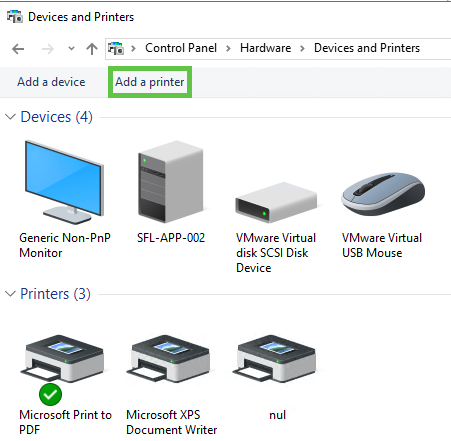
[![image.png](https://docs.sflservicesllc.com/uploads/images/gallery/2025-06/scaled-1680-/VL6image.png)](https://docs.sflservicesllc.com/uploads/images/gallery/2025-06/VL6image.png)
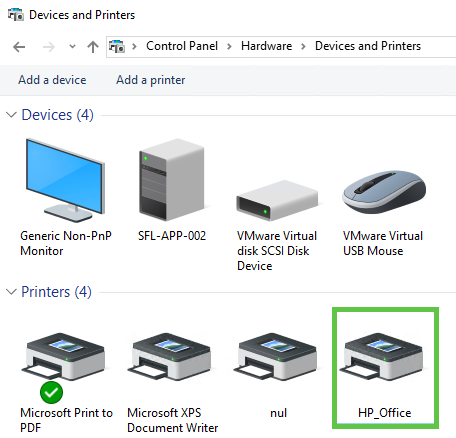
#### Step2:

Verify in KDG top make sure it shows up

[![image.png](https://docs.sflservicesllc.com/uploads/images/gallery/2025-06/scaled-1680-/snMimage.png)](https://docs.sflservicesllc.com/uploads/images/gallery/2025-06/snMimage.png)
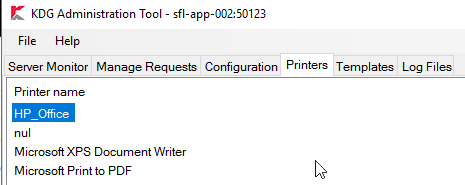
#### Step3:

Once the printer is available you have to add a printer to the PRINTERS file on the Linux server

You can use the locate command to find out where the file is located

```bash
locate PRINTERS
```

This is what the file would/should look like

<table border="1" id="bkmrk-%23other%23%23nul-printerl" style="border-collapse: collapse; width: 100%;"><colgroup><col style="width: 99.881%;"></col></colgroup><tbody><tr><td>\#Other  
\##Nul Printer  
LPT90:TEMPLATE:LEGAL  
LPT90:SCRIPT:print\_kdg

\##Non-Physical Printers  
LPT93:SCRIPT:print\_email

LPT97:SCRIPT:pgprint  
LPT98:SCRIPT:saveprint  
LPT99:SCRIPT:noprint

LPT100:SCRIPT:print\_email  
LPT100:PRINTER:sales@sflservicesllc.com

</td></tr></tbody></table>

To add in the new HP\_Office printer we just added, in the example we will add the printer 1 ( 1 will be used in the classic environment ) but in PCS Vue the name of the printer will show.

The options are LETTER and LEGAL for the template

The option for SCRIPT the following options are available

print\_kdg means it will send the request via KDG

print\_email means it will email you the classic report and as text and a PDF

pgprint means it will display the result on screen and you will be able to page through them

saveprint means it will save the file to drive and keep it as a SAVE\_?????.LS file

noprint means it will just not print all all

```bash
#Office Printers
LPT1:TEMPLATE:LETTER
LPT1:SCRIPT:print_kdg

#Other
##Nul Printer
LPT90:TEMPLATE:LEGAL
LPT90:SCRIPT:print_kdg

##Non-Physical Printers
LPT93:SCRIPT:print_email

LPT97:SCRIPT:pgprint
LPT98:SCRIPT:saveprint
LPT99:SCRIPT:noprint

LPT100:SCRIPT:print_email
LPT100:PRINTER:sales@sflservicesllc.com
```

#### Step4:

Still on the Linux side you will need to associate the printer to number you just created to the KDG side you will need to run the following command

```bash
kdgprint
```

Or you can also do this via the parameters section call SYS:KP, but I recommend using the above command.

Once you run the command you can use a filter if you have man printers or just leave it blank

<table border="1" id="bkmrk-kdgprint-%C2%A0-%C2%A0-%C2%A0-%C2%A0-%C2%A0-%C2%A0" style="border-collapse: collapse; width: 100%;"><colgroup><col style="width: 99.881%;"></col></colgroup><tbody><tr><td>kdgprint Assign KDG Printers utility 26/Thu 11:17  
================================================================================

Apply filter to server list: ..............................

</td></tr></tbody></table>

<table border="1" id="bkmrk-kdgprint-%C2%A0-%C2%A0-%C2%A0-%C2%A0-%C2%A0-%C2%A0-1" style="border-collapse: collapse; width: 100%;"><colgroup><col style="width: 99.881%;"></col></colgroup><tbody><tr><td>kdgprint Assign KDG Printers utility 26/Thu 11:18  
================================================================================  
Total Printers on server:4 Page 1 /1

Indx KDG\_Printer\_name Print\_Tray LegacyPrinters  
 1 HP\_Office

 2 Microsoft Print to PDF  
   
 3 Microsoft XPS Document Writer  
   
 4 nul

(C)hange, (F)ind, (E)xit, or select Index ? E....

</td></tr></tbody></table>

As you enter through the Print\_Tray and enter 1 for the Legacy printer you may get an error if an old printer was delete and the parameters section still exists

<table border="1" id="bkmrk-%3F-printer-number-alr" style="border-collapse: collapse; width: 100%;"><colgroup><col style="width: 99.881%;"></col></colgroup><tbody><tr><td>? Printer number already assigned :Office\_CustomerService</td></tr></tbody></table>

You will need to go to the paramters sectip of SYS:KP and delete the old printer

If not you can add the 1 to the LegacyPrinters, also this will allow you to add more then one printer number to the same printer which is useful if a printer goes down.

<table border="1" id="bkmrk-kdgprint-%C2%A0-%C2%A0-%C2%A0-%C2%A0-%C2%A0-%C2%A0-2" style="border-collapse: collapse; width: 100%; height: 261.156px;"><colgroup><col style="width: 99.881%;"></col></colgroup><tbody><tr style="height: 231.359px;"><td style="height: 231.359px;">kdgprint Assign KDG Printers utility 26/Thu 11:22  
================================================================================  
Total Printers on server:4 Page 1 /1

Indx KDG\_Printer\_name Print\_Tray LegacyPrinters  
 1 HP\_Office  
 **1**   
 2 Microsoft Print to PDF  
   
 3 Microsoft XPS Document Writer  
   
 4 nul

(C)hange, (F)ind, (E)xit, or select Index ? E....

</td></tr></tbody></table>

####   

# Kiwiplan - MySQL log is fill or filled the drive

This document is to explain the procedure on how to get the plant operational again.

Couple of things to think about:

1. Is the drive full
2. Do you see many log files for mariadB or MySQL 
    1. If so then proceed on delete the oldest to the newest date and the onse with a .gz extention 
        1. Then investigate the growing log to figure out what is adding to the logs
    2. If not then go to step one below

#### Steps:

1. Stop all xmgenmenu links
2. Stop any other services running on the linux server 
    1. For example PrePrint service (kprt-service.sh -stop)
    2. Check to see all have been stopped by running "ps -ef | grep xmgen"
    3. If any are still running use "kill -9 (id)"
3. Turn off Java Services in $VBIN 
    1. ./stopservers.sh
4. Go to ESP and turn off agents for that plant
5. Once everything is down, then get into root (sudo su) 
    1. "systemctl stop mariadb"
    2. cd /var/log/mariadb/
    3. Verify the mariadb.log file is no longer growing (couple ls -lart)
    4. rm mariadb.log … "yes"
    5. "systemctl restart mariadb"
    6. Then turn on all xmgenmenu links 
        1. followed by any plant specific service like PrePrint (kprt-service.sh -start)
6. Turn on Java services
7. Go back into ESP and start Agents for that plant

# Kiwiplan - Install Web Launcher

<span class="TextRun SCXW261566341 BCX8" data-contrast="auto" lang="EN-US" xml:lang="EN-US"><span class="NormalTextRun ContextualSpellingAndGrammarErrorV2Themed SCXW261566341 BCX8">This requires Java to be installed first</span></span>

<div class="ListContainerWrapper SCXW261566341 BCX8" id="bkmrk-first-program-that-m">- <span class="TextRun SCXW261566341 BCX8" data-contrast="auto" lang="EN-US" xml:lang="EN-US"><span class="NormalTextRun ContextualSpellingAndGrammarErrorV2Themed SCXW261566341 BCX8">First</span> <span class="NormalTextRun ContextualSpellingAndGrammarErrorV2Themed SCXW261566341 BCX8">program that</span> <span class="NormalTextRun SCXW261566341 BCX8">must</span><span class="NormalTextRun SCXW261566341 BCX8"> be installed in </span><span class="NormalTextRun SpellingErrorV2Themed SCXW261566341 BCX8">Kiwiplan\_Web\_Launcher\_Setup</span><span class="NormalTextRun SCXW261566341 BCX8">. </span></span><span class="EOP SCXW261566341 BCX8" data-ccp-props="{}"> </span>
    
    
    - <span class="EOP SCXW261566341 BCX8" data-ccp-props="{}">This file is usually in the Linux server in the MES folder for the current revision or on the RDS server if it was copied</span>

</div><div class="ListContainerWrapper SCXW261566341 BCX8" id="bkmrk-verify-kiwiplan-laun">- <span class="TextRun SCXW261566341 BCX8" data-contrast="auto" lang="EN-US" xml:lang="EN-US"><span class="NormalTextRun SCXW261566341 BCX8">Verify </span><span class="NormalTextRun SpellingErrorV2Themed SCXW261566341 BCX8">Kiwiplan</span><span class="NormalTextRun SCXW261566341 BCX8"> Launcher version works with current revision, if not need to uninstall and reinstall </span><span class="NormalTextRun SCXW261566341 BCX8">different </span><span class="NormalTextRun SpellingErrorV2Themed SCXW261566341 BCX8">Kiwiplan</span><span class="NormalTextRun SCXW261566341 BCX8"> Launcher. (Should verify with </span><span class="NormalTextRun SpellingErrorV2Themed SCXW261566341 BCX8">Kiwiplan</span><span class="NormalTextRun SCXW261566341 BCX8">)</span></span><span class="EOP SCXW261566341 BCX8" data-ccp-props="{}"> </span>

</div><div class="ListContainerWrapper SCXW261566341 BCX8" id="bkmrk-open-local-drive-%3E-k">- <span class="TextRun SCXW261566341 BCX8" data-contrast="auto" lang="EN-US" xml:lang="EN-US"><span class="NormalTextRun SCXW261566341 BCX8">Open</span><span class="NormalTextRun SCXW261566341 BCX8"> local drive &gt;</span> <span class="NormalTextRun SpellingErrorV2Themed SCXW261566341 BCX8">Kiwiplan</span><span class="NormalTextRun SCXW261566341 BCX8"> &gt; </span><span class="NormalTextRun SpellingErrorV2Themed SCXW261566341 BCX8">Kiwiplan</span><span class="NormalTextRun SCXW261566341 BCX8"> Revisions. </span></span><span class="EOP SCXW261566341 BCX8" data-ccp-props="{}"> </span>

</div><div class="ListContainerWrapper SCXW261566341 BCX8" id="bkmrk-choose-the-appropria">- <span class="TextRun SCXW261566341 BCX8" data-contrast="auto" lang="EN-US" xml:lang="EN-US"><span class="NormalTextRun SCXW261566341 BCX8">Choose the </span><span class="NormalTextRun SCXW261566341 BCX8">appropriate revision</span><span class="NormalTextRun SCXW261566341 BCX8"> folder (May need to confer with </span><span class="NormalTextRun SpellingErrorV2Themed SCXW261566341 BCX8">Kiwiplan</span><span class="NormalTextRun SCXW261566341 BCX8"> to know which one to choose)</span></span><span class="EOP SCXW261566341 BCX8" data-ccp-props="{}"> </span>

</div><span class="WACImageGroupContainer SCXW261566341 BCX8"><span class="WACImageContainer NoPadding AttachedToBeginning SCXW261566341 BCX8" role="presentation">![](https://docs.sflservicesllc.com/uploads/images/gallery/2025-07/embedded-image-3xjmtwzc.png)</span></span><span class="LineBreakBlob BlobObject DragDrop SCXW261566341 BCX8"><span class="SCXW261566341 BCX8"> </span>  
</span><span class="EOP SCXW261566341 BCX8" data-ccp-props="{"335559685":360}"> </span>

<div class="ListContainerWrapper SCXW261566341 BCX8" id="bkmrk-run-%E2%80%9Ckiwiplan_web_la">- <span class="TextRun SCXW261566341 BCX8" data-contrast="auto" lang="EN-US" xml:lang="EN-US"><span class="NormalTextRun SCXW261566341 BCX8">Run</span><span class="NormalTextRun SCXW261566341 BCX8"> “</span><span class="NormalTextRun SpellingErrorV2Themed SCXW261566341 BCX8">Kiwiplan\_Web\_Launcher\_Setup</span><span class="NormalTextRun SCXW261566341 BCX8">”</span><span class="NormalTextRun SCXW261566341 BCX8"> as Admin</span></span><span class="EOP SCXW261566341 BCX8" data-ccp-props="{}"> </span>

</div><div class="ListContainerWrapper SCXW261566341 BCX8" id="bkmrk-click-%E2%80%9Cyes%E2%80%9D-for-do-y">- <span class="TextRun SCXW261566341 BCX8" data-contrast="auto" lang="EN-US" xml:lang="EN-US"><span class="NormalTextRun SCXW261566341 BCX8">Click “Yes</span><span class="NormalTextRun ContextualSpellingAndGrammarErrorV2Themed SCXW261566341 BCX8">” for Do you want</span><span class="NormalTextRun SCXW261566341 BCX8"> to allow this app from an unknown publisher to make changes to your device. </span></span><span class="EOP SCXW261566341 BCX8" data-ccp-props="{}"> </span>

</div><div class="ListContainerWrapper SCXW261566341 BCX8" id="bkmrk-this-is-a-silent-lau">- <span class="TextRun SCXW261566341 BCX8" data-contrast="auto" lang="EN-US" xml:lang="EN-US"><span class="NormalTextRun SCXW261566341 BCX8">This is a silent launcher and takes a few </span><span class="NormalTextRun ContextualSpellingAndGrammarErrorV2Themed SCXW261566341 BCX8">second</span><span class="NormalTextRun SCXW261566341 BCX8"> to install. </span></span><span class="EOP SCXW261566341 BCX8" data-ccp-props="{}"> </span>

</div><div class="ListContainerWrapper SCXW261566341 BCX8" id="bkmrk-verify-by-going-into">- <span class="TextRun SCXW261566341 BCX8" data-contrast="auto" lang="EN-US" xml:lang="EN-US"><span class="NormalTextRun SCXW261566341 BCX8">Verify by going into </span><span class="NormalTextRun SpellingErrorV2Themed SCXW261566341 BCX8">Kiwiplan</span><span class="NormalTextRun SCXW261566341 BCX8"> folder and seeing c:\\kiwiplan</span></span>

</div>

# Script - Deleting a KDE server from the Database

```mssql
DECLARE @ServerID INT, @UPD INT

SET @ServerID	= 1 --Server ID To Delete
SET @UPD		= 0 --0 to Select 1 to Delete

-- DOT NOT MODIFY BELOW --
IF @UPD != 1
BEGIN
	SELECT * FROM [KDG].[dbo].[kdgDelivery] where serverID = @ServerID
	SELECT * FROM [KDG].[dbo].[kdgDeliveryResource] where serverID = @ServerID
	SELECT * FROM [KDG].[dbo].kdgDocument where serverID = @ServerID
	SELECT * FROM [KDG].[dbo].kdgEmailDelivery where serverID = @ServerID
	SELECT * FROM [KDG].[dbo].kdgEmailRecipient where serverID = @ServerID
	SELECT * FROM [KDG].[dbo].kdgPrintDelivery where serverID = @ServerID
	SELECT * FROM [KDG].[dbo].kdgRequest where serverID = @ServerID
	SELECT * FROM [KDG].[dbo].kdgSaveToDiskDelivery where serverID = @ServerID
	SELECT * FROM [KDG].[dbo].kdgServer where ID = @ServerID
	SELECT * FROM [KDG].[dbo].kdgServerConfig where serverID = @ServerID
END

IF @UPD = 1
BEGIN
	DELETE FROM [KDG].[dbo].[kdgDelivery] where serverID = @ServerID
	DELETE FROM [KDG].[dbo].[kdgDeliveryResource] where serverID = @ServerID
	DELETE FROM [KDG].[dbo].kdgDocument where serverID = @ServerID
	DELETE FROM [KDG].[dbo].kdgEmailDelivery where serverID = @ServerID
	DELETE FROM [KDG].[dbo].kdgEmailRecipient where serverID = @ServerID
	DELETE FROM [KDG].[dbo].kdgPrintDelivery where serverID = @ServerID
	DELETE FROM [KDG].[dbo].kdgRequest where serverID = @ServerID
	DELETE FROM [KDG].[dbo].kdgSaveToDiskDelivery where serverID = @ServerID
	DELETE FROM [KDG].[dbo].kdgServer where ID = @ServerID
	DELETE FROM [KDG].[dbo].kdgServerConfig where serverID = @ServerID
END
```

# Kiwiplan - KIDSENV Settings

MAXPROC=999

TERM=vt100

KIDSLOGDIR=$PLANT/tmp  
KIDSLOGMAX=1000000  
KIDSLOGLEVEL=-4

The `KWSQL_LOG` variable is a system-level setting in Kiwiplan that controls logging options for the SQL interface, although ISAM can also utilize these logs. It allows you to specify the log level, which can be one of the following:

- **all**: Logs everything.
- **error**: Logs only errors.
- **warn**: Logs warnings and errors.
- **query**: Logs queries, warnings, and errors.
- **info**: Logs informational messages.
- **none**: Disables logging entirely.

For example, setting the log level to `error` will only display errors, while setting it to `query` will display queries, warnings, and errors  
KWSQL\_LOG=query

<span data-teams="true">The `KWLOCK_TIME_LOG` variable is a system-level diagnostic setting in Kiwiplan. It causes the application to abort if a lock remains active for a specified number of seconds  
</span>KWLOCK\_TIME\_LOG=15

<span data-teams="true">The `KWLOCK_TIME_COUNT` variable is a system-level diagnostic setting in Kiwiplan. It causes the application to abort if a lock remains active for a specified number of iteration counts</span>  
KWLOCK\_TIME\_COUNT=15

<span data-teams="true">The `KIWI_NO_CATCH_HUP` variable is a system-level setting in Kiwiplan that turns off the catching of HUP (hangup) signals. This means the application will not handle or respond to HUP signals when this variable is specified. </span>This one if for MDC that keeps shutting down  
export KIWI\_NO\_CATCH\_HUP=1  
  
<span data-teams="true">The `KIWI_LOCK_NOPID` variable is a system-level setting in Kiwiplan that forces the process ID to be written to the lock file when a process locks a file. However, it comes with a warning that setting this variable can affect performance. </span>This one is for the lock files  
export KIWI\_LOCK\_NOPID=1  
GEN/IN use lock monitor N

# Kiwiplan - Server Load Monitor

This script is based on this initial [loadmon ](https://docs.sflservicesllc.com/books/linux/page/linux-server-load-monitor-script "Linux - Server Load Monitor Script")script

This is to monitor specific objects at a Advantive/Kiwiplan sites

It will send something like this for PCS

[![image.png](https://docs.sflservicesllc.com/uploads/images/gallery/2025-08/scaled-1680-/7lsimage.png)](https://docs.sflservicesllc.com/uploads/images/gallery/2025-08/7lsimage.png)

[![image.png](https://docs.sflservicesllc.com/uploads/images/gallery/2025-08/scaled-1680-/J46image.png)](https://docs.sflservicesllc.com/uploads/images/gallery/2025-08/J46image.png)

```bash
#!/bin/bash
############################################
#
# Author: Steve Ling 5/2/25
# Modified:
#    Added PCS Scheduler looping monitoring 8/14/25
#    Added PCS table record counts 8/14/25
#
# Purpose: Monitor system metrics including:
# - Average Load
# - CPU Usage
# - Disk Space
# - Memory Usage
# - MySQL Table Record Counts (multiple tables with individual thresholds)
#
# Installation:
# 1. Copy to /opt/scripts/
# 2. Set permissions: chmod 755 /opt/scripts/loadmon.sh
# 3. Set ownership: chown remuser:kiwiplan /opt/scripts/loadmon.sh
# 4. Add cron job as root to run every 5 minutes:
#   To supply parameters or not:
#       */5 * * * * /opt/scripts/loadmon.sh >/dev/null 2>&1 | logger
#       */5 * * * * root MYSQL_USER="your_user" MYSQL_PASSWORD="your_password" MYSQL_DATABASE="your_db" MYSQL_TABLES_AND_THRESHOLDS="users:50000,orders:100000" /opt/scripts/loadmon.sh >/dev/null 2>&1 | logger
#       */5 * * * * root MYSQL_USER="your_user" MYSQL_PASSWORD="your_password" /opt/scripts/loadmon.sh >/dev/null 2>&1 | logger
#
# MySQL Configuration:
# Set the following environment variables:
# - MYSQL_HOST: MySQL host (default: localhost)
# - MYSQL_USER: MySQL username
# - MYSQL_PASSWORD: MySQL password
# - MYSQL_PCS_DATABASE: PCS Database name
# - MYSQL_TABLES_AND_THRESHOLDS: Comma-separated list of table:threshold pairs
#   (e.g., "table1:50000,table2:100000,table3"). If threshold is omitted, uses MYSQL_RECORD_THRESHOLD.
# - MYSQL_PCS_RECORD_THRESHOLD: Default record count threshold
#
# Improvements:
# - Added support for multiple MySQL tables with individual thresholds
# - Sends individual alerts for each table exceeding its threshold
# - Added error handling for MySQL commands
# - Improved logging with timestamps
# - Made thresholds configurable via environment variables
# - Added hostname to alerts for clarity
# - Replaced mutt with mail (more common)
# - Optimized command execution
# - Added input validation
#
############################################

# Uncomment to "Exit" the script on any error
#set -e

# Configuration (can be overridden via environment variables)
: "${LOAD_THRESHOLD:=10.00}"       # Load average threshold
: "${DISK_THRESHOLD:=85}"          # Disk usage threshold (%)
: "${CPU_THRESHOLD:=65}"           # CPU usage threshold (%)
: "${MEM_THRESHOLD:=85}"           # Memory usage threshold (%)
: "${MYSQL_RECORD_THRESHOLD:=100000}" # Default MySQL table record count threshold
: "${MYSQL_PCS_RECORD_THRESHOLD:=100000}" # Default PCS Scheduler table record count threshold
: "${RECIPIENTS:=steve.ling@sflservicesllc.com}" # Space-separated email addresses
: "${HOSTNAME:=$(hostname -s)}"    # Short hostname for alerts
: "${LOG_FILE:=/var/log/loadmon.log}" # Log file location
: "${MYSQL_HOST:=localhost}"        # MySQL host
: "${MYSQL_USER:=}"                # MySQL username
: "${MYSQL_PASSWORD:=}"            # MySQL password
: "${MYSQL_PCS_DATABASE:=ccc_pcs}"     # MySQL database prefix
: "${MYSQL_TABLES_AND_THRESHOLDS:=schedulemachineavailability:1000000}" # Comma-separated table:threshold pairs

# Ensure required commands are available
for cmd in awk df top free mail logger mysql sed tr bc; do
    if ! command -v "$cmd" &>/dev/null; then
        echo "Error: Required command '$cmd' not found" | logger -t loadmon
        exit 1
    fi
done

# Function to log messages with timestamp
log_message() {
    local message="$1"
    echo "$(date '+%Y-%m-%d %H:%M:%S') - $message" | logger -t loadmon
    echo "$(date '+%Y-%m-%d %H:%M:%S') - $message" >> "$LOG_FILE"
}

# Function to send email alerts
send_alert() {
    local subject="$1"
    local body="$2"
    if echo -e "$body" | mail -s "$subject" $RECIPIENTS 2>/dev/null; then
        log_message "Alert sent: $subject"
    else
        log_message "Error: Failed to send alert: $subject"
    fi
}

# Collect system metrics
load=$(awk '{print $1}' /proc/loadavg 2>/dev/null || log_message "Error: Failed to read load average")
disk_usage=$(df / | awk 'NR==2 {print $5}' | sed 's/%//' 2>/dev/null || log_message "Error: Failed to read disk usage")
cpu_usage=$(top -bn1 | grep "Cpu(s)" | awk '{print 100 - $8}' | cut -d. -f1 2>/dev/null || log_message "Error: Failed to read CPU usage")
mem_usage=$(free | awk '/Mem:/ {printf "%.0f", $3/$2 * 100}' 2>/dev/null || log_message "Error: Failed to read memory usage")

# Validate collected system metrics
if ! [[ "$load" =~ ^[0-9]+([.][0-9]+)?$ ]]; then
    log_message "Error: Invalid load value: $load"
    exit 1
fi
if ! [[ "$disk_usage" =~ ^[0-9]+$ ]]; then
    log_message "Error: Invalid disk usage value: $disk_usage"
    exit 1
fi
if ! [[ "$cpu_usage" =~ ^[0-9]+$ ]]; then
    log_message "Error: Invalid CPU usage value: $cpu_usage"
    exit 1
fi
if ! [[ "$mem_usage" =~ ^[0-9]+$ ]]; then
    log_message "Error: Invalid memory usage value: $mem_usage"
    exit 1
fi

# Collect MySQL table record counts (if configured)
mysql_records_summary=""
if [ -n "$MYSQL_USER" ] && [ -n "$MYSQL_PCS_DATABASE" ] && [ -n "$MYSQL_TABLES_AND_THRESHOLDS" ]; then
    IFS=',' read -r -a table_pairs <<< "$MYSQL_TABLES_AND_THRESHOLDS"
    for pair in "${table_pairs[@]}"; do
        pair=$(echo "$pair" | sed 's/^[[:space:]]*//;s/[[:space:]]*$//')  # Trim whitespace
        table="${pair%%:*}"  # Extract table name
        threshold="${pair#*:}"  # Extract threshold (if provided)
        
        # Use default threshold if not specified or invalid
        if [ -z "$threshold" ] || ! [[ "$threshold" =~ ^[0-9]+$ ]]; then
            threshold="$MYSQL_PCS_RECORD_THRESHOLD"
            log_message "Warning: Using default threshold ($threshold) for table $table"
        fi

        # Validate table name (basic check for non-empty and no special characters)
        if [ -z "$table" ] || [[ "$table" =~ [^a-zA-Z0-9_] ]]; then
            log_message "Error: Invalid table name: $table"
            continue
        fi

        # Query record count
        record_count=$(mysql -h "$MYSQL_HOST" -u "$MYSQL_USER" -p"$MYSQL_PASSWORD" -D "$MYSQL_PCS_DATABASE" -N -e "SELECT COUNT(*) FROM \`$table\`" 2>/dev/null) || {
            log_message "Error: Failed to query MySQL table $MYSQL_PCS_DATABASE.$table"
            record_count=0
        }

        # Validate record count
        if ! [[ "$record_count" =~ ^[0-9]+$ ]]; then
            log_message "Error: Invalid record count for table $table: $record_count"
            record_count=0
        fi

        # Append to summary
        mysql_records_summary="$mysql_records_summary $table:$record_count"

        # Check threshold and send alert if exceeded
        if [ "$record_count" -gt "$threshold" ]; then
            body="Record count in $MYSQL_PCS_DATABASE.$table: $record_count\nThreshold: $threshold"
            send_alert "High MySQL record count on $HOSTNAME - $table [ $record_count ]" "$body"
        fi
    done
    mysql_records_summary=$(echo "$mysql_records_summary" | sed 's/^ //')  # Trim leading space
else
    log_message "Warning: MySQL configuration incomplete (USER, DATABASE, or TABLES_AND_THRESHOLDS missing)"
    mysql_records_summary="N/A"
fi

# Collect PCS Scheduler record count
mysql_pcs_record_count=0
if [ -n "$MYSQL_USER" ] && [ -n "$MYSQL_PCS_DATABASE" ]; then
    mysql_pcs_record_count=$(mysql -h "$MYSQL_HOST" -u "$MYSQL_USER" -p"$MYSQL_PASSWORD" -D "$MYSQL_PCS_DATABASE" -N -e "SELECT COUNT(*) FROM schedulemachineavailability WHERE pcsSchedule NOT IN (SELECT pcsSchedule FROM schedulerun)" 2>/dev/null) || {
    log_message "Error: Failed to query PCS Scheduler table $MYSQL_PCS_DATABASE"
    mysql_pcs_record_count=0
    }
else
    log_message "Warning: PCS Scheduler configuration incomplete (USER or DATABASE missing)"
fi

# Validate collected system metric
if ! [[ "$mysql_pcs_record_count" =~ ^[0-9]+$ ]]; then
    log_message "Error: Invalid PCS Scheduler record count: $mysql_pcs_record_count"
    mysql_pcs_record_count=0
fi

# Check thresholds and send alerts for system metrics
if (( $(echo "$load > $LOAD_THRESHOLD" | bc -l) )); then
    body=$(sar -q 2>/dev/null || echo "Error collecting sar data")
    send_alert "High load on $HOSTNAME - [ $load ]" "$body"
fi

if (( disk_usage > DISK_THRESHOLD )); then
    body=$(df -h / 2>/dev/null || echo "Error collecting df data")
    send_alert "High disk usage on $HOSTNAME - [ ${disk_usage}% ]" "$body"
fi

if (( cpu_usage > CPU_THRESHOLD )); then
    body=$(top -bn1 | head -n 12 2>/dev/null || echo "Error collecting top data")
    send_alert "High CPU usage on $HOSTNAME - [ ${cpu_usage}% ]" "$body"
fi

if (( mem_usage > MEM_THRESHOLD )); then
    body=$(free -h 2>/dev/null || echo "Error collecting free data")
    send_alert "High memory usage on $HOSTNAME - [ ${mem_usage}% ]" "$body"
fi

if [ "$mysql_pcs_record_count" -gt "$MYSQL_PCS_RECORD_THRESHOLD" ]; then
    body="PCS VUE Scheduler has an issue\nTable schedulemachineavailability has $mysql_pcs_record_count\n\nWhich is more records then the number of ran schedules in the schedulerun table"
    send_alert "PCS VUE Scheduler record count on $HOSTNAME - [ $mysql_pcs_record_count ]" "$body"
fi

log_message "Monitoring completed: Load=$load, Disk=${disk_usage}%, CPU=${cpu_usage}%, Mem=${mem_usage}%, PCS Scheduler Count=${mysql_pcs_record_count}, MySQL Records=[$mysql_records_summary]"

```

# MySQL - Parameters Explained

```bash
performance_schema = ON
tmpdir = /run/mariadb
thread_cache_size = 4
table_open_cache = 16384
table_definition_cache = 8384
sql_mode = ERROR_FOR_DIVISION_BY_ZERO,NO_AUTO_CREATE_USER,NO_ENGINE_SUBSTITUTION
 
query_cache_type = 0
query_cache_size = 0
query_cache_limit = 128M
query_cache_strip_comments = 1
 
tmp_table_size = 512M
max_heap_table_size = 512M
 
max_connections = 750
max_allowed_packet = 24M
sort_buffer_size = 24M
join_buffer_size = 48M

innodb_buffer_pool_size = 65G		# 65-75% of RAM for InnoDB cache --> Keeping some for VUE
innodb_buffer_pool_instances = 10	# One instance per CPU core --> Keeping some for VUE
innodb_flush_method = O_DIRECT		# Reduce I/O overhead
innodb_flush_log_at_trx_commit = 2	# Balance performance and durability
innodb_log_buffer_size = 16M		# Buffer for transaction logs
innodb_thread_concurrency = 0		# Let MySQL manage threads (0 = unlimited)
innodb_io_capacity = 2000		# Adjust based on storage IOPS
innodb_io_capacity_max = 4000		# Max IOPS for bursts
innodb_use_native_aio = 1
innodb_flush_log_at_trx_commit = 2	# Balance performance and durability --> Changed from 0
innodb_file_per_table
innodb_log_file_size = 2G		# Larger logs for better write performance --> Changed from 512
```

# Dataset - Restrict Date in MAP MES VUE ESP

This is to freeze a datasets for different Kiwiplan modules.

#### MAP / CLASSIC / FFF

Create a file named \[PROFILE\] in the KIWISEA path. The best place to put it is in the $DATA folder. The DATA and TIME are the settings you wish to freeze the data at.

```bash
RESTRICT:
DATE:160725
TIME:0700
```

#### VUE

There are a couple of places you will need to have a file named \[time.properties\] and you will need to create and save a file in each folder with the following entry:

```shell
time=16/07/2025 07:00:00
```

Linux Server

```
/KIWI/services/sites/<sitename>/current/conf/kiwiplan
/KIWI/services/web/<sitename>/current/conf/kiwiplan
```

Windows Server (Client Install)

```shell
C:\Kiwiplan\<install folder>\conf\kiwiplan
```

#### ESP

Create a file named \[PROFILE.INI\] to hold the database you wish to freeze in time with the following entry:

```ini
[SFL]
StartDateTime=07/16/2025 07:00:00
TimeZone=US Eastern Standard Time
LocaleID=1033

[DBLABELMAPPING]
ESP_LIVE=SFL
```

The sections are set like the folowing:

```ini
[DBLABELMAPPING] example
DBNAME=SECTION_NAME

[TimeZone] examples
US Eastern Standard Time
Central Standard Time
GMT Standard Time
New Zealand Standard Time

[LocaleID] code page example
1033
1062
5129
```

Windows Server (ESP Installation)

```shell
C:\Kiwiplan\EspServ\
```

# Kiwiplan - Setup ULT for ESP

### Parameter settings

##### SYS MO

Load Docket Program Allowed=Y  
Allow FG tracking=1   
Allow WP tracking=1

##### GEN ED

\#2=\*  
\#3=16 (site dependent)  
\#4= #

##### GEN EE

ULTDLD  
 1 Data Type ULTDLD  
 2 Description Docket Export  
 3 Directory Name ./ or path to /ultdld  
 4 Last File Number Used 1  
 5 Script name for File Export EspRenameDkt  
 6 Fixed record length 0=variable 0  
 7 File Name (optional)   
 8 Layout Version &lt;

ULTUNIT  
1 Data Type ULTUNIT  
 2 Description ULT Unit movement for ESP  
 3 Directory Name ./ or path to ultunit  
 4 Last File Number Used 1  
 5 Script name for File Export   
 6 Fixed record length 0=variable 0  
 7 File Name (optional) unitmvmt.edi  
 8 Layout Version S3

GEN PP  
ULT  
 1 Key ULT  
 2 Produce filefull before purge N  
 3 Purge orders daily (Y/N) Y  
 4 Purge orders weekly (0-7) 0=No 0  
 5 Number of days orders to keep 120  
11 Purge history daily (Y/N) Y  
12 Purge history weekly (0-7)0=No 0  
13 Number of days history to keep 120

WIP  
 1 Key WIP  
 2 Produce filefull before purge N  
 3 Purge orders daily (Y/N) Y  
 4 Purge orders weekly (0-7) 0=No 0  
 5 Number of days orders to keep 120  
11 Purge history daily (Y/N) Y  
12 Purge history weekly (0-7)0=No 0  
13 Number of days history to keep 120

  
GEN PQ  
ULT  
 1 System Name (Key) ULT  
 2 Name of purge program to run ultprg  
11-14 Ords-WARN no purge in N days 10 (all 3 params)

WIP  
 1 System Name (Key) WIP  
 2 Name of purge program to run ultprg

GEN PL  
 Example machines  
 4 Default Corrugator Machine No. 1,011  
 5 Default Despatch Machine No. 8,000  
 6 Board Transfer Machine Number 9,999  
 8 Pick-Up Goods Machine Number 9,997  
 9 Quarantine Machine Number 9,998  
10 FGS Rework Store Machine No. 8,007  
11 Strapper Triggering Notifictn 7,999  
12 Printer No for Notifications 99  
13 Notification Label Code  
16 Sheetboard strapper number 7,998  
18 Supply From Stock Machine No 1,000  
21 Into WIP Default Label Format 0A  
22 Into FGS Default Label Format 01  
27 Stock Despatch Machine No 8,008  
29 Default Board Receiving Mch No 1,001  
37 Surplus Sheetboard Machine No. 8,006

  
GEN TU  
Set up all pallet types (must match ESP)  
1 Unit Load Type 01  
 2 Description 40X48,   
 3 Width 40.00   
 4 Length 48.00   
 5 Default load height 52.00   
 7 Absolute Length Overhang 8.00   
 8 Absolute Width Overhang 8.00   
12 Thickness 5.00   
28 Weight of Pallet 40

INV DL  
 Maximum value for load Id 64,000  
 Maximum Unit Loads per truck=500  
 Allow File Export=Y   
 One file per Despatch Load = N  
 BOL Sequence = 0  
 Qty subtotals in BOL report = N  
 BOL totals only = N  
 Job pages in BOL report=N  
 BOL last number = 1 ( as a starting point)  
 BOL maximum value 99,999,,999  
 Ignore Plant check as planning=Y  
 Ignore mach. check as planning=Y  
 Prompt for ship method = Y  
 Don’t prompt to enter Truck Id =N  
 When set Load to “Despatch”  
 Check Label-Only Units = N  
 Generate BOL printout=N  
 BOL printout only if Transf.=N (use ESP transfer type docket)  
 Number of copies of BOL printout = 0  
 Generate BOL export (Billing) = Y  
 Accept before Export/Ship Y  
 Enter Despatch Comment 1 (added for seal numbers/dock time appts)   
 When set Load to Shipped”   
 Generate DLBOL export = Y  
 Include in export transfer = Y (use ESP ‘transfer’ type docket)  
 Always transfer jobs of type 3 = Y  
 Update PCS when shipping loads = Y   
 Update PCS with Xfered Units = Y  
 Skip Board Transfers in ULT= N  
 Split BOL per Address No. = Y  
 Allow entry of BOLJob Weight = N  
 Show Label units in FastTrack = N  
 Exclude Special Inst. From BOL=Y  
 Status Partial if more series Y  
 No new series for Call-Off Rtn N  
 Fast-Track: Auto assign L-Bay N (Yes would use any free Dock Door)  
 Fast-Track: Select Unit by:  
 0=Min Splits, 1=FIFO 1  
 Allow loading from diff. store N (allows load, unload &amp; relocate to a different store)  
 No upper casing customer names Y (fixes customer search in BDR report)  
 Select CallOff UL on Qty Split Y (helps use the FIFO selection process on fasttrack)  
 Auto select up to Overrun Qty N ( For type 0 orders only, Yes where it is not OK to over deliver, else all units including overrun are selected)  
Allow Misc Items on ULT Loads = N  
Prefix for Misc. Items = MISC  
Assign Stop No in Reverse Seqn = N  
Freight Code for RollStock =   
Flag full load at X units = 0  
Flag full load at X weight = 0  
Single Ship Method for Load = N (consolidates to first orders ship method if different)  
Allow to correct shipped loads N (new to prevent unshipping when ESP has status ??)  
Correct Shipped loads if:  
Job Status in Load is &lt;= 1 (0 No invoice created, 1 Inv cancelled, 2 Inv created, 3 Inv printed, 4 Inv posted, 5 error, 6 unknown)  
Invoice Check:Default ShipCode = ( used for generic ship methods, ie. CC, when user should have changed ship method before exporting load details to ESP)

INV UT  
 Unit Load Delimiter = -  
 Unit Load Step Delimiter = W  
 Unit Load Qty. Delimiter = (blank)  
 Unit Load String Delimiter = (blank)  
 Default Pallet Type (must match a valid GEN TU or blank is fine)   
 Xfer store name as customer = Y   
 New unit barcode field format  
 0=Plant Code/Unique#, 1=SSCC = 0  
 Allow 0 Pallets on a Unit Load = Y   
 Auto Move WIP Units to InFeed = Y  
 Auto Consume Entry WIP Units = Y  
 No check Unprocessed Exit Uls = Y  
 Allow Add for jobs not in PCS = N  
 Method to calc unit height = (blank)  
 Don't export WIP unit changes = Y  
 Search only for a selected job= N  
Skip Purge of Into Store Mchs = N  
Board Xfer integrate with ULT = Y if on Rev 8.10 April 2015 or newer

PCS FB  
 Default WIP Label Format (site specific) Ex: WW  
 Default FGS Label Format (site specific) Ex: WF  
 Print WIP labels from Feedback = Y  
 Print from (H) Mach Lineup = Y  
 Print from (F) Mach Lineup = Y  
 Estimated WIP Labels 1 less = Y  
 Prevent updating of non-contiguous feedback = Y   
 Only 1 In-Process job allowed = Y  
 Qty/Unit to keep default value = Y

PCS RP  
 Standard Truck Volume = 1,750 (metric 70)  
 Default Hours Until Ready = 24  
 Blank line on Sort Key change = 1  
 Full Order Status from DPR = Y  
 Chg. Load Status when Add Load = Y

PCS QO  
Order Status  
 2 Keys = 1, 3, 14, + any soft Hold Keys  
 Despatch Plan Report Selected = Y

PCS XF  
FG transfers  
1 Shipping Machine for customer 7995 op 28 machine  
 2 Destination ULT Transfer Store 11  
   
 3 Customer Name WH11 Name  
 4 Address Number 0  
 5 Delivery Destination Code WH11  
 6 Ship Method (blank is fine on all)  
 7 Customer Key (blank is fine on all)  
 8 Carrier (blank is fine on all)  
 Next Example:  
 1 Shipping Machine for customer 7995 op 28 machine  
 2 Destination ULT Transfer Store 12  
   
 3 Customer Name WH12 Name  
 4 Address Number 0  
 5 Delivery Destination Code WH12

Etc.

WP transfers  
1 Shipping Machine for customer 7995 op 28 machine  
 2 Destination ULT Transfer Store 101  
   
 3 Customer Name OP101 Name  
 4 Address Number 0  
 5 Delivery Destination Code W101  
 Next example:  
 1 Shipping Machine for customer 7995 op 28 machine  
 2 Destination ULT Transfer Store 102  
   
 3 Customer Name OP102 Name  
 4 Address Number 0  
 5 Delivery Destination Code W102

Etc.

  
Possible order routes  
   
Sheets  
Stp Machine  
1\. Corrugator  
2\. Strapper  
3\. Shipping

Farm-out  
 Stp Machine  
1\. Corrugator  
2\. Diecutter  
3\. Transfer out  
4\. Outside process  
5\. Transfer in (optional)  
6\. Strapper  
7\. Shipping

Purchase sheets (farm-in)  
 Stp Machine  
1\. Purchase Product (sheets) (op 17)  
2\. Diecutter  
3\. Strapper  
4\. Shipping

Purchase Finished product   
Stp Machine  
1\. Purchase Product (Finished product) (op 17)  
2\. Transfer In (op 29)  
3\. Warehouse (op 20/30)

Returns  
 Stp Machine  
1\. Return-Pickup Goods (op 20)  
2\. Quarantine/Rework (op 20 &amp; 30)

Into Warehouse on site  
 Stp Machine  
1\. Corrugator  
2\. Diecutter  
3\. Strapper  
4\. Warehouse Stock (op 20 &amp; 30)

Into Warehouse off site  
 Stp Machine  
1\. Corrugator  
2\. Diecutter  
3\. Strapper  
4\. Transfer Out (op 28)  
5\. Warehouse Stock (op 20 &amp; 30)

Warehouse Release (Calloffs)  
 Stp Machine  
1\. Warehouse Release From Stock (no ops)  
2\. Shipping (op 20)

Stock Transfers  
 Stp Machine  
1\. Warehouse Release from stock (no ops) (FG store= blank)  
2\. Transfer Out (op 28)  
3\. Warehouse Stock (op 20 &amp; 30)

Stores and Locations

Main Store

Store 10   
( 2) Description MAIN FINISHED GOODS STORE   
 If one ESP database and more than one MAP database where plants are using same warehouse or cross warehousing between plants, then put plant names in description. ESP drop down will see description like:  
Cor Main FG Store (10) and Paso Main FG Store (20)  
CorAlliWHSE (151) and PasoAlliWHSE (151)  
CorPasoWHSE (20) and PasoCor WHSE (10)  
 ( 3) Plant Code 1   
( 4) Allowed Types FG WP   
(15) One Location N   
(16) Def Recv Locatn STRAP  
(17) Off-line 0  
(19) Show only at fixed store N

Location types

ENTRY   
( 1) Description Default Receiving   
( 2) Default Type FG WP  
( 3) Quarantine location N  
( 5) 0-Enter,1-Store,2-Exit Unit Loads,3-Pre-Load 1  
( 6) Fast Track Loading Bay N  
( 7) Units from WIP label to be Available/Stock N

ST001   
( 1) Description Storage   
( 2) Default Type FG WP  
( 3) Quarantine location N  
( 5) 0-Enter,1-Store,2-Exit Unit Loads,3-Pre-Load 1  
( 6) Fast Track Loading Bay N  
( 7) Units from WIP label to be Available/Stock N

QUAR   
( 1) Description Quarantine  
( 2) Default Type FG WP  
( 3) Quarantine location Y  
( 5) 0-Enter,1-Store,2-Exit Unit Loads,3-Pre-Load 1  
( 6) Fast Track Loading Bay N  
( 7) Units from WIP label to be Available/Stock N

REWORK   
( 1) Description Rework  
( 2) Default Type FG WP  
( 3) Quarantine location N  
( 5) 0-Enter,1-Store,2-Exit Unit Loads,3-Pre-Load 1  
( 6) Fast Track Loading Bay N  
( 7) Units from WIP label to be Available/Stock N

DD01   
( 1) Description Loading Dock Door   
( 2) Default Type FG WP  
( 3) Quarantine location N  
( 5) 0-Enter,1-Store,2-Exit Unit Loads,3-Pre-Load 2  
( 6) Fast Track Loading Bay N  
( 7) Units from WIP label to be Available/Stock N

M####   
( 1) Description Individual Machines   
( 2) Default Type FG WP  
( 3) Quarantine location N  
( 5) 0-Enter,1-Store,2-Exit Unit Loads,3-Pre-Load 0  
( 6) Fast Track Loading Bay N  
( 7) Units from WIP label to be Available/Stock N

STRAP  
( 1) Description Default Warehouse Receiving  
( 2) Default Type FG WP  
( 3) Quarantine location N  
( 5) 0-Enter,1-Store,2-Exit Unit Loads,3-Pre-Load 0  
( 6) Fast Track Loading Bay N  
( 7) Units from WIP label to be Available/Stock N

Finished Good Warehouses

Store 11   
( 2) Description Warehouse 11  
( 3) Plant Code 1   
( 4) Allowed Types FG WP   
(15) One Location N   
(16) Def Recv Locatn INTRAN  
(17) Off-line 0  
(19) Show only at fixed store N

Location types

INTRAN   
( 1) Description Default Receiving   
( 2) Default Type FG WP  
( 3) Quarantine location N  
( 5) 0-Enter,1-Store,2-Exit Unit Loads,3-Pre-Load 0  
( 6) Fast Track Loading Bay N  
( 7) Units from WIP label to be Available/Stock N

ST001   
( 1) Description Storage   
( 2) Default Type FG WP  
( 3) Quarantine location N  
 ( 5) 0-Enter,1-Store,2-Exit Unit Loads,3-Pre-Load 1  
( 6) Fast Track Loading Bay N  
( 7) Units from WIP label to be Available/Stock N

QUAR   
( 1) Description Quarantine  
( 2) Default Type FG WP  
( 3) Quarantine location Y  
( 5) 0-Enter,1-Store,2-Exit Unit Loads,3-Pre-Load 1  
( 6) Fast Track Loading Bay N  
( 7) Units from WIP label to be Available/Stock N

  
DD01 - With Scanning  
 ( 1) Description Loading Dock Door   
( 2) Default Type FG WP  
( 3) Quarantine location N  
( 5) 0-Enter,1-Store,2-Exit Unit Loads,3-Pre-Load 2  
( 6) Fast Track Loading Bay N  
( 7) Units from WIP label to be Available/Stock N

  
DD01 - Without scanning  
 ( 1) Description Loading Dock Door   
( 2) Default Type FG WP  
( 3) Quarantine location N  
( 5) 0-Enter,1-Store,2-Exit Unit Loads,3-Pre-Load 2  
( 6) Fast Track Loading Bay Y  
( 7) Units from WIP label to be Available/Stock N

Outside Farmout Warehouses

Store 101   
( 2) Description Warehouse 101  
( 3) Plant Code 1   
( 4) Allowed Types FG WP   
(15) One Location N   
(16) Def Recv Locatn INTRAN  
(17) Off-line 0  
(19) Show only at fixed store N

Location types

INTRAN   
( 1) Description Default Receiving   
( 2) Default Type FG WP  
( 3) Quarantine location N  
( 5) 0-Enter,1-Store,2-Exit Unit Loads,3-Pre-Load 0  
( 6) Fast Track Loading Bay N  
( 7) Units from WIP label to be Available/Stock N

ST001   
( 1) Description Storage   
( 2) Default Type FG WP  
( 3) Quarantine location N  
( 5) 0-Enter,1-Store,2-Exit Unit Loads,3-Pre-Load 1  
( 6) Fast Track Loading Bay N  
( 7) Units from WIP label to be Available/Stock N

Consignments  
Location types  
Not Required  
KDG Label Formats

Create label formats for Kiwi programs CORR (C=Type), PCS (W=Type) &amp; ULT (F=type)  
Specific customer FG formats passed from Host Systems should also be created.  
Finished Goods Unit  
 Type Fields  
01 STD LOGO (CONV/PCS/FFF) W - Work in Progress 2502 &amp; 1047 = Y  
11 STD LOGO (CORR) C - Corrugator 2502 &amp; 1047 = Y  
21 STD LOGO (FGS/ULT) F - Finished Goods 2502 &amp; 1047 =N  
Work in Process Unit  
 Type Fields  
0A WIP TO WIP (CONV/PCS/FFF) W - Work in Progress 2503 &amp; 1047 = Y  
1A WIP TO WIP (CORR) C – Corrugator 2503 &amp; 1047 = Y  
2A WIP TO WIP (FGS/ULT) F - Finished Goods 2503 &amp; 1047 = N  
   
KDG Parameters

SYS - KG Kiwiplan Document Generator   
 1 KEY PARAMS  
 2 KDGServer fill in the server name  
 3 Port 50,123  
 4 User Name Login  
 5 User Password  
 6 Legacy KDG Folder legacy

SYS - KP KDG PrinterQueue   
1 Printer number 23  
2 KDG PrinterQueue PR######  
3 KDG PrinterTray

Dispatch Planning Report

PCS TD   
Regular delivery loads  
Several can be setup in the PCS/TD parameters.   
Example of Dispatch Shipping Report:  
pcsmenu:AME Despatch Planning Report Menu Despatch Mch No or ALL   
 (A) ALL DISPATCH PLANNING REPORT ALL  
 (B) MAIN FG STORE DPR 8580 7995 8000 8001  
 (C) WAREHOUSE A DPR 8581  
 (D) WAREHOUSE B DPR 8582

Fast-track loads  
1\. Fast Tracking can be setup on each parameter PCS/TD or ULT option BDA when warehouse is not using RF/Scanning.   
2\. Set to level 4 or more, will allow manipulation of unit qty, selection of units, pallet types on the units, and total weight.  
3\. Shipping user can see the type 0 Make/Deliver or type 1 Calloff orders for the next few days in the PCS system, they can plan trucks.  
4\. A pick list (printed DPR or load list) of orders, quantity and items can be printed for fork lift driver to load trucks.  
5\. Selection can be unit by unit traceable, FIFO, or minimum partial pallet selection.  
6\. A truck ID can be added for the docket  
7\. Qty can be changed on a unit to match what was loaded, or units split up.  
8\. Returns for Calloff jobs can open series on Calloff or not. Add option has the unit finding most recent top up to assign unit against.  
9\. When using Qty selection you would have no idea what inventory is truly left in house for a Quality concern. Tally sheet selection provides unit traceability.

Fasttrack can be used from ULT BDA option.  
ult00 menusep=. opt=b.d.a fasttrack=6 chgpal=1 fixstore=##

Here are some of the command line arguments associated with fasttrack:  
chgpal=  
chgqty=  
fasttrack=

  
Levels of fasttrack:  
1= Planning status  
2= Issue status  
3= Loading status and Completed question  
4= Completed status  
5= Despatch status – appears you can use Accept command here before load is Billing.  
6= Shipped status

Possible ‘fasttrack’ script placed on a ULT menu  
clear  
echo "Fasttrack ULT B.D.A for store number"  
echo  
echo "Enter store number \\c"  
read st  
echo  
ult00 menusep=. opt=b.d.a fasttrack=6 chgpal=1 fixstore=$st  
if \[ "$st" = "201" \];then  
ult00 menusep=. opt=b.d.a fasttrack=6 chgpal=1 fixstore=201  
fi  
if \[ "$st" = "251" \];then  
ult00 menusep=. opt=b.d.a fasttrack=6 chgpal=1 fixstore=251  
fi

Fast Calloff loads

ESP Fast Calloffs would only work for ‘Calloffs’, as it excludes the make/deliver shipments; no unit by unit inventory accuracy. The correct amount would be peeled off and shipped using the fasttrack routine. Customers call at one of your remote stores and order products for immediate collection. In this case, orders are supplied from miscellaneous stock on hand.

1\. Units allocated in ULT may not match the actual units supplied to the customer.  
2\. Returns for Calloff jobs can open series on Calloff or not. Add option has the unit finding most recent top up to assign unit against.  
3\. Fast Calloff uses the fasttrack routine to select units for each job  
The oldest units are automatically picked. Parameter FIFO or least amount of split units.  
􀂃 The last unit is split, if necessary, to make the exact quantity shipped for each job.  
Where a unit is split the remaining split unit retains the oldest creation date and time  
so that it will be the first unit picked next time  
4\. Sufficient Qty needs to be in Store prior to processing the Calloff  
5\. No truck ID on docket  
6\. Quality concerns regarding production job – no idea what inventory is truly left in house for that production job, or where the rest of production has been shipped.  
Electronic data transfers

GEN EE  
Locate data transfers in MAP kiwi directory  
Sent to ESP

\*ULT\*DLBOL\* \* \*150123\*112906\*EST\*1\*4375\*KIWIPLAN - CINCINNATI, OH\*450\*MASON FOA\*0000\*j\*150123\*112842\* \* \* \* \*DC\*14440\*2685\*3\* \* \*10\*L56\*405\*3\*remuser\*test\*remuser\*150123\*112847\*1632600\*  
\*ULT\*DLJOB\* \* \*150123\*112906\*EST\*1\*4375\*KIWIPLAN - CINCINNATI, OH\*MASON FOA\*0000\*1694\*2\*360\*2\*8320\*5776\*1090\*1745\*037605-00\*80.06\*28.12\*120611\*120521\*1\*CB 35-26-30-26-33\*1.48x1.64x1.48\*450\*3\*0\*0\*  
\*ULT\*JUNIT\* \* \*150123\*112906\*EST\*1\*4375\*KIWIPLAN - CINCINNATI, OH\*1694\*27\*180\*02\*1\*6\*2\*15\*2888\*545\*1694\*150123\*112839\*19372\*437519372\*0\* \*0\*0\* \* \* \*130115\*140508\*  
\*ULT\*JUNIT\* \* \*150123\*112906\*EST\*1\*4375\*KIWIPLAN - CINCINNATI, OH\*1694\*29\*180\*02\*1\*6\*2\*15\*2888\*545\*1694\*150123\*112839\*19374\*437519374\*0\* \*0\*0\* \* \* \*130115\*140609\*  
\*ULT\*DLJOB\* \* \*150123\*112906\*EST\*1\*4375\*KIWIPLAN - CINCINNATI, OH\*MASON FOA\*0000\*1692\*2\*360\*2\*8320\*5776\*1050\*1745\*037603-00\*80.06\*28.12\*120607\*120521\*2\*CB 35-26-30-26-33\*1.48x1.64x1.48\*450\*3\*0\*0\*  
\*ULT\*JUNIT\* \* \*150123\*112906\*EST\*1\*4375\*KIWIPLAN - CINCINNATI, OH\*1692\*22\*180\*02\*1\*6\*2\*15\*2888\*505\*1692\*150123\*112839\*12226\*437512226\*0\* \*0\*0\* \* \* \*120607\*153334\*  
\*ULT\*JUNIT\* \* \*150123\*112906\*EST\*1\*4375\*KIWIPLAN - CINCINNATI, OH\*1694\*31\*180\*02\*1\*6\*2\*15\*2888\*545\*1692\*150123\*112839\*19376\*437519376\*0\* \*0\*0\* \* \* \*130115\*140719\*  
\*ULT\*DLJOB\* \* \*150123\*112906\*EST\*1\*4375\*KIWIPLAN - CINCINNATI, OH\*MASON FOA\*0000\*1693\*1\*180\*1\*8320\*2888\*545\*1745\*037604-00\*80.06\*28.12\*120608\*120521\*1\*CB 35-26-30-26-33\*1.48x1.64x1.48\*450\*3\*0\*0\*  
\*ULT\*JUNIT\* \* \*150123\*112906\*EST\*1\*4375\*KIWIPLAN - CINCINNATI, OH\*1694\*45\*180\*02\*1\*6\*2\*15\*2888\*545\*1693\*150123\*112839\*19390\*437519390\*0\* \*0\*0\* \* \* \*150123\*103706\*

   
ESP Dockets

ESP Delivery Dockets  
 Design KDG template for all customer specific and out of country documentation.

Upon ULT Despatch, user must approve or change the Complete/Partial Flag.

ESP Transfer Dockets

Warehouse Transfers – Design KDG template for transfer type documentation.

Upon ULT Despatch, user cannot change Complete/ Partial Flag.

Manual Dockets  
User should log who, what, when, where, and manual docket number. Then update KIWI system at a later time to get ESP docket number. Then update log with ESP docket number.

Failed Dockets  
1\. User should search ESP for docket using ULT load number. If found, right click and email current user. Then open PDF file and print thru Windows.  
2\. If no docket in ESP, user should check Agent.

Create Invoices  
ESP tools drop down – create invoices. Select shipped bill of ladings on left, or move them to the right to be held.

  
Post Invoices  
ESP tools drop down – post invoices. Select invoices on the left, or move them to the right to be held.  
   
Returns

ESP adds Customer Issue.   
 If check box ‘awaiting goods return’ is checked, then ADRTN records are sent to MAP.

Shipping can plan for return monitoring the PCS Pick up goods machine  
Stp Machine   
1 9997 Pick up Goods   
2 9998 Returned/Quarantine

ULT return of units

Select job to return

ult01:BR Returned Goods 18/Wed 14:46  
================================================================================  
Page 1/1 Toggle 1 / 2  
Idx Job# S Qty\_Ex Qty\_Rtn Str Reason  
 1 1042 P 31782 28800 10 Faulty Goods for Return

  
(M)ore, (P)rev, (B)eg, (T)og, (Q)uery, (F)inish, (L)ist, (V)iewLoc, &gt; 1....

  
Return St/Loc: 10 FGS...

Start typing (job-unit number(s))

ult01:BR Return Units 18/Wed 14:48  
================================================================================  
Page 1/1 RtnId 1000002 Cur\_St/Loc 10/FGS  
Job# 1042 Spec# 1655 QtyRqd 2982  
Idx Job\_Unit Unit Qty Sta Customer Pal/Load CumQty PO spec

(A)dd, (E)xit, UL# or Idx ? 1042-52................

Verify qty on each unit  
Qty 600....

After all unloaded, use R for Return, enter location, this updates Pick Up goods machine feedback with quantity returned.

ult01:BR Return Units 18/Wed 14:50  
================================================================================  
Page 1/1 RtnId 1000002 Cur\_St/Loc 10/FGS  
Job# 1042 Spec# 1655 QtyRqd 2982  
Idx Job\_Unit Unit Qty Sta Customer Pal/Load CumQty PO spec  
 1 1042-52 52 600 A MJK Manage 1 600 1655  
 2 1042-53 53 582 A MJK Manage 1 1182 1655

(A)dd, (C)hg, (U)ndo, (R)eturn, (M)ore, (P)rev, &gt; R..

  
After all completely Returned for this return ID, and no more coming back, use F to finish the return. This should update ESP awaiting goods return check box.  
ult01:BR Returned Goods 18/Wed 14:53  
================================================================================  
Page 1/1 Toggle 1 / 2  
Idx Job# S Qty\_Ex Qty\_Rtn Str Reason  
 1 1042 P 31782 29982 10 Faulty Goods for Return

(M)ore, (P)rev, (B)eg, (T)og, (Q)uery, (F)inish, (L)ist, (V)iewLoc, &gt; F...

  
PCS feedback and re-processing units

Order Status shows customer pickup step is done and 9998 Returned/Quarantine machine outstanding.

Now you need to use PCS lineup option H to feedback the quarantine/return goods machine:

pcsmenu:AH Job Running Order and Feedback 18/Wed 15:25  
================================================================================  
Lineup for 9998 Returned/Quarantine  
 Toggle 1/8 Pg 1/1  
 Idx Job\_NumbSr Cust Item Desc PN DueDt La Hrs QtyIn B P D Locati T M F  
 1 1042 /6 MJK 7 1/4" Iceless 5&gt; 03/18 -0 -2 29982 x x \*Ready 0 C  
   
(F)eedback, (N)ext, (P)rev, (T)oggle, (R)efresh, (M)enu, (C)orr, &gt; F

Enter Idx of Job for Processing 1..

pcsmenu:AH Job Running Order and Feedback 18/Wed 15:26  
================================================================================  
Lineup for 9998 Returned/Quarantine  
 Toggle 1/8 Pg 1/1

 1 1042 /6 MJK 7 1/4" Iceless 5&gt; 03/18 -0 -2 1182 x x \*Ready 0 C

  
Total Sheets to be processed 1182

Transfer to In-Stock 1182  
To be Reworked 0  
Scrap as Waste 0  
 ========  
Remaining in Quarantine 0

Proceed (Y/N) ? Y

  
Order Status shows 9997 customer pickup step is fedback and 9998 Returned/Quarantine machine has changed to 8007 FGS Overrun machine outstanding.

Stp Machine Date\_Time Qty\_In No\_Up Qty\_Good No\_Up Wst\_Qty Sta U/L  
 1 9997 Customer Pick 03/18 15:08 63762 1/1 63702 1/1 40 \*\* 53  
 2 8007 FGS Overrun 03/18 15:28 31782 1/1 31782 1/1 0 \* 53

Dispatch plan for re-shipment

Units still show as Avail to ship against job 1042, but they are on Overrun machine.  
 If plant is going to re-ship, then move them to 8000 or 8001 CPU machines. Else treat them as excess overrun and change ULT unit status to S for stock.

pcsmenu:ABA Job Summary 18/Wed 15:30  
================================================================================  
Page 1/1 Toggle 1/2  
Idx Job Custom Label Avail Avail Stock Stock Spec Q\_Prd Job\_Desc  
 Units Units Qty Qty Units  
 1 1024 SFL Ma 0 0 0 600 1 1655 31866 7 1/4" Icel  
 2 1042 SFL Ma 0 53 31782 0 0 1655 31787 7 1/4" Icel

Month End Reports

ULT BB

Create several reports in ULT BB option by sorting the selection many different ways.  
ult21LL is St/Loc/Cust/job sort 3/7  
ult21LJ is sort 3 jobs  
ult21LS is st/loc/spec/job sort 7  
ult21JJ sort 1 jobs  
ult21WL units  
ult21CC cust/loc sort 8/9  
ult21CB Cust / loc Jobs listing sort 9  
ult21CA loc/cust sort 8 jobs  
ult21D cust/loc 8 and units  
ult21 units  
ult21L sort 3 units  
ult21E sort 8,9 units  
ult21CJ sort 2 Cust job  
ult21CS sort 6 cust spec job  
ult21JS sort 4 Job Store Loc  
ult21SJ sort 5 spec Job  
ult25 history of units