# Synology - Backup from Linux
## Introduction
This is to setup a hourly MySQL backups and also a full system backup once a week.
## Synology Configuration
### NFS Configuration
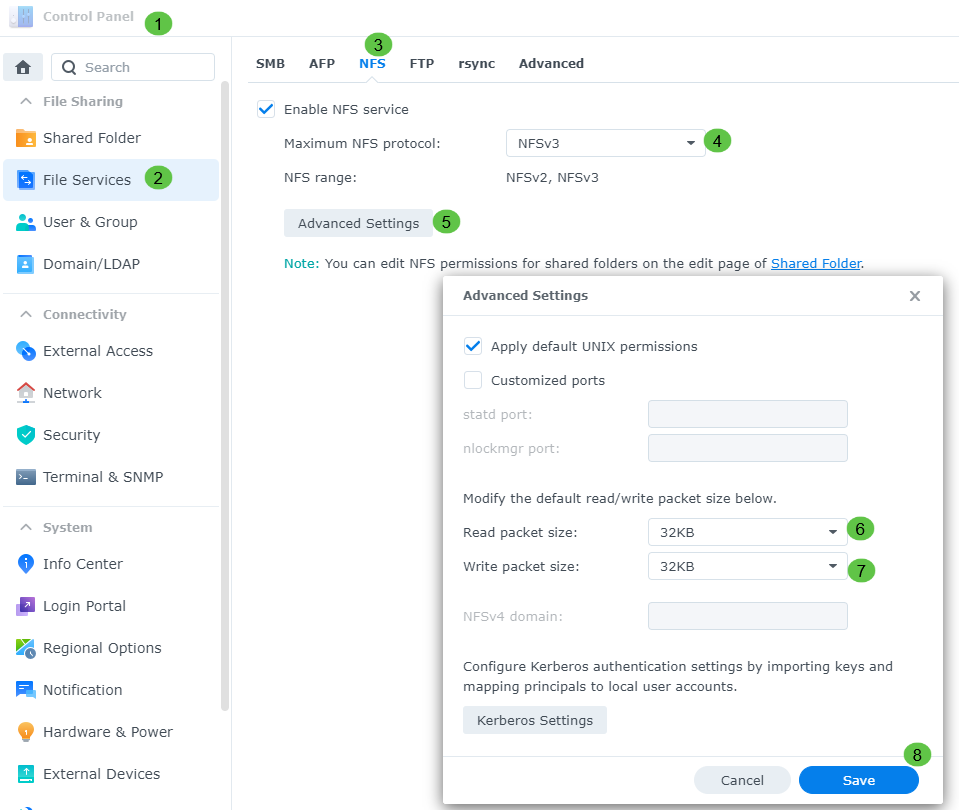
You will need to go to the Control Panel → File Services under the NFS section and turn it on
[](https://docs.sflservicesllc.com/uploads/images/gallery/2024-09/c5kimage.png)
Then hit APPY
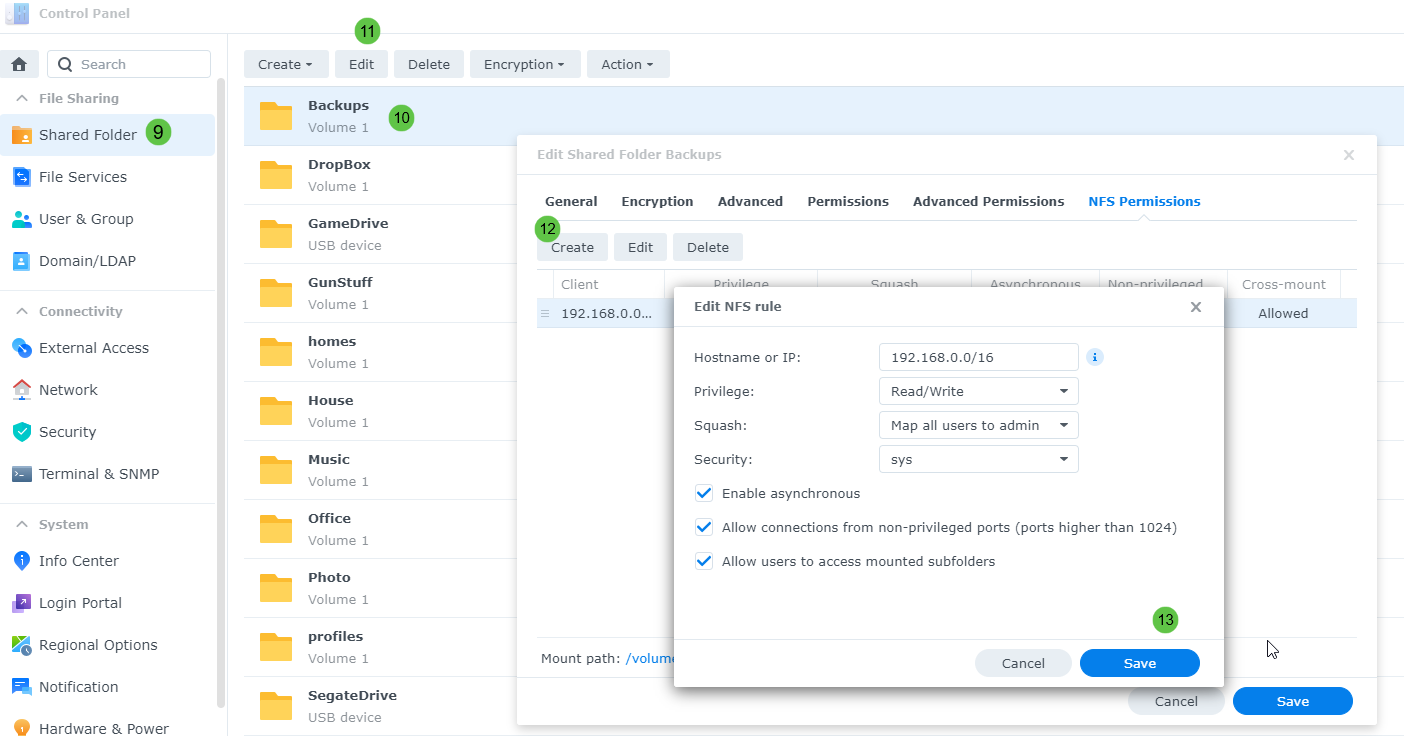
Then go to Shared Folder to setup the share you would like to use for the backups
[](https://docs.sflservicesllc.com/uploads/images/gallery/2024-09/RHZimage.png)
### Linux Configuration
Now login to the Linux server to setup FSTAB to allow the NFS link to work
Edit the “/etc/fstab“
```shell
#Custom
bigberta.onling.com:/volume1/Backups /mnt/backups nfs auto,defaults 0 0
```
Create the directory for the mount
```shell
mkdir -p /mnt/backups
```
After the mount the new NFS drive
```shell
mount -a -v
systemctl daemon-reload
```
To force kill the new mount
```shell
umount -l /mnt/backups
```